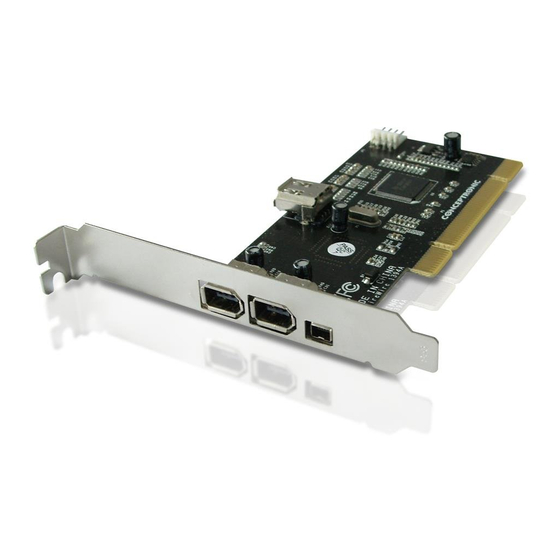
Conceptronic Ci1394B Schnellstartanleitung
Firewire karten
Quicklinks
NEDERLANDS
Ci1394B
Snelstart handleiding
Hartelijk gefeliciteerd met de aanschaf van uw
Conceptronic Firewire kaart.
In deze snelstart handleiding wordt stap voor stap uitgelegd hoe u de Conceptronic Firewire
PCI Kaart installeert.
Ingeval van problemen adviseren wij u onze support-site te bezoeken (ga naar:
www.conceptronic.net
en klik op 'Support'). Hier vindt u een database met veelgestelde
vragen waar u hoogstwaarschijnlijk de oplossing voor uw probleem kunt vinden.
Heeft u andere vragen over uw product die u niet op de website kunt vinden, neem dan
contact met ons op via e-mail:
support@conceptronic.net
Voor meer informatie over Conceptronic producten kunt u terecht op de Conceptronic website:
www.conceptronic.net.
Bij software/drivers installatie: Het is mogelijk dat onderstaande installatie iets afwijkt van de
installatie op uw computer. Dit is afhankelijk van de Windows versie die u gebruikt.
- 1 -

Verwandte Anleitungen für Conceptronic Ci1394B


Inhaltszusammenfassung für Conceptronic Ci1394B
- Seite 1 Snelstart handleiding Hartelijk gefeliciteerd met de aanschaf van uw Conceptronic Firewire kaart. In deze snelstart handleiding wordt stap voor stap uitgelegd hoe u de Conceptronic Firewire PCI Kaart installeert. Ingeval van problemen adviseren wij u onze support-site te bezoeken (ga naar: www.conceptronic.net...
- Seite 2 When you have other questions about your product and you cannot find it at our website, then contact us by e-mail: support@conceptronic.net For more information about Conceptronic products, please visit the Conceptronic Web Site: www.conceptronic.net The Software installation as described below, may be slightly different from the installation on your computer.
- Seite 3 Si tiene otras preguntas sobre su producto y no las encuentra en nuestro sitio web, póngase en contacto con nuestro servicio técnico por correo electrónico: support@conceptronic.net Para obtener más información acerca de productos de Conceptronic por favor visite el lugar Web de Conceptronic: www.conceptronic.net La instalación de software, tal y como se describe a continuación, puede ser algo diferente de...
- Seite 4 Installation ihrer Firewire Karten von Conceptronic Sollten irgendwelche Probleme auftreten, empfehlen wir ihnen, auf unsere Support-Seite im Internet zu gehen (www.conceptronic.net) und auf 'Support’ zu klicken. Dort werden sie die "Frequently Asked Questions" Datenbank finden. Falls sie andere Fragen zu ihrem Produkt haben und sie diese nicht auf unserer Website finden können, kontaktieren sie uns bitte per E-Mail:...
-
Seite 5: Guide De Démarrage Rapide
Si vous avez d’autres questions concernant votre produit et que vous ne trouvez pas la solution sur notre site web, contactez-nous par e-mail : support@conceptronic.net Pour plus d'informations sur les produits de Conceptronic, visitez notre Site Internet Conceptronic: www.conceptronic.net Il est possible que l’installation du matériel décrite ci-dessous diffère parfois de l’installation sur votre ordinateur. - Seite 6 Se doveste avere altre domande riguardanti il prodotto che non trovate sul nostro sito Web vi preghiamo di contattarci attraverso l’e-mail: support@conceptronic.net Per ulteriori informazioni dei prodotti Conceptronic, la preghiamo di visitare il sito Web della Conceptronic: www.conceptronic.net La successiva descrizione relativa all’installazione del software potrebbe essere leggermente diversa dall’installazione sul vostro computer.
- Seite 7 Se tiver outras questões relativas ao nosso produto e não as conseguir encontrar no nosso webiste, pode-nos contactar através do e-mail: support@conceptronic.net Para mais informações sobre produtos de Conceptronic, por favor visite o Web Site da Conceptronic: www.conceptronic.net A instalação do Software conforme se encontra descrita abaixo pode ser ligeiramente diferente da instalação do seu computador.
-
Seite 8: Hardware Installation
MULTI LANGUAGE INSTALLATION 1. Hardware Installation NEDERLANDS - Hardware installatie: Bij dit product ontvangt u een kabel waarmee u apparaten die over een IEEE 1394 aansluiting beschikken, zoals een digitale videocamera of DVD speler, op uw PC kunt aansluiten. Stap 1: Zet de PC uit en maak de behuizing open. N.B.: Sommige PCI 2.2 moederborden voorzien de slots van stroom terwijl de PC uit staat. - Seite 9 MULTI LANGUAGE INSTALLATION DEUTSCH - Hardwareinstallation Zusammen mit diesem Produkt erhalten Sie ein Kabel für den Anschluss von Geräten mit 1394-Unterstützung, wie z.B. digitale Videokameras oder DVD-Spieler. Schritt 1: Schalten Sie den Rechner aus und nehmen Sie das Gehäuse ab. HINWEIS: Einige Motehrboards mit PCI 2.2 versorgen die Steckplätze selbst bei ausgeschaltetem Rechner mit Strom.
- Seite 10 MULTI LANGUAGE INSTALLATION ITALIANO - Installazione dell’hardware Assieme a questo prodotto, troverete un cavo per collegare le periferiche tipo 1394 come video camera digitale e lettore DVD. Passo 1: Dopo aver scollegato il PC dall’interruttore di alimentazione, rimuovere la carcassa. NOTA: Alcune schede madri PCI 2.2 compatibili forniscono alimentazione agli slot anche quando il PC è...
-
Seite 11: Software Installation
MULTI LANGUAGE INSTALLATION 2. Software Installation NEDERLANDS: Het is mogelijk dat onderstaande installatie iets afwijkt van de installatie op uw computer. Dit is afhankelijk van de Windows versie die u gebruikt. ENGLISH: The Hardware installation as described below, may be slightly different from the installation on your computer. - Seite 12 MULTI LANGUAGE INSTALLATION 2.1 Software Installation for Windows 98SE - 12 -...
- Seite 13 MULTI LANGUAGE INSTALLATION NEDERLANDS: Controleer of de Windows 98 SE cd in uw cd-rom-station zit. Geef het pad ‘C:\windows.inf’ aan. ENGLISH: Make sure the Windows 98SE CD- ROM is in your CD-ROM drive. Locate the path C:\windows\inf. ESPAÑOL: Asegúrese de que el CD-ROM de Windows 98 SE está...
- Seite 14 MULTI LANGUAGE INSTALLATION NEDERLANDS: Wanneer u wordt gevraagd de cd te plaatsen, geeft u het pad ‘\Win98’ van uw Windows 98 SE cd aan. ENGLISH: When prompted to insert Windows 98SE CD-ROM. Locate the path ‘\Win98’ on your Windows 98 SE CD-ROM. ESPAÑOL: Cuando se le pida que introduzca el disquete,...
- Seite 15 Onder Windows ME, 2000 en XP wordt de Ci1394B automatisch herkend en geïnstalleerd. ENGLISH: The Ci1394B will be detected and automatically installed under Windows ME/ 2000 and XP. ESPAÑOL: El Ci1394B se detectará y se instalará automáticamente en Windows ME/2000 y XP.