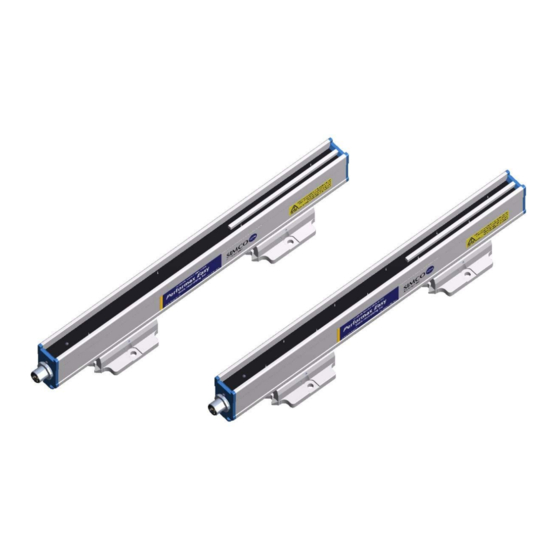
Ionensprühsysteme
Inhaltsverzeichnis
-
-
-
Verklaring Gebruikte Symbolen
3
-
-
Beschrijving en Werking
4
-
-
Technische Specificaties
7
-
-
-
Ionisatiestaaf Monteren
9
-
Montagebeugel (Bracket Bars)
10
-
Montage Performax IQ Easy, Performax IQ Easy Speed (Slide Bracket)
11
-
Demontage Performax IQ Easy, Performax IQ Easy Speed (Slide Bracket)
12
-
Ionisatiestaaf Aansluiten
12
-
Ionisatiestaaf Aansluiten Op Het IQ Easy Platform
12
-
Ionisatiestaaf Aansluiten Op de Simco-Ion Desktopvoeding
12
-
Ionisatiestaaf Aansluiten Op de DIN-Rail Voeding/Externe Voeding
12
-
-
Ionisatiestaaf in Gebruik Nemen Via Het IQ Easy Platform
13
-
Selecteren EXPERT Mode Om Parameters in te Stellen of Maintenance Mogelijk te Maken
14
-
Kalibreren Van de Performax Easy Via Het IQ Easy Platform
14
-
Operation Modes (Expert)
15
-
-
Operation Mode CLFB (Closed Loop Feedback) Met Sensor IQ Easy
16
-
Ionisatiestaaf Standby & Actief en Autorun Instellen
17
-
Ionisatiestaaf Information Parameters (Expert Mode)
18
-
Remote On/Off Schakelen Van de Staaf Via de Remote On/Off Ingang Op de Manager of Via Fieldbus (Expert Mode)
18
-
Datalogging (De-)Activeren
18
-
Clean Bar Warning Level Instellen (Expert Mode)
18
-
Ionisatiestaaf in Gebruik Nemen Via Een 24 V-Voeding
19
-
Controle Op de Werking
19
-
Controle Op de Werking Via de Led's (Aangesloten Op Het IQ Easy Platform)
19
-
Controle Op de Werking Via de Manager IQ Easy
19
-
-
-
-
-
Controle Op de Werking Via de Led's (Aangesloten Op Een 24 V-Voeding (Niet IQ))
21
-
Oorzaken Van Overbelasting
21
-
-
Regelmatig Reinigen Van de Ionisatiestaaf
21
-
Reinigen Van Een Sterk Vervuilde Ionisatiestaaf
21
-
-
-
-
-
-
-
-
-
-
-
-
-
-
-
-
-
-
-
-
-
-
-
-
-
-
-
-
-
-
-
-
-
-
-
-
-
-
-
-
-
-
-
-
-
-
-
-
-
-
-
-
Explanation of Symbols
53
-
Description and Operation
54
-
-
Technical Specifications
57
-
-
-
Fitting the Anti-Static Bar
59
-
Mounting Bracket (Bracket Bars)
60
-
Mounting Performax IQ Easy, Performax IQ Easy Speed (Slide Bracket)
61
-
Dismounting Performax IQ Easy, Performax IQ Easy Speed (Slide Bracket)
62
-
Connecting the Anti-Static Bar
62
-
Connecting the Anti-Static Bar to the IQ Easy Platform
62
-
Connecting the Anti-Static Bar to the Simco-Ion Desktop Power Supply
62
-
Connecting the Anti-Static Bar to the DIN Rail Power Supply/External Power Supply
62
-
-
Commissioning the Anti-Static Bar through the IQ Easy Platform
63
-
Selecting EXPERT Mode for Setting Parameters or Maintenance
64
-
Calibrating the Performax Easy through the IQ Easy Platform
64
-
Operating Modes (Expert)
65
-
-
Operating Mode CLFB (Closed Loop Feedback) with Sensor IQ Easy
66
-
Anti-Static Bar Standby & Active and Set Autorun
67
-
Anti-Static Bar Information Parameters (Expert Mode)
67
-
Switching Bar Remotely On/Off through the Remote On/Off Input on the Manager or Via Fieldbus (Expert Mode)
67
-
De)Activating Datalogging
68
-
Setting Clean Bar Warning Level (Expert Mode)
68
-
Commissioning the Anti-Static Bar with a 24 V Power Supply
68
-
-
Functional Check Via the Leds (Connected to the IQ Easy Platform)
69
-
Functional Check Via the Manager IQ Easy
69
-
-
-
-
-
Functional Check Using the Leds (Connected to 24 V Power Supply (Not IQ)
70
-
Causes for Overloading
70
-
-
Regular Cleaning of the Anti-Static Bar
71
-
Cleaning a Heavily Fouled Anti-Static Bar
71
-
-
-
-