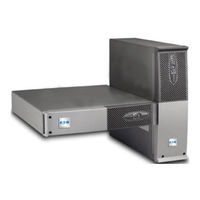
Pulsar Series
Marke:
Eaton
|
Kategorie:
USVs
| Dateigröße: 11 MB
Inhaltsverzeichnis
-
Environmental Protection
5
-
-
-
-
-
-
-
-
Evolution 1250 / 1750 / 2000
9
-
Evolution EXB (Optional Battery Module)
9
-
-
-
Unpacking and Contents Check
10
-
Installation in Tower Position
11
-
Installation in Rack Position
11
-
-
Connection of RS232 or USB Communication Port (Optional)
12
-
Installation of the Communication Cards (Optional)
12
-
Characteristics of the Contact Communication Port (Optional)
12
-
Connections with a Hotswap MBP Module
13
-
Hotswap MBP Module Operation
14
-
UPS Connection Without a Flexpdu or Hotswap MBP Module
14
-
-
Start-Up and Normal Operation
15
-
Operation on Battery Power
15
-
-
Return of AC Input Power
16
-
-
UPS Remote-Control Functions
16
-
Personalisation Using External Software
18
-
-
-
Troubleshooting a UPS Equipped with the Hotswap MBP Module
19
-
Battery-Module Replacement
20
-
Safety Recommendations
20
-
Battery-Module Removal
20
-
Mounting the New Battery Module
21
-
Maintenance on a UPS Equipped with the Hotswap MBP Module
21
-
-
-
Technical Specifications
22
-
-
Respect de L'environnement
27
-
-
-
-
-
-
-
-
Evolution 1250 / 1750 / 2000
31
-
Evolution EXB (Module Batterie Optionnel)
31
-
Panneau D'affichage et de Commande
31
-
-
Déballage et Vérification du Contenu
32
-
Installation en Position Tour
33
-
Installation en Position Rack
33
-
Ports de Communication
34
-
Raccordement du Port de Communication RS232 ou USB (Facultatif)
34
-
Installation des Cartes de Communication (Option)
34
-
Raccordements Avec un Module Flexpdu (Power Distribution Unit)
35
-
Raccordements Avec un Module Hotswap MBP
35
-
Fonctionnement du Module Hotswap MBP
36
-
Raccordements D'une ASI Dépourvue de Module Flexpdu ou Hotswap MBP
36
-
-
Mise en Service et Fonctionnement Normal
37
-
Fonctionnement Sur Batterie
37
-
Retour du Réseau Électrique
38
-
-
Utilisation des Fonctions de Commande à Distance de L'asi
38
-
Personnalisation Par Logiciel Externe
40
-
-
-
Dépannage D'une ASI Équipée D'un Module Hotswap MBP
41
-
Remplacement du Module Batterie
42
-
Rappel Sur les Consignes de Sécurité
42
-
Démontage du Module Batterie
42
-
Remontage du Nouveau Module Batterie
43
-
Maintenance D'une ASI Équipée D'un Module Hotswap MBP
43
-
-
-
Spécifications Techniques
44
-
-
-
-
-
-
-
-
-
-
-
-
-
-
-
-
-
-
-
-
-
-
-
-
-
-
-
-
-
-
-
-
-
-
-
-
-
-
-
-
-
-
-
-
-
-
-
-
Pittogrammi Utilizzati
72
-
-
-
-
-
-
-
Evolution 1250 / 1750 / 2000
75
-
Evolution EXB (Modulo Batteria Opzionale)
75
-
Pannello DI Visualizzazione E DI Comando
75
-
-
Apertura Dell'imballaggio E Verifica del Contenuto
76
-
Installazione Nella Posizione Tower
77
-
Installazione Nella Posizione Rack
77
-
Porte DI Comunicazione
78
-
Raccordo Della Porta DI Comunicazione RS232 O USB(Facoltativa)
78
-
Installazione Delle Schede DI Comunicazione (Opzione)
78
-
Caratteristiche Della Porta DI Comunicazione Tramite Contatti (Opzione)
78
-
Raccordi con un Modulo Flexpdu (Power Distribution Unit)
79
-
Raccordi con un Modulo Hotswap MBP
79
-
Funzionamento del Modulo Hotswap MBP
80
-
Raccordo DI un UPS Privo DI Modulo Flexpdu O Hotswap MBP
80
-
-
Messa in Servizio E Funzionamento Normale
81
-
Funzionamento Su Batteria
81
-
Ritorno Della Rete Elettrica
82
-
-
Utilizzo Delle Funzioni DI Controllo Remoto Dell'ups
82
-
Personalizzazione Tramite Software Esterno
84
-
-
Riparazione Dei Guasti
85
-
Anomalie Su un UPS Dotato DI Modulo Hotswap MBP
85
-
Sostituzione del Modulo Batteria
86
-
Richiamo Sulle Istruzioni DI Sicurezza
86
-
Smontaggio del Modulo Batteria
86
-
Rimontaggio del Nuovo Modulo Batteria
87
-
Manutenzione DI un UPS Dotato DI Modulo Hotswap MBP
87
-
-
-
-
-
Pictogramas Utilizados
94
-
-
-
-
-
-
-
Evolution 1250 / 1750 / 2000
97
-
Evolution EXB (Módulo Batería Opcional)
97
-
Panel de Visualización y de Mando
97
-
-
Desembalaje y Comprobación del Contenido
98
-
Instalación en Posición de Torre
99
-
Instalación en Posición de Rack
99
-
Puertos de Comunicación
100
-
Conexión del Puerto de Comunicación RS232 O USB (Facultativo)
100
-
Instalación de las Tarjetas de Comunicación (Opcional)
100
-
Características del Puerto de Comunicación por Contactos (Opcional)
100
-
Conexiones a un Módulo Flexpdu (Power Distribution Unit)
101
-
Conexiones a un Módulo Hotswap MBP
101
-
Funcionamiento del Módulo Hotswap MBP
102
-
Conexiones de un SAI sin Módulo Flexpdu O Hotswap MBP
102
-
-
Puesta en Servicio y en Funcionamiento Normal
103
-
Funcionamiento con Batería
103
-
Vuelta de la Corriente Eléctrica
104
-
-
Utilización de las Funciones de Mando a Distancia del SAI
104
-
Personalización Mediante el Software Externo
106
-
-
Corrección de Anomalías
107
-
Corrección de Anomalías de un SAI Equipado con un Módulo Hotswap MBP
107
-
Sustitución del Módulo de la Batería
108
-
Recordatorio de las Instrucciones de Seguridad
108
-
Desmontaje del Módulo de Batería
108
-
Montaje del Nuevo Módulo de Batería
109
-
Mantenimiento de un SAI Equipado con un Módulo Hotswap MBP
109
-
-
-
Especificaciones Técnicas
110
-
-
-
Gebruikte Pictogrammen
116
-
-
Standaardopstellingen
118
-
-
-
-
Evolution EXB (Optionele Accumodule)
119
-
-
-
Uitpakken en Controle Van de Inhoud
120
-
Plaatsing in Tower-Opstelling
121
-
Plaatsing in Rack-Opstelling
121
-
-
Aansluiten Van de RS232- of USB-Communicatiepoort (Facultatief)
122
-
Eigenschappen Van de Contactgestuurde Communicatiepoort (Optie)
122
-
Aansluiting Op Een Flexpdu-Module (Power Distribution Unit - Elektrische Verdeeldoos)
123
-
Aansluiting Op Een Hotswap MBP-Module
123
-
Werking Van de Hotswap MBP-Module
124
-
Aansluiten Van Een UPS Zonder Flexpdu- of Hotswap MBP-Module
124
-
-
Ingebruikname en Normaal Bedrijf
125
-
-
Uitschakelen Van de UPS
126
-
Gebruik Van de Remote Bedieningsfuncties Van de UPS
126
-
Instellingen Via Externe Software
128
-
-
-
Problemen Oplossen Bij Een UPS Met Hotswap MBP-Module
129
-
Vervangen Van de Accumodule
130
-
Demonteren Van de Accumodule
130
-
Plaatsen Van de Nieuwe Accumodule
131
-
Onderhoud Van Een UPS Met Een Hotswap MBP-Module
131
-
-
-
-