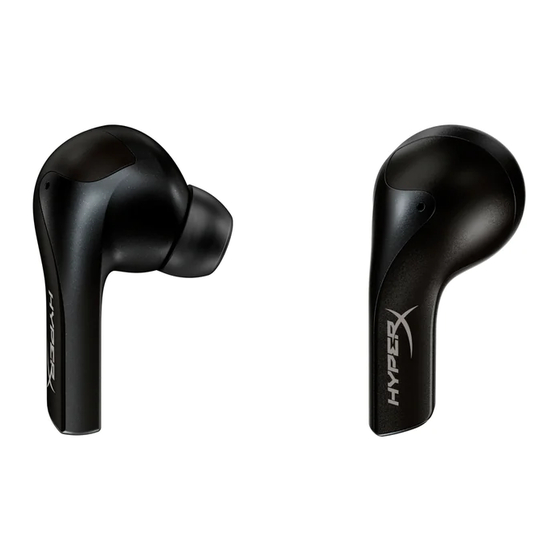
HyperX Cloud MIX Buds Schnellstartanleitung
Verfügbare Sprachen
Verfügbare Sprachen
Quicklinks
HyperX Cloud MIX Buds
Overview
A
A
Charging contacts
B
Touch sensor
C
Microphones
D
Charging case
4402231
B
C
D
E
F
G
E
Charging case status LED
F
USB-C port
G
Charging case button
H
Low latency USB adapter
Quick Start Guide
I
J
I
USB adapter status LED
J
USB adapter button
K
Extension adapter
H
M
K
L
L
Silicone case
M
Ear tips (large, small)
N
USB-C to USB-A cable
N

Verwandte Anleitungen für HyperX Cloud MIX Buds


Inhaltszusammenfassung für HyperX Cloud MIX Buds
-
Seite 12: Überblick
2. Halte die Ladecase-Taste drei Sekunden lang gedrückt. Die Status-LED des Ladecase beginnt blau zu blinken. 3. Auf deinem Gerät muss Bluetooth® aktiviert sein. Suche dann nach HyperX Cloud MIX Buds und verbinde dich damit. Sobald das Ladecase verbunden ist, leuchtet die Status-LED durchgehend blau, erlischt dann und zeigt wieder den Batteriestatus an. - Seite 13 des Ladecase beginnt weiß zu blinken. Wenn du es nicht mit einem mobilen Gerät verwendest, nutze den mitgelieferten Verlängerungsadapter und die USB-C-auf-USB-A-Kabel. 2. Wenn die Ohrhörer eingeschaltet sind, werden sie automatisch mit dem Dongle verbunden und die Dongle-Sta- tus-LED pulsiert weiß. Verwendung der Touch-Bedienelemente Die folgenden Mediensteuerungen sind verfügbar, wenn du Bluetooth®...
- Seite 16 Oprogramowanie HyperX NGENUITY Mobile Aby dostosować parametry dźwięku, działanie elementów sterujących i inne ustawienia do własnych potrzeb, pobierz aplikację HyperX NGENUITY Mobile ze sklepu iOS App Store lub Android Google Play. Masz pytania lub problemy z kon guracją? Skontaktuj się z działem pomocy technicznej HyperX lub przeczytaj instrukcję obsługi na stronie hyperxgaming.com/support/headsets...
- Seite 35 51% - 100% 16% - 50% < 15% 100% (100% = 51% - 100% (100% < 16% - 50% < 15% Bluetooth A2DP: A2DP HyperX NGENUITY Mobile HyperX NGENUITY Mobile iOS App Store Android Google Play hyperxgaming.com/support/headsets HyperX...
- Seite 36 USB-C USB-A USB-C 51% - 100% 16% - 50% < 15% HyperX Cloud MIX Buds Bluetooth® USB-C USB-A Bluetooth® ®Bluetooth...
- Seite 46 Simpli ed Declaration of Conformity Hereby, HP declares that the radio equipment is in compliance with Directive 2014/53/EU. The full text of the EU Declaration of Conformity is available at the following internet address: www.hp.eu/certi cates UK only: Hereby, HP declares that the radio equipment is in compliance with the relevant statutory requirements. The full text of the declaration of conformity is available at the following internet address: www.hp.eu/certi cates Hiermit erklärt HP, dass der Funkanlagentyp der Richtlinie 2014/53/EU entspricht.
- Seite 47 TI NG VI T | S n ph m HyperX luôn đư c b o hành! G p v n đ v i s n ph m HyperX®? Hãy liên h đ i ngũ giàu kinh nghi m đ đư c h tr và ph n h i nhanh chóng. hyperx.com/support...