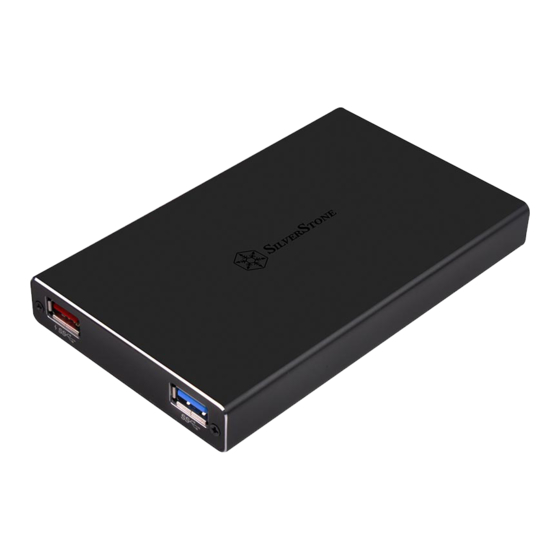
SilverStone SST-TS15 Bedienungsanleitung
Quicklinks
TS15
USB 3.1 Gen 1 Type-C external
2.5" HDD/SSD enclosure with
2.5" HDD/SSD enclosure with
2 port USB hub
2 port USB hub
Special Features
Special Features
USB 3.1 Gen 1 Type-C connector for reversible-plug and 5Gbps
USB 3.1 Gen 1 Type-C connector for reversible-plug and 5Gbps
transfer speed
transfer speed
Type-C charging port supports up to 60W for independent
power delivery
Additional dual USB 3.1 Gen 1 ports provide peripheral expansion
Aluminum alloy body supports any 2.5" hard drive (up to 9.5mm)
Supports UASP (USB Attached SCSI Protocol) function for even
faster performance
All manuals and user guides at all-guides.com

Verwandte Anleitungen für SilverStone SST-TS15


Inhaltszusammenfassung für SilverStone SST-TS15
- Seite 1 All manuals and user guides at all-guides.com TS15 USB 3.1 Gen 1 Type-C external 2.5" HDD/SSD enclosure with 2.5" HDD/SSD enclosure with 2 port USB hub 2 port USB hub Special Features Special Features USB 3.1 Gen 1 Type-C connector for reversible-plug and 5Gbps USB 3.1 Gen 1 Type-C connector for reversible-plug and 5Gbps transfer speed transfer speed...
- Seite 2 All manuals and user guides at all-guides.com TS15 Manual Specifications Model No. SST-TS15 Color Black Material Aluminum body Chipset ASM1153E, VL812, VL100R Signal input USB 3.1 Type-C Male Enclosure connector USB 3.1 Gen 1 Type-C x 1 Type-C x 1 (USB PD profile 4, charging only) USB 3.1 Gen 1 Type-A x 1 (Compatible with USB 2.0 / 1.1)
-
Seite 3: Package Content
All manuals and user guides at all-guides.com Package Content 1. Устройство TS15 1. TS15 enclosure 2. Кабель Type-C - Type-C 2. Type-C to Type-C cable 3. Отвёртка с винтами 3. Screwdriver with screws 4. Руководство 4. Manual 1. TS15-Gehäuse 1. TS15 エンクロージャ 2. - Seite 4 All manuals and user guides at all-guides.com TS15 Manual Appearance 2.5" HDD/SSD...
- Seite 5 All manuals and user guides at all-guides.com Appearance A. Разъём питания USB Type-C A. USB Type-C power connector B. Разъём данных USB Type-C B. USB Type-C data connector C. Разъём для быстрой зарядки USB C. USB Type-A 3.1 Gen 1 fast charging connector Type-A 3.1 Gen 1 D.
- Seite 6 All manuals and user guides at all-guides.com TS15 Manual Installation guide STEP 1 Use screwdriver to open TS15’s enclosure Используйте отвёртку, чтобы открыть корпус TS15 Öffnen Sie das TS15-Gehäuse mit dem ドライバーを使って、TS15 のエンクロージャを開きます Schraubendreher Use el destornillador para abrir la carcasa TS15 스크루드라이버를...
- Seite 7 All manuals and user guides at all-guides.com Package Content Installation guide STEP 2 Install hard drive and secure on circuit board Установите жёсткий диск и закрепите на with 4 screws монтажной плате четырьмя винтами Installieren Sie das Laufwerk und befestigen 回路基板上にハードドライブを取り付け、...
- Seite 8 All manuals and user guides at all-guides.com TS15 Manual Installation guide STEP 3 Put the cover back and secure with screws Установите крышку и закрепите с помощью винтов Bringen Sie die Abdeckung wieder an und カバーを取り付け、ネジで固定します befestigen Sie sie mit Schrauben Vuelva a poner la cubierta y fíjela con tornillos 커버를...
- Seite 9 All manuals and user guides at all-guides.com Package Content Installation guide STEP 4 Connect Type-C cable or other compatible Подключите кабель Type-C или другие devices совместимые устройства Schließen Sie das Typ-C-Kabel und andere タイプ C ケーブルまたは他の互換性の kompatible Geräte an あるデバイスを接続します Conecte el cable Tipo-C u otros dispositivos Type-C 케이블...
- Seite 10 All manuals and user guides at all-guides.com TS15 Manual Installation guide STEP 5 Installation complete Установка завершена Damit ist die Installation abgeschlossen 取り付け完了です Instalación completa 설치가 완료되었습니다. Installation complète 安裝完成 L'installazione è completata 安装完成...
- Seite 11 All manuals and user guides at all-guides.com Package Content...
- Seite 12 All manuals and user guides at all-guides.com...