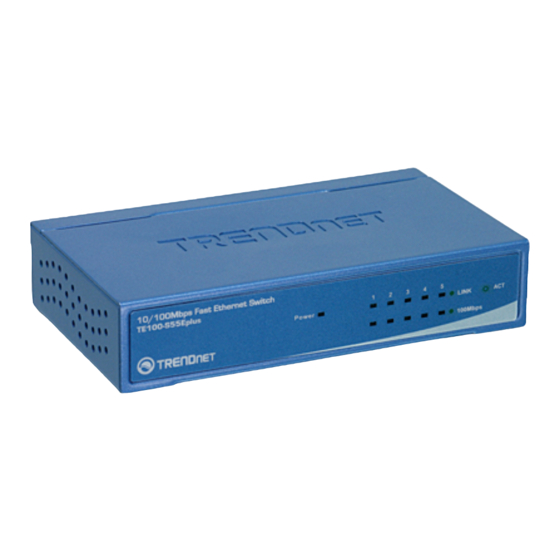
TRENDnet TE100-S55Eplus Schnellinstallationsanleitung
Inhaltsverzeichnis
Quicklinks
Inhaltsverzeichnis

Verwandte Anleitungen für TRENDnet TE100-S55Eplus


Inhaltszusammenfassung für TRENDnet TE100-S55Eplus
- Seite 1 Quick Installation Guide TE100-S55Eplus TE100-S88Eplus TE100-S16Eplus...
-
Seite 2: Inhaltsverzeichnis
Table of Contents Table of Contents Deutsch ..................... 1. Bevor Sie anfangen ................2. Installation der Hardware ..............Technical Specifications ................Troubleshooting ..................Version 05.16.2006... -
Seite 3: Bevor Sie Anfangen
1. Bevor Sie anfangen Packungsinhalt TE100-S55Eplus/TE100-S88Eplus/ TE100-S16Eplus Kurzanleitung zur Installation Netzteil Systemanforderungen Computer mit korrekt installiertem Netzwerkadapter Die Aufstellfläche des Umschalters muss eine Tragfähigkeit von mindestens 1,5 kg haben. Die Steckdose sollte nicht weiter als 1,8 Meter vom Umschalter entfernt sein. -
Seite 4: Installation Der Hardware
2. Installation der Hardware 1.Verbinden Sie das Netzteil mit dem TE100-S55Eplus/ TE100-S88Eplus/TE100-S16Eplus und stecken Sie es in eine Steckdose. 2. Verbinden Sie den Computer über ein Kat.5 RJ-45-Netzwerkkabel mit einem freien Ethernet-Port des TE100-S55Eplus/TE100-S88Eplus/ TE100-S16Eplus. Deutsch... -
Seite 5: Technical Specifications
Fast Ethernet: UTP/STP CAT5, 5e , 6 5, 8 or 16 x 10/100Mbps Auto-negotiation, Number of Ports Auto-MDIX ports Performance Transmission Method Store-and-forward TE100-S55Eplus: 1K Entries Per Device MAC Address Table TE100-S88Eplus: 1K Entries Per Device TE100-S16Eplus: 8K Entries Per Device MAC Address Learning Automatic update... - Seite 6 ° ° ° Humidity Operating: 10% ~ 90%, Storage:5% ~ 90% TE100-S55Eplus: 116 x 69 x 24 mm Dimensions (L x W x H) TE100-S88Eplus: 136 x 70 x 25 mm TE100-S16Eplus: 184 x 124 x 44 mm TE100-S55Eplus: 220g...
-
Seite 7: Troubleshooting
Troubleshooting After connecting the Switch to a power outlet, the LEDs do not turn on. Check the connection of the external power adapter to the TE100-S55Eplus/ TE100-S88Eplus/ TE100-S16Eplus and the power outlet. Also check that the power outlet is receiving power. - Seite 8 Return Material Authorization (RMA) number, accompanied by a copy of the dated proof of the purchase. Products returned to TRENDnet must be pre- authorized by TRENDnet with RMA number marked on the outside of the package, and...
- Seite 9 ANY OTHER LIABILITY IN CONNECTION WITH THE SALE, INSTALLATION, MAINTENANCE OR USE OF TRENDNET’S PRODUCTS. TRENDNET SHALL NOT BE LIABLE UNDER THIS WARRANTY IF ITS TESTING AND EXAMINATION DISCLOSE THAT THE ALLEGED DEFECT IN THE PRODUCT DOES NOT EXIST OR WAS CAUSED BY CUSTOMER’S OR ANY THIRD PERSON’S...
- Seite 10 Certifications This equipment has been tested and found to comply with FCC and CE Rules. Operation is subject to the following two conditions: (1) This device may not cause harmful interference. (2) This device must accept any interference received. Including interference that may cause undesired operation.
- Seite 11 English/Espanol - 24/7 Francais/Deutsch - 11am-8pm, Monday - Friday MET Product Warranty Registration Please take a moment to register your product online. Go to TRENDnet’s website at http://www.trendnet.com 20675 Manhattan Place Torrance, CA 90501 Copyright ©2006. All Rights Reserved. TRENDnet.