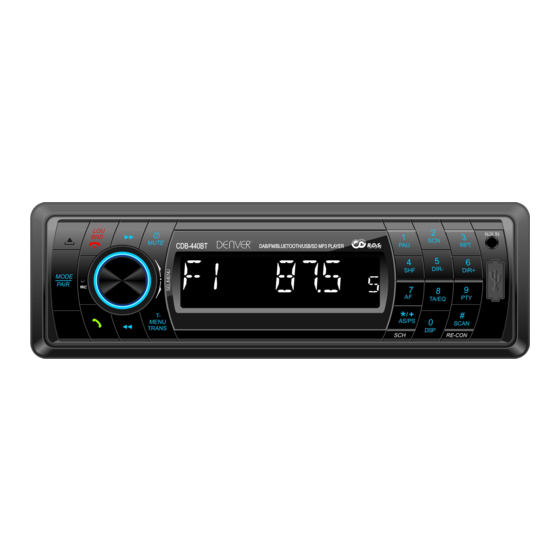
Denver CDB-440BT Kurzanleitung
Vorschau ausblenden
Andere Handbücher für CDB-440BT:
- Kurzanleitung (3 Seiten) ,
- Kurzanleitung (3 Seiten)
Inhaltsverzeichnis
Verfügbare Sprachen
Verfügbare Sprachen
Quick Set-Up Guide
WIRING UP YOUR RADIO
***IMPORTANT*** Please make sure the yellow wire is connected to the permanent live feed (+12V) of
the vehicle battery for the preset memory's Disconnect negative battery terminal from battery before
starting installation. Consult the vehicle owner's manual for proper instructions.
YELLOW
Connect to
the B+12V
BLUE
Connect to
Auto Antenna
RED
Connect to
Ignition Key
BLACK
Ground
WORKING WITH THE UNIT
1. DAB Function
Press MODE button switch to DAB mode, it will store
radio stations automatically. Then press seek
up/down button switch to other station.
Press and hold M1-M6 (digit 1/2/3/4/5/6) button to
memory the current station to the M1-M6 station.
Put the antenna on the left or right of windows. The
minimum installation height is 60mm from the
windows top.
CDB-440BT
Rear Right
Permanent
Front Right
+12V Fused
Auto
Front Left
Antenna
Ignition
GND
Rear Left
Key +12V
Fused
1. Install the Radio using the Din-Front Mount or
Din-Rear Mount Method.
2. The Radio is equipped with ISO connector.
ISO connector is the universal connector for
the connection of car radio.
3. Make sure that you have a good chassis
ground. Good ground connections will
eliminate most electrical noise problems.
4. Please seek professional advice if you are
inexperienced installing this type of product.
2. Bluetooth Connection
The bluetooth of this radio is always in standby
mode for pairing and connection, signaled by a
blinking bluetooth icon on the LCD Display.
At this blinking time, please run the bluetooth
search and connect function in your cellphone. The
car radio model no "CAR KIT" will be shown on the
cellphone. Select this car radio and connect. When
you are asked for a connection password, please
input "0000" in your cellphone to finish the pairing.
The bluetooth icon on the display will be on
indicating that the connection is established.
Bluetooth function is ready to use.
3. Radio
Press the BND button to select RADIO mode. Press
the BND button to select suitable band. You can
press the seek up/down button to search for your
favourite stations, or you can press and hold the
AS/PS button to automatically scan the strong
stations and save them as presets.
ENG
Inhaltsverzeichnis

Verwandte Anleitungen für Denver CDB-440BT


Inhaltszusammenfassung für Denver CDB-440BT
-
Seite 4: Anschluss Ihres Radios
CDB-440BT Kurzanleitung ANSCHLUSS IHRES RADIOS ***WICHTIG*** Achten Sie bitte darauf, dass das gelbe Kabel an Dauerplus (+12 V) der Fahrzeugbatterie angeschlossen ist, um die Senderspeicher zu versorgen. Trennen Sie den Minuspol von der Batterie, bevor Sie die Installation beginnen. Lesen Sie Einzelheiten im Fahrzeughandbuch nach. - Seite 5 Anschluss externer Audiogeräte (wie MP3-Player) Min 60 mm Min 60 mm am Autoradio. Verwenden Sie das mitgelieferte Aux-Eingangskabel zum Anschluss. Schließen Sie das Kabel am Aux-Eingang und am externen Gerät Die ausfü hrliche Bedienungsanleitung finden Sie auf unserer Website http://www.denver-electronics.com/...
- Seite 6 Stavneagervej 22 DK-8250 Egaa Dänemark www.facebook.com/denverelectronics Hiermit erklärt Inter Sales A/S, dass dieses Modell DENVER CDB-440BT den grundlegenden Anforderungen und anderen relevanten Bestimmungen der Richtlinie 2014/53/EU entspricht. Eine Kopie der Konformitä tserklärung erhalten Sie bei Inter Sales A/S Stavneagervej 22 DK-8250 Egaa Dänemark...