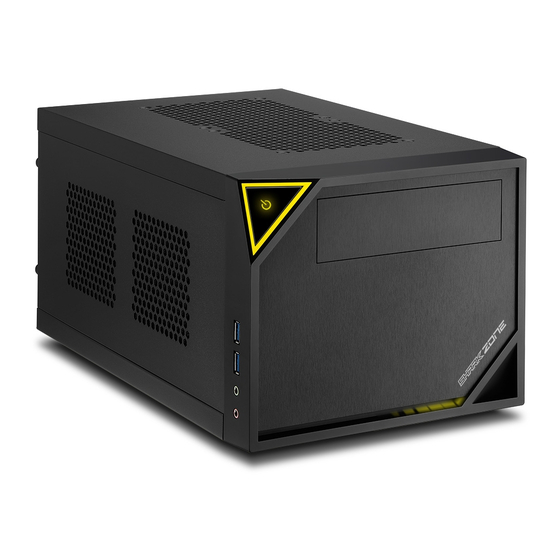
Sharkoon Shark Zone C10 Handbuch
Vorschau ausblenden
Andere Handbücher für Shark Zone C10:
- Handbuch (10 Seiten) ,
- Anleitung (11 Seiten) ,
- Bedienungsanleitung (10 Seiten)

Verwandte Anleitungen für Sharkoon Shark Zone C10


Inhaltszusammenfassung für Sharkoon Shark Zone C10
- Seite 1 MANUAL...
- Seite 2 Začínáme Entfernen Sie beide Seitenteile und die Gehäuseoberseite. Remove both side panels and the case top. bočné horný panel. Odstráňte Odstraňte oba boční a horní panel. Entfernen Sie die Frontblende, indem Sie die Kunststoff- haken von innen zur Seite drücken. Remove the front panel by pressing outward on the plastic tabs located inside the case.
- Seite 3 Entfernen Sie den Festplatten-Einbaurah- men. Anschließend können Sie das Mainboard und gegebenenfalls eine Grafikkarte einbauen. Remove the hard drive mounting frame. You can now install the mainboard and, if applicable, a graphics card. rámček HDD. Teraz Odstráňte môžete nainštalovať základnu dosku grafickú...
- Seite 4 Power supply installation (SFX) Verschrauben Sie die Netzteil-Halterung mit Ihrem Setzen Sie danach das Netzteil in das Gehäuse ein Netzteil. und schrauben Sie die Netzteil-Halterung am Gehäuse fest. Screw the power supply attachment onto the power supply. Insert the power supply and then secure it by screwing the power supply attachment to the case.
- Seite 5 Instalace zdroje (ATX) Für eine ATX Netzteil Montage muss zunächst die innere Metallblende (SFX) entfernt werden. To install an ATX power supply, the internal metal panel (SFX) must first be removed. š n á l r ô . l e ú...
- Seite 6 Setzen Sie danach das Netzteil in das Gehäuse ein und schrauben Sie die Netzteil-Halterung am Gehäuse fest. Insert the power supply and then secure it by screwing the power supply attachment to the case. Vložte zdroj prišróbujte rámček skrini. Vložte zdroj a přišroubujte rámeček ke skříni. Verbinden Sie den Kaltgerätestecker des Gehäuses mit Ihrem Netzteil.
- Seite 7 Instalace hlavního HDD/SSD 2.5" HDD/SSD 3.5" HDD Falls Sie mehr als eine Festplatte verwenden möchten, beginnen Sie mit der unteren Einbaumöglichkeit. Verwenden Sie die mitgelieferten Einbauwinkel für die Montage von 1x 3,5" HDD. If wanting to use more than one hard drive, start with the lower installation option. Use the included L-shaped mounting bracket for installing 1x 3.5"...
- Seite 8 Instalace dalšího ODD/HDD/SSD Montagemöglichkeit für 1x 5,25" Laufwerk oder Sie verwenden den Festplatten-Einbaurahmen für die Montage einer 2,5" HDD/SSD oder 3,5" HDD. Installation option for 1x 5.25" drive or use the hard drive mounting frame to install a 2.5" HDD/SSD or 3.5" HDD. Inštalácia 5.25"...
- Seite 9 Možnost instalace 2.5" HDD nebo 80mm ventilátoru. 2.5" HDD/SSD Montagemöglichkeit für 1x 2,5" HDD/SSD oder 1x 80-mm-Lüfter. Installation option for 1x 2.5" HDD/SSD or 1x 80mm fan. 2.5" HDD/SSD alebo ž ť š á 80mm ventil toru. á Možnost instalace 2.5" HDD nebo 80mm ventilátoru.
- Seite 10 Umístění skříně Das Gehäuse kann vertikal oder horizontal verwendet werden. Bringen Sie hierzu die Füße an der Unterseite oder seitlich an. The case can be used either vertically or horizontally. For this, connect the feet either to the bottom or the side of the case. Skriňu môže byť...