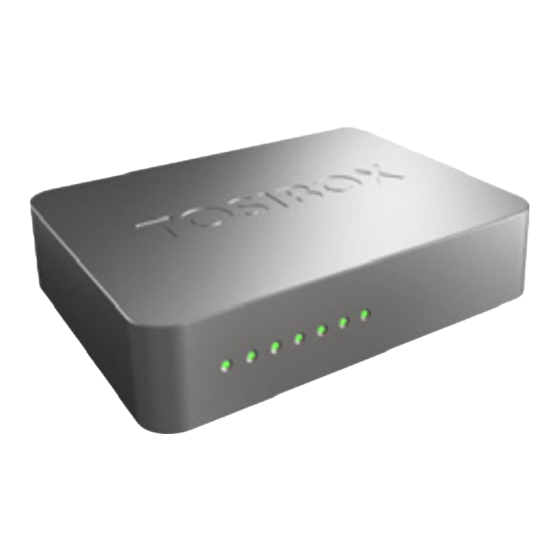
Tosibox Key Handbuch
Inhaltsverzeichnis
Inhaltsverzeichnis

Verwandte Anleitungen für Tosibox Key

Inhaltszusammenfassung für Tosibox Key
- Seite 1 User Manual - Beta Version 2 Copyright © Tosibox Oy 2012...
-
Seite 2: Inhaltsverzeichnis
Sisällysluettelo 1. Tosibox in brief 1. Tosibox lyhyesti 2. Tosibox glossary 2. Tosibox sanastoa 3. Contents of the Tosibox sales package 3. Tosibox myyntipakkauksen sisältö 4. Tosibox connections 4. Tosibox liitännät 5. Tosibox Key and Lock serialization 5. Tosibox Keyn ja Lockin sarjoitus 6. - Seite 3 2. Tosibox-Glossar 3. Innehåll i Tosibox försäljningsförpackning 3. Inhalt der Tosibox-Verkaufsverpackung 4. Tosibox anslutningar 4. Tosibox-Anschlüsse 5. Tosibox-Key och -Lock serieläggning 5. Tosibox-Key und -Lock-Serialisierung 6. Serieläggning av flera Keys 6. Serialisierung mehrerer Keys 7. Serieläggning av flera Locks 7. Serialisierung mehrerer Locks 8.
- Seite 4 The product consists of a key device (Key) and a locking Produkten består av en nyckelmaskin (Key) och en låsmaskin device (Lock). The system is brought into use by serializing the (Lock).
-
Seite 5: Tosibox Glossary
Lock = a locking device that acts as a host to the Keys, Sub Keys and Sub Locks. The Lock automatically distributes IP Lock = Låsmaskin som fungerar som värd för Key, Sub Key addresses to remotely controlled devices that are connected. - Seite 6 Basic sales package contents: Tosibox Lock Ethernet Cable AC Adapter USB Cable Optional contents: Tosibox Key...
- Seite 7 DC Power Input Reset Button (Not used) Service Port LAN3 Port LAN2 Port LAN1 Port WAN Port USB Port WLAN Antenna Ports LAN1 LAN2 LAN3 Service WLAN Power...
-
Seite 9: Tosibox Key And Lock Serialization
1. Connect the Tosibox AC adapter to the Lock and 2 minuter. Serielägg en Key med ett Lock genom att wait for 2 minutes. Serialize the Key to the Lock by placera Keyn i Lockets USB-port. Serieläggningen inserting the Key into the USB port of the Lock. When är klar när LED-lampan på... -
Seite 11: Serializing Several Keys
1. Serialize the first Key to the Lock by inserting the 1. Serielägg den första Keyn med Locket genom att Key into the USB port of the Lock. When the LED on placera Keyn i Lockets USB-port. Serieläggningen the Key stops blinking, the serialization is complete. -
Seite 13: Serializing Several Locks
Remove the Key from the Lock. 2. Ta ett nytt Lock och placera Keyn i dess USB-port. 2. Take a new Lock and insert the Key into the Lock’s USB port. 3. Uppreka punkt 2 för det antal Locks du behöver. -
Seite 14: Serializing The Lock-Sub Lock
(select ”Settings” --> ”Reboot”). Wait for 2 min. before proceeding to next phase. 2. Make the Lock–Sub Lock serialization as follows: A) Insert the Key into the USB-port of the Lock. Lock When the LED on the Key stops blinking, Lock remove the Key from the Lock. -
Seite 15: Serieläggning Av Lock-Sub Lock
Locket då Keyns LED-lampa slutar blinka. kun Keyn LED-valo lakkaa vilkkumasta. C) Placera Keyn en gång till i Lockets USB-port. Lösgör B) Laita Key Sub Lockin USB-porttiin. Irroita Key Sub Keyn från Locket då Keyns LED-lampa slutar blinka. Lockista kun Keyn LED-valo lakkaa vilkkumasta. -
Seite 16: Serialisierung Des Lock-Sub Lock
Locks that are connected to the Internet. - Software Umwandlung des Lock in einen Sub Lock ist nach Blue = the key has found a Lock, but VPN has not yet been Neustart bereit (auserwählter “Settings“ -->“Reboot”). -
Seite 17: Ibruktagande Av En Key
4. Kun asennus on valmis, Key aukaisee yhteysikkunan, jossa näkyvät ne Keylle sarjoitetut Lockit, jotka ovat internet- yhteydessä. Sininen = Key on löytänyt Lockin, mutta VPN on 1. Stecken Sie den serialisierten Key in den USB-Port Ihres vielä muodostumatta. Vihreä = yhteys on valmis ja VPN on Computers. - Seite 18 Red: Lock not Red: No Lock IP-addresses and found connection MAC addresses Lock ja Key Klikkaamalla Ohjattavat Lisätiedot Klikkaamalla Klikkaamalla laitteet, näet Key ja laitteet, ohjattavista näet ohjattavien pääset Lock - laitteiden...
- Seite 19 Informationen über sehen Sie weitere mit der User- oder Informationen die zu steuernden Informationen Grünes Licht = Grünes Licht = Admin-Kennung zu den Key- und Geräte: über die zu Verbindung steht Verbindung steht einloggen. Die Lock-Geräten steuernden IP-Adressen der Rotes Licht =...
-
Seite 20: Lock Settings
User- ja Admin-tunnukset ovat merkittyinä laitteen pohjassa. the device. The Lock settings can be changed remotely with Lockin asetuksia pääsee muuttamaan sekä etäältä Keyn avulla the Key or locally by connecting the PC directly to Lock with että yhdistämällä PC suoraan Lockiin ethernet-kaapelilla. ethernet cable. -
Seite 21: Lock-Inställningar
Lockets Die Lock-einstellungen können mit dem Key oder am Ort, inställningarna kan bytas från distans med Key eller lokalt med durch die Verbindung des PC direkt an Lock mit Ethernet- en PC som har kopplats till Locket med ethernet kabeln. -
Seite 22: Devices With Fixed Ip Address
”Service” port of the Lock the address is ”http://laite. Kirjauduttaessa suoraan Lockin ”Service” -portista osoite on tosibox” or ”172.17.17.17”. When logging in from the LAN1- ”http://laite.tosibox” tai ”172.17.17.17”. Kirjauduttaessa LAN1- LAN3 ports of the Lock the adress is ”http://laite.tosibox”. -
Seite 23: Maskiner Med En Fast Ip Adress
”http://laite.tosibox” eller ”172.17.17.17”. Med inloggning laite.tosibox“ oder “172.17.17.17“. Wenn das Einloggen vom “LAN“ trägt (1, 2 oder 3), die Adresse ist “http://laite.tosibox“. Das Username från LAN” -anslutningen (1,2 eller 3) adressen är ”http://laite. und das Kennwort befinden sich auf dem Boden des Gerätes. -
Seite 24: Problem Situations
Ikkunassa näkyvä Lock-yhteys jää siniseksi: The Lock connection in the window remains blue: - Lock on löytynyt, mutta VPN-yhteyttä ei ole tai sitä - The Key has found a Lock, but VPN has not yet been muodostetaan. established. Keyn avaamassa internetselaimessa ei ole Network Devices The Internet browser opened by the Key does not show yhteyksiä... -
Seite 25: Problemlösung
Keyn installeras ej: Key wird nicht installiert: - Kontrollera att din dator har ett operativsystem som stöder - Überprüfen Sie, ob in Ihrem Computer ein von Tosibox Tosibox: Windows XP/SP3, Windows 7, Mac Leopard 10.5 unterstütztes Betriebssystem installiert ist: Windows XP/SP3, eller nyare. -
Seite 26: Maintenance Instructions
Maintenance Instructions Huolto-ohjeita Tosibox-devices should be treated with care. By observing Tosibox-laitteita tulee käsitellä huolellisesti. Noudattamalla seuraavia ohjeita laitteet antavat sinulle parhaan mahdollisen the following instructions you can enjoy the maximum suorituskyvyn ja samalla varmistat että laitteiden takuusuoja performance of the devices and secure the warranty coverage. -
Seite 27: Serviceinstruktioner
Serviceinstruktioner Wartungshinweise Tosibox-utrustningen bör hanteras varsamt. Genom att följa Tosibox-Geräte müssen sorgfältig behandelt werden. Wenn Sie die folgenden Anleitungen beachten, erhalten Sie die bestmögliche Leistung der följande instruktioner ger utrustningen den bästa möjliga Geräte, gleichzeitig stellen Sie sicher, dass die Gerätegarantie gültig bleibt. -
Seite 28: Tosibox - Technical Data
Tosibox – technical data Tekniset tiedot Key - avain Connection: Liitäntä: - USB-liitin - USB connector Tuetut käyttöjärjestelmät: Supported Operating Systems: - Windows 7 - Windows 7 - Windows XP , SP3 tai uudempi - Mac Leopard 10.5 tai uudempi - Windows XP , SP3 or a more recent version - Mac Leopard 10.5 or a more recent version... -
Seite 29: Tekniska Uppgifter
Tekniska uppgifter Technische Daten Key - nyckel Key - Schlüssel Anslutning: Anschluss: - USB-anslutning - USB-Anschluss Operativsystem som stöds: Unterstützte Betriebssysteme: - Windows 7 - Windows 7 - Windows XP , SP3 eller nyare - Windows XP , SP3 oder neuer - Mac Leopard 10.5 eller nyare... -
Seite 30: Tosibox Licences
Tosibox ei vastaa tietojen tai tulojen menetyksestä eikä mistään Tosibox shall not take responsibility of any loss of information erityisestä, satunnaisista, epäsuorista tai välillisistä vahingoista. or income or any special, incidential, consequential or indirect damages. -
Seite 31: Tosibox-Lizenzen
Dokument beschriebenen Produkt ohne dokument. vorherige Ankündigung vorzunehmen. Tosibox ansvarar inte för förlust av information eller inkomst Tosibox übernimmt keine Haftung für den Verlust von Daten och inte för någon särskild, slumpmässig, indirekt eller oder Einkünften oder für jedwede besonderen, zufälligen, medelbar skada. -
Seite 32: Declaration Of Conformity
Declaration of Conformity EY-VAATIMUSTENMUKAISUUSILMOITUS Hereby, Tosibox Oy declares that Tosibox Key Vakuutamme, että valmistamamme Tosibox Key and Tosibox Lock are in compliance with the ja Tosibox Lock ja täyttävät pienjännitedirektiivin low voltage directive (LVD) 2006/95/EY and (LVD) 2006/95/EY ja sähkömagneettista...