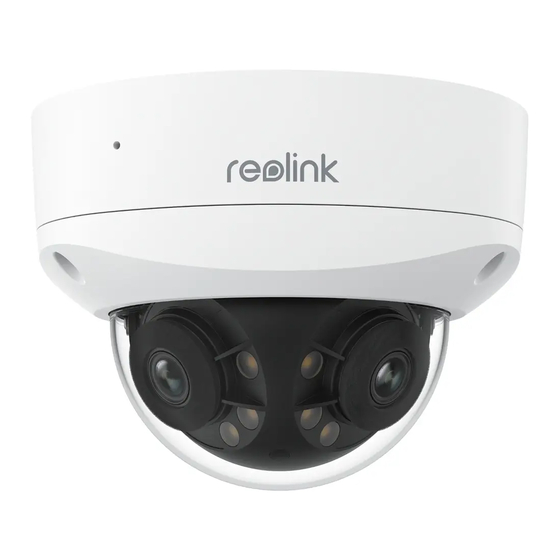
Reolink Duo-Serie Bedienungsanleitung
Vorschau ausblenden
Andere Handbücher für Duo-Serie:
- Bedienungsanleitung (25 Seiten) ,
- Bedienungsanleitung (10 Seiten)
Inhaltsverzeichnis
Verfügbare Sprachen
Verfügbare Sprachen
Quicklinks
Technical Support
E N/D E/F R/I T/ES
If you need any technical help, please visit our official support site
I te m N o . : P 737/P 757
and contact our support team before returning the products:
https://support.reolink.com.
Technische Unterstützung
Wenn Sie technische Hilfe benötigen, besuchen Sie bitte unsere
offizielle Support-Website und kontaktieren Sie unser Support-
Team, bevor Sie die Produkte zurückschicken, https://support.
reolink.com.
Support technique
Si vous avez besoin d'aide, veuillez contacter Reolink avant de
retourner votre produit. La plupart des questions peuvent être
répondues via notre centre de support en ligne à l'adresse
https://support.reolink.com.
Operational Instructions
Assistenza Tecnica
Se avete bisogno di assistenza tecnica, visitate il nostro sito
ufficiale di Centro Assistenza e contattate il team di supporto prima
di restituire i prodotti, https://support.reolink.com.
Apply to: Duo Series P737/Duo Series P757
Soporte técnico
Si necesita cualquier ayuda técnica, por favor, consulte nuestro
sitio oficial de soporte y póngase en contacto con nuestro equipo
de soporte antes de devolver el producto: https://support.reolink.
com.
REOLINK INNOVATION LIMITED
FLAT/RM 705 7/F FA YUEN COMMERCIAL BUILDING 75-77 FA YUEN
STREET MONG KOK KL HONG KONG
Au g u s t 2 024
Q S G1_ A _ E N
@ R e o l i n k Te c h
h t t p s : //re o l i n k . c o m
5 8 . 0 3 . 0 0 8 . 01 56
Kapitel
Inhaltsverzeichnis
Fehlerbehebung

Verwandte Anleitungen für Reolink Duo-Serie


Inhaltszusammenfassung für Reolink Duo-Serie
- Seite 1 Team, bevor Sie die Produkte zurückschicken, https://support. reolink.com. Support technique Si vous avez besoin d’aide, veuillez contacter Reolink avant de retourner votre produit. La plupart des questions peuvent être répondues via notre centre de support en ligne à l’adresse https://support.reolink.com.
-
Seite 2: Inhaltsverzeichnis
Pack of Screws Set up the Camera Ethernet Cable Mount the Camera Troubleshooting PROTECTED BY Operational Specifications Instructions 24 /7 V IDE O SURV EILLANCE reolink. com Important Safety Instructions Mounting Surveillance Operational Legal Disclaimer Template Sticker Instructions Notification of Compliance 13 NOTE: Quantity of accessories varies with the camera model you purchase. -
Seite 3: Camera Introduction
Camera Introduction PoE Camera ⑤ ① Built in Mic ⑤ microSD Card Slot ① ⑥ *Loosen the screws with a ② Lens screwdriver (not included) to access the microSD card ③ Spotights slot ④ Daylight Sensor ⑥ Reset Button * Press and hold the reset ⑤... -
Seite 4: Connection Diagram
Download path of the Reolink Client: Go to https://reolink.com > Support > App & Client. PoE Injector* Router NOTE: • If you are connecting the PoE camera to a Reolink PoE NVR, please Power Adapter set up the camera via the NVR interface. English English... -
Seite 5: Mount The Camera
Mount the Camera Install the Camera Drill holes in accordance with Installation Tips the mounting hole template. • Do not face the camera towards any light sources. Use the drywall anchors NOTE: • Do not remove the protective film from the dome cover until the included in the package if installation is complete. needed. -
Seite 6: Troubleshooting
If your camera is not powering on, please try the following solutions: • Make sure your camera is powered on properly. The PoE camera should be powered by a PoE switch/injector, a Reolink NVR or a 12V Attach the dome cover to the power adapter. -
Seite 7: Specifications
For more Specifcations,visit https://reolink.com/. and the product described,with its hardware, software, firmware, and services, are delivered on an “as-is” and “as-available” basis, with all faults and without warranty of any kind. Reolink disclaims all Important Safety Instructions warranties, express or implied, including but not limited to, warran- ties of merchantability, satisfactory quality, fitness for a particular purpose, accuracy, and non-infringement of third-party rights. -
Seite 8: Notification Of Compliance
Reolink is not https://support.reolink.com/hc/en-us/articles/36788378727065/ responsible for any illegal or improper use and its consequences. Reolink is not liable in the event that this product is used with ille- gitimate purposes, such as third-party rights infringement, medical Correct Disposal of This Product... - Seite 9 Use of the product is subject to your agreement to the Terms of Service and Privacy Policy at reolink.com Terms of Service By using the Product Software that is embedded on the Reolink product, you agree to the terms&conditions between you and Reo- link. Learn more: https://reolink.com/terms-conditions/...
-
Seite 10: Lieferumfang
Einrichten der Kamera Montieren der Kamera Fehlerbehebung PROTECTED BY Operational Technische Daten Instructions 24 /7 V IDE O SURV EILLANCE Wichtige Sicherheitshinweise reolink. com Schnellstartanleitung Montageschablone Überwachungsaufkleber Gesetzlicher Haftungsausschluss Konformitätserklärung HINWEIS: Die Anzahl der Zubehörteile variiert je nach gekauftem Kameramodell. Deutsch Deutsch... -
Seite 11: Kamera-Einführung
Kamera-Einführung PoE-Kamera ⑤ ⑤ microSD- Kartensteckplatz ① IntegriertesMikrofon ① ⑥ * Lösen Sie die Schrauben ② Objektiv mit einem Schraubenzieher (nicht im Lieferumfang) ③ Spotights für Zugang zum microSD- Kartensteckplatz erhalten. ④ Tageslichtsensor ⑥ Reset-Knopf ⑤ Wasserdichter Verschluss ② * Den Reset-Knopf 5 Sek. mit ⑦... -
Seite 12: Verbindungsdiagramm
2. Verwenden Sie den Stromadapter, um die Kamera einzuschalten. • Smartphone HINWEIS: Sie können die Kamera mit einem PoE-Switch, PoE- Scannen zum Herun- Injektor, Reolink PoE NVR oder einem DC 12V-Stromdapter (nicht im terladen der Reolink Lieferumfang enthalten) mit Strom versorgen. App. -
Seite 13: Montieren Der Kamera
Montieren der Kamera Installation der Kamera Bohren Sie die Löcher gemäß Tipps zur Installation der Schablone für die Befestigungslöcher. • Richten Sie die Kamera nicht auf eine Lichtquelle. • Entfernen Sie die Schutzfolie von der Kuppelabdeckung erst, wenn HINWEIS: Verwenden die Installation abgeschlossen ist. -
Seite 14: Fehlerbehebung
• Vergewissern Sie sich, dass Ihre Kamera ordnungsgemäß einges- chaltet ist. Die PoE-Kamera sollte über einen PoE-Switch/Injektor, einen Reolink NVR oder ein 12-V-Stromadapter mit Strom versorgt werden. Befestigen Sie die • Wenn die Kamera wie oben beschrieben an ein PoE-Gerät angeschlos- sen ist, schließen Sie sie an einem anderen PoE-Anschluss an und prüfen... -
Seite 15: Technische Daten
Zweck, Genauigkeit und Nichtverletzung von Rechten 2. Verwenden Sie das Gerät nicht in einer Umgebung, die den emp- Dritter. In keinem Fall sind Reolink, seine Direktoren, leitenden Ang- fohlenen Temperaturbereich überschreitet. estellten, Mitarbeiter oder Agenten Ihnen gegenüber haftbar für be- 3. -
Seite 16: Konformitätserklärung
Konformitätserklärung ist unter folgender Internetadresse verfügbar: dukts müssen Sie die relevanten lokalen Gesetze und Vorschriften https://support.reolink.com/hc/en-us/articles/36788378727065/ einhalten. Reolink ist nicht verantwortlich für jegliche illegale oder unsachgemäße Nutzung und deren Folgen. Reolink haftet nicht für den Fall, dass dieses Produkt zu unrechtmäßigen Zwecken eing- Richtige Entsorgung des Produktes esetzt wird, wie z. -
Seite 17: Markenrechtliche Hinweise
Produkt nicht zufrieden sein und es zurückgeben wollen, empfehlen wir, die Kamera vor der Rücksendung auf die „Reolink“ und andere Marken und Logos von Reolink sind Eigentum Werkseinstellungen zurückzusetzen und die eingelegte SD-Karte zu von Reolink. Andere erwähnte Marken und Logos sind Eigentum der entnehmen. -
Seite 18: Contenu De La Boîte
Configuration de la Caméra Montage de la Caméra Dépannage PROTECTED BY Operational Caractéristiques Instructions 24 /7 V IDE O SURV EILLANCE reolink. com Consignes de sécurité importantes Gabarit de Autocollant de Guide de Avis de non-responsabilité Montage Surveillance Démarrage Rapide Notice de Conformité... -
Seite 19: Présentation De La Caméra
Présentation de la Caméra Caméra PoE ⑤ ⑤ Fente de Carte microSD ① Micro Intégré ① ⑥ *Desserrez les vis à l’aide d’un ② Objectifs tournevis (non fourni) pour accéder à l’emplacement de la ③ Spots carte microSD. ④ Capteur de Lumière ⑥... -
Seite 20: Diagramme De Connexion
• Sur Smartphone REMARQUE : Vous pouvez alimenter la caméra avec un commuta- Scanner pour teur PoE, un injecteur PoE, un NVR Reolink PoE ou un adaptateur sec- télécharger teur DC 12V (non inclus dans l’emballage). l’Appli Reolink. • Sur PC Caméra PoE IP... -
Seite 21: Montage De La Caméra
Montage de la Caméra Installer la Caméra Percez les trous selon le Conseils d’Installation gabarit des trous de montage.. • Ne pas tourner la caméra vers une source de lumière. REMARQUE : Utilisez les ancres • Ne pas retirer le film protecteur du couvercle du dôme tant que pour cloisons sèches incluses l’installation n’est pas terminée. - Seite 22 • Assurez-vous que votre caméra est correctement alimentée. La caméra PoE doit être alimentée par un commutateur/injecteur PoE, un NVR Reolink ou un adaptateur secteur 12V. Fixez le couvercle du dôme à la • Si la caméra est connectée à un dispositif PoE comme indiqué ci-des- base de la caméra en serrant...
-
Seite 23: Consignes De Sécurité Importantes
En vertu de la loi applicable et conformément à ses dispositions, de sécurité lors de l'utilisation de l'appareil. vous utilisez les produits et services de Reolink à vos risques et périls 6. L'appareil renferme (ou est livré avec) de petits composants, de et vous assumez tous les risques liés à... -
Seite 24: Garantie Limitée
Ce produit est couvert par une garantie limitée de 2 ans valable uniquement s’il est acheté dans la boutique officielle de Reolink Cet appareil numérique de la classe B est conforme à la norme ou auprès d’un revendeur agréé par Reolink. Pour en savoir plus : NMB-003 du Canada.. https://reolink.com/warranty-and-return/. - Seite 25 Mais si ce produit ne vous satisfait pas et que vous souhaitez le renvoyer, nous vous conseillons vivement de réinitialiser la caméra « Reolink », ses marques déposées et ses logos sont la propriété avec les paramètres d’usine par défaut et de retirer la carte SD de Reolink.
-
Seite 26: Contenuto Della Confezione
Configurare la Telecamera Montare la Telecamera Risoluzione Problemi PROTECTED BY Operational Specifiche Instructions 24 /7 V IDE O SURV EILLANCE reolink. com Istruzioni per la sicurezza importanti Dima di Adesivo di Guida Rapida Esclusione di responsabilità legale Montaggio Sorveglianza Avviso di Conformità... - Seite 27 Introduzione alla Telecamera Telecamera PoE ⑤ ⑤ Scheda microS ① Microfono Incorporato ① ⑥ *Allentare le viti con un cacciavite (non incluso) per accedere allo ② Lente slot della scheda microSD ③ Faretti ⑥ Pulsant Reset ④ Sensore Luce Diurna * Tieni premuto il pulsante di ⑤...
-
Seite 28: Schema Di Connessione
Schema di Connessione Configurare la fotocamera Prima della configurazione iniziale, seguire i passaggi seguenti per Scarica e avvia l’app Reolink o il software client e segui le istruzioni collegare la fotocamera. visualizzate sullo schermo per completare la configurazione iniziale. 1. Collega la videocamera a una porta LAN del router tramite Ether- net cavo. 2. Utilizzare l’adattatore di alimentazione per accendere la fotocam- •... -
Seite 29: Installare La Telecamera
Montare la Telecamera Installare la Telecamera Praticare i fori secondo la dima Suggerimenti per l’installazione dei fori di montaggio. • Non rivolgere la telecamera verso alcuna fonte di luce. NOTA: se necessario, utilizzare i • Non rimuovere la pellicola protettiva dalla copertura a cupola fino tasselli per cartongesso inclusi al completamento dell’installazione. nella confezione. -
Seite 30: Risoluzione Problemi
Se la telecamera non si accende, prova le seguenti soluzioni: • Assicurati che la fotocamera sia accesa correttamente. La telecamera PoE deve essere alimentata da uno switch/iniettore PoE, un NVR Reolink o un adattatore di alimentazione da 12 V. Fissare il coperchio a cupola •... -
Seite 31: Istruzioni Per La Sicurezza Importanti
2. Non utilizzare il dispositivo in ambienti con temperature al di fuori dell'intervallo consigliato. violazione di diritti di terzi. In nessun caso Reolink, i suoi direttori, 3. Non utilizzare il dispositivo in ambienti con livelli di umidità al di funzionari, dipendenti o agenti saranno responsabili nei confronti fuori dell'intervallo consigliato. -
Seite 32: Garanzia Limitata
è necessario rispettare le leggi e le norma- articles/36788378727065/ tive locali pertinenti. Reolink non è responsabile di un uso illegale o improprio e delle relative conseguenze. Reolink non è responsabile Smaltimento corretto di questo prodotto nel caso in cui il prodotto venga utilizzato per scopi illegittimi, come la violazione dei diritti di terzi, il trattamento medico, l’equipaggia-... - Seite 33 L’utilizzo del prodotto è soggetto all’accettazione dei Termini di servizio e dell’Informativa sulla privacy su https://reolink.com Termini di servizio Utilizzando il software incorporato nel prodotto Reolink, l’utente accetta i termini e le condizioni tra l’utente e Reolink. Per saperne di più: https://reolink.com/terms-conditions/ Supporto Tecnico...
-
Seite 34: Volumen De Suministro
Montar la cámara Resolución de problemas PROTECTED BY Operational Especificaciones Instructions 24 /7 V IDE O SURV EILLANCE Instrucciones de seguridad importantes reolink. com Plantilla de Pegatina de Guía de inicio Aviso legal montaje vigilancia rápido Notificación de cumplimiento NOTA: * La cantidad de accesorios varía según el modelo de cámara que... - Seite 35 Introducción a la cámara Cámara PoE ⑤ ⑤ Ranura para tarjetas ① Micrófono incorporado microSD ① ⑥ *Afloje los tornillos con un ② Lente destornillador (no incluido) para acceder a la ranura de la tarjeta ③ Focos microSD ④ Sensor de luz diurna ⑥ Botón de ⑤...
-
Seite 36: Diagrama De Conexión
Diagrama de conexión Configurar la cámara Antes de la configuración inicial, siga los pasos que se indican a Descargue e inicie el software Reolink App o Cliente, y siga las in- continuación para conectar su cámara. strucciones en pantalla para finalizar la configuración inicial. 1. Conecte la cámara a un puerto LAN de su router con un cable Ethernet. -
Seite 37: Montar La Cámara
Montar la cámara Instalar la cámara Taladre los orificios de acuerdo Consejos de instalación con la plantilla de orificios de montaje. • No oriente la cámara hacia ninguna fuente de luz. • No retire la película protectora de la cubierta de la cúpula hasta NOTA: Utilice los tacos para que haya finalizado la instalación. -
Seite 38: Resolución De Problemas
PoE debe estar alimentada por un interruptor/inyector PoE, un Fije la tapa de la cúpula a la NVR Reolink o un adaptador de corriente de 12 V. base de la cámara apretando • Si la cámara está conectada a un dispositivo PoE de los indicados los tornillos. -
Seite 39: Instrucciones De Seguridad Importantes
En la medida en que lo permita la legislación aplicable, el uso que usted 5. Cuando use el dispositivo, cumpla siempre las leyes y normas de haga de los productos y servicios de Reolink será por su cuenta y riesgo seguridad locales. - Seite 40 Reolink no se hace responsable de ningún uso ilegal o inadecuado ni en-us/articles/36788378727065/ de sus consecuencias. Reolink no se hace responsable en caso de que este producto se utilice con fines ilegítimos, como la violación de dere-...
- Seite 41 "Reolink" y otras marcas y logotipos de Reolink son propiedad de terminados de fábrica y que extraiga la tarjeta SD insertada antes Reolink.