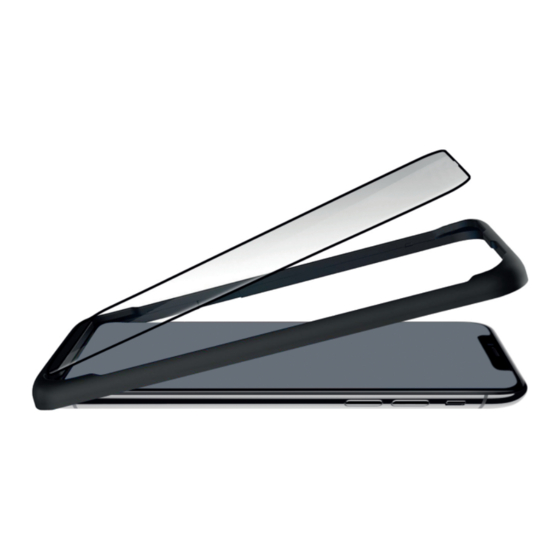
Hama DISPLEX prime Serie Anleitung
Montage-rahmen
Quicklinks
5.)
@ Press d ownontheglass
@ Glas andrücken
Appuyezsur e verre
@Oprimir eIcrista
Premere sul vetro
@Glas aandrukken
6.)
@ Remove theframe andsmooth outwithpressure from
inside to outside the bubbles
Rahmen abnehmen
und Blasen von innen
nach außen mit Druck ausstreichen
RetirerIe cadreet lisseravecpression, d e
linterieurversexterieur, p ourfairesortirIesbulles.
@ Retirar e Imarco y expulsar a sburbujas d eaire
Rimuovere
il telaio ed eliminare
Ie bolle
@ Frame v erwijderen enluchtbel enwegstrijken
O Note: Incase airbubbles c antberemoved, ft the glass
carefully a tthe nearest corner a ndpress i t onfirmlyfromcenter
to sideKindly note: d o NOT touchtheglass at iststicky bottom side
@Hinweis: Lassen sichLuftblasen n ichtentfernen, heben Sie
dasGlas andernaheliegenden Ecke vorsichtig biszurLuftblase
anunddrücken eserneut a n.Achtung: D asGlas nichtanseiner
Unterseite berühren!
O Notice: SiIesbullesd air nese laissent asenlever, s oulever
prudemment Ieverreau Iecoinvoisin ou Ia ulled'airsesitue.
Appuyez å nouveau d essus v ers'exterieur_ Attentm netouchez
pasleverre sursafaceinfélieure!
Hama
GmbH
& co KG
86652 Monheim / Germany
www.hama.com
o
prime
O
DISPLEX
o
Easy-On0Mounting Frame
Easy-On@Montage-Rahmen
@
Instructionfor use
@ Anleitung
O
Instructions
THE
SMART
SOLUTION
line
@
Instruccione
O
Istruzioni
@ Gebruiksaanwijzing

Verwandte Anleitungen für Hama DISPLEX prime Serie


Inhaltszusammenfassung für Hama DISPLEX prime Serie
- Seite 1 O Notice: SiIesbullesd air nese laissent asenlever, s oulever prudemment Ieverreau Iecoinvoisin ou Ia ulled'airsesitue. Appuyez å nouveau d essus v ers'exterieur_ Attentm netouchez pasleverre sursafaceinfélieure! Instructionfor use Instruccione @ Anleitung Istruzioni Hama GmbH & co KG 86652 Monheim / Germany @ Gebruiksaanwijzing Instructions www.hama.com...
- Seite 2 Clean t hescreen a ndthehousing withthewetwipe anddryboth withthe @ Remove trayfromtheglass microfiber cloth C ean the dust off the screen with Note: do NOT touch the the dust remover glassat its stickybottom side Reinigen Sie Display undGehäuse mitdem Feucht @Trägerplatteabziehen reinigungstuch undtrocknen Siebeides mit dem Achtung:dasGlasnicht an Mikrofasertuch T upfen SieStaub aufdemDisplay...