Behringer POWERPLAY P16-HQ Schnellstartanleitung

Verwandte Anleitungen für Behringer POWERPLAY P16-HQ


Inhaltszusammenfassung für Behringer POWERPLAY P16-HQ
-
Seite 3: Garantía Limitada
(un vase par exemple). darzustellen. accessoires et des pièces recommandés Außenbereich). Behringer, Bugera, Aston Microphones así como información adicional sobre par le fabricant. Dieses Symbol weist Sie an et Coolaudio sont des marques ou Attention 3. -
Seite 4: Haftungsausschluss
O Music Tribe não se responsabiliza o risco de choque soprattutto alle spine e alla presa TC Helicon, Behringer, Bugera, Aston scossa elettrica. (incluindo amplificadores) que por perda alguma que possa ser eléctrico, não remover a cobertura dell'elettrodomestico. - Seite 8 POWERPLAY P16-HQ/P16-D Quick Start Guide POWERPLAY P16-HQ Hook-up Step 1: Hook-Up (EN) P16-HQ with SD16 and X32 Rack and P16-D Paso 1: Conexión P16-HQ con bastidor SD16 y X32 y P16-D (ES) P16-HQ avec SD16 et X32 Rack et P16-D...
- Seite 9 POWERPLAY P16-HQ/P16-D Quick Start Guide POWERPLAY P16-HQ Hook-up Step 1: Hook-Up (EN) P16-HQ with P16-D and XR18 P16-HQ con P16-D y XR18 Paso 1: Conexión (ES) P16-HQ avec P16-D et XR18 P16-HQ mit P16-D und XR18 Etape 1 : Connexions...
-
Seite 19: Schritt 2: Bedienelemente
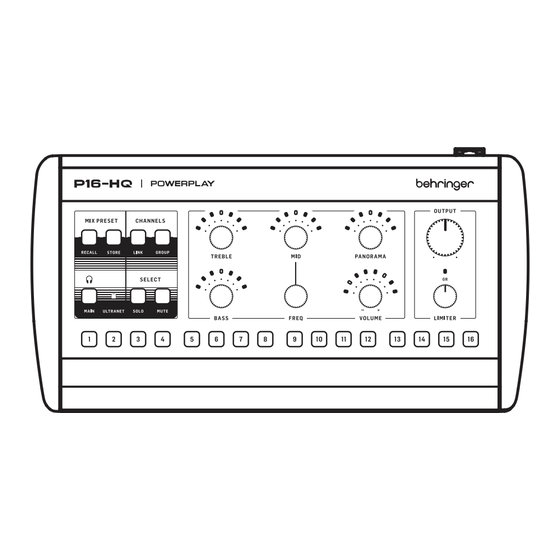
POWERPLAY P16-HQ/P16-D Quick Start Guide POWERPLAY P16-HQ Bedienelemente Schritt 2: Bedienelemente RECALL: Halten Sie diese Taste gedrückt und drücken 13. Der PANORAMA-Drehregler stellt die Stereoposition von Sie eine der 16 CHANNEL SELECT-Tasten (18), um das Monokanälen und die relative Links-Rechts-Balance von entsprechende Benutzer-Mix-Preset zu laden. -
Seite 20: Schritt 3: Erste Schritte
POWERPLAY P16-HQ/P16-D Quick Start Guide POWERPLAY P16-HQ Erste Schritte Schritt 3: Erste Grundkonfiguration des P16-HQ Drehen Sie den LIMITER-Drehregler 13. Um mehrere Kanäle in eine Gruppe 14. Um einen oder mehrere Kanäle Schritte langsam gegen den Uhrzeigersinn, zusammenzustellen, halten Sie... - Seite 21 POWERPLAY P16-HQ/P16-D Quick Start Guide POWERPLAY P16-D Bedienelemente POWERPLAY P16-D Erste Schritte Schritt 3: Erste Schritte Schritt 2: Bedienelemente P16-D Grundinstallation Stellen Sie sicher, dass der P16-D mit einem Stromanschluss über das mitgelieferte IEC-Stromkabel verbunden ist. (Um zusätzliche P16-HQ-Mixer vom P16-D zu bus-powered, muss der P16-D an eine Stromquelle angeschlossen sein.)
- Seite 47 We Hear You...