Zte KIS PLUS Handbücher
Anleitungen und Benutzerhandbücher für Zte KIS PLUS. Wir haben 2 Zte KIS PLUS Anleitungen zum kostenlosen PDF-Download zur Verfügung: Handbuch, Kurzanleitung
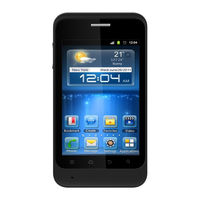
Zte KIS PLUS Handbuch (248 Seiten)
WCDMA/GSM Mobile Phone
Marke: Zte
|
Kategorie: Handgeräte
| Dateigröße: 1 MB
Inhaltsverzeichnis
-
Contents
2-
Legal Information2
-
Inhaltsverzeichnis3
-
For Your Safety19
-
General Safety19
-
Radio Frequency (RF) Exposure20
-
General Statement on RF Energy20
-
Specific Absorption Rate (SAR)20
-
Body Worn Operation21
-
Limiting Exposure to Radio Frequency (RF) Fields22
-
Regulatory Information22
-
Distraction23
-
Driving23
-
Operating Machinery23
-
Product Handling23
-
General Statement on Handling and Use23
-
Small Children24
-
Demagnetization25
-
Electrostatic Discharge (ESD)25
-
Antenna25
-
Normal Use Position25
-
Air Bags26
-
Seizures/Blackouts26
-
Repetitive Strain Injuries27
-
Emergency Calls27
-
Loud Noise27
-
Phone Heating28
-
Electrical Safety28
-
Accessories28
-
Connection to a Car28
-
Faulty and Damaged Products28
-
Radio Frequency Interference29
-
General Statement on Interference29
-
Pacemakers29
-
Hearing Aids29
-
Medical Devices30
-
Hospitals30
-
Aircraft30
-
Interference in Cars30
-
Explosive Environments31
-
Petrol Stations and Explosive Atmospheres31
-
Blasting Caps and Areas31
-
Getting Started32
-
Overview32
-
Keys Explained33
-
Starting up34
-
Installing the Sim/Microsd Card and Battery34
-
Removing the Battery and Sim/Microsd Card37
-
Charging the Battery38
-
Switching Your Phone On/Off39
-
Setting up Your Phone for the First Time39
-
Switching to Sleep Mode40
-
Waking up Your Phone40
-
Getting Around Your Phone41
-
Touch Control41
-
Home Screen41
-
Status and Notification Icons46
-
Using the Notification Panel48
-
Applications and Settings Preview48
-
Phone Calls55
-
Making Calls55
-
Calling from the Dialer55
-
Calling from Your Contacts55
-
Calling from Your Call History55
-
Calling from a Text Message56
-
Using Speed Dial56
-
Receiving Calls57
-
Answering a Call57
-
Rejecting a Call57
-
Muting a Call57
-
Putting a Call on Hold57
-
Turning the Speakerphone On/Off58
-
Ending a Call58
-
Call Settings58
-
Contacts60
-
Importing and Exporting Contacts60
-
Importing/Exporting Contacts (SIM Card)60
-
Importing/Exporting Contacts (Microsd Card)61
-
Sharing Contacts Information61
-
Creating a Contact62
-
Adding a Contact to Favorites62
-
Searching for a Contact62
-
Creating a New Group62
-
Entering Text64
-
Android Keyboard64
-
Touchpal Keyboard65
-
Touch Input Settings70
-
Messaging71
-
The Message Box71
-
Sending a Message71
-
Message Settings72
-
Email75
-
Creating an Email Account75
-
Receiving Emails76
-
Composing and Sending an Email76
-
Replying to or Forwarding an Email77
-
Deleting an Email Account77
-
Email Settings77
-
Getting Connected to the Internet78
-
Adding a New GPRS/EDGE/3G Connection78
-
Turning on Wi-Fi79
-
Connecting to a Wi-Fi Network79
-
Checking the Wi-Fi Network Status79
-
Using the Phone as a Modem80
-
Enabling the Phone as a Modem80
-
Disabling the Modem Function81
-
Using the Phone as a Wi-Fi Hotspot81
-
Enabling the Wi-Fi Hotspot82
-
Disabling the Wi-Fi Hotspot82
-
Browsing the Internet83
-
Browsing Options83
-
Using Bookmarks84
-
Editing a Bookmark84
-
Deleting a Bookmark85
-
Browser Settings85
-
Bluetooth86
-
Turning Bluetooth On/Off86
-
Making Your Phone Visible86
-
Changing the Device Name87
-
Pairing with Another Bluetooth Device87
-
Making the most of Multimedia89
-
Taking Pictures with Your Camera89
-
Adjusting Camera Settings89
-
Shooting Video with Your Camcorder90
-
Adjusting Camcorder Settings90
-
Listening to Your FM Radio91
-
Music Player92
-
Creating Playlists93
-
Managing Playlists93
-
Adding a Song to a Playlist93
-
Setting a Song as Ringtone93
-
Playing Your Videos94
-
Opening Your Gallery94
-
Making Voice Memos95
-
Turning On/Off USB Mass Storage97
-
Using Your Google™ Applications98
-
Gmail98
-
Google Calendar99
-
Google Talk99
-
Opening Google Talk99
-
Adding a New Friend100
-
Changing Your Online Status100
-
Starting a Chat100
-
Places100
-
Navigation101
-
Latitude102
-
Google102
-
Sorting out Your Phone Settings105
-
Setting Date and Time105
-
Display Settings105
-
Sound Settings105
-
Language Settings106
-
Mobile Network Services107
-
Getting Data Services When Roaming107
-
Disabling Data Services107
-
Enabling Always-On Data Services107
-
Switching Network Modes108
-
Switching Networks108
-
Setting Access Point Names108
-
Security Settings109
-
Protecting Your Phone with a Screen Unlock Pattern109
-
Protecting Your Phone with a PIN or Password110
-
Disabling Screen Lock Settings111
-
Protecting Your SIM Card with a PIN111
-
Setting up Credential Storage112
-
Managing Your Device Memory113
-
Privacy: Reset to Factory Settings113
-
Managing Applications113
-
Installing an Application114
-
Removing an Application114
-
Moving an Application115
-
Managing Other Settings115
-
Search Settings115
-
Voice Input and Output116
-
Accessibility116
-
Other Applications117
-
Alarms117
-
Calculator117
-
Note Pad117
-
Stopwatch118
-
Task Manager118
-
Software Update118
-
Specifications119
-
Declaration of Rohs Compliance120
-
Disposal of Your Old Appliance121
-
Ec Declaration of Conformity122
-
-
-
Ablenkung131
-
Fahren131
-
Kleine Kinder133
-
Antenne134
-
Airbags135
-
Notrufe136
-
Lärm137
-
Aufheizen137
-
Zubehör137
-
Hörgeräte139
-
Krankenhäuser139
-
Flugzeuge140
-
Erste Schritte142
-
Übersicht142
-
Tasten-Erklärung144
-
Handy Aktivieren151
-
Touch Control151
-
Startseite153
-
Telefongespräche169
-
Telefonieren169
-
Anrufe Annehmen171
-
Kontakte174
-
Text Eingeben179
-
Android-Tastatur179
-
Nachrichten187
-
E-Mail192
-
Surf-Optionen202
-
Bluetooth205
-
UKW-Radio Hören210
-
Musik-Wiedergabe211
-
Google-Mail218
-
Google Kalender219
-
Google Talk220
-
Places221
-
Navigation222
-
Latitude223
-
Google224
-
Toneinstellungen227
-
Mobilfunkdienste228
-
Eingabehilfen239
-
Alarm240
-
Rechner240
-
Notizblock240
-
Stoppuhr241
-
Dateimanager241


