TechniSat DIGITRADIO 216 Handbücher
Anleitungen und Benutzerhandbücher für TechniSat DIGITRADIO 216. Wir haben 1 TechniSat DIGITRADIO 216 Anleitung zum kostenlosen PDF-Download zur Verfügung: Bedienungsanleitung
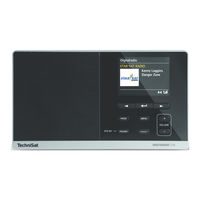
TechniSat DIGITRADIO 216 Bedienungsanleitung (224 Seiten)
Inhaltsverzeichnis
-
Illustrations4
-
Front View4
-
View from the Rear6
-
Inhaltsverzeichnis7
-
Contents7
-
Preface10
-
Target Group for this Instruction Manual10
-
Intended Use10
-
Important Information10
-
Safety11
-
Disposal15
-
Legal Notices16
-
Service Instructions17
-
Setting up the Device19
-
Description of the DIGITRADIO 21621
-
Scope of Delivery21
-
Special Features of the DIGITRADIO 21621
-
Preparing the DIGITRADIO 216 for Operation22
-
Connecting the Power Supply Unit22
-
Improving Antenna Reception22
-
Inserting the Battery23
-
Using Headphones24
-
General Device Functions24
-
Switching on the Device24
-
Adjusting the Volume25
-
Retrieving Displays25
-
Visual Displays26
-
Switching off the Device27
-
Switching between DAB/FM Mode27
-
Menu Operation27
-
DAB (Digital Radio) Function27
-
What Is DAB27
-
Data Compression28
-
Audio Stream28
-
DAB (Digital Radio) Reception28
-
Performing the Station Scan29
-
Selecting Stations29
-
Saving DAB Stations to a Memory Slot30
-
Retrieving DAB Stations from a Memory Slot30
-
Deleting a Saved Memory Slot31
-
Signal Strength31
-
Dynamic Label Plus32
-
Manual Setting32
-
Inactive Stations32
-
Volume Adjustment (DRC)32
-
FM Mode33
-
FM Reception with RDS Information33
-
Automatic Station Scan33
-
Manual Station Scan34
-
Scan Setting34
-
Setting to Mono/Stereo35
-
Saving FM Stations to a Memory Slot35
-
Retrieving FM Stations from a Memory Slot35
-
Deleting a Saved Memory Slot36
-
Other Functions36
-
Alarm36
-
Setting the Alarm Time36
-
Switching off the Alarm after Being Woken38
-
Switching off the Alarm38
-
Sleep Function38
-
System Settings39
-
Time Settings39
-
Time/Date Setting39
-
Update Settings39
-
Set Format40
-
Setting the Date Format40
-
Backlight40
-
Language40
-
Factory Setting41
-
Software Version41
-
Cleaning41
-
Troubleshooting42
-
Technical Specifications / Manufacturer's Instructions43
-
Illustrations48
-
Vue de Face48
-
Haut-Parleur49
-
Vue Arrière50
-
Sommaire51
-
Avant-Propos54
-
Groupe Cible de Ce Mode D'emploi54
-
Utilisation Conforme54
-
Consignes Importantes54
-
Sécurité55
-
Manipulation des Piles58
-
Élimination59
-
Mentions Légales60
-
Consignes D'entretien61
-
Installation de L'appareil63
-
Description de la DIGITRADIO 21665
-
Contenu de la Livraison65
-
Caractéristiques Spécifiques de la DIGITRADIO 21665
-
Préparation de la DIGITRADIO 216 au Fonctionnement66
-
Branchement du Bloc D'alimentation66
-
Amélioration de la Réception de L'antenne66
-
Insertion des Piles67
-
Utilisation des Écouteurs68
-
Fonctions Générales de L'appareil68
-
Mise en Marche de L'appareil68
-
Réglage du Volume69
-
Ouverture de L'affichage à L'écran69
-
Affichage à L'écran70
-
Arrêt de L'appareil71
-
Commutation Mode DAB/FM71
-
Commande du Menu71
-
Fonction DAB (Radiodiffusion Numérique)71
-
Qu'est-Ce que le DAB71
-
Compression des Données72
-
Flux Audio72
-
Réception DAB (Radiodiffusion Numérique)72
-
Réalisation D'une Recherche73
-
Choix de la Station73
-
Mémorisation D'une Station DAB Sur un Emplacement Mémoire74
-
Accès à une Station DAB à Partir D'un Emplacement Mémoire74
-
Suppression D'une Mémorisation D'un Emplacement de Programme75
-
Puissance du Signal75
-
Dynamic Label Plus76
-
Réglage Manuel76
-
Stations Inactives76
-
Adaptation du Volume (DRC)76
-
Mode FM77
-
Réception FM Avec Informations RDS77
-
Recherche Automatique des Stations77
-
Recherche Manuelle des Stations78
-
Réglage de la Recherche78
-
Réglage Mono/Stéréo79
-
Mémorisation D'une Station FM Sur un Emplacement Mémoire79
-
Accès à une Station FM à Partir D'un Emplacement Mémoire79
-
Suppression D'une Mémorisation D'un Emplacement de Programme80
-
Fonctions Étendues80
-
Réveil80
-
Réglage de L'alarme80
-
Arrêt du Réveil après L'alarme82
-
Arrêt du Réveil82
-
Fonction de Veille82
-
Réglages Système83
-
Réglage de L'heure83
-
Réglage de L'heure et de la Date83
-
Réglages de L'actualisation83
-
Réglage du Format84
-
Réglage du Format de la Date84
-
Luminosité84
-
Langue84
-
Réglage D'usine85
-
Version du Logiciel85
-
Nettoyage85
-
Dépannage86
-
Données Techniques/Consignes du Fabricant87
-
Afbeeldingen92
-
Vooraanzicht92
-
Achteraanzicht94
-
Inhoudsopgave95
-
Voorwoord98
-
Doelgroep Van Deze Handleiding98
-
Beoogd Gebruik98
-
Belangrijke Aanwijzingen98
-
Veiligheid99
-
Afdanken103
-
Juridische Mededeling104
-
Service-Instructies105
-
Apparaat Installeren107
-
Beschrijving Van de DIGITRADIO 216109
-
De Levering109
-
De Bijzondere Kenmerken Van de DIGITRADIO 216109
-
DIGITRADIO 216 Gereedmaken Voor Gebruik110
-
Voedingsadapter Aansluiten110
-
Antenne-Ontvangst Verbeteren110
-
Batterij Plaatsen111
-
Koptelefoon Gebruiken112
-
Algemene Functies Van Het Apparaat112
-
Apparaat Aanzetten112
-
Volume Instellen113
-
Displayweergaven Opvragen113
-
Displayweergave114
-
Apparaat Uitzetten115
-
Overschakelen Tussen DAB/FM-Modus115
-
Menubediening115
-
De DAB+ (Digitale Radio)-Functie115
-
Wat Is DAB115
-
Datacompressie116
-
Audiostream116
-
DAB (Digitale Radio) Ontvangst116
-
Zenderscan Uitvoeren117
-
Zender Selecteren117
-
DAB-Zenders in Het Geheugen Opslaan118
-
DAB-Zender Van Een Opslaglocatie Opvragen118
-
Een Opgeslagen Programmalocatie Verwijderen119
-
Signaalsterkte119
-
Dynamic Label Plus120
-
Handmatig Instellen120
-
Inactieve Zenders120
-
Volume Regelen (DRC)120
-
FM-Modus121
-
FM-Ontvangst Met RDS- Informatie121
-
Automatische Zenderkeuze121
-
Handmatige Zenderkeuze122
-
Scaninstelling122
-
Mono/Stereo Instellen123
-
FM-Zenders Opslaan Op Een Geheugenplaats123
-
FM-Station Vanuit Het Favorietengeheugen Opvragen123
-
Een Opgeslagen Programmalocatie Verwijderen124
-
Uitgebreide Functies124
-
Wekker124
-
Wektijd Instellen124
-
Wekker Na Alarm Uitschakelen126
-
Wekker Uitschakelen126
-
Slaap-Functie126
-
Systeeminstellingen127
-
Tijdinstellingen127
-
Tijds-/Datuminstelling127
-
Instellingen Voor Bijwerken127
-
Formaat Instellen128
-
Datumformaat Instellen128
-
Verlichting128
-
Taal128
-
Fabrieksinstellingen129
-
Softwareversie129
-
Schoonmaken129
-
Storingen Verhelpen130
-
Technische Gegevens/Instructies Van de Fabrikant131
-
Immagini136
-
Vista Anteriore136
-
Vista Posteriore138
-
Indice139
-
Introduzione142
-
A Chi si Rivolgono le Presenti Istruzioni Per L'uso142
-
Uso Conforme alle Disposizioni142
-
Note Importanti142
-
Sicurezza143
-
Smaltimento147
-
Avvertenze Legali148
-
Note Per L'assistenza149
-
Posizionamento Dell'apparecchio151
-
Descrizione Della DIGITRADIO 216153
-
Entità Della Fornitura153
-
Le Funzionalità Speciali DI DIGITRADIO 216153
-
Preparare DIGITRADIO 216 al Funzionamento154
-
Collegare L'alimentatore154
-
Migliorare la Ricezione Dell'antenna154
-
Inserire la Batteria155
-
Utilizzare le Cuffie156
-
Funzioni Generali Dell'apparecchio156
-
Accendere L'apparecchio156
-
Impostazione del Volume157
-
Attivazione Delle Visualizzazioni del Display157
-
Visualizzazione Display158
-
Spegnere L'apparecchio159
-
Cambio Modalità DAB/FM159
-
Uso del Menu159
-
La Funzione DAB (Digital Radio)159
-
Cos'è DAB159
-
Compressione Dei Dati160
-
Stream Audio160
-
Ricezione DAB (Digital Radio)160
-
Eseguire Ricerca Automatica161
-
Selezionare Emittente161
-
Salvare L'emittente DAB Su uno Slot DI Memoria162
-
Aprire L'emittente DAB da uno Slot DI Memoria162
-
Cancellazione Della Memoria DI uno Spazio Canale163
-
Intensità del Segnale163
-
Dynamic Label Plus164
-
Impostazione Manuale164
-
Emittenti Non Attive164
-
Adattamento del Volume (DRC)164
-
Modalità FM165
-
Ricezione FM con Informazioni RDS165
-
Ricerca Automatica Emittenti165
-
Ricerca Manuale Emittenti166
-
Impostazione DI Ricerca Automatica166
-
Impostare Mono/Stereo167
-
Salvare L'emittente FM Su uno Slot DI Memoria167
-
Apertura Dell'emittente FM da uno Slot DI Memoria167
-
Cancellazione Della Memoria DI uno Spazio Canale168
-
Funzioni Avanzate168
-
Sveglia168
-
Impostare la Sveglia168
-
Spegnere la Sveglia Dopo L'allarme170
-
Spegnere la Sveglia170
-
Funzione Sleep170
-
Impostazioni DI Sistema171
-
Impostazioni DI Tempo171
-
Impostazione Data/Ora171
-
Impostare Gli Aggiornamenti171
-
Impostare Formato172
-
Impostare Il Formato Della Data172
-
Illuminazione172
-
Lingua172
-
Impostazione Predefinita173
-
Versione del Software173
-
Pulizia173
-
Risoluzione DI Errori174
-
Dati Tecnici / Avvertenze del Produttore175
-
Abbildungen180
-
Frontansicht180
-
Vorwort186
-
Sicherheit187
-
Entsorgung191
-
Servicehinweise193
-
Der Lieferumfang197
-
Display-Anzeige202
-
Menübedienung203
-
Was ist DAB203
-
Audio Stream204
-
Sender Wählen205
-
Signalstärke207
-
Inaktive Sender208
-
FM (UKW)-Betrieb209
-
Wecker212
-
Sleep Funktion214
-
Beleuchtung216
-
Sprache216
-
Werkseinstellung217
-
Software Version217
-
Reinigen217
