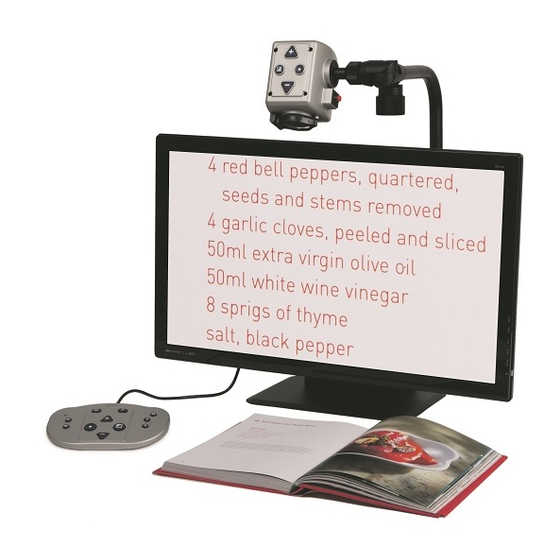
Optelec MultiView HD Handbücher

Optelec MultiView HD Handbücher

Anleitungen und Benutzerhandbücher für Optelec MultiView HD. Wir haben 1 Optelec MultiView HD Anleitung zum kostenlosen PDF-Download zur Verfügung: Bedienungsanleitung

Optelec MultiView HD Bedienungsanleitung (80 Seiten)

Marke: Optelec | Kategorie: Lupen | Dateigröße: 7 MB
Inhaltsverzeichnis
  • Inhaltsverzeichnis
    2
  • Introduction

    7
    • About this Manual
      7
  • What's in the Box

    8
  • Getting to Know Your Multiview HD

    9
    • Setting up the Multiview HD
      9
    • Choosing between Left- or Right-Hand Usage
      10
    • Positioning the Camera Head and Camera Arm
      10
    • Left/Right Rotation
      10
    • Camera Positions
      11
    • Close-Up Viewing
      12
    • Self-Viewing
      12
    • Distance Viewing
      12
  • Getting Started

    13
    • Switching on / off
      13
    • Setting the Level of Magnification
      13
    • Viewing Modes
      13
    • Find Function
      14
    • Autofocus Lock
      14
    • Using the Snapshot Button
      14
    • Activating Line Markers / Window Shades
      15
    • Positioning Line Markers / Window Shades
      15
    • White Balance
      15
    • Brightness Adjustment
      15
    • Left/Right Rotation
      16
    • Frequency Settings
      16
    • LED On/Off
      16
  • Appendix A: Safety

    17
  • Appendix B: Technical Information

    18
  • Appendix C: Warranty and Compliances

    19
  • Introductie

    21
    • Over Deze Handleiding
      21
  • Inhoud Van de Verpakking

    22
  • De Multiview HD Leren Kennen

    23
    • De Multiview HD Installeren
      23
    • Kiezen Tussen Links- of Rechtshandig Gebruik
      24
    • De Camera en Arm Positioneren
      24
    • Camera Posities
      25
    • Dichtbij Kijken
      25
    • Uzelf Bekijken
      26
    • Veraf Kijken
      26
  • Aan de Slag

    27
    • Aan / Uit Schakelaar
      27
    • Vergroting Instellen
      27
    • Weergave Modus
      27
    • Zoekfunctie
      28
    • Auto-Focus
      28
    • De Snapshot Toets Gebruiken
      28
    • Activeren Beeldmarkering / Beeldafdekking
      29
    • Positioneren Beeldmarkering / Beeldafdekking
      29
    • Wit Balans
      29
    • Helderheid Aanpassen
      30
    • Links / Rechts Rotatie
      30
    • Frequentie Instelling
      30
    • LED Aan/Uit
      30
  • Bijlage A Belangrijke Veiligheids Informatie

    31
  • Bijlage B: Specificaties Van de Multiview HD

    32
  • Bijlage C: Garantie Bepalingen en Nalevingen

    33
  • Introduction

    35
    • À Propos du Manuel
      35
  • Le Matériel Dans la Boîte

    36
  • Connaître Votre Multiview HD

    37
    • Installation du Multiview HD
      37
    • Choisir entre L'usage pour Droitier et pour Gaucher
      38
    • Positionnement de la Caméra et du Bras de la Caméra
      38
    • Rotation Gauche/Droite
      38
    • Positions de la Caméra
      39
    • Mode de Visualisation Rapprochée
      40
    • Mode Auto-Visualisation
      40
    • Mode de Visualisation Éloignée
      40
  • Fonctionnement

    41
    • Allumer et Éteindre L'appareil
      41
    • Réglage du Niveau de Grossissement
      41
    • Sélection du Mode de Visualisation
      41
    • Fonction Rechercher
      42
    • Verrouillage de la Fonction Mise au Point Automatique
      42
    • Utilisation de la Touche Photo Instantanée
      43
    • Activation des Lignes et des Caches
      43
    • Positionnement des Lignes et des Caches
      43
    • Équilibre des Blancs
      44
    • Réglage de la Luminosité
      44
    • Rotation Vers la Gauche et la Droite
      44
    • Réglage de la Fréquence
      44
    • Allumer et Éteindre L'éclairage del
      45
  • Annexe A: Mesures de Sécurité

    46
  • Annexe B: Renseignements Techniques

    47
  • Annexe C: Garantie et Conformité

    48
  • Introducción

    50
    • Acerca de Este Manual
      50
  • Qué Contiene la Caja

    51
  • Conocer Su Multiview HD

    52
    • Instalación del Multiview HD
      52
    • Montaje para Usuarios Zurdos O Diestros
      53
    • Posición del Cabezal y Brazo de la Cámara
      53
    • Rotación Izquierda/Derecha
      53
    • Posiciones de la Cámara
      55
    • Visualización de Cerca
      55
    • Auto-Visualización
      56
    • Visualización a Distancia
      56
  • Iniciar Su Multiview HD

    57
    • Encender y Apagar el Multiview HD
      57
    • Regular la Amplificación
      57
    • Modos de Visualización
      57
    • Función de Búsqueda
      58
    • Bloqueo de Auto-Foco
      58
    • Botón de Foto Instantánea
      59
    • Marcadores de Línea/Tonos de Ventana
      59
    • Posicionar Los Marcadores de Línea/Tonos de Ventana
      59
    • Balance de Blancos
      60
    • Ajustar el Brillo
      60
    • Rotación Izquierda/Derecha
      60
    • Parámetros de Frecuencia
      60
    • Encender y Apagar la Luz de LED
      60
  • Apéndice A: Seguridad

    61
    • Seguridad y Cuidado
      61
  • Apéndice B: Características Técnicas

    62
  • Apéndice C: Condiciones de Garantía y Conformidad

    63