LG Watch Urbane 2nd EDITION Handbücher
Anleitungen und Benutzerhandbücher für LG Watch Urbane 2nd EDITION. Wir haben 1 LG Watch Urbane 2nd EDITION Anleitung zum kostenlosen PDF-Download zur Verfügung: Kurzanleitung
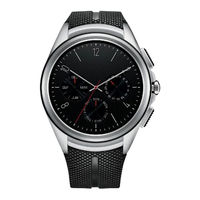
LG Watch Urbane 2nd EDITION Kurzanleitung (351 Seiten)
Inhaltsverzeichnis
-
Zubehör17
-
Uhrlayout18
-
Ändern der40
-
E-Mail50
-
Navigiere51
-
Telefon56
-
Messenger59
-
LG Health60
-
Bewegungen64
-
Ton64
-
Wlan65
-
Bluetooth65
-
Mobilfunk65
-
Standort66
-
Flugmodus66
-
Ausschalten68
-
Info68
-
Marken70
-
Consignes de Sécurité78
-
Conseils de Sécurité80
-
Avertissements Concernant la Batterie82
-
Batterie Intégrée83
-
Remarques Concernant L'étanchéité du Produit84
-
Standard88
-
Accessoires89
-
Présentation de la Montre90
-
Chargement de la Montre93
-
Si L'écran se Bloque95
-
Installation de la Carte SIM96
-
Mise en Marche et Arrêt de la Montre99
-
Connexion à un Autre Périphérique Mobile99
-
Conseils D'utilisation de L'écran Tactile100
-
Porter la Montre101
-
Capteur de Fréquence Cardiaque102
-
Connexion de la Montre à un Appareil Mobile104
-
Avant le Couplage105
-
Comment Associer Votre Montre106
-
Après le Couplage106
-
Comment Utiliser Votre Montre107
-
Montre (où L'heure Est Affichée)107
-
Réduire Rapidement la Luminosité de L'écran108
-
Changer L'écran de la Montre108
-
Cartes de Notification109
-
Bloquer les Notifications110
-
Notifications D'appel111
-
Choisir le Moment où Vous Recevez les Notifications112
-
Voir le Niveau de Charge de la Batterie ou la Date112
-
Accéder au Paramétrage du Son113
-
Éteindre Temporairement L'écran Grâce au Mode Cinéma113
-
Augmenter Temporairement la Luminosité de L'écran114
-
Accéder au Menu Paramètres114
-
Gestion du Stockage114
-
Tâches Utilisant la Commande Vocale116
-
Modifier les Applications que Vous Utilisez pour les Actions Vocales118
-
Créer ou Afficher une Note118
-
Définir un Rappel119
-
Afficher Mon Nombre de Pas120
-
Afficher Ma Fréquence Cardiaque120
-
Mesure de la Fréquence Cardiaque120
-
Envoie un Texto121
-
Envoi D'un Message121
-
E-Mail122
-
Planning123
-
Itinéraire123
-
Régler le Minuteur124
-
Arrêt du Minuteur124
-
Utiliser le Chronomètre124
-
Régler une Alarme125
-
Afficher les Alarmes126
-
Utilisation des Applications127
-
Téléchargement D'autres Applications128
-
Téléphone128
-
Émettre un Appel128
-
Réponse à un Appel et Rejet D'un Appel129
-
Renvoi D'appel130
-
Messenger131
-
LG Health132
-
Utiliser L'application Google Fit133
-
Paramètres134
-
Lancement du Menu Paramètres135
-
Réglage de la Luminosité135
-
Modification du Cadran de Votre Montre135
-
Modification de la Taille de la Police135
-
Gestes136
-
Paramètres D'écran Activé/Désactivé136
-
Sonnerie136
-
Wi-Fi137
-
Bluetooth137
-
Mobile137
-
Localisation138
-
Mode Avion138
-
Accessibilité139
-
Date et Heure139
-
Verrouillage de L'écran139
-
Autorisations139
-
Dissocier du Téléphone139
-
Éteindre140
-
À Propos140
-
En Savoir Plus141
-
Informations Sur les Logiciels Libres142
-
Marques Commerciales142
-
Déclaration de Conformité143
-
Contactez Notre Service pour Connaître les Normes Auxquelles Ce Produit Est Conforme143
-
Informations Réglementaires143
-
Comment Mettre à Jour Votre143
-
Appareil144
-
Informazioni Su Questa Guida Per L'utente146
-
Informazioni DI Sicurezza150
-
Consigli DI Sicurezza152
-
Avvertenze Sulla Batteria154
-
Funzioni DI Base159
-
Accessori160
-
Struttura Dell'orologio161
-
Ricarica Dell'orologio164
-
Se lo Schermo si Blocca166
-
Installazione Della Scheda SIM167
-
Accensione E Spegnimento Dell'orologio171
-
Connessione a un Altro Dispositivo Mobile172
-
Suggerimenti Per lo Schermo Touch172
-
Indossare L'orologio173
-
Sensore Della Frequenza Cardiaca174
-
Connessione Dell'orologio a un Dispositivo Mobile177
-
Prima Dell'associazione178
-
Procedura DI Associazione Dell'orologio179
-
Dopo L'associazione179
-
Utilizzo Dell'orologio180
-
Avviare Il Quadrante Dell'orologio (Dove Viene Visualizzata L'ora)181
-
Attenuare Rapidamente la Luminosità Dello Schermo181
-
Modifica del Quadrante Dell'orologio181
-
Schede DI Notifica182
-
Notifiche DI Blocco184
-
Notifiche DI Chiamata185
-
Modifica Delle Notifiche Ricevute185
-
Visualizzazione Della Carica Residua Della Batteria O Della Data186
-
Accesso alle Impostazioni del Suono187
-
Spegnimento Temporaneo Dello Schermo con la Modalità Cinema187
-
Potenziamento Temporaneo Della Luminosità Dello Schermo188
-
Accesso al Menu Impostazioni188
-
Gestione Della Memoria188
-
Attività Che Utilizzano Il Comando Vocale190
-
Modifica Delle Applicazioni da Utilizzare Per I Comandi Vocali192
-
Scrivere O Visualizzare una Nota192
-
Impostare un Promemoria193
-
Mostra I Miei Passi193
-
Mostrami la Frequenza Cardiaca194
-
Invia un SMS195
-
Invia Email196
-
Agenda197
-
Vai a197
-
Imposta Timer198
-
Usare Il Cronometro198
-
Imposta Sveglia199
-
Mostra Sveglie199
-
Utilizzo Delle Applicazioni200
-
Download DI Altre Applicazioni201
-
Telefono201
-
Composizione DI una Chiamata201
-
Ricezione E Rifiuto DI una Chiamata202
-
Deviazione Chiamate202
-
Messenger204
-
LG Health205
-
Utilizzare L'applicazione Google Fit206
-
Impostazioni208
-
Avviare Il Menu Impostazioni208
-
Regolare la Luminosità del Display208
-
Modificare Il Quadrante Dell'orologio208
-
Modificare le Dimensioni del Carattere208
-
Gesti209
-
Impostazioni DI Attivazione/ Disattivazione Dello Schermo209
-
Suoni209
-
Wi-Fi210
-
Bluetooth210
-
Cellulare210
-
Posizione211
-
Modalità Aereo211
-
Accessibilità211
-
Data E Ora212
-
Blocco Schermo212
-
Autorizzazioni212
-
Disaccoppia da Telefono212
-
Spegni213
-
Informazioni213
-
Ulteriori Informazioni214
-
Informazioni Avviso Software Open Source215
-
Marchi Registrati215
-
Dichiarazione DI Conformità216
-
Contattare L'ufficio Relativo Alla Conformità del Prodotto216
-
Normative216
-
Come Aggiornare Il Dispositivo216
-
Smaltimento Delle Apparecchiature Obsolete217
-
O Priročniku Za Uporabo219
-
Varnostne Informacije223
-
Varnostni Nasveti225
-
Osnovno232
-
Dodatna Oprema233
-
Skica Ure234
-
Polnjenje Ure236
-
Če Zamrzne Zaslon238
-
Vstavljanje Kartice SIM238
-
Vklop in Izklop Ure242
-
Povezovanje Z Drugo Mobilno Napravo242
-
Nasveti Za Uporabo Zaslona Na Dotik243
-
Nošenje Ure243
-
Senzor Srčnega Utripa245
-
Povezava Ure Z Mobilno Napravo247
-
Pred Seznanjanjem248
-
Seznanjanje Ure249
-
Po Seznanitvi249
-
Uporaba Ure250
-
Začetek Na Zaslonu Ure (Kjer Je Prikazana Ura)251
-
Hitra Zatemnitev Zaslona251
-
Spreminjanje Podobe Ure251
-
Kartice Z Obvestili252
-
Blokiranje Obvestil253
-
Obvestila O Klicih254
-
Spreminjanje Prejemanja Obvestil254
-
Ogled Preostanka Baterije in Pa Datuma255
-
Dostop Do Nastavitev Zvoka255
-
Začasen Izklop Zaslona Z Načinom Kino256
-
Začasno Povečanje Svetlosti Zaslona256
-
Dostop Do Menija Z Nastavitvami256
-
Upravljanje Pomnilnika257
-
Opravila Z Glasovnimi Ukazi258
-
Odpiranje Funkcije S Tipko Za Vklop in Izklop259
-
Spreminjanje Aplikacij, Ki Jih Uporabljate Z Glasovnimi Ukazi260
-
Ustvarjanje Ali Ogled Beležke260
-
Nastavitev Opomnika261
-
Show Me My Steps261
-
Show Me My Heart Rate262
-
Send a Text262
-
Pošiljanje Sporočila262
-
Email263
-
Agenda264
-
Navigate264
-
Set a Timer265
-
Uporaba Štoparice265
-
Set an Alarm266
-
Show Alarms266
-
Uporaba Aplikacij267
-
Prenos Drugih Aplikacij268
-
Phone268
-
Sprejem in Zavrnitev Klica269
-
Call Forwarding269
-
Messenger270
-
LG Health271
-
Uporaba Aplikacije Google Fit272
-
Nastavitve274
-
Zagon Menija Z Nastavitvami274
-
Nastavitev Svetlosti Zaslona274
-
Spreminjanje Podobe Ure274
-
Spreminjanje Velikosti Pisave274
-
Gestures275
-
Nastavitve Vklopa in Izklopa Zaslona275
-
Sound275
-
Wi-Fi276
-
Bluetooth276
-
Mobile276
-
Location277
-
Aeroplane Mode277
-
Accessibility277
-
Date & Time278
-
Screen Lock278
-
Permissions278
-
Unpair with Phone278
-
Power off278
-
About279
-
Več Informacij280
-
Informacije O Obvestilu O Odprtokodni Programski Opremi281
-
Blagovne Znamke281
-
Izjava O Skladnosti282
-
Za Informacije O Skladnosti Izdelka se Obrnite Na Pisarno282
-
Regulatorne Informacije282
-
Posodabljanje Naprave282
-
Safety Information288
-
Safety Tips290
-
Battery Warnings292
-
Exposure to Radio Frequency Energy295
-
Basic297
-
Accessories298
-
Watch Layout299
-
Charging the Watch301
-
If the Screen Freezes303
-
Installing the SIM Card304
-
Turning the Watch on and off307
-
Connecting to Another Mobile Device308
-
Touch Screen Tips308
-
Wearing the Watch309
-
Heart Rate Sensor310
-
Ensuring Accurate Measurements311
-
Connecting the Watch to a Mobile Device312
-
Before Pairing313
-
How to Pair Your Watch314
-
After Pairing314
-
How to Use Your Watch315
-
Start on Your Watch Face (Where You See the Time)316
-
Quickly DIM the Screen316
-
Changing the Watch Face316
-
Notification Cards317
-
Block Notifications318
-
Call Notifications319
-
Change When Notifications Arrive319
-
See Remaining Battery or Date320
-
Access the Sound Setting320
-
Turn Your Screen off Temporarily with Theater Mode321
-
Boost Screen Brightness Temporarily321
-
Access the Settings Menu321
-
Manage Storage322
-
Tasks Using Voice Command323
-
Change the Apps You Use for Voice Actions325
-
Take or View a Note326
-
Set a Reminder327
-
Show Me My Steps327
-
Show Me My Heart Rate328
-
Send a Text329
-
Sending a Message329
-
Replying to a Message329
-
Email330
-
Replying to an Email330
-
Deleting Email Messages330
-
Agenda331
-
Navigate331
-
Set a Timer332
-
Use the Stopwatch332
-
Set an Alarm333
-
Show Alarms333
-
Using Apps334
-
Downloading Other Apps335
-
Phone335
-
Making a Call335
-
Answering and Rejecting a Call336
-
Call Forwarding337
-
Messenger338
-
LG Health339
-
Use the Google Fit App340
-
Settings342
-
Launching the Settings Menu342
-
Adjusting Display Brightness342
-
Change Your Watch Face342
-
Change the Font Size342
-
Gestures343
-
Screen On/Off Settings343
-
Wi-Fi343
-
Bluetooth Devices344
-
Cellular344
-
Location344
-
Aeroplane Mode345
-
Accessibility345
-
Date & Time345
-
Screen Lock345
-
Permissions345
-
Unpair with Phone346
-
Power off346
-
About346
-
More Information348
-
Open Source Software Notice Information348
-
Trademarks348
-
Declaration of Conformity349
-
Contact Office for Compliance of this Product349
-
Regulatory Information349
-
How to Update Your Device349
-
Disposal of Your Old Appliance350


