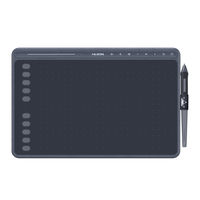
Huion INSPIROY HS611 Handbücher

Anleitungen und Benutzerhandbücher für Huion INSPIROY HS611. Wir haben 2 Huion INSPIROY HS611 Anleitungen zum kostenlosen PDF-Download zur Verfügung: Benutzerhandbuch, Schnellstartanleitung

Huion INSPIROY HS611 Benutzerhandbuch (113 Seiten)

Marke: Huion | Kategorie: Grafiktabletts | Dateigröße: 3 MB
Inhaltsverzeichnis
  • Inhaltsverzeichnis
    2
  • Precautions
    3
  • Product Overview
    4
  • Tablet Introduction
    4
  • Product and Accessories
    4
  • Accessories
    5
  • Tablet Connection
    5
  • Install Driver
    7
  • Pen Basic Operation
    8
  • Hold the Pen
    8
  • Position the Cursor
    8
  • Click
    9
  • Move
    9
  • Use the Side Buttons
    9
  • Pen Nib Replacement
    10
  • Function Setting
    11
  • Working Area Setting
    11
  • Tablet Setting
    12
  • General Settings
    13
  • Press Keys Function Setting
    14
  • Pen Buttons Function Setting
    16
  • Enable the Windows Ink Feature
    16
  • Pressure Sensitivity Setting
    17
  • Pen Pressure Testing
    18
  • Pen Nib Activity Setting
    18
  • Data Export and Import
    19
  • Specifications
    20
  • Trouble Shooting
    21
  • After-Service Contact
    22
  • Klicken
    30
  • After-Service-Kontakt
    40
  • Précautions
    42
  • Présentation du Produit
    43
  • Votre Tablette
    43
  • Produit et Accessoires
    43
  • Connexion de la Tablette
    44
  • Installation des Pilotes
    46
  • Utilisation du Stylet
    47
  • Tenue du Stylet
    47
  • Position du Curseur
    47
  • Clic
    48
  • Mouvement
    48
  • Utilisation des Boutons Latéraux
    48
  • Remplacement de la Point du Stylet
    49
  • Réglages des Fonctions
    50
  • Réglage de L'espace de Travail
    50
  • Boutons de Fonctions
    51
  • Réglage du Bouton du Stylet
    53
  • Activer la Fonction Windows Ink
    53
  • Réglage de la Sensibilité de la Pression
    54
  • Test de la Pression du Stylet
    55
  • Export et Import des Données
    55
  • Caractéristiques
    56
  • Dépannages
    57
  • Contacts après Vente
    58
  • 安全上のご注意
    60
  • 前書き
    61
  • 製品の特徴
    61
  • 各部のなまえとはたらき
    61
  • タブレットイを接続する
    62
  • ドライバーをインストールする
    64
  • ペンの基本操作
    65
  • ペンの持ち方
    65
  • カーソルの移動
    65
  • クリック
    66
  • アイテムの移動
    66
  • サイドボタンを使用する
    66
  • 替え芯をセットする
    67
  • 機能設定
    68
  • 作業領域の設定
    68
  • ショートカットキー設定
    69
  • ペンのサイドボタン設定
    71
  • Windows Ink 機能を有効にする
    71
  • 筆圧感度を設定する
    72
  • 筆圧感度のテスト
    73
  • 設定データのインポート / エクスポート
    73
  • 製品の仕様
    74
  • トラブルシューティング
    75
  • お客さまご相談窓口
    76
  • Precauzioni
    78
  • Panoramica del Prodotto
    79
  • Introduzione del Tavoletta
    79
  • Conexión al Ordenador
    80
  • Prodotto E Accessori
    80
  • Connessione del Tavoletta
    80
  • Installazione del Driver
    82
  • Funzionamento Base Della Penna
    83
  • Come Tenere la Penna
    83
  • Posizionare Il Cursore
    83
  • Cliccare
    84
  • Spostare
    84
  • Utilizzare I Pulsanti Laterali
    84
  • Sostituzione del Pennino
    85
  • Impostazione DI Funzione
    86
  • Impostazione Area DI Lavoro
    86
  • Impostazione Funzione Dei Tasti a Pressione
    87
  • Impostazione Funzioni Tasti Della Penna
    89
  • Abilitare la Funzione Windows Ink
    89
  • Impostazione Sensibilità DI Pressione
    90
  • Test DI Pressione Della Penna
    91
  • Esportazione E Importazione Dei Dati
    91
  • Specifiche
    92
  • Risoluzione Dei Problem
    93
  • Contatti DI Servizio DI Assistenza Clienti
    94
  • Precauciones
    96
  • Descripción del Producto
    97
  • Intoducción sobre la Tableta
    97
  • Contenido del Paquete
    98
  • Conexión de la Tableta
    98
  • Instalación de Los Controladores
    100
  • Operaciones Básicas con el Lápiz
    101
  • Agarrar el Lápiz
    101
  • Posición del Cursor
    101
  • Click
    102
  • Movimiento
    102
  • Uso de Los Botones Laterales
    102
  • Cambiar la Punta del Lápiz
    103
  • Configuración de Funciones
    104
  • Configuración del Área de Trabajo
    104
  • Configuración de las Teclas Presionables
    105
  • Configuración de Los Botones del Lápiz
    107
  • Habilitar la Función de Windows Ink
    107
  • Ajuste de Sensibilidad de Presión
    108
  • Prueba de Presión del Lápiz
    109
  • Exportación E Importación de Datos
    109
  • Especificaciones
    110
  • Solución de Problemas
    111
  • Contacto Después del Servicio
    112