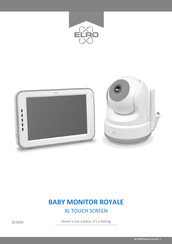
XL TOUCH SCREEN
Inhaltsverzeichnis
-
-
-
-
-
-
-
-
Pairing the Camera to the Monitor
6
-
-
-
Split Screen and Switching Live Views Automatically
8
-
-
Switching Live Views Automatically
8
-
-
-
Alternative Method Android
11
-
-
Connecting with Second Smartphone
14
-
Receiving Notifications
14
-
-
Frequently Asked Questions (FAQ) and Troubleshooting
15
-
Technical Specifications
15
-
-
-
-
-
-
-
-
-
-
-
-
-
-
-
-
-
-
-
-
-
-
-
-
-
-
-
-
-
-
-
-
De Monitor en Camera Koppelen
39
-
-
-
Split Screen en Automatisch Wisselen Tussen Camerabeelden
41
-
-
Automatisch Wisselen Tussen Camerabeelden
41
-
-
-
Altervatieve Verbindingsmethode Android
44
-
-
Verbinden Tweede Telefoon
47
-
-
-
Veelgestelde Vragen (FAQ) en Troubleshooting
48
-
Technische Specificaties
49
-
Veiligheid en Conformiteit
50
-
-
-
Qu'y A-T-Il Dans la Boîte
54
-
-
-
-
-
Connexion du Moniteur et de la Caméra
57
-
-
-
Écran Partagé et Commutation Automatique des Vues en Direct
58
-
Écran Partagé et Quadruple
58
-
Changement Automatique des Vues en Direct
58
-
-
-
Méthode Alternative Android
61
-
-
Connexion Avec un Deuxième Smartphone
65
-
Réception des Notifications
65
-
-
Foire aux Questions (FAQ) et le Dépannage
66
-
Caractéristiques Techniques
66
-
Sécurité et Conformité
67
-
