Canon ImageRUNNER 2525i Handbücher
Anleitungen und Benutzerhandbücher für Canon ImageRUNNER 2525i. Wir haben 1 Canon ImageRUNNER 2525i Anleitung zum kostenlosen PDF-Download zur Verfügung: Anwenderhandbuch
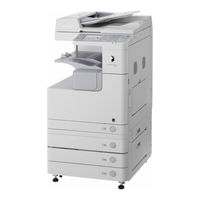
Canon ImageRUNNER 2525i Anwenderhandbuch (582 Seiten)
Marke: Canon
|
Kategorie: All-in-One-Drucker
| Dateigröße: 47 MB
Inhaltsverzeichnis
-
How this Manual Is Organized4
-
Inhaltsverzeichnis5
-
Preface9
-
How to Use this Manual9
-
Symbols Used in this Manual9
-
Keys and Buttons Used in this Manual10
-
Illustrations Used in this Manual10
-
Displays Used in this Manual11
-
Abbreviations Used in this Manual11
-
Trademarks12
-
Operations and Terms Used in this Manual12
-
Available Features14
-
Legal Notices15
-
Product Name15
-
EMC Requirements of EC Directive15
-
R&TTE Directive15
-
Laser Safety15
-
Additional Information16
-
International ENERGY STAR Program17
-
Ipv6 Ready Logo17
-
WEEE Directive18
-
Copyright19
-
Third Party Software19
-
Disclaimers20
-
Legal Limitations on the Usage of Your Product and the Use of Images20
-
Super G321
-
Important Safety Instructions22
-
Installation22
-
Power Supply23
-
Handling24
-
Maintenance and Inspections27
-
Consumables29
-
Other Warnings29
-
Machine Installation30
-
Installation Location and Handling31
-
Installation Precautions31
-
Avoid Installing the Machine in the Following Locations31
-
Select a Safe Power Supply33
-
Provide Adequate Installation Space35
-
Moving the Machine35
-
Handling Precautions36
-
Cable Connection38
-
Using the Machine as a Local Printer (USB Connection)38
-
Sharing the Machine with Other Network Users39
-
Using Ethernet39
-
Using the Machine as a Fax Device41
-
Main Power and Control Panel Power43
-
How to Turn on the Main Power43
-
Using the Control Panel Power Switch (Sleep Mode)45
-
Turning off the Main Power45
-
Setup Flow46
-
User Manual CD-ROM49
-
System Requirements49
-
Using the CD-ROM Menu50
-
UFRII LT User Software51
-
Contents of CD-ROM51
-
System Requirements52
-
UFRII LT Printer Driver52
-
Color Network Scangear52
-
Installation53
-
PCL User Software54
-
Contents of CD-ROM54
-
System Requirements55
-
Installation55
-
PS User Software (Optional)56
-
Contents of CD-ROM56
-
System Requirements57
-
Installation57
-
Fax Driver Software (Optional)58
-
Contents of CD-ROM58
-
System Requirements59
-
Installation59
-
Using the Basic Functions60
-
Making a Copy61
-
Printing from a Computer63
-
Printing from a USB Memory Media Device (Media Print)65
-
Sending a Document67
-
(E-Mail, I-Fax, File Server, and USB Memory Media Device)67
-
Sending a Document (E-Mail, I-Fax, File Server, and USB Memory Media Device)67
-
Sending a Fax69
-
Scanning from a Computer (Remote Scan)71
-
Operating the Machine from a Computer (Remote UI)73
-
Log in to the Remote UI73
-
Routine Maintenance74
-
Paper Drawers75
-
Loading Paper76
-
Adjusting a Paper Drawer to Hold a Different Paper Size78
-
Replacing the Toner81
-
Routine Cleaning85
-
Platen Glass and Cover85
-
Feeder Scanning Area and Rollers86
-
Consumables90
-
Paper Stock90
-
Toner91
-
Be Careful of Counterfeit Toners91
-
Stamp Ink Cartridge92
-
Staple Cartridge92
-
Genuine Supplies92
-
Troubleshooting94
-
Clearing Paper Jams95
-
Fixing Unit96
-
Paper Drawers 1 and 298
-
Feeder101
-
Service Call Message104
-
Restarting the Machine104
-
Using the Machine with Limited Functions105
-
Requesting Repairs from the Control Panel106
-
Contacting Your Local Authorized Canon Dealer108
-
Préface123
-
Présentation du Guide123
-
Conventions Adoptées Dans Ce Guide123
-
Touches et Boutons Utilisées Dans Ce Guide124
-
Illustrations Utilisées Dans Ce Guide124
-
Affichages Utilisés Dans Ce Guide125
-
Abréviations Utilisées Dans Ce Guide125
-
Marques126
-
Fonctionnement de la Machine et Termes Utilisés Dans Ce Guide126
-
Fonctions Disponibles128
-
Mentions Légales129
-
Nom du Produit129
-
Exigences CEM de la Directive Européenne129
-
Directive R & TTE129
-
Faisceau Laser130
-
Informations Complémentaires130
-
Programme International ENERGY STAR131
-
Ipv6 Ready Logo131
-
Directive DEEE132
-
Copyright132
-
Logiciel de Tierce Partie133
-
Limites de Responsabilité134
-
Restrictions Légales Relatives à L'utilisation de Votre Produit et des Images134
-
Super G3135
-
Consignes de Sécurité136
-
Installation136
-
Alimentation Électrique137
-
Manipulation139
-
Entretien et Inspection142
-
Consommables144
-
Autres Points Importants144
-
Installation de la Machine146
-
Emplacement D'installation et Manipulation147
-
Précautions D'installation147
-
Evitez les Conditions Suivantes147
-
Branchement Électrique Conforme à la Sécurité149
-
Surface Suffisante151
-
Avant de Déplacer la Machine151
-
Précautions D'emploi152
-
Branchement des Câbles154
-
Utilisation de la Machine comme Imprimante Locale (Connexion USB)154
-
Partage de la Machine Avec D'autres Utilisateurs Réseau155
-
Utilisation D'ethernet155
-
Utilisation de la Machine comme Télécopieur157
-
Interrupteur Principal et Interrupteur du Panneau de Commande159
-
Mise Sous Tension de la Machine159
-
Utilisation de L'interrupteur du Panneau de Commande (Mode Veille)161
-
Mettez la Machine Hors Tension161
-
Marche à Suivre de L'installation162
-
CD-ROM de Documentation Utilisateur167
-
Configuration Système167
-
Utilisation du Menu du CD-ROM168
-
Logiciel Utilisateur UFRII LT169
-
Contenu du CD-ROM169
-
Configuration Système170
-
Pilote D'imprimante UFRII LT170
-
Color Network Scangear170
-
Installation171
-
Logiciel Utilisateur PCL172
-
Contenu du CD-ROM172
-
Configuration Système173
-
Installation173
-
Logiciel Utilisateur PS (en Option)174
-
Contenu du CD-ROM174
-
Configuration Système175
-
Installation175
-
Logiciel du Pilote de Télécopie (en Option)176
-
Contenu du CD-ROM176
-
Configuration Système177
-
Installation177
-
Utilisation des Fonctions de Base178
-
Réalisation D'une Copie179
-
Impression à Partir D'un Ordinateur181
-
Impression à Partir D'un Périphérique Mémoire USB183
-
(Impression Support)183
-
Impression à Partir D'un Périphérique Mémoire USB (Impression Support)183
-
Envoi D'un Document185
-
Mémoire USB)185
-
Envoi D'une Télécopie187
-
Lecture à Partir D'un Ordinateur (Lecture à Distance)189
-
Opération de la Machine à Partir D'un Ordinateur191
-
(Interface Utilisateur Distante)191
-
Opération de la Machine à Partir D'un Ordinateur (Interface Utilisateur Distante)191
-
Entretien Périodique192
-
Cassettes193
-
Chargement de Papier194
-
Modification du Format de Papier D'une Cassette196
-
Remplacement de la Cartouche de Toner199
-
Entretien Courant203
-
Vitre D'exposition et Cache D'exposition203
-
Zone de Lecture du Chargeur et Rouleaux D'entraînement204
-
Consommables208
-
Consommables Papier208
-
Toner209
-
Attention aux Contrefaçons209
-
Cartouche D'encre de Marquage210
-
Cartouche D'agrafes210
-
Fournitures Canon210
-
Elimination des Bourrages Papier213
-
Unité de Fixation214
-
Cassettes 1 et 2216
-
Chargeur220
-
Message D'entretien223
-
Redémarrage de la Machine223
-
Utilisation de la Machine Avec des Fonctions Limitées224
-
Demande de Maintenance à Partir du Panneau de Commande225
-
Contacter Votre Revendeur Canon Agréé Local227
-
Types de Papier Disponibles229
-
Index232
-
Vorwort241
-
Marken244
-
Ipv6 Ready Logo249
-
Copyright251
-
Super G3253
-
Installation254
-
Stromversorgung255
-
Umgang256
-
Kabelanschluss270
-
Installation287
-
Installation289
-
Installation291
-
Installation293
-
Vorbereiten299
-
Papierkassetten309
-
Toner325
-
Fixiereinheit330
-
Einzug336
-
Anhang344
-
Prefazione357
-
Come Utilizzare Il Presente Manuale357
-
Simboli Utilizzati Nel Manuale357
-
Tasti E Pulsanti Utilizzati Nel Manuale358
-
Illustrazioni Utilizzate Nel Manuale358
-
Schermate Utilizzate Nel Manuale359
-
Abbreviazioni Utilizzate Nel Manuale359
-
Marchi DI Fabbrica360
-
Funzionamento Dell'apparecchiatura E Terminologia Utilizzata in Questo Manuale360
-
Funzioni Disponibili362
-
Note Legali363
-
Nome del Prodotto363
-
Requisiti DI Compatibilità Elettromagnetica (EMC) Della Direttiva CE363
-
Direttiva R & TTE363
-
Sicurezza del Raggio Laser364
-
Informazioni Supplementari364
-
Programma International ENERGY STAR365
-
Ipv6 Ready Logo365
-
Direttiva WEEE (RAEE)366
-
Copyright366
-
Software DI Terza Parte367
-
Declino DI Responsabilità368
-
Limiti Legali Per L'uso del Prodotto E Delle Immagini368
-
Super G3369
-
Importanti Istruzioni DI Sicurezza370
-
Installazione370
-
Alimentazione Elettrica371
-
Precauzioni372
-
Manutenzione E Controlli375
-
Materiali DI Consumo377
-
Altre Avvertenze377
-
Installazione Della Macchina378
-
Luogo DI Installazione E Utilizzo379
-
Precauzioni Per L'installazione379
-
Non Installare la Macchina Nei Seguenti Luoghi379
-
Scegliere Un'alimentazione Sicura381
-
Riservare uno Spazio DI Installazione Adeguato383
-
Trasporto Della Macchina383
-
Precauzioni Per L'utilizzo384
-
Collegamento Dei Cavi386
-
Uso Della Macchina Come Stampante Locale (Connessione USB)386
-
Condivisione Della Macchina con Altri Utenti in Rete388
-
Uso Dell'interfaccia Ethernet388
-
Utilizzo Della Macchina Come Fax389
-
Interruttore Principale E Interruttore del Pannello DI Controllo391
-
Accensione con L'interruttore Principale391
-
Utilizzo Dell'interruttore del Pannello DI Controllo (Modo Riposo)393
-
Spegnimento Della Macchina con L'interruttore Principale393
-
Schema DI Configurazione394
-
CD-ROM del Manuale Utente397
-
Requisiti DI Sistema397
-
Uso del Menu del CD-ROM398
-
UFRII LT - Software Per L'utente399
-
Contenuto del CD-ROM399
-
Driver DI Stampa UFRII LT399
-
Color Network Scangear399
-
Installazione401
-
PCL - Software Per L'utente402
-
Contenuto del CD-ROM402
-
Requisiti DI Sistema403
-
Installazione403
-
PS - Software Per L'utente (Opzionale)404
-
Contenuto del CD-ROM404
-
Requisiti DI Sistema405
-
Installazione405
-
Software - Driver Fax (Opzionale)406
-
Contenuto del CD-ROM406
-
Requisiti DI Sistema407
-
Installazione407
-
Esecuzione DI una Copia409
-
Stampa da un Computer411
-
Stampa da un Supporto DI Memoria USB (Stampa Supporto)413
-
Invio DI un Documento415
-
Invio DI un Fax417
-
Scansione da un Computer (Scansione Remota)419
-
Utilizzo Della Macchina da un Computer (IU Remota)421
-
Manutenzione Ordinaria422
-
Cassetti Carta423
-
Caricamento Della Carta424
-
Regolazione del Cassetto Per un Diverso Formato Carta426
-
Sostituzione del Toner429
-
Pulizia Periodica433
-
Piano DI Copiatura E Coperchio433
-
Rulli E Area DI Scansione Dell'alimentatore434
-
Consumabili438
-
Tipi DI Carta438
-
Toner439
-
Fare Attenzione Ai Toner Contraffatti439
-
Cartuccia Inchiostro Per Timbro440
-
Cartuccia Punti440
-
Parti Originali440
-
Individuazione E Soluzione Dei Problemi442
-
Eliminazione Degli Inceppamenti Carta443
-
Unità DI Fissaggio444
-
Cassetti Carta 1 E 2446
-
Alimentatore450
-
Messaggio DI Richiesta DI Assistenza453
-
Riavvio Della Macchina453
-
Utilizzo Della Macchina con Funzioni Limitate454
-
Richiesta Riparazione Dal Pannello DI Controllo455
-
Contattare Il Rivenditore Autorizzato Canon DI Zona457
-
Mantenimiento Periódico466
-
Prefacio471
-
Cómo Utilizar Este Manual471
-
Símbolos Utilizadas en Este Manual471
-
Teclas y Botones Utilizadas en Este Manual472
-
Ilustraciones Utilizadas en Este Manual472
-
Pantallas Utilizadas en Este Manual473
-
Abreviaturas Utilizadas en Este Manual473
-
Marcas Registradas474
-
Operaciones y Términos Utilizadas en Este Manual474
-
Funciones Disponibles476
-
Avisos Legales477
-
Nombre del Producto477
-
Directiva de la CE sobre Compatibilidad Electromagnética477
-
Directiva R & TTE477
-
Seguridad Láser478
-
Información Adicional478
-
Programa Internacional ENERGY STAR479
-
Logotipo Ipv6 Ready479
-
Directiva WEEE480
-
Marcas Comerciales481
-
Software de Terceros481
-
Descargo de Responsabilidad482
-
Limitaciones Legales al Empleo de Su Equipo y al Uso de IMágenes482
-
Súper G3483
-
Instrucciones Importantes de Seguridad484
-
Instalación484
-
Alimentación Eléctrica486
-
Manipulación487
-
Mantenimiento E Inspecciones490
-
Consumibles492
-
Otras Advertencias492
-
Instalación del Equipo494
-
Lugar de Instalación y Manipulación495
-
Precauciones de Instalación495
-
Evite Instalar el Equipo en Los Siguientes Lugares495
-
Seleccione un Enchufe Seguro497
-
Proporcione Suficiente Espacio de Instalación499
-
Trasladar el Equipo499
-
Precauciones de Manipulación500
-
Conexión de Los Cables502
-
Utilizar el Equipo como Impresora Local (Conexión USB)502
-
Compartir el Equipo con Otros Usuarios de Red503
-
Utilizar Ethernet503
-
Uso del Equipo como Dispositivo de Fax505
-
Alimentación Principal y Alimentación del Panel de Control507
-
Cómo Encender la Alimentación Principal507
-
Utilización del Interruptor de Alimentación de Panel de Control509
-
Apagado de la Alimentación Principal509
-
Flujo de Configuración510
-
CD-ROM del Manual de Usuario515
-
Requisitos del Sistema515
-
Utilización del Menú CD-ROM516
-
Software de Usuario UFRII LT517
-
Contenido del CD-ROM517
-
Controlador de Impresora UFRII LT517
-
Color Network Scangear517
-
Instalación519
-
Software de Usuario PCL520
-
Contenido del CD-ROM520
-
Requisitos del Sistema521
-
Instalación521
-
Software de Usuario PS (Opcional)522
-
Contenido del CD-ROM522
-
Requisitos del Sistema523
-
Instalación523
-
Software de Controlador de Fax (Opcional)524
-
Contenido del CD-ROM524
-
Instalación525
-
Hacer una Copia527
-
Impresión desde un Ordenador529
-
Impresión desde un Dispositivo de Memoria USB531
-
(Impresión de Dispositivos)531
-
Envío de un Documento533
-
Envío de un Fax535
-
Lectura desde un Ordenador (Lectura Remota)537
-
Funcionamiento del Equipo desde un Ordenador (IU Remoto)539
-
Mantenimiento Periódico540
-
Casetes541
-
Cargar Papel542
-
Ajustar un Casete para Alojar Papel de Distinto Tamaño544
-
Sustituir el Tóner547
-
Limpieza Periódica551
-
Cristal de Copia y Tapa551
-
Rodillos y Área de Lectura del Alimentador552
-
Consumibles556
-
Papel556
-
Tóner557
-
Tenga Cuidado con el Tóner Falsificado557
-
Cartucho de Tinta para Sello558
-
Cartucho de Grapas558
-
Productos Genuinos558
-
Solución de Problemas560
-
Eliminar Atascos de Papel561
-
Unidad de Fijación562
-
Casetes 1 y 2564
-
Alimentador568
-
Mensajes de Aviso al Servicio Técnico571
-
Reiniciar el Equipo571
-
Utilizar el Equipo con Funciones Limitadas572
-
Solicitud de Reparaciones desde el Panel de Control573
-
Ponerse en Contacto con Su Distribuidor Local Canon Autorizado575
-
Papel Disponible577


