Blackmagic Design Smart Remote 4 Handbücher
Anleitungen und Benutzerhandbücher für Blackmagic Design Smart Remote 4. Wir haben 1 Blackmagic Design Smart Remote 4 Anleitung zum kostenlosen PDF-Download zur Verfügung: Benutzerhandbuch
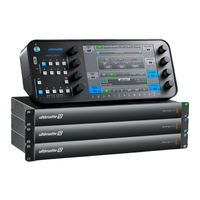
Blackmagic Design Smart Remote 4 Benutzerhandbuch (760 Seiten)
Marke: Blackmagic Design
|
Kategorie: Digitaler Video Recorder
| Dateigröße: 39 MB
Inhaltsverzeichnis
-
Inhaltsverzeichnis4
-
Die Ultimatte Smart Remote4
-
Conectar O Smart Remote4
-
Ultimatte6
-
Getting Started6
-
Plugging in Power6
-
To Power Ultimatte 126
-
To Power Smart Remote 46
-
Connecting the Smart Remote 4 to Your Ultimatte7
-
Turning on the Smart Remote 48
-
The Smart Remote 4 Status Bar9
-
Monitor out9
-
Selecting the Ultimatte Main Unit9
-
Connecting Video Sources and Outputs10
-
Monitor Cascade Feature11
-
Setting an Auto Composite Using the File Clear Button11
-
Connecting Sources and Outputs12
-
SDI Inputs12
-
SDI Outputs12
-
Ultimatte12
-
Blackmagic Ultimatte12
-
Monitor Output13
-
What Is a Matte13
-
Types of Mattes13
-
Controlling Ultimatte with Smart Remote15
-
The Control Panel Layout15
-
Main Menu Buttons15
-
Information and File Control15
-
Configuration16
-
Groups16
-
Functions16
-
Status Bar17
-
Monitor out17
-
Connecting to a Network18
-
Setting the IP Address for Ultimatte 1218
-
After Installation18
-
Setting the IP Address for Your Smart Remote 418
-
Setting the Main Unit's IP Address on Smart Remote 419
-
Ultimatte Compositing Workflow19
-
Quick Guide to Building a Composite20
-
Setting the Foreground Backing Color20
-
Setting Screen Correction20
-
Setting the Matte Density21
-
Changing Settings22
-
Adjusting Matte Controls22
-
Matte Density22
-
Black Gloss22
-
Red, Green and Blue Density22
-
Matte Reset23
-
Clean up Settings23
-
Veil Settings24
-
Shadow Level and Shadow Threshold24
-
Matte Process/Screen Correction24
-
Matte Correct Horizontal Size25
-
Matte Correct Vertical Size25
-
Screen Sample25
-
Filter26
-
Matte Reset27
-
Cursor Position Last27
-
Auto Screen Sample27
-
Adjusting Foreground Flare Controls27
-
Flare 1 Settings28
-
Flare 2 Settings28
-
Flare Reset28
-
Advanced Flare28
-
Adjusting Foreground Ambiance Controls29
-
Making Foreground Ambiance Changes29
-
Ambiance 1 Settings29
-
Adjusting Brightness, Color, Contrast and Saturation30
-
White Level Master30
-
Black Level Master30
-
Contrast Master30
-
Saturation Master30
-
Advanced Contrast Crossover Master31
-
Fade Control31
-
Color Correcting Black and White Levels31
-
Adjusting Color Contrast and Saturation31
-
Color Reset31
-
Source Freeze Button31
-
Additional Background Settings32
-
Background Filter32
-
Background Gradient32
-
Test Signal32
-
Additional Layer Settings32
-
Lighting32
-
Lighting Control Knobs32
-
Layer Input33
-
Layer Input Realistic/Linear/Additive33
-
Matte Input Settings34
-
Background Matte34
-
Garbage Matte34
-
Holdout Matte34
-
Layer Matte34
-
Window34
-
Window Skew35
-
Transition Rate35
-
Setting the Layer Order35
-
System37
-
Video Format37
-
3G SDI Outputs37
-
Color Space37
-
Configure Settings37
-
Inputs37
-
Outputs38
-
On Air Settings40
-
GPI and Tally Settings40
-
Gpio Menu40
-
Control Knobs40
-
Setting up a GPI Event List41
-
GPIO Pinout42
-
Monitor out Settings43
-
Monitor Setting Buttons43
-
Saving and Loading Preset Files45
-
Customizing the Menus47
-
Updating the Internal Software48
-
Updating Your Smart Remote 448
-
Uninstalling Ultimatte SR4 V1.0.549
-
Installing Ultimatte Smart Remote Setup51
-
Connecting a USB Keyboard and Mouse53
-
Developer Information53
-
Controlling Ultimatte Using Telnet53
-
Blackmagic Ultimatte 12 Ethernet Protocol54
-
Checking the Connection59
-
Help68
-
Getting Help68
-
Regulatory Notices and Safety Information69
-
Warranty70
-
Ultimatte 12 の電源75
-
Smart Remote 4 の電源75
-
Smart Remote 4 を Ultimatte に接続76
-
Smart Remote 4 の電源を入れる77
-
Smart Remote 4 のステータスバー78
-
Monitor out78
-
Ultimatte のメインユニットを選択78
-
ビデオソースと出力を接続79
-
モニターのカスケード接続機能80
-
File Clear ボタンによる自動合成の設定80
-
Sdi 入力81
-
Sdi 出力81
-
マットとは82
-
コントロールパネルのレイアウト84
-
Main Menus ボタン84
-
ステータス情報およびファイルのコントロール84
-
Groups (グループ85
-
Functions (機能85
-
ステータスバー86
-
Monitor out (モニター出力86
-
ネットワークに接続87
-
Ultimatte 12 の IP アドレス設定87
-
Smart Remote 4 の IP アドレス設定87
-
Smart Remote 4 でメインユニットの IP アドレスを設定88
-
Ultimatte の合成ワークフロー88
-
合成作成のクイックガイド89
-
フォアグラウンドの背景色の設定89
-
背景スクリーン補正の設定89
-
マット濃度の設定90
-
Matte Density (マット濃度91
-
Black Gloss (ブラックグロス91
-
ッド / グリーン / ブルー濃度91
-
Matte Reset (マットリセット92
-
Clean up 設定92
-
Veil 設定93
-
Shadow Level および Shadow Threshold93
-
Matte Process 設定の Screen Correct (スクリーン補正93
-
Matte Correct94
-
Matte Correct Vertical Size (マットサイズ縦方向補正94
-
Screen Sample (スクリーンサンプル94
-
Filter 設定95
-
Matte Reset (マットリセット96
-
後のカーソル位置96
-
スクリーンサンプル96
-
フォアグラウンドのフレアコントロールの調整96
-
Flare 1 設定97
-
Flare 2 設定97
-
Flare Reset (フレアリセット97
-
Advanced Flare (詳細フレア設定97
-
フォアグラウンドのアンビエンスコントロールの調整98
-
Ambiance 1 設定98
-
ュレーションの調整99
-
トレベル・ マスター99
-
クレベル・ マスター99
-
Contrast Master (コントラスト ・ マスター99
-
レーション ・ マスター99
-
フェードコントロール100
-
黒 / 白レベルのカラーコレクション100
-
カラーコントラスト / サチュレーションの調整100
-
カラーリセット100
-
Freeze ボタン100
-
Bg Filter (バックグラウンド ・ フィルター101
-
Bg Gradient (バックグラウンド階調度101
-
Test Signal (テスト信号101
-
Lighting (照明101
-
Lighting コントロールノブ101
-
Layer in (レイヤー入力102
-
Ly in Realistic/Linear102
-
リニア / 加算102
-
Matte in 設定103
-
Garbage Matte (ガベージマット103
-
Holdout Matte (ホールドアウトマット103
-
Layer Matte (レイヤーマット103
-
Window (ウィンドウ103
-
Window Skew (ウィンドウ傾斜104
-
レイヤーの配置順の設定104
-
ビデオフォーマット106
-
3G-Sdi 出力106
-
カラースペース106
-
Configure 設定106
-
Inputs (入力106
-
On Air 設定109
-
Gpi およびタリー設定109
-
Gpio メニュー109
-
コントロールノブ109
-
GPI Events リストの設定110
-
Gpio ピン配列111
-
Monitor out 設定112
-
Custom Mon out メニュー112
-
Smart Remote 4 のアップデート117
-
Ultimatte SR4 V1.0.5 のアンインストール118
-
Usb キーボードとマウスの接続122
-
Developer Information122
-
Controlling Ultimatte Using Telnet122
-
Blackmagic Ultimatte 12 Ethernet Protocol123
-
Blackmagic Ultimatte124
-
Checking the Connection128
-
規制に関する警告および安全情報138
-
Ultimatte143
-
Mise en Route144
-
Brancher L'alimentation144
-
Alimenter Ultimatte 12144
-
Alimenter le Smart Remote 4144
-
Connecter le Smart Remote 4 à Ultimatte145
-
Allumer le Smart Remote 4146
-
La Barre D'état du Smart Remote147
-
Monitor out147
-
Sélectionner L'appareil Ultimatte Principal147
-
Connecter des Sources VIDéo et des Sorties148
-
Fonction Monitor Cascade149
-
Configurer une Composition Automatique à L'aide du Bouton File Clear149
-
Connecter des Sources et des Sorties150
-
Entrées SDI150
-
Sorties SDI150
-
Qu'est-Ce Qu'un Cache151
-
Types de Caches151
-
Contrôler Ultimatte Avec le Smart Remote 4153
-
Agencement du Panneau de Contrôle153
-
Boutons de Menu Principaux153
-
Information et Contrôle des Fichiers153
-
Section Groups154
-
Section Functions154
-
Barre D'état155
-
Section Monitor out155
-
Connexion à un Réseau156
-
Régler L'adresse IP de Ultimatte 12156
-
Régler L'adresse IP du Smart Remote 4156
-
Régler L'adresse IP de L'appareil Principal Sur le Smart Remote 4157
-
Workflow de Compositing Ultimatte157
-
Guide Rapide pour Créer une Composition158
-
Régler la Couleur du Fond de L'avant-Plan158
-
Corriger le Fond158
-
Régler la Densité du Cache159
-
Modifier des Paramètres160
-
Ajuster les Commandes du Cache160
-
Matte Density160
-
Black Gloss160
-
Red, Green et Blue Density160
-
Matte Reset160
-
Paramètres Clean up161
-
Paramètres Veil162
-
Shadow Level et Shadow Treshold162
-
Traitement du Cache/Correction du Fond162
-
Matte Correct H Size163
-
Échantillon du Fond163
-
Filter164
-
Matte Reset165
-
Cursor Pos Last165
-
Auto Screen Sample165
-
Ajuster les Commandes Relatives aux Reflets de L'avant-Plan166
-
Paramètres Flare 2166
-
Flare Reset166
-
Advanced Flare167
-
Ajuster les Commandes Relatives à L'ambiance de L'avant-Plan167
-
Modifier L'ambiance de L'avant-Plan167
-
Paramètres Ambiance 1167
-
Ajuster la Luminosité, la Couleur, le Contraste et la Saturation168
-
White Level Master168
-
Black Level Master168
-
Contrast Master168
-
Saturation Master168
-
Contrast Crossover169
-
Commande Fade169
-
Corriger les Niveaux de Noir et de Blanc169
-
Ajuster le Contraste et la Saturation des Couleurs169
-
Color Reset169
-
Bouton Freeze169
-
Paramètres D'arrière-Plan Supplémentaires170
-
BG Filter170
-
BG Gradient170
-
Test Signal170
-
Paramètres Supplémentaires pour les Couches170
-
Éclairage170
-
LY Input171
-
LY Input Realistic/Linear/Additive171
-
Paramètres de L'entrée Cache172
-
Background Matte172
-
Garbage Matte172
-
Holdout Matte172
-
Window172
-
Window Skew173
-
Transition Rate173
-
Régler L'ordre des Couches173
-
Système175
-
Format VIDéo175
-
Sorties 3G-SDI175
-
Espace Colorimétrique175
-
Menu Configure175
-
Inputs175
-
Menu Outputs176
-
Paramètres on Air177
-
Configurer une Liste D'éVénements GPI179
-
Brochage GPIO180
-
Menu Monitor out181
-
Boutons de Configuration du Moniteur181
-
Sauvegarder et Charger des Préréglages183
-
Personnaliser les Menus185
-
Mise à Jour du Logiciel Interne186
-
Mise à Jour du Smart Remote 4186
-
Désinstaller la Version 1.0.5 de Ultimatte SR4187
-
Connecter un Clavier USB et une Souris191
-
Developer Information191
-
Controlling Ultimatte Using Telnet191
-
Blackmagic Ultimatte 12 Ethernet Protocol192
-
Checking the Connection197
-
Assistance206
-
Avertissements et Informations de Sécurité207
-
Garantie208
-
Willkommen210
-
Erste Schritte213
-
Monitor out216
-
SDI-Eingänge219
-
SDI-Ausgänge219
-
Arten von Matten220
-
Konfiguration223
-
Statusleiste224
-
Matte Density229
-
Black Gloss229
-
Matte Reset229
-
Screen Sample232
-
Filter233
-
Matte Reset234
-
Flare Reset235
-
Advanced Flare236
-
Contrast Master237
-
FADE-Regler238
-
Color Reset238
-
Source Freeze238
-
Bg Filter239
-
Bg Gradient239
-
Test Signal239
-
Lighting239
-
Ly Input240
-
Garbage-Matte241
-
Holdout-Matte241
-
Ebenen-Matte242
-
Übergangsrate242
-
System244
-
Videoformat244
-
3G-SDI-Ausgänge244
-
Color Space244
-
Eingänge244
-
Ausgänge245
-
Hilfe275
-
Hilfestellung275
-
Garantie277
-
Primeros Pasos282
-
Conexión del Cable de Alimentación282
-
Ultimatte 12282
-
Smart Remote 4282
-
Conexión entre Ambos Dispositivos283
-
Encendido del Smart Remote 4284
-
Barra de Estado285
-
Monitor out285
-
Selección de la Unidad Principal285
-
Conexión de Fuentes y Equipos de Destino286
-
Visualización en Monitores287
-
Composiciones Automáticas287
-
Conexión de Fuentes y Salidas288
-
Entradas SDI288
-
Salidas SDI288
-
Qué es una Máscara289
-
Tipos de Máscaras289
-
Control del Dispositivo con el Panel Smart Remote291
-
Configuración de Los Controles291
-
Menús Principales291
-
Información y Archivos291
-
Configuración292
-
Grupos292
-
Funciones292
-
Barra de Estado293
-
Salida para Monitorización293
-
Conexión a Redes294
-
Dirección IP del Ultimatte 12294
-
Dirección IP del Smart Remote 4294
-
Dirección IP de la Unidad Principal295
-
Composiciones295
-
Guía Rápida para Realizar Composiciones296
-
Selección del Color de Fondo296
-
Corrección del Color de Fondo296
-
Densidad de la Máscara297
-
Modificación de Ajustes298
-
Control de Máscaras298
-
Densidad298
-
Relleno Negro298
-
Densidad de Colores Primarios298
-
Restablecer Máscara299
-
Depuración299
-
Velo300
-
Control y Umbral de Sombras300
-
Procesamiento de Máscaras y Corrección del Fondo300
-
Corrección Horizontal301
-
Corrección Vertical301
-
Muestra del Fondo301
-
Restablecer Máscara303
-
Última Posición del Cursor303
-
Análisis Automático del Fondo303
-
Control de Reflejos303
-
Control de Reflejos304
-
Restablecer Ajustes304
-
Control Avanzado304
-
Control de Ambiente305
-
Modificación de Ajustes305
-
Ambiente305
-
Ajuste del Brillo, el Color, el Contraste y la Saturación306
-
Intensidad del Blanco306
-
Intensidad del Negro306
-
Contraste306
-
Saturación306
-
Control de Contraste Avanzado307
-
Atenuador307
-
Ajuste de la Intensidad del Blanco y el Negro307
-
Ajuste del Contraste Cromático y la Saturación307
-
Restablecer Ajustes307
-
Congelamiento de Imagen307
-
Ajustes Adicionales para el Fondo308
-
Filtro308
-
Gradiente308
-
Señal de Prueba308
-
Ajustes para Capas Adicionales308
-
Iluminación308
-
Controles de Iluminación309
-
Añadir Capas309
-
Modo Realista, Lineal O Aditivo309
-
Tipos de Máscaras310
-
Máscara de Fondo310
-
Máscara de Exclusión310
-
Máscara de Retención310
-
Máscara de Capa310
-
Ventana310
-
Duración de las Transiciones311
-
Orden de las Capas311
-
Sistema313
-
Configuración de Ajustes313
-
Entradas313
-
Salidas314
-
Ajustes de Emisión315
-
Opciones Disponibles316
-
Crear una Lista de Eventos GPI317
-
Conexión GPIO318
-
Ajustes de Visualización318
-
Botones y Funciones319
-
Guardar y Cargar Archivos321
-
Personalización de Menús323
-
Actualización del Sistema Operativo Interno324
-
Actualizar Smart Remote 4324
-
Desinstalar Ultimatte SR4 V1.0.5325
-
Instalar Ultimatte Smart Remote Setup327
-
Información para Desarrolladores329
-
Control del Dispositivo Mediante Telnet329
-
Protocolo de Ethernet para Ultimatte 12330
-
Matte Density333
-
Red Density: 0333
-
Green Density: 0333
-
(Lista Completa en el Apartado Referente a Los Controles)333
-
File334
-
Gpi List: ↵ ID334
-
Index: 1334
-
Matte Density335
-
Red Density335
-
Cómo Obtener Ayuda344
-
Seguridad345
-
Garantía346
-
连接电源351
-
为Ultimatte 12连接电源351
-
为Smart Remote 4连接电源351
-
将Smart Remote 4连接至Ultimatte352
-
开启 Smart Remote 4353
-
Smart Remote 4状态栏354
-
Monitor out354
-
选择Ultimatte主设备354
-
连接视频源和输出355
-
监视器堆叠功能356
-
通过File Clear按钮设定自动合成356
-
连接信号源和输出357
-
Sdi输入357
-
Sdi输出357
-
当使用强大的监视器堆叠功能时, 标有 "Monitor In" 的监视器输入的作用很重要, 它可以用于菊358
-
什么是遮罩358
-
遮罩类型358
-
通过 Smart Remote 4 控制 Ultimatte360
-
控制面板布局360
-
主菜单按钮360
-
信息和文件控制360
-
Groups (群组361
-
Functions (功能361
-
状态栏362
-
Monitor out (监看输出362
-
连接到网络363
-
为Ultimatte 12设置IP地址363
-
在Smart Remote 4上设置主设备IP地址364
-
Ultimatte 合成流程364
-
创建合成快速入门365
-
设置前景的背景颜色365
-
设置屏幕校正365
-
设置遮罩密度366
-
更改设置367
-
调整遮罩控制367
-
遮罩密度367
-
Black Gloss (黑色反光367
-
Red Density、 Green Density和Blue Density (红 绿蓝密度367
-
Clean up (清除) 设置368
-
Veil (薄雾) 设置369
-
Shadow Level (阴影电平) 和 Shadow Threshold (阴影阈值369
-
遮罩处理/屏幕校正369
-
Matte Correct H Size (遮罩校正水平尺寸370
-
Matte Correct V Size (遮罩校正垂直尺寸370
-
Filter (滤波器371
-
重置遮罩372
-
Cursor Pos Last (光标最后位置372
-
Auto Screen Sample (自动屏幕采样372
-
Flare 1设置373
-
Flare 2设置373
-
Flare Reset (Flare重置373
-
Advanced Flare (Flare高级功能373
-
调整前景环境控制374
-
修改前景环境色374
-
Ambiance 1设置374
-
调整亮度、 颜色、 对比度以及饱和度375
-
White Level Master (白电平主控制375
-
Black Level Master (黑电平主控制375
-
Contrast Master (主对比度375
-
Saturation Master (主饱和度375
-
高级Contrast Crossover (对比度中间调) 控制376
-
Fade (渐变) 控制376
-
黑白电平校色376
-
调整色彩对比度和饱和度376
-
Color Reset (色彩重置376
-
源画面冻结按钮376
-
其他背景设置377
-
Bg Filter (背景滤波器377
-
Bg Gradient (渐进背景377
-
Test Signal (测试信号377
-
其他图层设置377
-
Lighting (照明377
-
照明控制旋钮378
-
Ly Input (图层输入378
-
Ly in Realistic/Linear/ Additive (图层输入逼真/线性/相加378
-
遮罩输入设置379
-
背景遮罩379
-
无用遮罩379
-
保持遮罩379
-
图层遮罩379
-
窗口偏度380
-
转换时长380
-
设置图层顺序380
-
Video Format ( 视频格式382
-
3G SDI Outputs ( 3G SDI 输出382
-
色彩空间382
-
配置设置382
-
Inputs (输入382
-
Outputs (输出383
-
On Air (正在播出) 设置384
-
Gpi及Tally设置384
-
Gpio菜单385
-
设置Gpi事件列表386
-
Gpio引脚分配387
-
Monitor out (监视器输出) 设置387
-
监视器设置按钮388
-
Custom Mon out (自定义监视器输出) 菜单388
-
保存和加载预设文件390
-
自定义菜单392
-
更新内部软件393
-
更新 Smart Remote 4393
-
卸载 Ultimatte SR4 V1.0.5394
-
安装 Ultimatte Smart Remote Setup396
-
连接 Usb 键盘和鼠标398
-
Developer Information398
-
Controlling Ultimatte Using Telnet398
-
Blackmagic Ultimatte 12 Ethernet Protocol399
-
Checking the Connection404
-
监管告知与安全信息414
-
시작하기420
-
전원 연결하기420
-
Ultimatte 12 전원 연결하기420
-
Smart Remote 4 전원 연결하기420
-
Ultimatte 에 Smart Remote 4 연결하기421
-
Smart Remote 4 전원 켜기422
-
Smart Remote 4 상태 바423
-
Monitor out423
-
Ultimatte 메인 유닛 선택하기423
-
비디오 소스 및 출력 선택하기424
-
모니터 캐스케이드 기능425
-
File Clear 버튼을 사용해 자동 합성 기능 설정하기425
-
소스 및 출력 연결하기426
-
Sdi 입력426
-
Sdi 출력426
-
매크로란427
-
매트 종류427
-
Smart Remote 4 로 Ultimatte 제어하기429
-
제어 패널 레이아웃429
-
메인 메뉴 버튼429
-
정보 및 파일 제어429
-
그룹 (Groups)430
-
기능 (Functions)430
-
상태 바431
-
모니터 출력 (Monitor Out)431
-
네트워크에 연결하기432
-
Ultimatte 12 의 IP 주소 설정하기432
-
Smart Remote 4 의 IP 주소 설정하기432
-
Smart Remote 4 에서 메인 유닛 IP 주소 설정하기433
-
Ultimatte 합성작업 워크플로433
-
합성 작업 속성 가이드434
-
전경 배경 색상 설정하기434
-
화면 보정 기능 설정하기434
-
매트 농도 설정하기435
-
설정 변경하기436
-
매트 컨트롤 조절하기436
-
매트 농도 (Matt Density)436
-
블랙 글로스 (Black Gloss)436
-
매트 리셋 (Matte Reset)437
-
Clean up 설정437
-
Veil 설정438
-
Shadow Level 및 Shadow Threshold438
-
매트 처리 / 스크린 보정 (Matte Process/Screen Correction)438
-
Correct H Size)439
-
Correct V Size)439
-
스크린 샘플 (Screen Sample)439
-
Filter 설정440
-
매트 리셋 (Matt Reset)441
-
커서 위치 저장 (Cursor Position Last)441
-
Screen Sample)441
-
전경 플레어 컨트롤 조정하기441
-
Flare 1 설정442
-
Flare 2 설정442
-
플레어 리셋 (Flare Reset)442
-
플레어 고급 제어 (Advanced Flare)442
-
전경 엠비언스 컨트롤 조정하기443
-
전경 엠비언스 변경하기443
-
Ambiance 1 설정443
-
밝기 , 컬러 , 콘트라스트 , 채도 조절하기444
-
Level Master)444
-
(Black Level Master)444
-
채도 마스터 (Saturation Master)444
-
Fade 컨트롤445
-
블랙 레벨 & 화이트 레벨 색보정445
-
컬러 콘트라스트와 채도 조절하기445
-
컬러 리셋445
-
Freeze 버튼445
-
추가 배경 설정446
-
배경 필터 (Bg Filter)446
-
배경 그라디언트 (Bg Gradient)446
-
테스트 신호 (Test Signal)446
-
추가 레이어 설정446
-
조명 (Lighting)446
-
조명 제어 노브446
-
레이어 입력 (Layer In)447
-
Realistic/Linear/Additive)447
-
Matte in 설정448
-
배경 매트 (Background Matte)448
-
가비지 매트 (Garbage Matte)448
-
홀드아웃 매트 (Holdout Matte)448
-
레이어 매트 (Layer Matte)448
-
윈도우 (Window)448
-
비대칭 윈도우 기능 (Window Skew)449
-
트랜지션 레이트 (Transition Rate)449
-
레이어 순서 설정449
-
시스템 (System)451
-
비디오 포맷 (Video Format)451
-
3G Sdi 출력451
-
색공간451
-
환경 설정451
-
온에어 설정454
-
Gpi 와 탈리 설정454
-
Gpio 메뉴454
-
컨트롤 노브454
-
GPI Event 목록 설정하기455
-
Gpio 핀아웃456
-
모니터 출력 설정457
-
모니터 설정 버튼457
-
프리셋 파일 저장 및 로딩459
-
메뉴 사용자 지정하기461
-
내부 소프트웨어 업데이트하기462
-
Smart Remote 4 업데이트하기462
-
Ultimatte SR4 V1.0.5 삭제하기463
-
Ultimatte Smart Remote Setup 설치하기465
-
Usb 키보드 & 마우스 연결하기467
-
Developer Information467
-
Controlling Ultimatte Using Telnet467
-
Blackmagic Ultimatte 12 Ethernet Protocol468
-
Checking the Connection473
-
Blackmagic Ultimatte482
-
규제 사항 및 안전 정보483
-
Добро Пожаловать486
-
Подготовка К Работе489
-
Подключение Питания489
-
Порядок Подключения Smart Remote 4 К Сети489
-
Включение Панели Smart Remote 4491
-
Строка Состояния На Smart Remote 4492
-
Monitor out492
-
Выбор Рабочего Устройства Ultimatte492
-
Подключение Источников И Выходов Для Передачи Изображения493
-
Каскадный Мониторинг494
-
Автоматический Режим Композитинга С Помощью Кнопки FILE CLEAR494
-
Подключение Источников И Выходов495
-
Входы SDI495
-
Выходы SDI495
-
Понятие Маски496
-
Виды Маски496
-
Управление Процессором Ultimatte С Панели Smart Remote498
-
Конфигурация Панели Управления498
-
Кнопки Главного Меню498
-
Groups499
-
Functions499
-
Строка Состояния500
-
Monitor out500
-
Подключение К Локальной Сети501
-
Установка IP-Адреса Для Процессора Ultimatte 12501
-
Установка IP-Адреса Для Панели Smart Remote 4501
-
Установка IP-Адреса Процессора На Панели Smart Remote502
-
Композитинг С Помощью Процессора Ultimatte502
-
Краткий Обзор Композитинга503
-
Установка Фонового Цвета503
-
Коррекция Фона503
-
Установка Плотности Маски504
-
Изменение Настроек505
-
Органы Управления Маской505
-
Плотность Маски505
-
Black Gloss505
-
Red/Green/Blue Density505
-
Matte Reset505
-
Настройки CLEAN up506
-
Настройки VEIL507
-
SHADOW LEVEL И SHADOW THRESHOLD507
-
Matte Process/Screen Correction507
-
Matte Correct H Size508
-
Matte Correct V Size508
-
Screen Sample508
-
Filter509
-
Matte Reset510
-
Cursor Pos Last510
-
Auto Screen Sample510
-
Настройки FLARE В Меню FOREGROUND510
-
Настройки FLARE 2511
-
Flare Reset511
-
Advanced Flare511
-
Настройки AMBIANCE В Меню FOREGROUND512
-
Изменение Настроек AMBIANCE В Меню FOREGROUND512
-
Настройки AMBIANCE 1512
-
Настройки Яркости, Цвета, Контраста И Насыщенности513
-
White Level Master513
-
Black Level Master513
-
Contrast Master513
-
Saturation Master513
-
Настройка CONTRAST CROSSOVER514
-
Настройка FADE514
-
Коррекция Цвета Для Уровней Черного И Белого514
-
Настройки Цветового Контраста И Насыщенности514
-
Color Reset514
-
Кнопка FREEZE514
-
Дополнительные Настройки Меню BACKGROUND515
-
Bg Filter515
-
Bg Gradient515
-
Test Signal515
-
Дополнительные Настройки Меню LAYER515
-
Ly Input516
-
Ly in Realistic/Linear/Additive516
-
Настройки MATTE in517
-
Маска Фона517
-
Отсекающая Маска517
-
Изолирующая Маска517
-
Маска Слоя517
-
Window517
-
Window Skew518
-
Transition Rate518
-
Порядок Расположения Слоев518
-
System519
-
SDI Outputs519
-
Настройки CONFIGURE520
-
Inputs520
-
Outputs521
-
Настройки on AIR522
-
Создание Списка GPI Events524
-
Схема Распайки Интерфейса GPIO525
-
Настройки MONITOR out526
-
Кнопки Меню MONITOR out526
-
Сохранение И Загрузка Файлов С Конфигурацией Параметров528
-
Пользовательская Настройка Меню530
-
Обновление Внутреннего Программного Обеспечения531
-
Обновление ПО Для Smart Remote 4531
-
Удаление ПО Версии 1.0.5 На Smart Remote532
-
Установка Утилиты Ultimatte Smart Remote Setup534
-
Подключение Клавиатуры И Мыши Через Порт USB536
-
Информация Для Разработчиков536
-
Controlling Ultimatte Using Telnet536
-
Blackmagic Ultimatte 12 Ethernet Protocol537
-
Помощь551
-
Соблюдение Нормативных Требований И Правила Безопасности552
-
Гарантия553
-
Operazioni Preliminari558
-
Collegare L'alimentazione558
-
Alimentare Ultimatte 12558
-
Alimentare Smart Remote 4558
-
Connettere Smart Remote 4 a Ultimatte559
-
Accendere Smart Remote 4560
-
La Barra DI Stato DI Smart Remote 4561
-
Monitor out561
-
Selezionare L'unità Ultimatte Principale561
-
Connettere Fonti Video E Destinazioni562
-
Collegamento a Cascata563
-
Generare una Composizione Automatica con Il Pulsante File Clear563
-
Connettere Fonti E Uscite564
-
Ingressi SDI (IN)564
-
Uscite SDI564
-
Cos'è una Maschera565
-
Tipi DI Maschera565
-
Controllare Ultimatte Tramite Smart Remote567
-
Configurazione del Pannello DI Controllo567
-
La Sezione Main Menus567
-
Informazioni E Archivi567
-
La Sezione Groups568
-
La Sezione Functions568
-
Barra DI Stato569
-
Monitor out569
-
Connettersi a una Rete570
-
Impostare L'indirizzo IP DI Ultimatte570
-
Impostare L'indirizzo IP DI Smart Remote570
-
Workflow DI Compositing DI Ultimatte571
-
Guida Rapida al Compositing572
-
Impostare Il Colore DI Sfondo572
-
Correggere lo Sfondo572
-
Regolare la Densità Della Maschera573
-
Cambiare le Impostazioni574
-
Controlli Per Maschere574
-
Matte Density574
-
Black Gloss574
-
Red, Green, E Blue Density574
-
Matte Reset575
-
Clean up575
-
Veil576
-
Shadow Level E Shadow Threshold576
-
Trattamento Della Maschera E Correzione Dello Sfondo576
-
Matte Correct H Size577
-
Matte Correct V Size577
-
Campionamento Dello Sfondo577
-
Filter578
-
Matte Reset579
-
Cursor Position Last579
-
Auto Screen Sample579
-
Correggere I Riflessi del Primo Piano579
-
Flare580
-
Flare Reset580
-
Advanced Flare580
-
Ottimizzare L'ambiente del Primo Piano581
-
Modificare le Impostazioni DI Ambiente del Primo Piano581
-
Ambiance581
-
Regolare Luminosità, Colore, Contrasto, E Saturazione582
-
White Level Master582
-
Black Level Master582
-
Contrast Master582
-
Saturation Master582
-
Contrast Crossover583
-
Fade583
-
Correggere I Livelli DI Nero E Bianco583
-
Regolare Contrasto E Saturazione Dei Colori583
-
Color Reset583
-
Freeze583
-
Impostazioni Aggiuntive Per lo Sfondo584
-
BG Filter584
-
BG Gradient584
-
Test Signal584
-
Impostazioni Aggiuntive Per I Livelli584
-
Lighting584
-
Manopole DI Controllo Per Lighting584
-
LY Input585
-
LY Input Realistic/Linear/Additive585
-
Impostazioni Dell'ingresso Per Maschera586
-
Background Matte586
-
Garbage Matte586
-
Holdout Matte586
-
Layer Matte586
-
Window586
-
Window Skew587
-
Transition Rate587
-
Definire L'ordine Dei Livelli587
-
System589
-
Formato Video589
-
Uscite 3G SDI589
-
Spazio Colore589
-
Il Menù Configure589
-
Inputs589
-
Outputs590
-
On Air592
-
Gpio592
-
Opzioni Disponibili592
-
Controlli592
-
Creare una Lista DI Eventi GPI593
-
Piedinatura del Connettore GPIO594
-
Monitor out595
-
Pulsanti E Funzioni595
-
Salvare E Caricare File Predefiniti597
-
Personalizzare I Menù599
-
Aggiornare Il Software Interno600
-
Aggiornare Smart Remote 4600
-
Disinstallare Ultimatte SR4 1.0601
-
Installare Ultimatte Smart Remote Setup603
-
Connettere una Tastiera USB E un Mouse605
-
Informazioni Per Gli Sviluppatori605
-
Controlling Ultimatte Using Telnet605
-
Ethernet Protocol606
-
Assistenza Clienti620
-
Normative E Sicurezza621
-
Indicazioni Sulle Normative621
-
Informazioni DI Sicurezza621
-
Garanzia Limitata DI un Anno622
-
Instruções Preliminares627
-
Conectar Alimentação627
-
Como Alimentar O Ultimatte 12627
-
Como Alimentar O Smart Remote 4627
-
Ao Seu Ultimatte628
-
Habilitar O Smart Remote 4629
-
Barra de Status Do Smart Remote 4630
-
Monitor out630
-
Selecionar a Unidade Ultimatte Principal630
-
Conectar Fontes E Saídas de Vídeo631
-
Recurso Monitor Cascade632
-
Configurar um Composto Automático Usando O Botão "File Clear632
-
Conectar Entradas E Saídas633
-
Entradas SDI633
-
Saídas SDI633
-
O que É um Fosco634
-
Tipos de Foscos634
-
Controlar O Ultimatte Com O Smart Remote636
-
Layout Do Painel de Controle636
-
Botões Do Menu Principal636
-
Informações E Controle de Arquivo636
-
Groups637
-
Functions637
-
Barra de Status638
-
Monitor out638
-
Conectar a Uma Rede639
-
Definir O Endereço IP para O Ultimatte 12639
-
Definir O Endereço IP para O Smart Remote 4639
-
Definir O Endereço IP da Unidade Principal no Smart Remote640
-
Fluxo de Trabalho para Composição Ultimatte640
-
Guia Rápido para Criar um Composto641
-
Definir a Cor de Apoio Do Primeiro Plano641
-
Definir Correção de Tela641
-
Definir a Densidade Do Fosco642
-
Alterar Configurações643
-
Ajustar os Controles de Fosco643
-
Matte Density643
-
Black Gloss643
-
Red/Green/Blue Density643
-
Matte Reset643
-
Configurações Clean up644
-
Configurações Veil645
-
Shadow Level E Shadow Threshold645
-
Matte Process/Screen Correction645
-
Matte Correct Horizontal Size646
-
Matte Correct Vertical Size646
-
Screen Sample646
-
Filter647
-
Matte Reset648
-
Cursor Position Last648
-
Auto Screen Sample648
-
Ajustar Foreground Flare649
-
Configurações Flare 1649
-
Flare Reset649
-
Advanced Flare650
-
Ajustar Foreground Ambiance650
-
Alterar Foreground Ambiance650
-
Configurações Ambiance 1650
-
Ajustar Brightness, Color, Contrast E Saturation651
-
White Level Master651
-
Black Level Master651
-
Contrast Master651
-
Saturation Master652
-
Advanced Contrast Crossover Master652
-
Fade Control652
-
Corrigir Cores - Black/White Level652
-
Ajustar Color, Constrast E Saturation652
-
Color Reset652
-
Botão Source Freeze652
-
Configurações Adicionais de Segundo Plano653
-
Background Filter653
-
Background Gradient653
-
Test Signal653
-
Configurações Adicionais das Camadas653
-
Layer Input654
-
Layer Input Realistic/Linear/Additive654
-
Configurações Matte Input655
-
Background Matte655
-
Garbage Matte655
-
Holdout Matte655
-
Layer Matte655
-
Window656
-
Transition Rate656
-
Configurar Layer Order656
-
System658
-
Formato de Vídeo658
-
Parâmetros Settings658
-
Inputs658
-
Outputs659
-
Parâmetros on Air661
-
Configurar Uma Lista de Eventos GPI662
-
Pinagem GPIO663
-
Parâmetros Monitor out664
-
Botões de Parâmetros de Monitoramento664
-
Salvar E Carregar Arquivos Com Predefinições666
-
Personalizar os Menus668
-
Atualizar O Programa Interno669
-
Atualizar O Seu Smart Remote 4669
-
Desinstalar O Ultimatte SR4 V1.0.5670
-
Instalar O Ultimatte Smart Remote Setup672
-
Conectar um Teclado USB E Mouse674
-
Informações para Desenvolvedores674
-
Controlar O Ultimatte Usando Telnet674
-
Ethernet Protocol675
-
Ajuda689
-
Informações Regulatórias E de Segurança690
-
Garantia691
-
Hoş Geldiniz693
-
Kontrol Panel Düzeni705
-
Ayarların DeğIştirilmesi712
-
Matte Correct Horizontal Size (Matte Yatay Boyut Düzeltme)715
-
Matte Correct Vertical Size (Matte Dikey Boyut Düzeltme)715
-
Ambiance 1 Ayarları719
-
White Level Master720
-
Black Level Master720
-
Contrast Master720
-
Saturation Master720
-
Advanced Contrast Crossover Master721
-
Fade (Karartma) Kontrolü721
-
Color Reset721
-
Ek Arka Plan Ayarları722
-
Background Filter (Arka Plan Filtresi)722
-
Test Signal (Test Sinyali)722
-
Ek Katman Ayarları722
-
Layer Input (Katman GirişI)723
-
Matte Giriş Ayarları724
-
Background Matte724
-
Garbage Matte724
-
Holdout Matte724
-
Layer Matte724
-
Window (Pencere)725
-
Transition Rate (GeçIş Hızı)725
-
Katman Sıralamasının Ayarlanması725
-
Sistem727
-
Yapılandırma Ayarları727
-
Inputs (Girişler)727
-
Çıkışlar728
-
On Air (Yayında) Ayarları729
-
GPI Ve Tally Ayarları730
-
Gpio Menü730
-
Kontrol Düğmeleri̇730
-
Bir GPI Faaliyet Listesinin Düzenlenmesi731
-
Ekran Çıkış Ayarları733
-
Ekran Ayar Butonları733
-
Özel Ekran Çıkış Menüsü733
-
Önayarlı Dosyaların Kaydedilmesi Ve Yüklenmesi735
-
Menülerin Kişiselleştirilmesi737
-
Dahili YazılıMın Güncellenmesi738
-
Smart Remote 4 Cihazının Güncellenmesi738
-
Ultimatte SR4 V1.05 YazılıMının Kaldırılması739
-
Ultimatte Smart Remote Setup YazılıMının Kurulumu741
-
USB Klavye Ve Farenin Bağlanması743
-
Geliştirici Bilgileri743
-
Ultimatte'nin Telnet Ile Kontrol Edilmesi743
-
Ethernet Protokolü744
-
YardıM758
-
Düzenleyici Bildirim Ve Güvenlik Bilgileri759
-
Düzenleyici Bildirimler759
-
Garanti760
Verwandte Produkte
- Blackmagic Design Teranex Mini - HDMI to SDI 12G
- Blackmagic Design SmartView Duo
- Blackmagic Design Studio Camera
- Blackmagic Design Blackmagic 2110 IP Converter 3x3G
- Blackmagic Design Blackmagic 2110 IP Converter 4x12G PWR
- Blackmagic Design Blackmagic 2110 IP Mini BiDirect 12G
- Blackmagic Design Blackmagic 2110 IP Mini BiDirect 12G SFP
- Blackmagic Design Blackmagic 2110 IP Mini IP to HDMI
- Blackmagic Design Blackmagic 2110 IP Mini IP to HDMI SFP
- Blackmagic Design Blackmagic 2110 IP Serie

