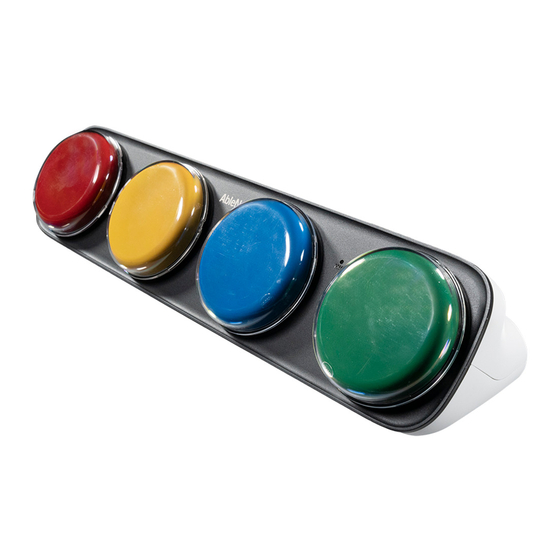
AbleNet iTalk4 Kurzanleitung
Sprachgerät
Vorschau ausblenden
Andere Handbücher für iTalk4:
- Bedienungsanleitung (7 Seiten) ,
- Bedienungsanleitung (8 Seiten) ,
- Gebrauchsanleitung (32 Seiten)
Verfügbare Sprachen
Verfügbare Sprachen
QUICK START GUIDE
iTalk4™
speech device
WARRANTY
AbleNet manufactured products include a 2-year limited
warranty. This warranty is against defects in materials and
manufacturing for 2-years from the date of purchase. Full
warranty details available at www.ablenetinc.com.
AbleNet, Inc.
2625 Patton Road
Roseville, MN 55113
United States of America
(651) 294-3101
ablecare@ablenetinc.com
www.ablenetinc.com
Made with recycled content
EN June 18, 2021 1:56 PM
Product
1
Registration
Registering your product provides you
access to ableCARE, product updates,
and resources for your product. Scan the
QR code below to register your product.
Getting
2
Started
Scan the QR code below to watch a
short getting started video or follow
the instructions listed.
To get started:
1.
Insert four alkaline AA batteries
(batteries not included).
2. Turn device on.
3. Press and hold the record button
until the record light activates.
4. Press and hold a switch top. Begin
speaking into recording microphone
when you hear a beep. Release when
finished recording message.
5. Repeat step 4 for remaining switch
tops.
6. Press and release record button to
turn the recording indicator light off
and exit record mode.
7.
Optional: Select a different recording
level to record a second and third
set of messages.
8. Your device is now ready to use.
This device can do more! Full Instructions
for Use are available at
www.ablenetinc.com.
Download the ableCARE app to access
live support from the ableCARE Product
Success team, an online knowledge base
filled with videos and getting started
information, and other resources.
Scan the QR code below to download
the free ableCARE app to your phone or
tablet.
Inhaltsverzeichnis

Verwandte Anleitungen für AbleNet iTalk4


Inhaltszusammenfassung für AbleNet iTalk4
-
Seite 5: Produktregistrierung
Scannen Sie den untenstehenden QR-Code, GARANTIE Wiederholen Sie Schritt 4 für die restlichen um die kostenlose ableCARE-App auf Ihr Für alle von AbleNet hergestellten Produkte gilt eine 2-jährige Tasteroberflächen. Telefon oder Tablet herunterzuladen. beschränkte Garantie. Diese Garantie beschränkt sich auf Allgemeine Drücken Sie die Taste RECORD (Aufnahme) - Seite 6 Ein-/Aus- und Lautstärkeregler Lautsprecher für die Lautsprecher für die Mikrofon Record- Audioausgabe Audioausgabe Knopf Batteriefach Aufnahme- Anzeigelampe Erstellen Sie mit der KOSTENLOSEN Symbol Overlay Maker-App von AbleNet druckbare Bild-Symbolschablonen für Ihr Gerät. Scannen Sie den QR-Code, um die App heute herunterzuladen!