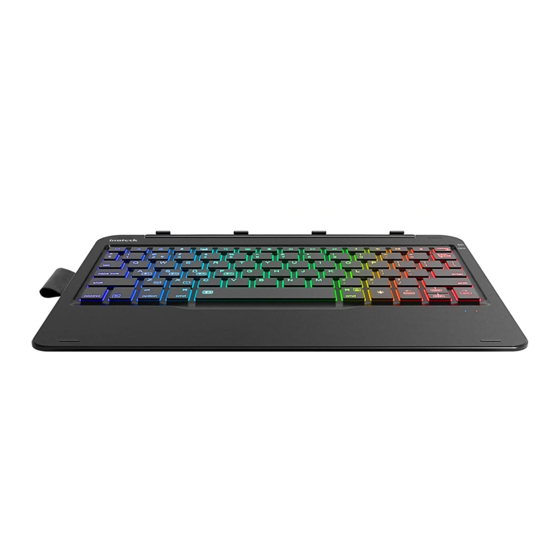
Inateck KB02014 Bedienungsanleitung
Bluetooth keyboard case
Verfügbare Sprachen
Verfügbare Sprachen
Quicklinks

Verwandte Anleitungen für Inateck KB02014


Inhaltszusammenfassung für Inateck KB02014
- Seite 3 1) When iPad reminds: Connection Unsuccessful Make sure Schritt 4: Wählen Sie auf dem iPad Einstellungen - Bluetooth - Ein. ‘Inateck KB02014’ is turned on and in range, please follow the Schritt 5: Das iPad zeigt "inateck KB02014" als verfügbares Gerät below steps to reconnect.
-
Seite 4: Produktspezifikationen
Sprache ändern Vrheriger Titel 1) Wenn Ipad ein Hinweise gibt: Verbindung fehlgeschlagen, Spielen/Pausieren Nächster Titel Stumm Vergewissere dich, dass “Inateck KB02014” eingeschaltet und in Reichweite ist. Lautstärke runter Lautstärke hoch Sperren a. Löschen Sie alle Bluetooth-Kupplungsdaten, die sich auf Kopieren Einfügen... -
Seite 6: Contact Information
Tel.: +1 909-698-7018 Phone hours: Weekdays 9 AM to 5 PM (EST) Email: support@inateck.com Web: www.inateck.com Addr.: Inateck Technology Inc, 8949 East 9th St., STE. 130, Rancho Cucamonga, CA 91730 Germany Tel.: +49 341-51998410 Fax.: +49 34151998413 Phone hours: Weekdays 9 AM-5 PM (CET) Email: support@inateck.com...