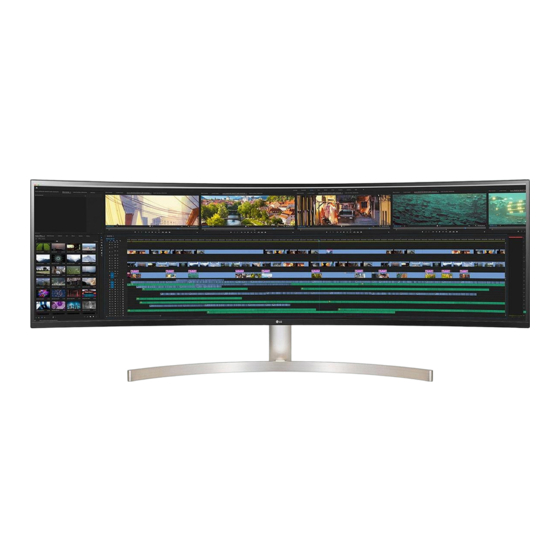
LG 49WL95C Bedienungsanleitung
Led lcd computer monitor
Vorschau ausblenden
Andere Handbücher für 49WL95C:
- Installationsanleitung (12 Seiten) ,
- Benutzerhandbuch (26 Seiten)
Inhaltsverzeichnis
Verfügbare Sprachen
Verfügbare Sprachen
Quicklinks
LED LCD COMPUTER MONITOR
(LED Computer Monitor)
49WL95C
x 3
(M5 x L12)
You can download manuals from the LGE website.
OWNER'S MANUAL AND REGULATORY INFO. are available at https://www.lg.com/au/support/manuals.
PLEASE READ SAFETY INFORMATION BEFORE INSTALLATION AND USE. SCAN QR CODE TO ACCESS.
*MBM66977005*
www.lg.com
(1909-REV01)
Inhaltsverzeichnis

Verwandte Anleitungen für LG 49WL95C


Inhaltszusammenfassung für LG 49WL95C
- Seite 1 (LED Computer Monitor) 49WL95C (M5 x L12) You can download manuals from the LGE website. OWNER’S MANUAL AND REGULATORY INFO. are available at https://www.lg.com/au/support/manuals. PLEASE READ SAFETY INFORMATION BEFORE INSTALLATION AND USE. SCAN QR CODE TO ACCESS. *MBM66977005* www.lg.com (1909-REV01)
- Seite 2 English It is recommended that use the supplied components.
- Seite 7 Using a DVI to HDMI / DP (DisplayPort) to HDMI cable may cause compatibility issues. • The USB port on the product functions as a USB hub. • Make sure to use the supplied cable. Otherwise, this may cause the device to malfunction. •...
- Seite 17 • Installing the monitor on the ceiling or on a slanted wall may result in the monitor falling off, which could lead to injury. Use an authorized LG wall mount and contact the local dealer or qualified personnel. • To prevent injury, this apparatus must be securely attached to the wall in accordance with the installation instructions.
- Seite 32 Remarks SINGLE 2PBP-A 2PBP-A 3PBP 2PBP-A 3PBP 2PBP-B1 2PBP-B2...
- Seite 34 The model and serial number of the product are located on the back and on one side of the product. Record them below in case you ever need service. Model Serial No.
-
Seite 65: Wichtige Sicherheitshinweise
WICHTIGE SICHERHEITSHINWEISE WICHTIGE SICHERHEITSHINWEISE Dieses Gerät wurde so entwickelt und hergestellt, dass Ihre persönliche Sicherheit gewährleistet ist. Unsachgemäßer Gebrauch kann allerdings zur Gefahr eines elektrischen Schlags oder Brands führen. Damit die in diesem Display eingebauten Schutzvorrichtungen ihre Funktion ordnungsgemäß erfüllen, beachten Sie die folgenden Grundregeln für die Installation, Nutzung und Wartung des Geräts. -
Seite 66: Sicherheitshinweise Zum Netzadapter Und Zur Verhinderung Von Stromunfällen
WICHTIGE SICHERHEITSHINWEISE Installation Stellen Sie keine Gegenstände auf das Netzkabel bzw. fahren Sie keine Gegenstände darüber, und stellen Sie das Display nicht an einem Ort auf, an dem das Netzkabel beschädigt werden kann. Verwenden Sie das Display nicht in der Nähe von Wasser, wie etwa einer Badewanne, eines Waschbeckens, einer Küchenspüle, eines Waschbehälters, auf nassem Boden oder in der Nähe eines Schwimmbeckens. -
Seite 67: Reinigungshinweise
Stellen Sie sicher, dass das Netzkabel fest in den Netzadapter gesteckt wurde. Ist die Verbindung zu locker, besteht Brand- und Stromschlaggefahr. Verwenden Sie nur die mitgelieferten Netzkabel und Netzadapter oder solche, die von LG Electronics, Inc. genehmigt wurden. Die Verwendung nicht genehmigter Produkte kann zu einem Brand oder elektrischen Schlag führen. - Seite 152 DDC(Display Data Channel) ENGLISH DEUTSCH DDC (Display Data Channel) DDC (Display Data Channel) DDC ist ein Kommunikationskanal, über DDC is a communication channel over which weiche Sie von lhrem Monitor automatisch the monitor automatically informs the host über das verbundene System (PC) und seine system (PC) about its capabilities.
-
Seite 159: Energiespar-Design
Energy saving Design DEUTSCH 한국어 Energiespar-Design 절전디자인 Dieses Programm wurde konzipiert, um 이 프로그램은 컴퓨터 장비 제조업체가 해당 제품에 die Hersteller von Computergeräten zu 회로를 내장하여 , 사용하지 않는 기간에 전력 소비를 veranlassen, Schaltungen in ihre Produkte 줄일 수 있도록 만들어졌습니다 . einzubauen, die zu einem geringeren Stromverbrauch führen, wenn das Gerät nicht 이... - Seite 167 Service DEUTSCH ENGLISH Service Wartun Bei folgenden Fehlerbedingungen ist der Unplug the monitor from the wall outlet and Netzstecker des Monitors zu ziehen und der refer servicing to qualified service personnel Kundendienst zu benachrichtigen: when : Wenn der Netzstecker beschadigt oder das The power cord or plug is damaged or Netzkabel ausgefranst ist.
-
Seite 175: Informationen Zur Erhaltung Der Umwelt
Information for Environmental Informationen zur Erhaltung der Umwelt Preservation Im Jahr 1994 verkündete LGE die ‘LG Declaration for a Cleaner Environment’ (LG Erklärung für eine sauberere LGE. announced the ‘LG Declaration for a Cleaner Environment’ in 1994, and this ideal has served Umwelt). - Seite 182 Die aktuellsten Informationen für Ihr Land finden Sie will help prevent potential negative consequences unter www.lg.com/global/recycling for the environment and human health. Your old appliance may contain reusable parts that could be FRANÇAIS...
-
Seite 192: Conformity Notice
The complete Declaration of disposal service or the shop where you purchased Conformity may be requested through the following the product. Also You can contact our LG Support postal address: Representative Call center from below Link https://www.lg.com/sa_en/support/contact/ LG Electronics European Shared Service Center B.V.,... - Seite 204 Français [Para equipos bajo la Directiva de equipos de radio] [Pour les équipements dépendant de la directive sur les Por la presente, LG Electronics declara que el tipo de equipo équipements radio] radioeléctrico [Monitor] es conforme con la Directiva 2014/53/ Le soussigné, LG Electronics, déclare que l’...