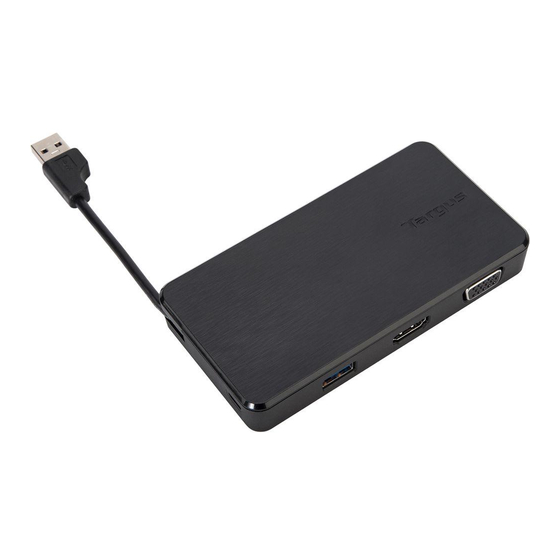
Targus DV1K-2K Kurzanleitung
Inhaltsverzeichnis
Verfügbare Sprachen
Verfügbare Sprachen
Quicklinks
UNIVERSAL
USB 3.0
DV1K-2K TRAVEL
DOCKING STATION
QUICK START GUIDE
410-3299-103A / DOCK110EUZ
Contents
• Targus Universal USB 3.0 DV1K-2K Travel
Docking Station
Workstation Setup
1. Connect all peripheral devices to the docking station
2. Connect the Targus Universal Docking Station to your host
device.
Specifications
• USB 3.0 upstream cable
• Dual video ports (1 x HDMI; 1 x VGA), supports dual video mode
• 2 x USB 3.0 downstream port
• Gigabit Ethernet
• USB 2.0 Micro B for optional self-powered mode (DC 5V, sold separately)
+
2 Year Warranty
Features and specifications are subject to change without notice. Microsoft and
Windows are registered trademarks of Microsoft Corporation in the United States
and/or other countries. All trademarks and registered trademarks are the property of
their respective owners. ©2015 Manufactured or imported by Targus Europe Ltd.,
Feltham, Middlesex TW14 8HA, UK.
Docking Station Diagram
USB 3.0 Cable
USB 3.0
USB Micro B
(Optional for additional power sold separately, non-data port)
USB 3.0
HDMI w/Audio
VGA
RJ-45
Gigabit Ethernet
GB-1
Inhaltsverzeichnis

Inhaltszusammenfassung für Targus DV1K-2K
-
Seite 7: Arbeitsplatzeinrichtung
Windows are registered trademarks of Microsoft Corporation in the United States • Targus Universal USB 3.0 DV1K-2K Travel and/or other countries. All trademarks and registered trademarks are the property of their respective owners. ©2015 Manufactured or imported by Targus Europe Ltd., Docking Station Feltham, Middlesex TW14 8HA, UK. -
Seite 8: Systemanforderungen
Symbol dargestellt und ermöglicht Ihnen ganz einfach, aus dem Google Play Store. Aktivieren Sie auf Ihrem Android-Gerät den über die Targus Docking Station zusätzliche Bildschirme an Ihr Notebook Modus „USB Debugging/Host“. oder Ihren Desktop-PC anzuschließen. In Windows können Sie unter „Systemsteuerung“, „Anzeige“, „Bildschirmauflösung“... - Seite 52 .اﳋﺎص ﺑﻚ إذا ﻛﻨﺖ ﲤﻠﻚ ﺣﻘﻮق اﳌﺴﺆول ﻟﺘﺤﻤﻴﻞ وﺗﺜﺒﻴﺖ ﺑﺮاﻣﺞ اﻟﺘﺸﻐﻴﻞ ﳉﻬﺎز اﻟﻜﻤﺒﻴﻮﺗﺮ اﳋﺎص ﺑﻚ ﻣﺮﺣﺒ ً ﺎ ﺑﻚ ﻓﻲ إدارة ﻗﺎﻋﺪة اﻟﺘﺮﻛﻴﺐTargus DisplayLink اﻟﻌﺎﻣﺔ اﳋﺎﺻﺔ ﺑﻚ. ﻓﻲ ﺣﺎﻟﺔ ﻋﺪم ﺗﺜﺒﻴﺖ ﺑﺮﻧﺎﻣﺞ DisplayLink Manager ﺑﺎﻟﻔﻌﻞ، ﳝﻜﻦ ﲢﻤﻴﻠﻪ ﻣﻦ ﺧﺎدم ﲢﺪﻳﺚ ﻧﻈﺎم اﻟﺘﺸﻐﻴﻞWindows أو ﻣﻦ ﺧﻼل...