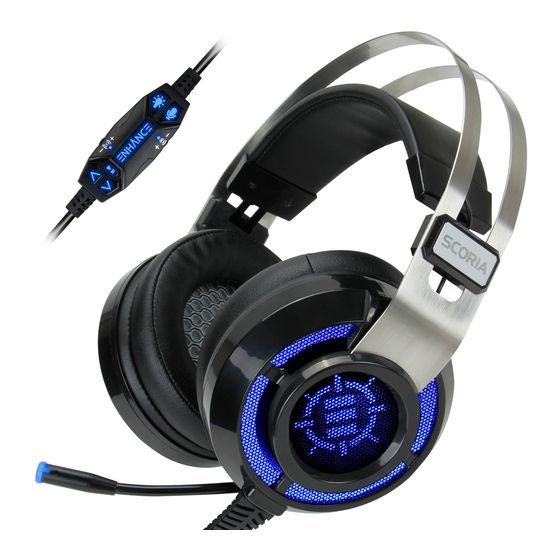
ENHANCE SCORIA Bedienungsanleitung
Vorschau ausblenden
Andere Handbücher für SCORIA:
- Bedienungsanleitung (20 Seiten) ,
- Bedienungsanleitung (20 Seiten) ,
- Bedienungsanleitung (12 Seiten)
Verfügbare Sprachen
Verfügbare Sprachen
Quicklinks
USER GUIDE • GUIDE DE L'UTILISATEUR
VOLTAIC
PRO HEADSET
™
REGISTER NOW
ENREGISTRER
This product comes with a 1 year limited warranty.
Register this product within 30 days of sale to activate a complimentary
2 year warranty extension and receive free advanced technical support.
Learn more and register now.
Ce produit a une garantie limitée de 1 an.
Enregistrez ce produit dans les 30 jours suivant son achat pour activer
l'extension de garantie de 2 ans et bénéficer de notre service après-vente
gratuit. Pour en savoir plus, enregistrez ce produit dès à présent
ENHANCEgaming.com/warranty

Verwandte Anleitungen für ENHANCE SCORIA


Inhaltszusammenfassung für ENHANCE SCORIA
- Seite 2 ® ENHANCE PATHOGEN ™ MOUSE PAD ENHANCE PATHOGEN KEYBOARD ® ™...
- Seite 3 ENHANCE SCORIA HEADSET ® ™ See more exciting products at: Voir plus de produits passionnants sur: Para los productos mas fasinantes visitenos: Weitere interessante Produkte an: Scopri altri fantastici prodotti su: 查看更多精彩的产品 AccessoryPower.com/promo AccessoryPower.com/promo...
- Seite 4 Need help with this product? Besoin d’assistance sur ce produit? ¿Necesita ayuda con este producto? Benötigen Sie Hilfe bei diesem Produkt? Hai bisogno di aiuto per questo prodotto? 购买的产品,是否需要提供协助? ENHANCEgaming.com/support...
- Seite 5 Product diagram Schéma du produit Diagrama de product Producktabbildung Schema del prodotto 产品图 Adjustable headband Bandeau réglable Diadema ajustable Ear cushions Coussinets d’ o reille Almohadillas para los oídos Microphone Microphone Micrófono USB cable Câble USB Cable USB Controller Contrôleur Controlador Einstellbarer Kopfbügel Archetto regolabile...
- Seite 12 Bedienungsanleitung Installation Stecken Sie den ENHANCE® Voltaic™Pro-USB-Stecker in den USB-Anschluss des Rechners. Ihr System erkenntdie neue Hardware automatisch und beginnt mit der Treiberinstallation. Diese dauert bis zu zwei Minuten. Nachdem die Treiberinstallation abgeschlossen ist, ist der Kopfhörer betriebsbereit. Passen Sie...
- Seite 13 Regler Symbol Taste / Rad Funktion Stummschalten der Drücken Sie die Lautsprechertaste, um den Lautsprecher Kopfhörer stumm / aktiv zu schalten. An der LED-Anzeige gibt es keine Änderung, wenn der Kopfhörer stummgeschaltet ist. Stummschalten des Drücken Sie die Mikrofontaste, um das Mikrofons Mikrofon stumm / aktiv zu schalten.
- Seite 18 Best sound practices Conseils pour un meilleur son Las mejores prácticas de sonido Beste Soundpraxis Consigli per ottenere un suono ottimale 最佳音效做法 Keep your audio device at 80-90% volume for best sound transmission. Allow 8 hours playtime for speaker wear-in for best sound. Gardez votre périphérique audio à...