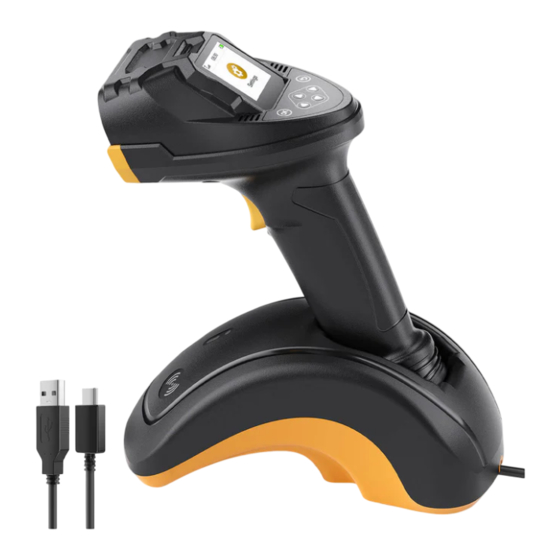
Inateck Pro 8 Benutzerhandbuch
Inhaltsverzeichnis
Verfügbare Sprachen
Verfügbare Sprachen
Quicklinks
Service
Center
Europe
F&M Technology GmbH
Tel: +49341 5199 8410 (Working day 8 AM - 4 PMCET)
Fax: +49 3415199
8413
Address: Fraunhoferstraße 7, 04178 Leipzig, Deutschland
North
America
Inateck Technology Inc.
Tel: +1 (909) 698 7018 (Working day 9 AM - 5 PM PST)
Address: 2078 Francis St., Unit 14-02, Ontario, CA91761, USA
Inateck
uwg:
+81 06 7500 3304
547-0014
F&M Technology GmbH
For p roduc
t
and Battery F raunhoferstraße 7, 04178 Leipzig, Deutschland
Tel: +49 341 5199 8410
EC
REP
Email: service@inateck.com
Postal
code:
04178
Inateck Technology
95 High Street, Office B, Great Missenden, United
UK
REP
Kingdom, HP16 OAL
Tel: +44 20 3239 9869
Manufacturer
Shenzhen Inateck Technology Co., Ltd.
Address: Suite 2507, Block II in Tian An Cloud Park, Bantian
Street, Longgang District, Shenzhen, Guangdong, China
Email: product@licheng-tech.com
Postal
code:
518129
3 T = 10
11 g
(UK) Ltd.
1
inateck
User
Guide
Pro 8 Barcode
Scanner
English • Deutsch'
• Franqais
• Italiano• Espaäol
2
Inhaltsverzeichnis

Verwandte Anleitungen für Inateck Pro 8


Inhaltszusammenfassung für Inateck Pro 8
- Seite 1 95 High Street, Office B, Great Missenden, United Kingdom, HP16 OAL Tel: +44 20 3239 9869 Manufacturer Shenzhen Inateck Technology Co., Ltd. Address: Suite 2507, Block II in Tian An Cloud Park, Bantian Street, Longgang District, Shenzhen, Guangdong, China English • Deutsch' •...
-
Seite 2: Product Diagram
English 2. Connection (*) Wireless Adapter Mode 1. Product Diagram Wireless Adapter Mode is the default connection mode of Pro 8 barcode scanner. Bluetooth Mode To enter this mode, please go to Settings- Wireless Setting-Choose the mode you need (Bluetooth HID/SPP/GATT)-Click "Paring". - Seite 3 In sub-interfaces, sliding inward from the left or right edges of the screen will 5. Scanning Interface return to the previous menu. arcode Display: Display the result of the barcode 0830 08:30 read. ID Switch: Enable all ID barcodes with click.
-
Seite 4: Product Specification
8. Collector 10. Product Specification On this interface, you can collect barcodes and then upload them in batches. This Material ABS, pc interface includes Start Collection, Barcode Upload, Duplicate Scan Check, etc. Voltage DC 5V 08:30 2600 Battery Capacity Code 128, EAN-1 3, EANÆ, UPC-A, UPC-E, Code 39, Code 93, Codabar, Interleaved 2 of 5, Standard Barcode... -
Seite 5: Verbindung
Deutsch Modus 1. Produktabbildung Der 2.4G Modus ist der Standardverbindungsmethode des Pro 8 Barcodescanners. Bluetooth-Modus IJm diesen Modus aufzurufen, gehen Sie bitte zu Einstellungen - Wireless Einst. - Wählen Sie den gewünschten Modus (Bluetooth HID/SPP/GATT) - Klicken Sie auf Abtastobjektiv 'Koppelnn. -
Seite 6: Scan-Benutzeroberfläche
Wenn Sie in Unteroberflächen vom linken Oder rechten Rand des Bildschirms nach 5. Scan-Benutzeroberfläche innen streichen, kehren Sie zum vorherigen Menü zurück. arcode-Anzeige:Zeigt das Ergebnis des gelesenen 0830 08:30 Barcodes ID-Schalter: Aktivieren Sie alle ID-Barcodes mit einem Klick. Ruhemodus-Zeit_ 2D-Schalter: Aktivieren Sie alle 2D-Barcodes... -
Seite 7: Produktspezifikationen
Sie können das mitgelieferte USB-Kabel an ein Ladegerät Oder den USB- Kommunikationsfrequenz 2.4()2 GHz—2.480GHz Anschluss eines Computers anschließen Oder den Scanner auf die Basis stellen, um ihn aufzuladen. 11. Packungsinhalt 08:30 Pro 8 USB-Kabel "l Niedrige Batterie Bedienungsanleitung 2. Wenn Akku leer ist, erscheint auf dem Bildschirm eine Pop-up-Erinnerung "Ausgeschaltet". - Seite 8 —057 Pro 8 Bluetooth -E— F Bluetooth æ— (Bluetooth HID/SPP/GATT) - C -C 08:30 Adapter Mode Mode GATT Mode Mode IJn Ii nked pairina —FÄ<y+ 08:30 08:30 Settings Collect eotor scanning mode inateck USB 5—-11b 0830 Sleep duration 2 ODE-—...
- Seite 9 0830 08:30 Sleep duration Shutdown duratio Ft+j*— 08:30 scanning mode 08:30 08:30 Sleep duration Shutdown duration...
- Seite 10 8. 2 L-55-- ABS, PC DC 5V 'Q—FS 2600 mAh 08:30 code 128, EAN-13, EAN-8, UPC-A, UPC-E, code 39, Code 93, Codabar, Interleaved 2 of 5, Standard 2 of 5, Industrial 2 of 5, Matrix 2 of 5, IATA 2 of5, Barcode Upload MSI, Code 11, ISBN, ISSN, GSI 128, GSI DataBar,...
-
Seite 11: Schéma Du Produit
Connexion (*) Mode Adaptateur Sans Fil 1. Schéma du produit Le mode adaptateur sans fil est le mode de connexion par défaut du scanner de codes-barres Pro 8. Mode Bluetooth Pour entrer dans ce mode, allez dans Configuration - Configuration... -
Seite 12: Modes De Lecture
Dans les sous-interfaces, un glissement vers l'intérieur partir des bords gauche ou 5. Interface de scannage droit de l'écran permet de revenir au menu précédent. arcode Display (Affichage du code-barres) : Affiche 0830 08:30 le résultat de la lecture du code-barres. Commutateur 1 D: Active tous... -
Seite 13: Spécification Du Produit
8. Collecteur 10. Spécification du produit Cette interface vous permet de collecter des codes-barres et de les télécharger Matériau ABS, pc par lots. Cette interface comprend les fonctions suivantes : Démarrer la collecte, Voltage DC 5V Téléchargement des codes-barres, Vérification des scans en double, etc. Capacité... - Seite 14 1. Schéma du produit La modalitå adattatore wireless é la modalitå di connessione predefinita dello scanner per codici a barre Pro 8. Modalitä Bluetooth Per accedere a questa modalitå, andare su Impostazioni-lmpostazione wireless- Obiettivo di scansione Scegliere la modalitå desiderata (Bluetooth HID/SPP/GATT)-Fare clic su "Paring".
- Seite 15 Nelle sotto-interfacce, scorrendo verso l'interno dai bordi sinistro o destro dello 5. Interfaccia di scansione schermo si torna al menu precedente. isplay codice a barre: Visualizza il risultato della 0830 08:30 lettura del codice a barre. Interruttore ID: Abilita tutti i codici a barre ID un solo clic.
-
Seite 16: Specifiche Del Prodotto
8. Raccoglitore 10. Specifiche del prodotto In questa interfaccia é possibile raccogliere i codici a barre e caricarli in batch. Materiale ABS, pc Questa interfaccia comprende Avvia raccolta, Carica codice a barre, Controllo voltaggio DC 5V scansione duplicata, ecc. Capacitå della batteria 2600 08:30 code... -
Seite 17: Diagrama Del Producto
Inalåmbrico 1. Diagrama del Producto El Modo Adaptador Inalåmbrico es el modo de conexiön predeterminado escåner de cödigos de barras Pro 8. Modo Bluetooth Para ingresar a este modo, por favor vaya a Configuraciön - Configuraciön Lente de Escaneo Inalåmbrica - Elija el modo que necesita (Bluetooth HID/SPP/GATT) - Haga clic en "Emparejar". - Seite 18 En las subinterfaces, deslizar desde los bordes izquierdo o derecho de la pantalla 5. Interfaz de Escaneo volverå al menü anterior. ostrar Cödigo de Barras : Muestra el resultado de la 0830 08:30 lectura del cödigo de barras. Cambiar a 1D: Habilita todos los cödigos de barras ID con un solo clic.
- Seite 19 8. Recolector 10. Especificaci6n del producto En esta interfaz, puede recopilar cödigos de barras y luego cargarlos en lotes. Esta Material ABS, pc interfaz incluye Iniciar Recopilaciön, Carga de Cödigos de Barras, Verificaciön de Voltaje DC 5V Escaneo Duplicado, etc. Capacidad de la bateria 2600 08:30...
-
Seite 20: Eu Declaration Of Conformity
EU Declaration of Conformity observer les précautions de sécurité suivantes : ne pas démonter, frapper, écraser Inateck Co., Ltd. hereby declares that this device complies with the Directive 2014/53/ ou exposer la batterie au feu. En cas de gonflement important de la batterie, A copy Ofthe Declaration Of Conformity can be accessed from https://www.inateck.de/... - Seite 21 Riff: 160*105mm Mff:...