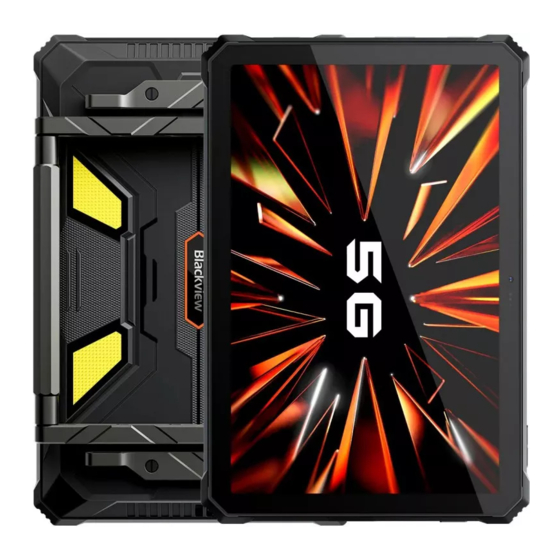
BLACKVIEW Active 12 Pro Serie Bedienungsanleitung
Inhaltsverzeichnis
Verfügbare Sprachen
Verfügbare Sprachen
Quicklinks
Inhaltsverzeichnis

Verwandte Anleitungen für BLACKVIEW Active 12 Pro Serie


Inhaltszusammenfassung für BLACKVIEW Active 12 Pro Serie
- Seite 1 Enjoy Smart Life Active 12 Pro Series https://www.blackview.hk...
- Seite 2 English Speaker Front Screen Camera Power Key/ Speaker Fingerprint Scanner TF/SIM Card Charger/Type-C Port...
- Seite 3 Microphone Function Key Volume + Camera Flashlight Bracket Volume - NFC Projection Camping Light Camera Calibration Camera...
-
Seite 4: Bracket Installation
Bracket Installation 1.Place the screws at both ends of the bracket in advance, then tighten them into the nuts on the back of the tablet. 2.Use screw driver to tighten the screws and then the installation is done. 3.Installation Method for Optional Strap. - Seite 5 How to insert the card To make sure your smartphone be able to call, put the SIM card in the following order. 1. Open the SIM card plug. 2. Press the card pin into the side hole and then the card tray pops up and pull out it.
- Seite 6 How to boot Non-removable battery Press the power button for 3-5 seconds to boot How to send SMS, MMS Open the SMS app Select New Information Enter a phone number or browse your contacts Select Edit Information and enter your text Send MMS - video When writing a text message...
- Seite 7 Hereby, Shenzhen DOKE Electronic Co., Ltd declares that this radio equipment type is in compliance with Directive 2014/53/EU. The full text of the EU declaration of conformity is available at the following internet address: https://support.blackview.hk/download/2...
- Seite 8 Maintenance Thoroughly understand the maintenance of this pad to use the pad more safely and effectively, and extend the service life of the pad as much as possible. Please follow the instructions in the manual to open the pad, disassemble the accessories, and do not try other methods. Please avoid falling, knocking or shaking your pad.
- Seite 9 CE Caution: Use careful with the earphone maybe possible excessive sound pressure from earphones and headphones can cause hearing loss. Restrictions in the 5 GHz band: According to Article 10 (10) of Directive 2014/53/EU, the packaging showsthat this radio equipment will be subject to some restrictions when placed on the market in Belgium (BE), Bulgaria(BG), the Czech Republic(CZ), Denmark(DK), Germany(DE), Estonia(EE), Ireland(IE), Greece(EL), Spain(ES),...
-
Seite 10: Fcc Caution
FCC Caution: Any changes or modifications not expressly approved by the party responsible for compliance could void the user's authority to operate this equipment. This device complies with Part 15 of the FCC Rules. Operation is subject to the following two conditions: (1) This device may not cause harmful interference, and (2) This device must accept any interference received, including interference that may cause undesired operation. - Seite 11 IC Caution: This device contains licence-exempt transmitter(s)/receiver(s) that comply with Innovation, Science and Economic Development Canada’s licence-exempt RSS(s). Operation is subject to the following two conditions: This device may not cause interference. This device must accept any interference, including interference that may cause undesired operation of the device.
- Seite 12 Pусский Динамик Фронтальная Экран камера Динамик TF/Сим Карта Порт Для Зарядки/type-c...
- Seite 13 Микрофон Функциональная кнопка Громкость + Камера Кронштейн Вспышка Громкость - Кемпинговая лампа Проекционная камера Калибровочная камера...
- Seite 14 1.Поместите винты на обоих концах кронштейна заранее, затем затяните их в гайки на задней стороне планшета. 2.С помощью отвертки закрутите винты для завершения установки. 3.Способ установки дополнительного ремешка.
- Seite 15 Чтобы убедиться, что ваш устройство сможет звонить, положите SIM-карту в следующем порядке. 1. извлеките лоток сим карт. 2. Нажмите на пин в боковом отверстии от сим-карты, а затем вытащите лоток сим-карт. Выньте лоток карт металлической стороной вниз. Убедитесь, что угол наклона выравнивается по углу наклона...
- Seite 16 3–5 SMS, MMS Откройте приложение SMS Выберите новое сообщение Введите номер телефона или выберите из ваших контактов Введите ваш текст в соответствующее поле Нажмите отправить MMS - Когда набираете текстовое сообщение Выберите изображение, видео или другой файл, который вы хотите добавить, также, вы можете сфотографировать добавить...
- Seite 17 прокалывайте аккумулятор, чтобы избежать чрезмерного внешнего давления батареи, что приводит к внутреннему короткому замыканию и перегреву батареи. Настоящим компания Shenzhen DOKE Electronic Co., Ltd заявляет, что это оборудование соответствует Директиве 2014/53/EU. С полным текстом декларации соответствия ЕС можно ознакомиться, перейдя по следующей ссылке: https://support.blackview.hk/download/2...
- Seite 18 Тщательно изучите содержание использования устройства, чтобы использовать его более безопасно и эффективно, и продлить срок службы устройства как можно дольше. Пожалуйста, следуйте инструкциям в руководстве, чтобы использовать планшет, не разбирайте аксессуары и не используйте не поназначению. Пожалуйста, избегайте падения, ударов или тряски устройства.
- Seite 19 Соблюдайте осторожность при использовании гарнитуры. Возможное чрезмерное звуковое давление в гарнитуре и наушниках может привести к утрате слуха. Ограничения в диапазоне 5 ГГц: Согласно статье 10 (10) Директивы 2014/53/ЕС, упаковка данного радиооборудования указывает на наличие определенных ограничений при его выводе на рынки следующих...
- Seite 20 Altavoz Pantalla Cámara frontal Altavoz Tecla de encendido/ Escáner de huellas dactilares Tarjeta SIM/TF Puerto De Carga/type-c...
- Seite 21 Micrófono Tecla de función Volumen + Cámara Soporte Linterna Volumen - Lámpara de Cámara de Camping proyección Cámara de calibración...
- Seite 22 Instalación de la Soporte 1.Coloque los tornillos en ambos extremos del soporte por adelantado, luego apriételos en las tuercas en la parte trasera de la tableta. 2.Utilice un destornillador para apretar los tornillos y la instalación habrá finalizado. 3.Método de instalación de la correa opcional.
- Seite 23 Cómo arrancar Para garantizar de que su teléfono inteligente pueda realizar llamadas, ponga la tarjeta SIM en el siguiente orden. 1. Abre la bandeja SIM. 2. Presione el extractor de la tarjeta en el hueco lateral y, a continuación, la bandeja de tarjetas se abrirá y saldrá. Saque la ranura de la tarjeta y coloque la tarjeta Nano o la tarjeta TF con el lado de metal hacia abajo.
- Seite 24 Cómo arrancar Batería no extraíble Presione el botón de encendido durante 3-5 segundos para arrancar Cómo enviar SMS, MMS Abre la aplicación de SMS Seleccionar nueva información Ingrese un número de teléfono o busque en sus contactos Seleccione Editar información e ingrese su texto Enviar MMS - video Cuando escribas un mensaje de texto...
- Seite 25 Por la presente, Shenzhen DOKE Electronic Co, Ltd declara que este tipo de equipo de radio cumple con la directiva 2014/53/UE. El texto completo de la declaración de conformidad de la UE está disponible en la siguiente dirección: https://support.blackview.hk/download/2...
- Seite 26 Mantenimiento Es necesario entender completamente el mantenimiento de este pad móvil para usar el pad de la forma más segura y efectiva , y extender la vida útil del pad móvil tanto como sea posible. Siga las instrucciones del manual para abrir el pad, desarme los accesorios y no intente con otros métodos.
- Seite 27 CE Advertir Tenga cuidado con el auricular, la presión excesiva debida al sonido de los auriculares puede provocar pérdida de audición. Restricciones en la banda de 5 GHz: En virtud del artículo 10 (10) de la Directiva 2014/53/UE, el embalaje muestra que este dispositivo de radio estará sujeto a algunas restricciones cuando se comercialice en Bélgica (BE), Bulgaria (BG), República Checa (CZ), Dinamarca (DK), Alemania (DE), Estonia (EE), Irlanda (IE), Grecia (EL),...
- Seite 28 Deutsch Lautsprecher Display Front-Kamera Lautsprecher TF/SIM-Karte Lade-/Type-C-Anschluss...
- Seite 29 Mikrofon Funktions-Taste Lautstärke + Kamera Halterung Taschenlampe Lautstärke - Campinglampe Projektion- skamera Kalibrierungskamera...
-
Seite 30: Halterung-Installation
Halterung-Installation 1.Platzieren Sie die Schrauben im Voraus an beiden Enden der Halterung und ziehen Sie sie dann in die Muttern auf der Rückseite des Tablets fest. 2.Ziehen Sie die Schrauben mit einem Schraubenzieher fest, die Installation ist anschliessend beendet. 3.Installationsmethode für den optionalen Riemen. - Seite 31 So legen Sie die Karte ein Um sicher zu stellen, dass Ihr Smartphone aufrufe tätigen kann, legen Sie bitte die SIM-Karte in der folgenden Reihenfolge ein. 1. Öffne die SIM Abdeckung. 2. Drücken Sie das Hilfsmittel in das seitliche Loch. Der SIM-Tray erscheint und kann heraus gezogen werden.
-
Seite 32: Starten Des Geräts
Starten des Geräts Nicht entnehmbarer Akku: Drücken Sie den Power-Buttton für 3 bis 5 Sekunden, um zu booten Wie man SMS oder MMS sendet Öffnen Sie die SMS-App Wählen Sie „+ Neue Nachricht“ Geben Sie eine Telefonnummer ein oder durchsuchen Sie Ihre Kontakte Wählen Sie „Nachricht bearbeiten“... - Seite 33 Das Unternehmen trägt keine Verantwortung für Unfälle, die durch nicht standardmäßige Ladegeräte verursacht werden. Hiermit erklärt die Shenzhen DOKE Electronic Co., Ltd, dass dieser Funkgerätetyp der Richtlinie 2014/53/EU entspricht. Der vollständige Text der EU-Konformitätserklärung ist unter der folgenden Internetadresse verfügbar: https://support.blackview.hk/download/2...
-
Seite 34: Wartung
Wartung Lesen Sie die Wartungsanweisungen dieses Tablet gründlich, um das Gerät sicherer und effektiver zu nutzen und die Lebensdauer des Tablet so weit wie möglich zu verlängern. Befolgen Sie die Anweisungen in der Bedienungsanleitung, um das Tablet zu öffnen, oder Zubehör zu nutzen. Probieren Sie keine anderen Methoden. - Seite 35 CE Warnen Sei vorsichtig mit den Ohrhörern, da ein zu hoher Schalldruck von Ohr- und Kopfhörern Gehörschäden verursachen kann. Einschränkungen im 5-GHz-Band: Nach Artikel 10 (10) der Richtlinie 2014/53/EU zeigt die Verpackung, dass diese Funkanlage einigen Beschränkun- gen unterliegt, wenn sie in Belgien (BE), Bulgarien (BG), der Tschechischen Republik (CZ), Dänemark (DK), Deutschland (DE), Estland (EE), Irland (IE), Griechenland (EL), Spanien (ES), Frankreich (FR) in Verkehr gebracht wird, Kroatien (HR),...
- Seite 36 Haut-parleur Écran Caméra frontale Haut-parleur Bouton Fonction/Scanner - d'empreintes digitales Carte SIM/TF Port De Chargement/type-c...
- Seite 37 Microphone Bouton de fonction Volume + Caméra Support Flash Volume - Lampe de Caméra de camping projection Caméra de calibration...
- Seite 38 Installation de la support 1.Placez les vis à chaque extrémité du support à l'avance, puis serrez-les dans les écrous à l'arrière de la tablette. 2.Utilisez un tournevis pour serrer les vis et l’installation est terminée. 3.Méthode d'installation du bracelet optionnel.
- Seite 39 Comment insérer les cartes Pourê tre sur de pouvoir appeler avec votre smartphone, suivez les instructions suivantes : 1.Ouvrez le bourrage. 2.U tilisez l'outil fourni pour extraire le plateau de carte SIM. Retirez le plateau de carte et placez la Nano SIM ou la carte micro SD (TF Card) le côté...
- Seite 40 Comment allumer l'appareil Batterie non amovible appuyez sur le bouton d'alimentation pendant 3 à 5 secondes pour démarrer l'appareil. Comment envoyer un SMS/MMS • Ouvrez l'application de messagerie. • Appuyez sur "Dé marrer une discussion" • Saisissez un numero de téléphone ou recherchez un contact •...
- Seite 41 équipements de recharge non conformes. • Shenzhen DOKE Electronic Co., Ltd déclares que cet type d'équipement radio est conforme à la directive 2014/53/UE. Le texte complet de la déclaration de conformité de l’UE est disponible à l’adresse Internet suivante : https://support.blackview.hk/download/2...
- Seite 42 Maintenance • Bien comprendre la maintenance de ce Tablette PC portable afin de l'utiliser de manière plus sûre et efficace et prolonger autant que possible la durée de vie du Tablette PC. • Suivez les instructions de ce manuel pour utiliser ce Tablette PC, ouvrir l'accès à...
- Seite 43 CE Avertir Utilisez les écouteurs avec précaution, la pression sonore excessive des écouteurs et des casques peut engendrer une perte d'audition. Restrictions de la bande 5 GHz : Selon l’Article 10 (10) de la Consigne 2014/53/EU, l’emballage montre que cet équipement radio sera sujet à des restrictions quand il sera sur le marché...
- Seite 44 Italiano Altoparlante Fotocamera Schermo Frontale Tasto Accensione/ Altoparlante Scheda SIM/TF Scanner Impronte Digitali Porta Di Ricarica/type-c...
- Seite 45 Microfono Tasto Funzione Fotocamera Volume + Posteriore Supporto Luce Flash Volume - Lampada da Fotocamera di proiezione campeggio Fotocamera di calibrazione...
- Seite 46 Installazione della supporto 1.Posizionare in anticipo le viti a entrambe le estremità del supporto, quindi serrarle nei dadi sul retro del tablet. 2.Utilizzare il cacciavite per stringere le viti e l’installazione è terminata. 3.Metodo di installazione per il cinturino opzionale.
- Seite 47 Come Inserire la sim Per essere sicuro che il tuo smartphone possa effettuare chiamate, inserisci la SIM card seguendo questo ordine. 1. Apri il carrellino della Scheda SIM. 2. Premere la graffetta sim all interno del foro sul lato cosi il carrello sim apparirà...
-
Seite 48: Prima Accensione
Prima accensione Batteria non removibile Mantieni premuto il pulsante di accensione per 3-5 secondi per accendere Come inviare SMS, MMS Apri l app SMS Clicca l’icona Nuovo Messaggio Inserisci un numero di telefono o selezionalo dai tuoi contatti Clicca sulla barra di testo ed inserisci il tuo messaggio Invia MMS - video Durante la digitazione di un messaggio di testo... - Seite 49 Con la presente, Shenzhen DOKE Electronic Co., Ltd dichiara che questo tipo di apparecchiatura radio è conforme alla direttiva 2014/53/UE. Il testo completo della dichiarazione di conformità UE è disponibile al seguente indirizzo internet: https://support.blackview.hk/download/2...
- Seite 50 Manutenzione Comprendere a fondo la manutenzione di questo pad cellulare, per utilizzarlo in modo più sicuro ed efficace ed estendere il più possibile la durata del dispositivo. Si prega di seguire le istruzioni nel manuale per aprire il pad, smontare gli accessori e non provare altri metodi. Si prega di evitare di far cadere, sbattere o scuotere il pad.
- Seite 51 CE Avvisare Utilizzare con prudenza gli auricolari, per evitare che l'eccessiva pressione sonora degli auricolari e delle cuffie provochi la perdita dell'udito. Restrizioni nella banda da 5 GHz: Conformemente all'articolo 10 (10) della Direttiva 2014/53/UE, la confezione indica che la presente apparecchiatura radio sarà...
- Seite 52 Português Alto Falante Ecrã Câmera Frontal Alto Falante Botão de ligação/ Cartão SIM/TF Scanner de impressão digital Porto De Carregamento/type-c...
- Seite 53 Microfone Tecla de função Volume + Câmera Lanterna Suporte Volume - Câmera de Lâmpada de projeção Camping Câmera de calibração...
- Seite 54 Instalação da alça manual 1.Coloque os parafusos nas duas extremidades do suporte com antecedência e, em seguida, aperte-os nas porcas na parte traseira do tablet. 2.Use uma chave de fenda para apertar os parafusos. Com isso, a instalação . 3.Método de instalação da correia opcional.
- Seite 55 Como inserir o cartão Para ter certeza de que você poderá fazer ligações, insira o chip (SIM) na seguinte ordem. 1. Abrir o encaixe. 2. Pressione o pino no furo lateral e então você poderá retirar a bandeja para o SIM. Retire a bandeja para o SIM e insira o Nano SIM ou o cartão TF com o lado metálico para baixo.
-
Seite 56: Como Iniciar
Como iniciar Bateria não-removível Pressione o botão de ligar por 3-5 segundos para iniciar Como enviar SMS, MMS Abra o aplicativo de SMS Selecione Nova Informação Insira um número de telefone ou procure em seus contatos Selecione Editar Informação e digite seu texto Enviar MMS –... - Seite 57 Pelo presente, Shenzhen DOKE Electronic Co., Ltd declara que este tipo de equipamento de rádio está em conformidade com a Diretiva 2014/53/UE. O texto na íntegra da declaração de conformidade à UE está disponível no seguinte endereço da Internet: https://support.blackview.hk/download/2...
-
Seite 58: Manutenção
Manutenção Entenda a manutenção deste pad para utilizá-lo de forma mais segura e eficaz, para estender a vida útil do pad o máximo possível. Por favor, siga as instruções no manual para abrir o pad, desmontar os acessórios, e não experimente outros métodos. Por favor, evite derrubar, bater ou agitar seu pad. - Seite 59 CE Avisar Tenha cuidado com o fone de ouvido, pois a pressão sonora excessiva dos fones de ouvido pode causar perda auditiva. Restrições na banda de 5 GHz. De acordo com o Artigo 10 (10) da Diretiva 2014/53/EU, a embalagem demonstra que este equipamento de rádio estará...
- Seite 60 日本語 スピーカー スクリーン インカメラ スピーカー TF/SIMカード 充電/Type-C ポート...
- Seite 61 マイクロホン ファンクションキー カメラ 音量+ ブラケット フラッシュライト 音量- キャンプ用 プロジェク ライト ションカメラ キャリブレーションカメラ...
- Seite 62 ブラケッ ト取り付け 1.ネジを事前に支持具の両端に置き、タブレットの背面 のナットにしっかりと締めてください。 2.ドライバーでネジを締めて、取り付けが完了します。 3.オプションのストラップの取り付け方法。...
- Seite 63 SIMカードの入れ方法 スマートフォンは初期不良があるかを先に確認 してください。 問題がなければ、 下記手順で操作してください。 1. カーバを先に開けます。 2. カードニードをスロッ トにカードホルダーを推します。 そして、 カードホルダーは引き出します。 SIMカードを引き出したカードホルダーに入れます。 下記の矢印の方向通りにカードを入れます。 SIMカードと TFカードはどちらのスロットに入れることか を先に確認してください。 ) SIM 1 SIM 1 SIM 2 矢印の方向に従ってカードトレイをデバイスに挿入し てください。...
- Seite 64 デバイスの起動方法 バッテリーは取り外す不可能タイプです。 電源ボタンを3〜5秒間軽く押すと、 デバイスが起動します。 メッセージの発送方法 メッセージアプリを開けます 新しいメッセージの編集を選択します 連絡番号を輸入します メッセージを輸入します 発送します メッセージに画像、 動画の添付方法 メッセージを輸入します 発送したい画像と動画を直接に添付します 発送します 言語設定方法 英語: setting→system→languages&input →languages → add a language 日本語を選択します。追加完了すると 右の横ラインの部分をタッチして一番の上に移動します。 そうして設定が完了になります。 対応の日本語: 設定→システム→言語&入力→言語の設定→ 言語の追加→日本語を選択します。追加完了すると 右の横ラインの部分をタッチして一番の上に 移動します。そうして設定が完了になります。...
- Seite 65 いる国向け。本機器は、耳の近く、または身体から 0mm離して使用した場合にRF仕様を満たします。 SARに関する情報は、http://www.fcc.gov/oet/ea/fc- cid/でご覧いただけます。 安全使用ために、下記ルールを守って ください 化学や薬物に15cm以上を離れてください タブレッ ト本体 とバッテリーは絶対に長い間に日に当た ってはいけません。 スマホ本体とバッテリーは湯、 直射 日光を避けてください 充電していない時に、 或いは、 充電完了の時にプラグ を抜け出してください 取り外す不可能タイプのバッテリーでは取り外しない でください 不適切な充電器を使えば、 バッテリーの使用寿命 に損があります。 正規品を使ってください バッテリーは水、 火、 液体を避けてください バッテリーを落としたり、 壊したりことをしないでください 他の不正規品の充電器を使った後に出った損害では 弊社は責任が負いません ここに、Shenzhen Doke Electronic Co., Ltdは、本無 線装置の型式が指令2014/53/EUに準拠していること を宣言いたします。EU適合宣言書の全文は次のアド レスから入手できます: https://support.blackview.hk/download/2...
- Seite 66 メンテナンス メンテナンス手順通りにタブレッ ト本体を使ってください 使用説明書の通りにタブレッ ト本体を使ってください タブレッ ト本体を落としたり、 壊したり、 スクリーンを傷をした りことはしないでください 化学や薬物や漂白物などでスマホを清潔しないでください。 ソフト布で水や石鹸を使ってタブレッ ト本体を清潔しでくだ さい タブレッ ト本体のカメラとスクリーンはきれいかつ乾燥な布 で清潔しでください タブレッ ト本体は突然に何かバグ があれば、 取り外すバッテ リータイプではバッテリーを取り外して改めてにバッテリー を入れるとタブレッ ト本体の電源ボタンを3〜5秒をすると再 起動します。 取り外す不可バッテリータイプではタブレッ ト本 体の電源ボタンを3〜5秒をすると再起動します。 そうすると 一般的なバグ が解決できます 充電していない時に、 或いは、 充電完了の時にプラグを抜け 出してください 三防 (防水、 防塵、 耐衝撃) スマートフォ ンをテストされました。...
- Seite 67 CE 警告 イヤフォンやヘッドフォンからの音圧が高す ぎると難聴を引き起こすおそれがあるため、 取り扱いには注意してください。 5 GHz帯における制限事項 : 指令2014/53/EU第10条(10)により、 本無線機器を次の 国で上市する際には、 梱包上に制限の対象であることが 示されます。 ベルギー(BE)、 ブルガリア(BG)、 チェコ共和 国(CZ)、 デンマーク(DK)、 ドイツ(DE)エストニア(EE)、 アイ ルランド(IE)、 ギリシャ、 (EL)、 スペイン(ES)、 フランス(FR)、 クロアチア(HR)、 イタリア(IT)キプロス(CY)、 ラトビア(LV) 、 リ トアニア(LT)、 ルクセンブルク(LU)、 ハンガリー(HU)、 マルタ(MT)、 オランダ(NL)、 オーストリア(AT)、 ポーランド (PL)、 ポルトガル(PT)、 ルーマニア(RO)、 スロベニア(SI)、 スロバキア(SK)、...
- Seite 68 Instagram Facebook Manufacturer: Shenzhen DOKE Electronic Co.,Ltd Address: 801, Building3, 7th Industrial Zone, Yulv Community, Yutang Road, Guangming District, Shenzhen, China.
- Seite 69 Follow Blackview communtiy, a place where you can share and discuss with Blackview user keep posted with most up-to-day news The power delivered by the charger must be between min 15 Watts required by the radio 15.0-120.0 equipment, and max 120 Watts in order to achieve the maximum charging speed.
- Seite 70 Although this device has been tested to Directive RED (2014/53/EU). Operating Frequency Range band 5150-5250 MHz “for indoor use determine SAR in each band of operation, not all bands are address: https://support.blackview.hk/download/2 https://www.blackview.hk only. ” available in all areas. Bands are dependent on your service provider’s wireless and roaming networks.