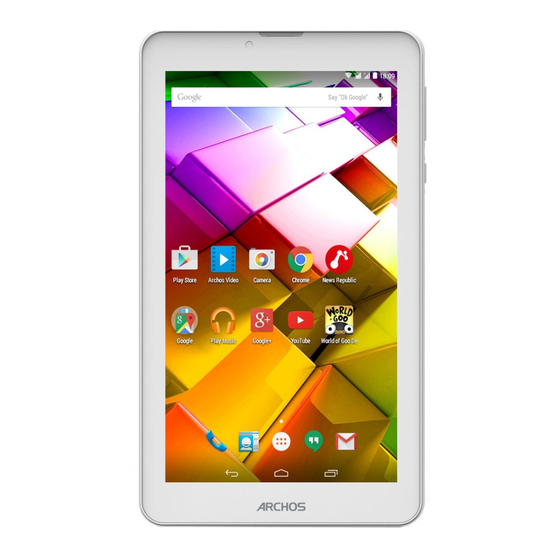
Archos 70 copper Bedienungsanleitung
Verfügbare Sprachen
Verfügbare Sprachen
Quicklinks
Kapitel

Verwandte Anleitungen für Archos 70 copper


Inhaltszusammenfassung für Archos 70 copper
- Seite 1 ARCHOS Guide Entertainment — way* ARCHOS 70 copper...
- Seite 2 The AndroidTM interface Getting familiar with AndroidTM Troubleshooting r mor informatio please consult the FAQs onwww.archos.co Make sure t oread t hem before considering produ return Your deal may b enobig deal, As we are often updating and improving our products,...
- Seite 3 I. Chargeyour deviceby pluggingyour powercableinto the micro-USB p ort.TheARCHOS devicewill startcharging. 2. Press the Power button to turn on the device. Warranty - Youcan useyour ARCHOS whilst it charges. QSG booklet Warranty, - Letyour devicechargecompletelythe first time you useit. legal & safety booklet - Useonly the supplied charger.
-
Seite 4: Description Of The Device
Description of the device Inserting SIM & Micro-SD cards WARNING: Make s ure toturnoffyour d evice before i nserting t heSIM &memory cards. Opening Use the notch to remove the back cover. Donotbend ortwist t heback cover e xcessively. Doing somay damage t hecover. Inserting a SIM card Foryour SIMcard,slideit facingdownwardsin the 2G/3Gslots. -
Seite 5: Wifi Connection
3G & WiFi connection WiFi connection 15:06 3G connection WARNING: Make sure that you are in a WiFi zone. Tobeableto access Internet,the mobiledataiconmust be 15:06 1.Touchand hold the time & battery icons to revealthe activated. status bar. Activating the mobile data 2. -
Seite 6: The Androidtm Interface
> Touchto start an application Back button Home button Recent apps buttons All Apps button >Touch t hisicon to show alltheapplications andwidgets i nstalled o nyour ARCHOS. A ll your downloaded applications are here. The status > Displays n otifications andquicksettings... - Seite 7 To activate/deactivate automatic screen Swipe up or down: to close an app. customizable spaceson a single device. orientation asyou turn your ARCHOS. Add users in Settings > Device. Hold down: to display options (21You can share movies, YouTube videos, To enable wirelessdisplay(2) and anything that's on your screenon an HDTV.You need to connect a wireless...
- Seite 8 Getting familiar with AndroidTM Creating application folders: The extended home screen: Drop one app icon over another on a home screenand the Navigatebetween different home screenpanelsby swiping left two icons will be combined. and right. Widgets: Holdyourfingeron a homescreen at an emptylocation, Moving a home screen item: thenchoose fromthe list:Widgets.
-
Seite 9: Inhaltsverzeichnis
If your WiFi reception is too low: Makesureyou are not far from the WiFihotspot. Pour plusd'informations, consultez-les FAQs s urwww.archos.com. Consultez-les avantd'envisager unéventuel Update the firmwareof the device: h ttp://www.archos.com/support. retour du produit.Leprobléme quevoUs rencontrez p eutétrerésolu facilement. Comme nousmettons åjour Reset and redefine your connection parameters. -
Seite 10: Mise En Route
- Utilisezuniquement le chargeurfourni. ARCHOS 70 Copper Lorsque votre tablette est complétement déchargée,il faut la laissercharger pendant 10 minutes minimum avant que l'icöne de charge ne puisse s'afficher. ASTUCE Pourbénéficier d'uneassistance c ompléte,enregistrez votreproduit. Chargeur Cåble A partir devotreordinateur, a llezsurwww.archos.com/register. -
Seite 11: Description De L'appareil
Description de I'appareil Insertion de carte SIM & carte mémoire ATTENTION : Bien éteindre latablette avant d'insérer les cartes SIM et la carte mémoire. Ouvrir Utilisezl'encochepour enlever la coquearriére. Nepas déformer ouplierIacoque arriére e xcessivement aurisque deI'endommager. Insérer une carte Glissez-la dansl'emplacement 2G/3G enorientant l afacemagnétique v erslebas. -
Seite 12: Connexion 3G & Wifi
Ies paramétres du réseau WiFi, contactez Ie fournisseur d'accés å Internet. ASTUCE - Pour maintenir votre connexion WiFiactive IorsqueIatablette est en veille, sélectionnezl'icöne Desdifficultés pourvousconnecter? C onsultez l afoireauxquestions s ur de Menu dansI'écran "WiFi", p uissélectionnez Optionsavancées > WiFiactifenveille> Toujours. Www.archos.com ou contactezvotre opérateur mobile. -
Seite 13: L'interface Androidtm
"Accueil" 6 "Applications récentes" " Toutes les Applications" > Sélectionnez pour afficher toutes les applications et les widgets installés sur votre ARCHOS. V ous retrouverez toutes vos applications téléchargées. 8 Barre de statuts > Elleaffichelesnotifications et permet l'accés aux réglagesrapides. - Seite 14 Pour activer/désactiver votre connexion Bluetooth. Pour activer/désactiver votre localisation GPS. Pour activer/désactiver toutes les connexions sans fil. Par Archos Music Archos exemple, pour prendre I'avion. Pour activer/désactiver Ia connexion Internet 3G. Pourafficher la quantité de donnéesmobiles utilisées Pourdéfinir un type de notification sonoreou silencieux Pourajuster la luminosité...
-
Seite 15: Se Familiariser Avec Androidtm
Se familiariser avec AndroidTM Créer des dossiers d'applications L'écran d'accueil étendu A partir d'un écran d'accueil, déposez une icöne sur une Naviguezentre lesdifférentsécransd'accueilen faisantglisser autre pour les rassembler. votredoigt verslagaucheouversladroite. Widgets : Déplacer une icöne de l'écran d'accueil : Maintenez votre doigt appuyé sur un emplacement vide de Maintenez votre doigt appuyé... -
Seite 16: Dépannage
Assurez-vous de ne pasétre trop loin de la borne WiFi. Mettezä jour le logicieldu produit: http://www.archos.com/support. Weitere Informationen finden Sie unter den FAQs unter www.archos.com. Bitte lesen Sie diese Informationen sorgfältig, bevor Siedie Rückgabeeines Produkts erwägen. Möglicherweise läßt sich Ihr Problem leicht Réinitialisezvos paramétres de connexion WiFi. -
Seite 17: Beschreibung Des Packungsinhalts
1. Laden Sie das Gerät auf, indem Sie das Netzkabel an den ARCHOS-anschluss anschließen. D asARCHOS-Gerät beginnt zu laden. Warranty 2. Drücken Sie die Ein / Aus-Taste, um das Gerät einzuschalten. • - Sie können den ARCHOS auch während des Ladens Benutzerhandbuch Garantie, verwenden. -
Seite 18: Beschreibung
Beschreibung des ARCHOS Einlegen von SIM-Karte & Speicherkarte ACHTUNG: Schalten Sie das Gerät aus. Öffnen EntfernenSiedie Rückseitenabdeckung. Die Rückseitenabdeckung n icht übermäßig biegenOderverdrehen.Die Abdeckungkann sonstbeschädigtwerden. Einlegen einer SIM-Karte Um Ihre SIM-Karteeinzuführen, diese mit der Vorderseite nach unten in den Slot (2G Oder 3G) schieben. -
Seite 19: 3G- & Wlan-Verbindung
IJm die W LAN- Verbin}un zu%alten, während sich das Gerät im Standby-Modus befindet, IPP: jwählen Sie das Menüsymbo?å auf der Seite "WLAN". Wählen Sie Erweitert>WLAN im Standby- peiVerbindungsproblemen lesen Siebitteaufwww.archos.com dieFAQs Oder kontaktieren Ihren Anbieter der 3G-Netzwerkverbindung. Modus aktiviert lassen>lmmer. -
Seite 20: Die Android
Die AndroidTM Benutzeroberfläche GoogleTM Suche > Suchbegriff eintippen OderSpracheingabe verwenden. AndroidTM Apps > Die Aktivierung einer App erfolgt durch Berühren. Permanenten AndroidTM Apps-Verknüpfungen "Zurück" "Startbildschirm" "Letzte Apps" Alle Apps" > Berühren Siedieses Symbol, u malleauf IhremARCHOS i nstallierten Appsund Widgetsanzuzeigen. A lle heruntergeladenenAnwendungenbefinden sichhier. f'¯Ä... - Seite 21 @ Ein- und Ausschalten der W LAN- Verbindung. Ein- und Ausschalten der Bluetooth-Verbindung. Aktivieren / Deaktivieren Sie Ihre GPS-Verbindung. Beendet alle WLAN-Verbindungen, nützlich für Flugreise Archos Music Archos Music O Aktivieren / Deaktivieren der D atenverbindung. O Die Menge der D aten, die verwendet wurde.
-
Seite 22: Android
AndroidTM kennenlernen Anwendungsordner erstellen: Der erweiterte Startbildschirm: Ziehen Sie auf einem Startbildschirm ein Anwendungssymbol Wechseln Sie durch Wischen nach links rechts zwischen über ein anderes. Die beiden Symbole werden kombiniert. verschiedenen «Home»-Bildschirmen. Widgets: Ein Element Startbildschirm verschieben: Den Finger auf eine freie Stelle des Bildschirms legen und Verschieben eines Elements... -
Seite 23: Fehlersuche
Netzwerk verbunden und 0b dasNetzwerküberlastetOdernichtverfügbarist. PIN der SIM-Karte gesperrt Wenden SiesichanIhrenNetzwerkbetreiber, umdenPUK-Code zuerhalten. WiFi(WLAN)-Empfang ist zu schwach: Stelle Sie sicher, dass S ie sich inReichweite eines W iFi(WLAN)- Hotspots befinden. Aktualisier Sie dieFirmware des Gerätes: http://www.archos.com/suppo SetzenSiedie WiFi-Verbindung zurück. KontaktierenSie Ihren WiFi(WLAN)-Provider. - Seite 24 ADAPTER CHARGER - Putthe plugintothe mainbodyof the assembly g ap,andinthe directionof the arrowto pushto tick,to remove the pr- esspush (1) key,and press against the direction of the arrow onto the main body gap out. - Assemblag d'abord Iebouchon danslecorpsprincipal d epencoche, dansladirection delaflechepoussé å untic - tac, afind'éliminerla presspush(1)et appuyez s ur latouchefléchedansladirectionopposée ål'encoche de retirerle corps de poussée.