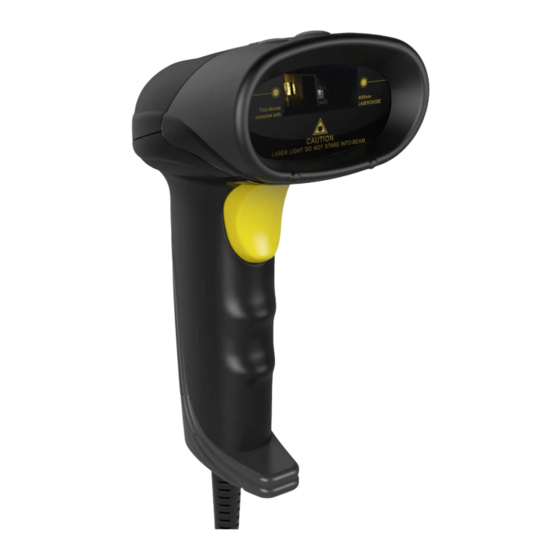
Inateck BCST-31 Bedienungsanleitung
Inhaltsverzeichnis
Quicklinks
Inhaltsverzeichnis

Verwandte Anleitungen für Inateck BCST-31


Inhaltszusammenfassung für Inateck BCST-31
- Seite 1 User Guide BCST-31 Barcode Scanner English Deutsch Franqais• Italiano Espahol...
- Seite 2 English Product Overview Components Functions Shockproof PEmaterial,shock absorption to protect BCS'-31 Laser W•ndow Red Laser emission window LED indicator Status Indicator:Green LED on means the connection fine: Green LEDflashing when you press the Scan geeper Status Reminder: Beepswhen connecting, setup and scanning Press the Button to emit the red laser and scan barcodes Scan...
- Seite 3 User Manual nstallation and Usage 1)Connect the scanner BCST-31 to the USBinterface in the comput er (Referto the above diagram) 2) BCST31 beeps tw"ce when the connection is 0k. 3) Open the document on the computer and place the cursor where you input the barcode information;...
- Seite 4 The way to take out the USBcable( not recommended if BCST-31 is frequently used) 1) Pull the USB cab e outward a little until it stops; 2) Insert the thimble to the pinhole of BCST-31and press the thimble hard deep into the bottom ;...
- Seite 5 •apo:neg xwns, aql ueos 5umas few Iona as!MJaq10'e5en5ue Dd acp aouepuone u! a6en6ueI acp dn las plnoqs LE-IS)E :aWN (asaueder )upder (us!15u3)y-I (Lpualg) ajue'd III I II I I II I II III I IIII ue!IPII) "leu (upunao) fueunao I I II I I I I I I IIII I II I II I I II I I I I IIII I ll I I I I I I (leu0!1eumul—...
- Seite 6 II IIII I IIII : I II Backspace Space 2. Down Oad more prefix or suffix barcodes at official site www.inateck.com 3. Scanthe "Clearal the prefix characters" or "Clearal the suffix characters" barcodes to delete previous prefix or suffix settings.
- Seite 7 Common Function Barcodes Factory Reset Auto Continuousscanning mode III III II I II I I I II I I I Auto flashing mode (S)Manual scanning mode Clearall the prefix characters Clear all the suffix characters f) Disable Code ID Enable Prefix Code ID Do not Apply Enter for Suffix Enable Suffix Code Function Setup Barcodes...
- Seite 8 (w)Enable UPC-E Disable t) Enable EAN-13 Disable EAN-13 t) Enable EAN-8 Disable EAN-8 (4)Enable code 93 Disable code 93 I I II I I I II I IIII I I II t) Enable code 128 Disable code I I I III I II I IIII III (4) Enable codabar Disable codabar Enable Interleaved/ITF...
- Seite 9 (+NSSI pue S4N8SI alqps!Q (x) C+NSSI alqeu3 S+N€SI a qeua II I III I III alqeua x!nen a qes!a alqeua I I IIIIIIll I I I I I I 3160 Plea 3!601e1eo a qeu3 IIIIIII I I IIII I IIII apo) alqpsgo 11 apo)
-
Seite 10: Packing List
Meaning One short beep Finish scanning successfully; Green LED flashes one time A note ( chord) Finish reading setup barcodes Two short beeps Finish connecting BCST-31 with PCor other output devices Packing list • BCST-31*l • USB cable* 1 nstruction Manua •... - Seite 11 Customer Service f you don't know the exact type of barcode you are referring to, or if you have any other questions. Support For any inquiries or comments concerning our products, please send email to support@inateck.com, and we wi respond to you as soon aspossible.
-
Seite 12: Produktübersicht
Deutsch Produktübersicht Bauteil Funktion StoßfesteUmmantelung TPE-PIast. effektiver Schutz fur das BCST-II Laserfenster Ausgang fur den roten Laser LED-Anzeige Status-CED; G run leuchtend hir erfolgreiche Verbindung; grun blinkend,wenn der Abzug betätigt Wird Pfeifsignalgeber Akustische Statusruckmedung: Pfeifton bei Verbindung, Ein-und Ausschalten OderLesevorgang Abzug Abzug drücken,um Laserzu aktivieren und Codes einzulesen... - Seite 13 Strichcodes 1) Achten Sie auf einen gewissen Abstand und die korrekte Ausrichtung des BCST-31, um die besten Leseergebnisse zu erzielen. 2) Der Laserstrich sollte möglichst quer zu den Codestrichen stehen und den gesamten Code abdecken, um den Code zu erfassen.
- Seite 14 Entfernen des USB-Kabels (Nicht empfohlen bei ständiger Nutzung des BCST-31) 1)Ziehen Sie das Kabel eicht biszum Anschlag heraus; 2) Drücken Sie den Schuh in den dafür vorgesehen Einlass am BCST-31 und drücken diesen fest hinein; 3) Entnehmen Sie sacht den RJ45-Stecker aus der Buchse.
-
Seite 15: Tastatureinstellung
Tastatureinstellung Der BCST-31 kann aufdie gewünschte Tastaturbelegung eingestel t werden, indem einfach die unteren Einrichtungscodes eingelesen werden. US (Englisch) Kanada (Französisch) Niederlande (Niederländisch) Spanien (Spanisch International) I I IIIIII I I I III I IIII Deutschland (Deutsch) Italien (Italienisch 142) I I I I II I II I I I III IIIIII Frankreich (Französisch) -
Seite 16: Lesen Sie Den Code Für Das Gewünschte Asci-Zeichen Ein (Jeweils Maximal 32 Positionen Sind Möglich)
Enter II III I I I IIII III Backspace Space 2. Laden sich die Zeichencodetabel e von unserer Seite www.inateck.com herunter. 3. Wenn Sie Präfix und Suffix erneut einstellen möchten, bitte scannen Sie die Funktionscode "Löschen al er Präfixae" Oder öschen al er Suffixae", um die früheren eingestellten Präfix... -
Seite 17: Codesyntax-Einrichtung
Allgemeine Funktionscodes Werkseinstellungwiederherstellen Automatischer kontinuierlicher Lesemodus Automatischer Laserblinkmodus (+)Manueller Lesemodus Löschen aller Präfixae Löschen aller Suffixae t) Deaktivierung Code D Deaktivierung Code D Aktivierung SuffixCode ID Benutzen Sie nicht 'Enter" für Suffix Codesyntax-Einrichtung (9 Aktivierung Code 39 DeaktivierungCode 39 (4)Aktivierung UPC-A Deaktivierung UPC-A... - Seite 18 (9 Aktivierung UPC-E Deaktivierung UPC-E (+) Aktivierung EAN 13 Deaktivierung EAN-13 (w)Aktivierung EAN-8 Deaktivierung EAN-8 t) Aktivierung Code 93 Deaktivierung Code 93 I I I III I II I III I II (s) Aktivierung code 128 Deaktivierung code 128 I I III I II I IIII I I II (9 Aktivierung codabar Deaktlvierung Codabar (+)Aktivierung Interleaved/lTF 25...
- Seite 19 III I III II Aktivierung MSI C) Deaktivierung MSI III IllII Aktivjerung PLESSEY Deaktivierung PLESSEY (+)Aktivierungcode 11 Deaktivierungcode 11 Aktivierung Data ogic 25 (w)Deaktivierung Data ogic 25 (s) Aktivierung Matrix 25 Deaktivierung Matrix 25 Aktivierung Aviation 25 (s) Deaktivierung Aviation 25 Aktivierung S8N+5 Aktivierung...
-
Seite 20: Spezifikationen/ Technische Daten
Schnittstelle Signaltöne Pfeifsignal Bedeutung Kurzes Piepen Erfolgreiches Auslesen; LED blinkt einmal Tonfo ge (Terze) Erfolgreiches Einlesen eines Einrichtungscodes Zwei kurze Pieptöne ErfolgreicheAnbindungan ein Stammgerät (Rechner) Lieferumfang • Ein Inateck BCST-31 • Ein USB-KabeI Eine Betriebsan eitung Ein Kabelschuh (Sch üssel) -
Seite 21: Häufig Gestellte Fragen
Häufig gestellte Fragen l. Werden die Einstel ungen nach dem Ausschalten des BCST-31 beibehalten? A1e Einstel ungen können über die Einrichtungscodes vol zogen werden. Auch beim Ausschalten bleiben diese zwischengespe ichert können beim nächsten Betrieb direkt weiter verwendet werden. 2. Weshalb werden Codes chaotisch Oder falsch ausgelesen? n der Grundeinstel ung simuliert das BCST31 eine englische Tastaturbelegung. - Seite 22 — ' — (Lug1MIL—4gsn...
- Seite 25 IIIIIIIIIIII I I 'IIII I I I I II I II I II IIIII II I I IIII I IIII I I II I II IIII I I I I I II I —2...
- Seite 26 -t' 35 5 — Enter I I IIII I II I I I I II I II III I I I IIII I I I I I I Backspace Space —Ywww.inateck.comlüG$kÉØJ K—Zl—...
- Seite 27 (3-347 — I I I II I IIIII II I I I I II t)code code I I I I II UPC-A*ØJ...
- Seite 28 UPC-E*ö (+)EAN 13=fiØ) EAN-8=fftØ] 93=5ØJ code code 128=-34-3] (")code I I II I IIIIII I I IIII codabar=RÄD II I II I II IIII III III (91nterIeaved/ITF Interleaved/ITF 25=fifi Industrial...
- Seite 29 MSI=fiØ] P)MS PLESSEY=Ä7J 11=53] code Datalogic 25=fiÄt I I I 25=fiØJ Matrix Aviation (")Aviation 25=R7] ISBN+5=EVJ ISSN+2=fiØj ISSN42=fiØ)
- Seite 30 1±fi BCST 31 Codabar, Coden Code I I ,MSI/PIESSEY, C ode 128, UCC/EAN-128, code 39, EAN-B, EAN-13, UPC A, UPC E, ISBN/ISSN, Industrial nterleaved 25, matrlx25, Post code 3mil 5cm-30cm Ü#s35mm *Nfifiit 1+3—s LED a—Fü BCST-31*1...
- Seite 31 Answer Answer Answer:...
- Seite 32 Frangais Apercu du Produit Composants Fonctions Cowerlure anti-choc Matériau IPE protéger BCS 1-31contre choc Fenétre de Laser Fenétredemission de LaserRouge État d eVoyant LED Vertsignifie queIaconnexion est Voyant LED bonne LEDVen clignote quand vous pressezsur Ie Bouton de Scan ÉtatAvertissant: Bip 1015 de Iaconnexion, Ia configuration et Ie scan Pressersur Iebouton pour émettre Ielaserrouge et lire Bouton de Scan...
- Seite 33 Installation et Usage 1)Connecter e scanneur BCST-31 par I'interface USBå 'ordinateur (Veuillez vous référer au diagramme ci-dessus) 2) Deux bips de BCST-31 quand Ia connexion estfinie. 3) Ouvrir e document dans 'ordinateur et choisir a place oü vous voulez...
- Seite 34 La méthode pour arracher Ie cåble USB( si le BCST-31 est souvent utilisé, cette manipulation est déconseillée ) 1)Arracher un peu e cåble USB jusqu'å ce qu'il arréte ; 2) Insérer I'éping e dans Ietrou de BCST-31, et puis presser I'éping e jusqu'au bout du trou ; 3) Arracher doucement...
- Seite 35 La Configuration des Langues La angue du scanneur de code barres BCST31 peut étre changée par un simple scan des codes-barres correspondants. Canada(Franqais) (x)États-Unis(Anglais) I I III I II I I I II III I I I II Pays-Bas (Néerlandais) Espagne (Espagnol International) A1emagne (Allemand) talie (Italien 142)
- Seite 36 Voici quelques codes barres de fonction souvent utilisés: Enter Backspace Space 2. Télécharger plus de codes-barres préfixe ou suffixe sur Ie site officiel www.inateck.com 3. Scanner effacer toutes Ies lettres préfixe »ou «effacer toutes es ettres suffixe »pour supprimer Iaconfiguration précédente de préfixe ou de suffixe.
- Seite 37 Codes-Barres de Fonction Commune Réinitialisation Mode du scancontinu automatique Mode de clignotement automatique (+) Mode du scan manue I I I III I I I I I I II II Effacer toutes Ieslettres préfixe Effacer toutes Ies lettres suffixe Désactiver ID du Code Activer ID du Code Préfixe...
- Seite 38 III I III I I I I (w)activer UPC-E Désactiver UPC-E t) Activer EAN-13 Désactiver EAN 13 t) Activer EAN-8 Désactiver EAN-8 IIIII II I I I I II I I I I I I (4)Activer code 93 Désactiver code 93 I I II I I I II I IIII I I II (s) Activer code 128 Désactiver...
- Seite 39 (w)Désactiver MSI Activer IIII I I IllII Activer PLESSEY (x) Désactiver PLESSEY t) Activer Code 11 Désactiver Code I I III I II I II I IIII Activer Datalogic 25 (+)Désactiver Data ogic 25 (+) Activer Matrix 25 Désactiver Matrix Activer Aviation Aviation...
-
Seite 40: Contenu D'emballage
Scan fini avec succes ;Voyant LED vert clignote une fois Une note (accord) Scan des codes-barres de configuration fini avec succés Deuxbips courts Connexion du BCST 31 l'ordinateur d'autresappareilsfinie avecsucces Contenu d'emballage • BCST-31*l • Cäble USB*I • Manuel d'utilisation*l Épingle*l... - Seite 41 2. Le scan finit par engendrer un code i isible ? Réponse: La angue par défaut de BCST-31 est ang ais. Veui ez vous référer au chapitre de « Configuration de angues » pour configurer Ia angue correspondante.
-
Seite 42: Panoramica Del Prodotto
Pulsante scan Premereil pulsante per emettere fascio lasere leggere i codic Collega lettore BCST-31 al PC Cavo USB Presa RJ4S Qui siinserisce il cavo USBper collegare il dispositivo al computer Foro Foro dove pub essereinflata 10spillo... - Seite 43 Manuale d'istruzioni Installazione e uso 1)Col egare il lettore BCST-31 al a presa USBdel computer (come nel 'immagine qui sopra). 2) Se col egato correttamente il 8CST-31emette due avvisi sonori (beep). 3) Aprire il documento nel computer e col ocare il cursore dove si...
-
Seite 44: Modifica Impostazioni
Codice possibile cambiare le impostazi-on del lettore Come rimuovere il cavo USB (da evitare se il BCST-31 é utilizzato frequentemente) 1) Tirarei cavo USB fuori dal ettore con cautela finché non si blocca 2) Inserire 0 spil 0 nel foro e spingere con forza... - Seite 45 uo•sueosal au Ilona allJedLL10D ouossod 'cne6a o) Q aloual ! alenb e eI anb anap SDg ap eI ap en5u!I e (auoddel)) asauodde!D (Yli) asa16uI (epueE) asa)ueld III I II I I II I II III I IIII (e!IPII) oue!lell (elueunaD) oosapal I I II I I I I I I IIII I II I II I I II I I I I IIII I ll I I I I I I...
- Seite 46 II I I IIII II I I Backspace Spazio 2. Sul sito www.inateck.com sono disponibili ulteriori prefissi/suf fissi. Épossibilescaricarli d irettamentedal a pagina. 3. Per eliminare e impostazioni di prefissi/suffissi, eggere i codici a barre "Cancellare i caratteri prefisso" oppure il codice a barre "Cancel...
- Seite 47 Codici a barre piü usati Reset Modalitä lettura automatica continua Modalitå auto nash (s) Modalitå scansione manuale IIII I III I I I I I I II II Cancellare i caratteri prefisso Cancellare i caratteri suffisso (9 Disabilitare Code D AbilitareCode D prefisso Non Applicate Invio per suffisso...
- Seite 48 (+) Abilita UPC-E Disabilita upc E t) Abilita EAN 13 Disabilita EAN 13 Abilita EAN-8 Disabilita EAN-8 IIIII II I I I I II I I I I I I (4)Abilita code 93 Disabilita code 93 I I II I I I II I t III I II (s) Abilita code 128 Disabilita code 128...
- Seite 49 (w)Disabilita MSI Abilita IIII I I IllII Abilita PLESSEY (x) Disabilita PLESSEY Abilita code 11 Disabilita code II I I III I II I II I IIII Abilita Data ogic 25 r ) Disabilita Datalogic 25 (w)Abilita Matrix 25 Disabilita Matrix Abilita Aviation...
-
Seite 50: Specifiche Del Prodotto
1 beeb breve Scansione avvenuta con successo; La spia verdelampeggia unavolta 1 nota Scansione codici a barre di impostazione avvenuta successo 2 beep brevi Connessione BCST-31 c on PCo altri dispositivi output La confezione contiene • lxBCST-31 • Ixcavo •... - Seite 51 2. Nei risultati in output appaiono errori o segni non decifrabili? La 'ngua di default dela tastiera impostata in fabbrica per il ettore di codici a barre BCST-31 'inglese. Per modificare Ia lingua, fare riferimento al e procedure di scelta del a ingua del a...
- Seite 52 Espaöol Presentaciöndel producto Componente FunciOn Protecciån contra Enmaterial IPE. protege eISCSI-31 contra 105 golpes y golpes caidas Ventanilla liser Ventanilla paraIaemi5iön de Ialuz liser Estado:Ia luzverde indica que Iaconexj6n esactom;Ia Luz LED luz verde garpadeacuando seoprime eIpulsador Scan Beeper Sehalsonora advierte cuando eI dispositivo esti en fase de conexiön.
- Seite 53 Manual de instrucciones Instalaciön y uso 1) Conectar eI lector BCST-31 al enchufe USB del ordenador (como en Iaimagen arriba). 2) Si conectado correctamente eI 8CST-31 emite dos sehales sonoras (beep). 3) Abrir eI fichero en eI ordenador y colocar eI cursor donde si quiere insertar Ias informacionesdel cådigo de barras.Éstas...
- Seite 54 Ias cnnfiguraciones del lector Como quitar el cable USB (Se recomienda evitar si se utiliza el BCST-31 frecuentemente) 1)Tirar eI cable USBdel dispositivo hasta que se para 2) Insertar eI alfiler en eI agujero y empujar con fuerza...
- Seite 55 sauoponnsu! sel J!n5as •oaueosa ap sauopendo sel uueunp osn ua ewo!p! a uc:n ap opepal a uem5LJu0D epua!wooau as (upder) spuoder (epueld) sejueuy III I II I I II I II III I IIII (e!IPII) oue!lell (e!uewa V) I I II I I I I I I IIII I II I II I I II I I I I IIII I ll I I I I I I (leuopeu.alul - oveds3)loveds3...
- Seite 56 I. Se puede agregar como prefijo/sufijo hasta 32 caracteres. Envio Backspace Espacio 2. Si necesitas mis, en eI sitio www.inateck.com se pueden descargar mås prefijos/sufijo. 3. Paraborrar Iasconfiguraciones de prefijos/sufijos escanear Ios cödigos de barras /Borrar caracteres prefijo" o eI cédigo de...
- Seite 57 Cödigo de barras mås usados Reset Modo lectura automatica continua Modo auto flash (w)Modo escaneo manual IIII I III I I I I I I II II Borrar Ios caracteres prefijo Borrar Ioscaracteres sufijo C) Desactivar Code D Activar Code No configurar enviå...
- Seite 58 (w)activar UPC-E Desactivar UPC E t) Activar EAN-13 Desactivar EAN 13 t) Activar EAN-8 Desactivar EAN-8 IIIII II I I I I II I I I I I I Desactivar code 93 (4) Activar code 93 I I II I I I II I t III I II (s) Activar code 128 Desactivar code 128...
- Seite 59 (w)Desactivar MSI Activar IIII I I IllII Activar PLESSEY (x) Desactivar PLESSEY Activar code 11 Desactivar code I I III I II I III I IIII Activar Datalogic 25 (E)Desactivar Datalogic 25 (+) Activar Matrix 25 Desactivar Matrix Activar Aviation Desactivar Aviation Activar...
- Seite 60 Caracteristicas del producto Nümero modelo BCST 3 1 Fuente de luz Laser LED 650± 1Onm Cödigo de barras Codabar, Code 11, Code 128, Code 39, Code compatibles 93, UCC/EAN 128, EAN-8, EAN 13, ISBN/ISSN, MSI/PLESSEY, U PC-A, UPC-E,Industrial 25, nterleaved 25, Matrix 25, Cödigo Postal Resoluciån 3mil Velocidad...
- Seite 61 éste se apague. os resultados en salida aparecen errores o signos no descifrab EIidioma de defecto del lector de cödigos de barra BCST-31 es eI ing és. Para modificar eI idioma, seguir Ias instrucciones explicadas en este manual. 3. No puedo eer algunos cédigos de barras. iPor qué? a.
-
Seite 62: Fcc Note
FCC Note This device complies with part 15 Of the FCCRules. Operation is subject to the fol owing two conditions: (1) This device may not cause harmful interference, and (2) th's device must accept any interference received, including interference that may cause undesired operation. - Seite 63 Email:support@inateck.com Web: www inateck.com Addr: Technology Inc.8949 East9th St., 130, RanchoCucamonga,CA91730 Germany Fax.: +4934151998413 Phone hours:Weekdaysg AM 5 PM(CET) Email: support@inateck.com Web: http.//www.inateck.com/de/ Addr: F&MTechno OgyGmbH, Fraunhoferstraße7, 04178Leipzig Japan Email:support@inateck.com Web:www inateck.com/jp/ 547-0014 Company OfLicenseHolder TechnologyGmbH Add: Fraunhoferstraße7, 04178Leipzig Tel.: +49...
- Seite 64 inateck...