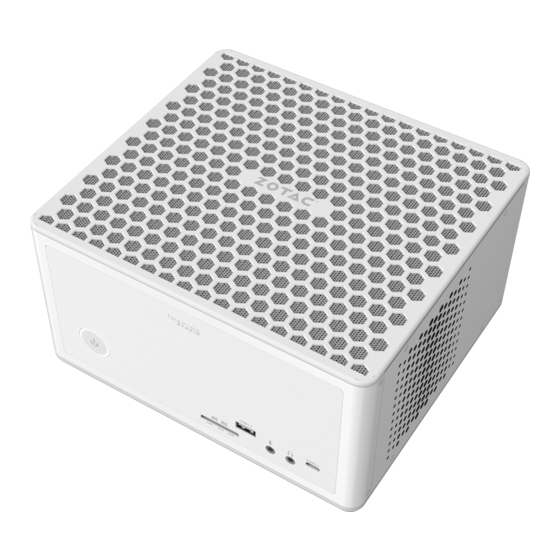
Zotac ZBOX O Serie Schnellanleitung
Inhaltsverzeichnis
Verfügbare Sprachen
Verfügbare Sprachen
SKU: ZBOX-OI520-BE/U/J/AUS
Express your individuality with the ZBOX Sphere OI520 series mini-PC from ZOTAC. The ZOTAC ZBOX Sphere OI520 series
mini-PC features a sleek and stylish orb shape that's unique yet functional for everyday computing and multimedia tasks.
The orb-shape makes the ZOTAC ZBOX Sphere OI520 series the easiest mini-PC to customize. Simply twist the top of the ZBOX
Sphere OI520 to gain access to the DDR3 SO-DIMM slot, 2.5-inch HDD drive bay and mSATA SSD slot to install or upgrade your
components.
TECHNICAL SPECIFICATIONS
FEATURES
• Intel Clear Video HD technology
• Intel InTru 3D technology
• Intel Quick Sync Video technology
• Microsoft DirectX 11.1 compatible
• 802.11ac WiFi & Bluetooth 4.0 technology
SPECIFICATIONS
• Intel HD Graphics 4400
• Intel Core i5 4200U (dual-core, 1.6 GHz)
• Intel TurboBoost up to 2.6 GHz
HARD DRIVE & MEMORY
• 1 2.5-inch SATA 6.0 Gb/s (9.5mm height)
• 2 204-pin DDR3L-1600 SO-DIMM (up to 16GB)
• 1 mSATA 6.0 Gb/s slot
• Intel Smart Response Technology ready
DISPLAY OUTPUTS
• DisplayPort
• HDMI
• HDCP compliant
ZOTAC International (MCO) Limited does not warrant the accuracy, completeness or reliability of information, materials and other items contained on this website or server. No liability is assumed with respect to the use of the information contained herein. When accessing this website, users acknowledge that ZOTAC
International (MCO) Limited will not be liable in any event for any damages arising out of the use of this site or any websites linked to it.
AUDIO OUTPUTS
• Loss-less Bitstream
• Analogue Output
REAR PORTS
• Microphone jack
• 4-in-1 Memory card reader
• (MMC/SD/SDHC/SDXC)
• 4 USB 3.0 port s
• 2 USB 2.0 ports
• Power button
• Power connector
SIDE PORTS
• 1 USB 2.0 port
OI520
DIMENSIONS
• Height: 161mm (6.34in)
• Width: 154mm (6.06in)
• Depth: 154mm (6.06in)
• Box
• Height: 196mm (7.72in)
• Width: 246mm (9.69in)
• Depth: 193mm (7.60in)
SOFTWARE COMPATIBILITY
• Microsoft Windows 8
• Microsoft Windows 7
• x86 & x64
INSIDE THE BOX
• ZOTAC ZBOX Sphere OI520
• Power brick & cable
• Drivers (USB flash drive)
Inhaltsverzeichnis

Verwandte Anleitungen für Zotac ZBOX O Serie


Inhaltszusammenfassung für Zotac ZBOX O Serie
-
Seite 4: Inhaltsverzeichnis
Table of Contents Quick Start Guide (EN) ----------------------------------------------------------------------------------------2 快速启动指南 (CHS) -------------------------------------------------------------------------------------------4 快速啟動指南 (CHT) -------------------------------------------------------------------------------------------6 (ARA) ----------------------------------------------------------------------------8 Kratka upustva za korištenje (BOS)------------------------------------------------------------------------10 Rychlá příručka (CZ) -------------------------------------------------------------------------------------------12 Schnellanleitung (DE) -----------------------------------------------------------------------------------------14 Guía Rápida de Funcionamiento (ESP) ------------------------------------------------------------------16 Guide d’installation rapide (FRA) ---------------------------------------------------------------------------18 Kratke upute (HR) ----------------------------------------------------------------------------------------------20 Gyors Üzembehelyezési Tanácsadó... -
Seite 8: 快速启动指南 (Chs)
快速启动指南 安装 Msata SSD 固态硬盘 1. 找到mSATA SSD插槽,并将mSATA SSD固态硬盘以倾斜45 度角插入插槽。 2. 将mSATA SSD固态硬盘轻轻按下,直到mSATA固态硬盘完 全锁入到卡扣内。 设置您的索泰ZBOX 1.连接网线 2.连接USB设备 3.连接DisplayPort显示器 4.连接HDMI显示器 5.连接电源线 6.启动系统 7.安装操作系统 背面 1.读卡器(MMC/SD/SDHC/SDXC) 2.电源输入接口(直流19V) 3.耳机/立体声输出接口 4.麦克风接口 5.HDMI接口 6.DP接口 7.USB 3.0接口 8.以太网接口 9.USB 2.0接口 10.电源键... -
Seite 10: 快速啟動指南 (Cht)
快速啟動指南 安裝 mSATA SSD 固態硬盤 1. 找到mSATA SSD插槽,並將mSATA SSD固態硬盤以傾斜 45度角插入插槽。 2. 將mSATA SSD 固態硬盤輕輕按下,直到mSATA固態硬盤 完全鎖到扣內。 設置你的 ZOTAC ZBOX 1. 連接網絡 2. 連接USB 設備 3. 連接DisplayPort顯示器 4. 連接HDMI顯示器 5. 連按電源線 6. 啟動系統 7. 安裝操作系統 背面 1.讀卡器(MMC/SD/SDHC/SDXC) 2.電源輸入接口(直流19V) 3.耳機/ 立體聲輸出接口 4.麥克風接口 5.HDMI接口 6.DP接口 7.USB3.0接口 8.LAN (RJ45)接口 9.USB2.0 接口 10.電源鍵... -
Seite 17: Verpackungsinhalt
• 1 x Treiber CD • 1 x USB Stick mit O/S Treibern (optional) Konfiguration der ZOTAC ZBOX 1. Halten Sie die ZOTAC ZBOX mit zwei Händen und drehen Sie die Abdeckung gegen den Uhrzeigersinn. 2. Stellen Sie sicher, dass das Symbol „Drücken“... -
Seite 18: Schnellanleitung (De)
Winkel in den dafür vorgesehenen Steckplatz ein. 2. Drücken Sie die mSATA SSD vorsichtig nach unten bis sie einrastet und von der Steckplatzvorrichtung gehalten wird. Inbetriebnahme der ZOTAC ZBOX 1. Schließen Sie das Gerät an das Heimnetzwerk an 2. Schließen Sie Ihre USB Geräte an 3. - Seite 59 291-SB229-00...