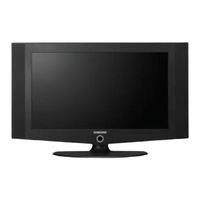
LCD TV
Inhaltsverzeichnis
![Samsung LE23T5 Bedienungsanleitung]()
Inhaltsverzeichnis
-
-
Connecting and Preparing Your Tv
4
-
-
-
Installing the Wall Mount Kit
4
-
Viewing the Control Panel
5
-
Viewing the Connection Panel
6
-
Viewing the Remote Control
7
-
Installing Batteries in the Remote Control
8
-
-
Placing Your Television in Standby Mode
8
-
-
-
Storing Channels Automatically
9
-
Storing Channels Manually
10
-
-
-
Changing the Picture Standard
11
-
Adjusting the Custom Picture
11
-
Changing the Colour Tone
12
-
Resetting the Picture Settings to the Factory Defaults
12
-
Changing the Picture Size
12
-
Digital Noise Reduction / Dynamic Contrast
13
-
Viewing the Picture in Picture (PIP)
13
-
-
Changing the Sound Standard
14
-
Adjusting the Sound Settings
14
-
Adjusting the Volume Automatically
14
-
Listening to the Sound of the Sub Picture
15
-
-
Setting and Displaying the Current Time
15
-
Setting the Sleep Timer
15
-
Switching the Television on and off Automatically
16
-
-
Choosing Your Language
16
-
Using the Energy Saving Feature
17
-
Setting the Blue Screen Mode / Selecting the Melody
17
-
-
Editing the Input Source Names
18
-
Using the Teletext Feature
18
-
-
Displaying the Teletext Information
19
-
Selecting a Specific Teletext Page
19
-
Using Fastext to Select a Teletext Page
20
-
Setting up Your PC Software (Based on Windows XP)
20
-
-
-
Recommendations for Use
22
-
Troubleshooting: before Contacting Service Personnel
22
-
Technical and Environmental Specifications
22
-
Connexion et Preparation de Votre Televiseur
24
-
-
Installation du Support
24
-
Installation du Kit de Montage Mural
24
-
Présentation du Panneau de Commande
25
-
Présentation du Panneau de Branchement
26
-
Présentation de la Télécommande
27
-
Installation des Piles Dans la Télécommande
28
-
Mise en Marche et Arrêt
28
-
Mode de Mise en Veille de Votre Télévision
28
-
-
-
Mémorisation Automatique des Chaînes
29
-
Mémorisation Manuelle des Chaînes
30
-
-
-
Changement du Mode Image
31
-
Réglage de L'image Personnalisée
31
-
Changement de la Nuance Couleur
32
-
Rétablir les Paramètres de Réglage de L'image D'usine
32
-
Changement de la Taille de L'image
32
-
Réduction du Bruit Numérique / Contraste Dynam
33
-
Affichage de L'image Dans L'image (PIP)
33
-
-
Changement de la Norme Son
34
-
Réglage des Paramètres du Son
34
-
Réglage Automatique du Volume
34
-
Ecoute du Son Accompagnant L'image Secondaire
35
-
-
Réglage et Affichage de L'heure
35
-
Réglage de la Minuterie de Mise en Veille
35
-
Marche et Arrêt Automatique du Téléviseur
36
-
Reglage des Autres Options
36
-
-
Utilisation de la Fonction D'économie D'énergie
37
-
Réglage du Mode D'écran Bleu / Sélection de Mélodie
37
-
Sélection de la Source
37
-
Modification du Nom D'une Source D'entrée
38
-
Utilisation de la Fonction Teletexte
38
-
-
Affichage des Informations Télétexte
39
-
Sélection D'une Page Télétexte Spécifique
39
-
Utilisation du Système Fastext pour Sélectionner une Page Télétexte
40
-
-
Paramétrage du Logiciel PC (Basé Sur Windows XP)
40
-
Modes D'affichage (PC)
40
-
-
Recommandations D'utilisation
42
-
Résolution des Problèmes Avant de Contacter le Personnel Qualifié pour le Dépannage
42
-
Spécifications Techniques et Environnementales
42
-
-
-
-
-
-
-
-
-
-
-
-
-
-
-
-
-
-
-
-
-
-
-
-
-
-
-
-
-
-
-
-
-
-
-
-
-
-
-
-
-
-
-
-
-
-
-
-
-
-
-
-
-
Uwtv/Monitor Aansluiten en Gebruiksklaar Maken
64
-
-
De Standaard Installeren
64
-
De Muurbevestigingsbeugel Installeren
64
-
Overzicht Van Het Bedieningspaneel
65
-
Overzicht Van Het Aansluitpaneel
66
-
Overzicht Van de Afstandsbediening
67
-
Batterijen in de Afstandsbediening Plaatsen
68
-
-
Televisie in Standby-Modus Zetten
68
-
-
-
Kanalen Automatisch Opslaan
69
-
Kanalen Handmatig Opslaan
70
-
-
-
De Beeldstandaard Aanpassen
71
-
Aangepast Beeld Instellen
71
-
-
De Beeldinstellingen Terugstellen Naar de Standaard Fabrieksinstellingen
72
-
Het Beeldformaat Selecteren
72
-
Digitale Geluidsonderdrukking / Dynamisch Contrast
73
-
-
-
De Geluidsstandaard Wijzigen
74
-
De Geluidsinstellingen Aanpassen
74
-
Het Volume Automatisch Aanpassen
74
-
Het Geluid Van Het Subbeeld Weergeven
75
-
-
De Huidige Tijd Instellen en Weergeven
75
-
Standby-Klok Instellen
75
-
De Televisie Automatisch Aan Uitschakelen
76
-
Verschillende Functies Gebruiken
76
-
-
De Functie Spaarstand Gebruiken
77
-
Blauwe Schermmodus Instellen / Melodie Selecteren
77
-
-
De Namen Van de Ingangsbron Bewerken
78
-
Teletekstfunctie Gebruiken
78
-
-
Teletekstinformatie Weergeven
79
-
Specifieke Teletekstpagina Selecteren
79
-
Fastext Gebruiken Om Een Teletekstpagina te Selecteren
80
-
-
Uw Software Installeren (Gebaseerd Op Windows XP)
80
-
-
-
-
Problemen Oplossen: Voordat U Contact Opneemt Met de Technische Dienst
82
-
Technische Specificaties en Milieu
82
-
Conexión y Configuración del Televisor
84
-
-
Instalación del Soporte
84
-
Instalación del Equipo de Montaje en la Pared
84
-
Visualización del Panel de Control
85
-
Visualización del Panel de Conexión
86
-
Visualización del Mando a Distancia
87
-
Instalación de las Pilas en el Mando a Distancia
88
-
-
Cómo Poner el Televisor en Modo de Espera
88
-
-
-
Memorización Automática de Canales
89
-
Memorización Manual de Canales
90
-
-
Cambio del Formato de la Imagen
91
-
Ajuste de Imagen Personal
91
-
Cambio del Tono del Color
92
-
Reajuste de Los Valores de la Imagen a Los Valores Predefinidos de Fábrica
92
-
Selección del Tamaño de la Imagen
92
-
Reducción de Ruido Digital / Contraste Dinámico
93
-
Visualización de Imagen en Imagen (PIP)
93
-
-
Cambio del Estándar de Sonido
94
-
Ajuste de Los Parámetros de Sonido
94
-
Ajuste del Volumen Automáticamente
94
-
Cómo Escuchar el Sonido de la Imagen Secundaria
95
-
-
Configuración y Visualización de Hora Actual
95
-
Ajuste del Temporizador de Desconexión
95
-
-
Encendido y Apagado de la Televisión Automáticamente
96
-
-
Uso de la Función de Ahorro de Energía
97
-
Ajuste del Modo Pantalla Azul / Selección de Melodía
97
-
Selección de la Fuente
97
-
Edición de Los Nombres de Fuentes de Entrada
98
-
Uso de la Función de Teletexto
98
-
Decodificador de Teletexto
98
-
Visualización de Informaciones del Teletexto
99
-
Selección de una Página de Teletexto Específica
99
-
Uso de Fastext para Seleccionar una Página del Teletexto
100
-
-
Configuración del Software del PC (Basado en Windows XP)
100
-
Modo de Visualización (PC)
100
-
-
Recomendaciones para el Uso
102
-
Solución de Problemas: Antes de Ponerse en Contacto con el Servicio Técnicoa
102
-
Especificaciones Técnicas y Medioambientales
102
-
Ligação E Preparação Do Televisor
104
-
-
Apresentar O Painel de Controlo
104
-
Instalar O Kit de Montagem Na Parede
104
-
Apresentar O Painel de Ligação
106
-
Apresentar O Telecomando
107
-
Colocar as Pilhas no Telecomando
108
-
Ligar/Desligar O Aparelho
108
-
Colocar O Televisor no Modo de Espera
108
-
-
-
Memorizar Canais Automaticamente
109
-
Memorizar Canais Manualmente
110
-
-
-
Alterar a Imagem Padrão
111
-
Regular a Imagem Padrão
111
-
-
Repor os Valores de Fábrica das Definições de Imagem
112
-
-
Apresentar a Imagem Na Imagem (PIP)
113
-
-
Regulação das Programações de Som
114
-
Ajustar Automaticamente O Volume
114
-
Ouvir O Som da Imagem Secundária
115
-
-
Regulação de Outras Programações
116
-
-
Utilizar a Função Poupar Energia
117
-
Programar O Modo de Ecrã Azul / Seleccionar a Melodia
117
-
-
Editar os Nomes das Fontes de Entrada
118
-
Utilização da Função de Teletexto
118
-
Descodificador de Teletexto
118
-
Exibição das Informações de Teletexto
119
-
Seleccionar Uma Página de Teletexto Específica
119
-
Utilizar Fastext para Seleccionar Uma Página de Teletexto
120
-
Configurar O Software Do PC (Baseado no Windows XP)
120
-
-
Recomendações de Utilização
122