Riello UPS Sentinel DUAL SDL 3300 Handbücher

Anleitungen und Benutzerhandbücher für Riello UPS Sentinel DUAL SDL 3300. Wir haben 1 Riello UPS Sentinel DUAL SDL 3300 Anleitung zum kostenlosen PDF-Download zur Verfügung: Bedienungsanleitung
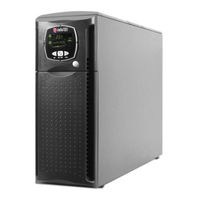
Riello UPS Sentinel DUAL SDL 3300 Bedienungsanleitung (146 Seiten)

Marke: Riello UPS | Kategorie: USVs | Dateigröße: 3 MB
Inhaltsverzeichnis
  • Sicurezza
    5
  • Safety
    6
  • Sécurité
    8
  • Seguridad
    9
  • Säkerheten
    11
  • Veiligheid
    12
  • Segurança
    13
  • Smaltimento del Prodotto
    16
  • Presentazione
    18
  • Viste Ups
    19
  • Vista Frontale
    19
  • Communication Slot
    19
  • Vista Posteriore
    19
  • Vista Maschera Display
    20
  • Installazione
    21
  • Apertura Dell Imballo E Verifica del Suo Contenuto
    21
  • Versione Tower
    22
  • Versione Rack
    23
  • Uso
    24
  • Collegamenti E Prima Accensione
    24
  • Accensione da Rete
    24
  • Accensione da Batteria
    24
  • Spegnimento Dell 'Ups
    24
  • Ndicazioni Pannello Display
    25
  • Indicatori DI Stato Dell'ups
    25
  • Area Visualizzazione Misure
    26
  • Area DI Configurazione
    27
  • Modalità DI Funzionamento
    28
  • Configurazione Ups
    29
  • Funzioni Avanzate
    30
  • Porte DI Comunicazione
    31
  • Connettori RS232 E USB
    31
  • Communication Slot
    31
  • Software
    32
  • Software DI Monitoraggio E Controllo
    32
  • Software DI Configurazione
    32
  • Attery Pack
    33
  • Sostituzione del Battery Pack
    33
  • Risoluzione Problemi
    34
  • Codici DI Allarme
    36
  • Tabella Dati Tecnici
    38
  • Environmental Protection
    42
  • Disposing of the Product
    42
  • Presentation
    44
  • Ups Views
    45
  • Front View
    45
  • Communication Slot
    45
  • Rear View
    45
  • Display Mask View
    46
  • Installation
    47
  • Opening the Packing and Checking Contents
    47
  • Tower Version
    48
  • Rack Version
    49
  • Use
    50
  • Connections and Switching on for the First Time
    50
  • Switching on from the Mains
    50
  • Switching on from the Battery
    50
  • Switching the Ups off
    50
  • Display Panel Indications
    51
  • Configuration Area
    51
  • UPS Status Indicators
    51
  • Measurements Display Area
    52
  • Configuration Area
    53
  • Possible Settings
    53
  • Modes of Operation
    54
  • Ups Configuration
    55
  • Advanced Functions
    56
  • Communication Ports
    57
  • RS232 and USB Connectors
    57
  • Communication Slot
    57
  • Software
    58
  • Monitoring and Control Software
    58
  • Configuration Software
    58
  • Attery Pack
    59
  • Replacement of the Battery Pack
    59
  • Problem Solving
    60
  • Possible Cause
    60
  • Alarm Codes
    62
  • Technical Data Table
    64
  • Protection de L'environnement
    94
  • Presentation
    96
  • Vues Asi
    97
  • Vue de Face
    97
  • Communication Slot
    97
  • Vue Arrière
    97
  • Vue Cache Afficheur
    98
  • Ouverture de L ' Emballage et Verification de Son Contenu
    99
  • Installation
    99
  • Version Tour
    100
  • Version Rack
    101
  • Utilisation
    102
  • Raccordements et Premiere Mise en Marche
    102
  • Mise en Marche Sur Reseau
    102
  • Mise en Marche Sur Batterie
    102
  • Arret de L 'Asi
    102
  • Ndications Panneau Afficheur
    103
  • Indicateurs D'état de L'asi
    103
  • Champ D'affichage des Mesures
    104
  • Champ de Configuration
    105
  • Mode de Fonctionnement
    106
  • Configuration de L 'Asi
    107
  • Fonctions Avancees
    108
  • Ports de Communication
    109
  • Connecteurs RS232 et USB
    109
  • Slot de Communication
    109
  • Logiciel
    110
  • Logiciel de Surveillance et de Contrôle
    110
  • Logiciel de Configuration
    110
  • Ack Batteries
    111
  • Remplacement du Pack Batteries
    111
  • Resolution des Problemes
    112
  • Codes Dalarme
    114
  • Tableau Donnees Techniques
    116
  • Eliminación del Producto
    120
  • Presentacion
    123
  • Vista Sai
    123
  • Vista Frontal
    123
  • Vista Posterior
    123
  • Vista Plantilla Pantalla
    124
  • Instalación
    125
  • Apertura del Embalaje y Comprobación de Su Contenido
    125
  • Versión Torre
    126
  • Versión Rack
    127
  • Uso
    128
  • Conexión y Primer Encendido
    128
  • Encendido de Red
    128
  • Encendido de Batería
    128
  • Apagado del Sai
    128
  • Ndicaciones del Panel de la Pantalla
    129
  • Indicadores del Estado del SAI
    129
  • Área de Visualización de Mediciones
    130
  • Área de Configuración
    131
  • Parámetros Configurables
    131
  • Modalidad de Funcionamiento
    132
  • Configuración del Sai
    133
  • Funciones Avanzadas
    134
  • Puerto de Comunicaciones
    135
  • Conectores RS232 y USB
    135
  • Conector Usb
    135
  • Ranura de Comunicaciones
    135
  • Software
    136
  • Software de Vigilancia y Control
    136
  • Software de Configuración
    136
  • Ack de Batería
    137
  • Sustitución del Pack de Batería
    137
  • Resolución de Problemas
    138
  • Códigos de Alarma
    140