Medion P85333 Handbücher
Anleitungen und Benutzerhandbücher für Medion P85333. Wir haben 1 Medion P85333 Anleitung zum kostenlosen PDF-Download zur Verfügung: Bedienungsanleitung
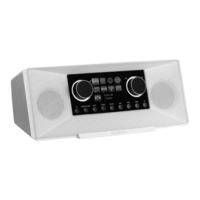
Medion P85333 Bedienungsanleitung (386 Seiten)
Stereo Internet Radio
Inhaltsverzeichnis
-
Vorbereitung18
-
Anschlüsse19
-
Rückseite21
-
Oberseite21
-
PIN Eingeben27
-
Equalizer45
-
Datenschutz50
-
Reinigung55
-
Entsorgung56
-
Verpackung56
-
Impressum66
-
Informations Concernant la Présente Notice D'utilisation72
-
Explication des Symboles72
-
Utilisation Conforme74
-
Consignes de Sécurité74
-
Utilisation Restreinte de L'interface Wi-Fi76
-
Sécurité de Fonctionnement77
-
Dysfonctionnement81
-
Utilisation D'écouteurs81
-
Manipulation des Piles82
-
Utilisation D'un Smartphone ou D'une Tablette Avec L'application83
-
Configuration Requise83
-
Préparation84
-
Vérification du Contenu de L'emballage84
-
Insertion de Piles Dans la Télécommande84
-
Ports85
-
Présentation de la Radio Wi-Fi86
-
Panneau de Commande, Face Avant86
-
Face Arrière87
-
Face Supérieure87
-
Télécommande88
-
Utilisation des Menus89
-
Commande Avec la Télécommande89
-
Navigation Dans les Menus89
-
Configuration pour la Radio Internet90
-
Propriétés Réseau Nécessaires90
-
Configuration du Réseau90
-
Ouverture de L'interface de la Radio Internet91
-
Mise Sous Tension91
-
Première Mise en Service91
-
Réglage de L'heure et de la Date92
-
Maintien de la Connexion Réseau92
-
Connexion à un Réseau92
-
Connexion Wi-Fi Via WPS93
-
Saisie du Code PIN93
-
Saisie de la Clé de Réseau94
-
Écoute de la Radio Internet94
-
Sélection de Services Radio95
-
Écouter des Podcasts96
-
Sélection de Podcasts96
-
Connexion à une Station de Radio Internet/Un Podcast97
-
Écoute de la Radio DAB98
-
Réglage des Stations de Radio98
-
Mémorisation de Stations de Radio98
-
Menu Principal en Mode Radio DAB99
-
Réglage Manuel99
-
Dynamic Range Control100
-
Écoute de la Radio FM100
-
Réglage des Stations de Radio101
-
Mémorisation de Stations de Radio101
-
Menu Principal en Mode Radio FM101
-
Réglage de la Recherche101
-
Réglage Audio101
-
Recherche Automatique de Stations101
-
Mode Bluetooth102
-
Couplage D'appareils Bluetooth102
-
Commande Par Télécommande (Zone Bluetooth )102
-
Écoute de Fichiers Audio Via USB103
-
Menu Principal en Mode Lecture de Musique104
-
Lecture USB104
-
Lecture Aléatoire104
-
Lecture Aléatoire Répétée105
-
Liste de Lecture105
-
Écran de Lecture105
-
Commande Via L'application106
-
Installation Par Code QR (Lien Direct)106
-
Utilisation de L'application106
-
Services de Streaming107
-
Utilisation de Services de Streaming107
-
Spotify Connect108
-
Écoute de Musique Via Amazon Music108
-
Lecture Via la Connexion aux in109
-
Sortie Audio Par le Port LINE out109
-
Réglage de L'arrêt Automatique109
-
Réglage du Réveil110
-
Activation/Désactivation du Réveil110
-
Réglage de L'heure du Réveil110
-
Sélection de la Sonnerie du Réveil110
-
Sélection du Programme Radio du Réveil111
-
Réglage du Volume de la Sonnerie du Réveil111
-
Mémorisation des Réglages111
-
Fonction D'arrêt Automatique111
-
Paramètres Système111
-
Égaliseur111
-
Qualité du Flux Audio112
-
Réglages Internet112
-
Réglage de L'horloge114
-
Réglage de la Langue114
-
Restauration des Réglages Par Défaut de L'appareil115
-
Mise à Jour du Logiciel115
-
Mise à Jour Automatique115
-
Démarrage de L'assistant D'installation115
-
Affichage des Informations du Logiciel115
-
Protection des Données116
-
Réglage de la Luminosité de L'écran116
-
Réglages Dans le Menu Principal117
-
Lecteur Média117
-
Dépannage118
-
Erreurs de Micrologiciel ou Failles de Sécurité122
-
Nettoyage122
-
Stockage/Transport122
-
Recyclage123
-
Caractéristiques Techniques124
-
Information Relative à la Conformité UE127
-
Contrats de Licence pour Utilisateurs Finaux128
-
Produits Audio pour Utilisation Avec Radio Internet128
-
Informations Sur les Marques Déposées et Licences129
-
Informations Relatives au Service Après-Vente129
-
Mentions Légales131
-
Déclaration de Confidentialité132
-
Informatie over Deze Gebruiksaanwijzing138
-
Betekenis Van de Symbolen138
-
Gebruiksdoel140
-
Veiligheidsvoorschriften140
-
Beperkt Gebruik Van de Wifi-Interface142
-
Veilig Gebruik143
-
Storingen in de Werking Van Het Apparaat147
-
Gebruik Van Hoofdtelefoons147
-
Omgaan Met Batterijen148
-
Gebruik Van Een Smartphone of Tablet Met de App149
-
Systeemvereisten149
-
Voorbereiding150
-
Inhoud Van de Levering Controleren150
-
Batterijen in de Afstandsbediening Plaatsen150
-
Aansluitingen151
-
Overzicht Wifi-Radio152
-
Bedieningspaneel, Voorkant152
-
Achterkant153
-
Bovenkant153
-
Afstandsbediening154
-
Navigatie Door de Menu's155
-
Bediening Met de Afstandsbediening155
-
Configuratie Van de Internetradio156
-
Vereiste Netwerkeigenschappen156
-
Netwerkconfiguratie156
-
Webinterface Van de Internetradio Opvragen157
-
Stroomvoorziening Tot Stand Brengen157
-
Eerste Ingebruikname157
-
Tijd en Datum Instellen158
-
Netwerkverbinding Behouden158
-
Verbinding Met Een Netwerk Maken158
-
Wifi-Verbinding Via WPS159
-
Netwerksleutel Invoeren160
-
Naar Internetradio Luisteren160
-
Radiodiensten Selecteren161
-
Naar Podcasts Luisteren162
-
Podcasts Selecteren162
-
Verbinding Met Een Internetradiozender/Podcast163
-
Naar DAB-Radio Luisteren164
-
Radiozenders Instellen164
-
Radiozenders Opslaan164
-
Hoofdmenu in de DAB-Radiomodus165
-
Dynamic Range Control166
-
Naar FM-Radio Luisteren166
-
Radiozenders Instellen167
-
Radiozenders Opslaan167
-
Hoofdmenu in de FM-Radiomodus167
-
Automatisch Zenders Zoeken168
-
Bluetooth -Modus168
-
Bluetooth -Apparaten Koppelen168
-
Bediening Via Afstandsbediening (Bereik Bluetooth )168
-
Naar Audiobestanden Luisteren Via USB169
-
Hoofdmenu in de Afspeelmodus170
-
Willekeurig Afspelen170
-
Herhaald Afspelen in Willekeurige Volgorde171
-
Afspeelweergave171
-
Bediening Via de App172
-
Installatie Via QR-Code Met Directe Link172
-
Gebruik Van de App172
-
Streamingdiensten173
-
Streamingdiensten Gebruiken173
-
Spotify Connect174
-
Muziek Via Amazon Muziek Beluisteren174
-
Afspelen Via de Aansluiting aux in175
-
Audio Afspelen Via de Aansluiting LINE out175
-
Uitschakeltijd Instellen176
-
Wekker Instellen176
-
Wekker Uit-/Inschakelen176
-
Wektijd Instellen176
-
Weksignaal Selecteren176
-
Internetradio176
-
Radiozender Voor Het Wekken Selecteren177
-
Volume Van Het Weksignaal Instellen177
-
Instellingen Opslaan177
-
Sluimerfunctie177
-
Systeeminstellingen177
-
Equalizer177
-
Audiostreamkwaliteit178
-
Internetinstellingen178
-
Tijd Instellen180
-
Taal Instellen181
-
Apparaat Terugzetten Op Fabrieksinstellingen181
-
Software Updaten181
-
Installatiewizard Starten181
-
Software-Informatie Opvragen181
-
Gegevensbescherming182
-
Displayverlichting Instellen182
-
Instellingen in Het Hoofdmenu183
-
Probleemoplossing184
-
Firmwarefout of Veiligheidsfout188
-
Reiniging188
-
Opslag/Transport188
-
Afvalverwerking189
-
Technische Gegevens190
-
EU-Conformiteitsinformatie193
-
Licentieovereenkomst Voor Eindgebruikers194
-
Audioproducten Voor Gebruik Met Een Internetradio194
-
Informatie over Handelsmerken en Licenties195
-
Service-Informatie195
-
Colofon197
-
Privacy Statement198
-
Información Acerca de Este Manual de Instrucciones204
-
Explicación de Los Símbolos204
-
Uso Conforme a lo Previsto206
-
Indicaciones de Seguridad206
-
Uso Restringido de la Interfaz Wifi208
-
Seguridad Operativa209
-
Fallo de Funcionamiento213
-
Uso de Auriculares213
-
Manipulación de las Pilas214
-
Uso de un Smartphone O una Tablet con la Aplicación215
-
Requisitos del Sistema215
-
Preparación216
-
Comprobación del Volumen de Suministro216
-
Colocación de las Pilas en el Mando a Distancia216
-
Conexiones217
-
Vista General de la Radio Wifi218
-
Panel de Control, Lado Delantero218
-
Parte Trasera219
-
Parte Superior219
-
Mando a Distancia220
-
Manejo con Los Menús221
-
Manejo con Mando a Distancia221
-
Navegación por Los Menús221
-
Configuración para la Radio por Internet222
-
Propiedades de Red Necesarias222
-
Configuración de Red222
-
Acceso a la Interfaz Web de la Radio por Internet223
-
Establecimiento del Suministro Eléctrico223
-
Primera Puesta en Servicio223
-
Ajuste de la Hora y la Fecha224
-
Mantener la Conexión de Red224
-
Establecimiento de Conexión a una Red224
-
Conexión Wifi Mediante WPS225
-
Introducción de la Clave de Red226
-
Escuchar la Radio por Internet226
-
Selección de Servicios de Radio227
-
Escuchar Podcasts228
-
Selección de Podcasts228
-
Conexión a una Emisora de Radio por Internet/Un Podcast229
-
Escuchar la Radio DAB230
-
Ajustar Emisoras de Radio230
-
Guardar Emisoras de Radio230
-
Lista de Emisoras231
-
Ajuste Manual231
-
Menú Principal en el Modo de Radio DAB231
-
Dynamic Range Control232
-
Orden de Emisoras232
-
Escuchar la Radio FM232
-
Ajustar Emisoras de Radio233
-
Guardar Emisoras de Radio233
-
Menú Principal en el Modo de Radio FM233
-
Búsqueda Automática de Emisoras233
-
Modo Bluetooth234
-
Emparejamiento de Equipos con Bluetooth234
-
Control Mediante Mando a Distancia (Área Bluetooth )234
-
Escuchar Archivos de Audio a Través de USB235
-
Menú Principal en el Modo de Reproducción de Música236
-
Reproducción de USB236
-
Repetir Reproducción236
-
Reproducción Aleatoria236
-
Pantalla de Reproducción237
-
Control a Través de la App238
-
Instalación Mediante Enlace Directo de Código QR238
-
Uso de la Aplicación238
-
Servicios de Streaming239
-
Utilizar Servicios de Streaming239
-
Spotify Connect240
-
Escuchar Música a Través de Música Amazon240
-
Reproducción Mediante la Conexión aux in241
-
Emisión de Audio Mediante la Conexión LINE out241
-
Ajuste del Tiempo para la Desconexión242
-
Ajuste del Despertador242
-
Encendido/Apagado del Despertador242
-
Ajuste de la Hora del Despertador242
-
Selección de la Alarma del Despertador242
-
Selección del Programa de Radio para el Despertador243
-
Ajuste del Volumen de la Alarma del Despertador243
-
Guardar Los Ajustes243
-
Función de Repetición243
-
Configurar Sistema243
-
Ecualizador243
-
Calidad del Streaming de Audio244
-
Configuración de Internet244
-
Ajustes Manuales245
-
Ajuste de la Hora246
-
Ajuste del Idioma246
-
Restablecimiento del Aparato a la Configuración de Fábrica247
-
Actualización del Software247
-
Inicio del Asistente de Configuración247
-
Mostrar Información del Software247
-
Protección de Datos248
-
Ajuste de la Iluminación de Pantalla248
-
Ajustes en el Menú Principal249
-
Solución de Problemas250
-
Errores de Firmware O Brechas de Seguridad254
-
Limpieza254
-
Almacenamiento/Transporte254
-
Eliminación255
-
Datos Técnicos256
-
Información de Conformidad UE259
-
Acuerdos de Licencia para Usuarios Finales260
-
Productos de Audio para el Uso con la Radio por Internet260
-
Información sobre Marcas Registradas y Licencias261
-
Informaciones de Asistencia Técnica261
-
Aviso Legal262
-
Declaración de Privacidad263
-
Informazioni Relative alle Presenti Istruzioni Per L'uso268
-
Spiegazione Dei Simboli268
-
Utilizzo Conforme270
-
Indicazioni DI Sicurezza270
-
Utilizzo Limitato Dell'interfaccia Wi-Fi272
-
Sicurezza Dei Dati273
-
Utilizzo Sicuro273
-
Malfunzionamento277
-
Utilizzo DI Cuffie/Auricolari277
-
Uso Delle Batterie277
-
Uso DI uno Smartphone O DI un Tablet con L'app279
-
Requisiti DI Sistema279
-
Operazioni Preliminari280
-
Controllo Della Fornitura280
-
Inserimento Delle Batterie Nel Telecomando280
-
Collegamenti281
-
Panoramica Della Radio Wi-Fi282
-
Pannello DI Comando, Lato Anteriore282
-
Lato Posteriore283
-
Parte Superiore283
-
Telecomando284
-
Utilizzo Dei Menu285
-
Funzionamento Tramite Il Telecomando285
-
Navigazione All'interno Dei Menu285
-
Configurazione Della Radio Internet286
-
Caratteristiche DI Rete Necessarie286
-
Configurazione DI Rete286
-
Apertura Dell'interfaccia Web Della Radio Internet287
-
Collegamento Alla Rete Elettrica287
-
Prima Messa in Funzione287
-
Impostazione Dell'ora E Della Data288
-
Mantenimento Della Connessione DI Rete288
-
Connessione a una Rete288
-
Connessione Wi-Fi Attraverso WPS289
-
Immissione Della Chiave DI Rete290
-
Ascolto Della Radio Internet290
-
Lista Stazioni291
-
Selezione Dei Servizi Radio291
-
Ascolto DI Podcast292
-
Selezione Dei Podcast292
-
Connessione a una Stazione Radio Internet/Un Podcast293
-
Ascolto Della Radio DAB294
-
Impostazione Delle Stazioni Radio294
-
Memorizzazione Delle Stazioni Radio294
-
Sintonizzazione Manuale295
-
Menu Principale Nella Modalità Radio DAB295
-
Dynamic Range Control296
-
Ordine Stazioni296
-
Ascolto Della Radio FM296
-
Impostazione Delle Stazioni Radio297
-
Memorizzazione Delle Stazioni Radio297
-
Menu Principale Nella Modalità Radio FM297
-
Impostazione Audio297
-
Ricerca Automatica Delle Stazioni297
-
Modalità Bluetooth298
-
Associazione DI Dispositivi Bluetooth298
-
Controllo Tramite Telecomando (Entro la Portata Bluetooth ® )298
-
Ascolto DI File Audio Via USB299
-
Menu Principale Nella Modalità Lettore Musica300
-
Riproduzione USB300
-
Riproduzione Ripetuta300
-
Riproduzione Casuale300
-
Display in Modalità DI Riproduzione301
-
Comando Tramite L'app302
-
Installazione Tramite Link Diretto con Codice QR302
-
Utilizzo Dell'app302
-
Servizi DI Streaming303
-
Utilizzo Dei Servizi DI Streaming303
-
Spotify Connect304
-
Ascolto DI Brani Musicali Tramite Amazon Music304
-
Riproduzione Tramite la Presa aux in305
-
Riproduzione Audio Tramite la Presa LINE out305
-
Impostazione del Tempo DI Spegnimento305
-
Impostazione Della Sveglia306
-
Attivazione/Disattivazione Della Sveglia306
-
Impostazione Dell'orario DI Sveglia306
-
Selezione del Segnale Della Sveglia306
-
Radio Internet306
-
Selezione DI un Programma Radio Per la Sveglia306
-
Impostazione del Volume Della Sveglia306
-
Salvataggio Delle Impostazioni307
-
Funzione Snooze307
-
Configurazioni DI Sistema307
-
Equalizzatore307
-
Qualità Dello Streaming Audio307
-
Impostazioni Internet308
-
Impostazione Dell'ora309
-
Impostazione Della Lingua310
-
Ripristino Delle Impostazioni DI Fabbrica del Dispositivo310
-
Aggiornamento del Software310
-
Aggiornamento Automatico311
-
Avvio Della Procedura DI Installazione Guidata311
-
Visualizzazione Delle Informazioni Sul Software311
-
Protezione Dei Dati311
-
Impostazione Dell'illuminazione del Display311
-
Impostazioni Nel Menu Principale312
-
Risoluzione Dei Problemi313
-
Errore del Firmware Oppure Vulnerabilità DI Sicurezza316
-
Pulizia316
-
Conservazione/Trasporto316
-
Smaltimento317
-
Apparecchiature Elettriche Ed Elettroniche317
-
Dati Tecnici318
-
Informazioni Sulla Conformità UE321
-
Accordi DI Licenza Per Utenti Finali322
-
Prodotti Audio da Utilizzare con la Radio Internet322
-
Informazioni Su Marchi E Licenze323
-
Informazioni Relative al Servizio DI Assistenza323
-
Note Legali324
-
Informativa Sulla Protezione Dei Dati Personali325
-
Information about this User Manual330
-
Explanation of Symbols330
-
Proper Use332
-
Safety Instructions332
-
Restricted Use of the WLAN Interface334
-
Data Security335
-
Operating Safety335
-
Malfunctions339
-
Using Headphones339
-
Handling Batteries339
-
Using a Smartphone or Tablet with the App341
-
System Requirements341
-
Getting Started342
-
Checking the Package Contents342
-
Inserting Batteries in the Remote Control342
-
Connections343
-
Overview of the WLAN Radio344
-
Control Panel, Front344
-
Rear345
-
Top345
-
Remote Control346
-
Operation in the Menus347
-
Operation Using the Remote Control347
-
Navigation in the Menus347
-
Configuration for the Internet Radio348
-
Network Requirements348
-
Network Configuration348
-
Accessing the Web Interface of the Internet Radio348
-
Connecting to a Power Supply349
-
Using the Device for the First Time349
-
Setting the Time/Date349
-
Maintaining the Network Connection350
-
Establishing a Connection to a Network350
-
WLAN Connection Via WPS350
-
Entering a Network Key351
-
Listening to Internet Radio352
-
Selecting Radio Services352
-
Listening to Podcasts353
-
Selecting Podcasts353
-
Connecting to an Internet Radio Station/Podcast354
-
Listening to DAB Radio355
-
Setting Radio Stations355
-
Storing Radio Stations355
-
Main Menu in DAB Radio Mode356
-
Station List356
-
Manual Setting356
-
Listening to FM Radio357
-
Setting Radio Stations357
-
Storing Radio Stations357
-
Main Menu in FM Radio Mode358
-
Automatic Station Search358
-
Bluetooth Mode358
-
Pairing Bluetooth Devices359
-
Control Via Remote Control (Bluetooth Range ® )359
-
Listening to Audio Files Via USB359
-
Main Menu in Music Playback Mode360
-
USB Playback360
-
Repeat Track360
-
Random Playback361
-
Playback Display361
-
Using the App as the Control362
-
Install Via QR Code Direct Link362
-
Using the App362
-
Streaming Services363
-
Using Streaming Services363
-
Spotify Connect364
-
Listening to Amazon Music364
-
Playback Via the aux in Connection365
-
Audio Output Via the LINE out Connection365
-
Setting the Switch-Off Time365
-
Setting the Alarm366
-
Switching the Alarm On/Off366
-
Setting the Alarm Time366
-
Selecting an Alarm Signal366
-
Selecting a Radio Programme for the Alarm366
-
Setting the Alarm Volume366
-
Saving Settings366
-
Sleep Function367
-
System Settings367
-
Equaliser367
-
Audio Stream Quality367
-
Internet Settings368
-
Setting the Time369
-
Setting the Language370
-
Resetting the Device to Factory Settings370
-
Updating the Software370
-
Starting the Set-Up Wizard371
-
Viewing Software Information371
-
Data Protection371
-
Setting the Backlight371
-
Setting the Display Brightness in Standby Mode371
-
Settings in the Main Menu372
-
Troubleshooting373
-
Firmware Error or Security Breaches376
-
Cleaning376
-
Storing/Transporting376
-
Disposal377
-
Packaging377
-
Technical Specifications378
-
EU - Declaration of Conformity381
-
Licence Agreements for End Users382
-
Audio Products for Use with the Internet Radio382
-
Information on Trademarks and Licences383
-
Service Information383
-
Legal Notice384
-
Supplier/Producer/Importer384
-
Privacy Statement385


