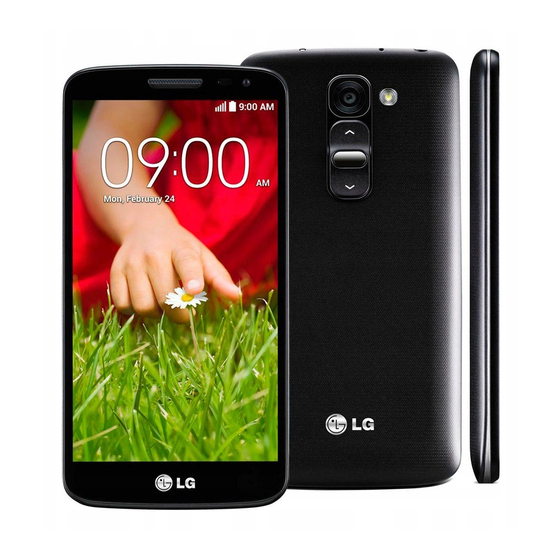
LG G2 mini D620r Handbücher
Anleitungen und Benutzerhandbücher für LG G2 mini D620r. Wir haben 3 LG G2 mini D620r Anleitungen zum kostenlosen PDF-Download zur Verfügung: Benutzerhandbuch, Bedienungsanleitung
LG G2 mini D620r Kurzanleitung
Inhaltsverzeichnis
LG G2 mini D620r Benutzerhandbuch (502 Seiten)
Inhaltsverzeichnis
-
Homescreen28
-
Bluetooth36
-
Anrufe41
-
Kontakte44
-
Nachrichten46
-
Gruppiert47
-
E-Mail48
-
Kamera50
-
Der Sucher50
-
Videokamera55
-
Funktionen58
-
Knock Code58
-
Plug & Pop59
-
Quickmemo60
-
Multimedia65
-
Das Internet76
-
Lesezeichen77
-
Töne81
-
Allgemein84
-
Zubehör95
-
Recommandations pour une Utilisation Sûre et Efficace111
-
Entretien et Réparation112
-
Appels D'urgence115
-
Remarque Importante118
-
Mémoire Téléphone118
-
Optimisation de L'autonomie de la Batterie118
-
Lancement et Changement D'applications121
-
Présentation du Téléphone123
-
Installation de la Carte SIM et de la Batterie125
-
Chargement de la Batterie127
-
Utilisation de la Carte Mémoire128
-
Verrouillage et Déverrouillage de L'écran130
-
Votre Écran D'accueil131
-
Conseils D'utilisation de L'écran Tactile131
-
Écran D'accueil132
-
Écran D'accueil Étendu132
-
Personnalisation de L'écran D'accueil132
-
Retour à une Application Récemment Utilisée133
-
Volet Notifications134
-
Ouvrir le Volet Notifications135
-
ICônes Dans la Barre D'état135
-
Clavier Visuel137
-
Saisie des Lettres Accentuées137
-
Configuration D'un Compte Google138
-
Configurer Votre Compte Google138
-
Connexion à des Réseaux et Périphériques139
-
Wi-Fi139
-
Connexion aux Réseaux Wi-Fi139
-
Activation de la Fonction Wi-Fi et Connexion à un Réseau Wi-Fi139
-
Bluetooth140
-
Partage de Votre Connexion de Données Mobile141
-
Wi-Fi Direct143
-
Smartshare143
-
Profiter de Contenus de Périphériques Situés à Proximité144
-
Connexions au PC Via un Câble USB144
-
Appels146
-
Émission D'un Appel146
-
Appel des Contacts146
-
Réponse à un Appel et Rejet D'un Appel146
-
Réglage du Volume des Appels Entrants147
-
Émettre un Second Appel147
-
Affichage des Journaux D'appel147
-
Paramètres D'appel148
-
Répertoire149
-
Recherche D'un Contact149
-
Ajout D'un Nouveau Contact149
-
Contacts Préférés149
-
Création D'un Groupe150
-
Messagerie151
-
Envoi D'un Message151
-
Boîte Classée152
-
Modification des Paramètres de Message152
-
Email153
-
Gestion D'un Compte de Messagerie153
-
Utilisation des Dossiers de Comptes153
-
Composition et Envoi D'un E-Mail153
-
Appareil Photo155
-
Familiarisation Avec le Viseur155
-
Utilisation des Paramètres Avancés156
-
Prise de Vue Rapide157
-
Utiliser le Mode Prise en Rafale157
-
Une Fois la Photo Prise158
-
À Partir de Votre Galerie159
-
Caméra VIDéo160
-
Familiarisation Avec le Viseur160
-
Utilisation des Paramètres Avancés161
-
Enregistrement D'une VIDéo Rapide161
-
Après L'enregistrement D'une VIDéo162
-
À Partir de Votre Galerie162
-
Fonction163
-
Mode Invité163
-
Knock Code163
-
Allumer L'écran163
-
Plug and Pop164
-
Quickmemo165
-
Utilisation des Options Quickmemo166
-
Affichage du Quickmemo Enregistré166
-
Qslide167
-
Quickremote168
-
Multimédia170
-
Galerie170
-
Affichage des Photos170
-
Lecture de VIDéos170
-
Modification des Photos170
-
Suppression de Photos et VIDéos170
-
Définition D'une Photo comme Fond D'écran171
-
VIDéos171
-
Lecture D'une VIDéo171
-
Musique172
-
Lecture D'une Chanson172
-
Ajouter des Fichiers Musicaux à Votre Téléphone174
-
Transfert de Musique à L'aide de la Synchro Média (MTP)174
-
Radio FM175
-
Utilitaires176
-
Réglage des Alarmes176
-
Utilisation de la Calculatrice176
-
Ajout D'un ÉVénement au Calendrier176
-
Enregistreur Vocal177
-
Enregistrement D'un Son ou D'une Voix177
-
Gestionnaire des Tâches177
-
Tâches177
-
Thinkfree Viewer178
-
Google178
-
Recherche Vocale178
-
Téléchargements179
-
LG Smartworld179
-
Accès à LG Smartworld à Partir D'un Téléphone179
-
Utilisation de LG Smartworld179
-
Le Web181
-
Internet181
-
Utilisation de la Barre D'outils Web181
-
Affichage des Pages Web181
-
Ouvrir une Page181
-
Effectuer une Recherche Vocale Sur Internet182
-
Favoris182
-
Historique182
-
Chrome182
-
Affichage des Pages Web182
-
Ouvrir une Page182
-
Synchronisation Avec D'autres Appareils183
-
Paramètres184
-
Réseaux184
-
Son186
-
Écran187
-
Général189
-
Logiciel PC (LG PC Suite)193
-
Mise à Jour du Logiciel du Téléphone195
-
À Propos de Ce Manuel de L'utilisateur196
-
Marques Commerciales196
-
DIVX HD197
-
Dolby Digital Plus197
-
Accessoires198
-
Dépannage199
-
Faq203
-
Guida Per L'utente211
-
Indicazioni Per un Uso Sicuro Ed Efficiente215
-
Sicurezza in Automobile217
-
Parti in Vetro218
-
Aree a Rischio DI Esplosione218
-
Chiamate DI Emergenza219
-
Avviso Importante222
-
Memoria del Telefono222
-
Ottimizzazione Della Durata Della Batteria222
-
Introduzione al Telefono227
-
Panoramica del Telefono227
-
Installazione Della Scheda SIM E Della Batteria229
-
Ricarica del Telefono231
-
Utilizzo Della Scheda DI Memoria232
-
Blocco E Sblocco Dello Schermo234
-
Schermata Principale235
-
Suggerimenti Per lo Schermo a Sfioramento235
-
Sfondo236
-
Schermata Home Estesa236
-
Personalizzazione Della Schermata Iniziale236
-
Ritorno alle Applicazioni Utilizzate DI Recente237
-
Area Delle Notifiche238
-
Apertura Dell'area Delle Notifiche239
-
Icone Degli Indicatori Sulla Barra DI Stato239
-
Tastiera Sullo Schermo241
-
Immissione DI Lettere Accentate241
-
Configurazione DI un Account Google242
-
Connessione a Reti E Dispositivi243
-
Wi-Fi243
-
Connessione alle Reti Wi-Fi243
-
Attivazione Della Funzione Wi-Fi E Connessione a una Rete Wi-Fi243
-
Bluetooth244
-
Condivisione Della Connessione Dati del Telefono245
-
Wi-Fi Direct246
-
Smartshare246
-
Utilizzo Dei Contenuti da Dispositivi Nelle Vicinanze247
-
Collegamento al PC Tramite Cavo USB247
-
Chiamate249
-
Per Effettuare una Chiamata249
-
Come Chiamare I Contatti249
-
Ricezione E Rifiuto DI una Chiamata249
-
Regolazione del Volume DI Chiamata250
-
Per Effettuare una Seconda Chiamata250
-
Visualizzazione Della Cronologia Chiamate250
-
Impostazioni Chiamate251
-
Rubrica252
-
Ricerca DI un Contatto252
-
Aggiunta DI un Nuovo Contatto252
-
Contatti Preferiti252
-
Creazione DI un Gruppo253
-
Messaggi254
-
Invio DI un Messaggio254
-
Casella Strutturata255
-
Modifica Delle Impostazioni Per I Messaggi255
-
Email256
-
Gestione DI un Account E-Mail256
-
Attività con le Cartelle Account256
-
Composizione E Invio DI E-Mail256
-
Fotocamera258
-
Introduzione al Mirino258
-
Uso Delle Impostazioni Avanzate259
-
Per Scattare una Foto260
-
Uso Della Modalità Scatto Time Catch260
-
Dopo Avere Scattato una Foto261
-
Operazioni in Modalità Galleria262
-
Videocamera263
-
Introduzione al Mirino263
-
Uso Delle Impostazioni Avanzate264
-
Registrazione Rapida DI un Video264
-
Dopo la Registrazione DI un Video265
-
Operazioni in Modalità Galleria265
-
Funzione266
-
Modalità Ospite266
-
Knock Code266
-
Toc Toc266
-
Plug & Pop267
-
Quickmemo268
-
Uso Delle Opzioni DI Quickmemo269
-
Visualizzazione del Quickmemo Salvato269
-
Qslide270
-
Quickremote271
-
Multimedia273
-
Galleria273
-
Visualizzazione Delle Immagini273
-
Riproduzione Dei Video273
-
Modifica DI Foto273
-
Eliminazione DI Foto/Video273
-
Uso Come Sfondo274
-
Video274
-
Riproduzione DI un Filmato274
-
Musica275
-
Riproduzione DI un Brano275
-
Aggiunta DI File Musicali al Telefono277
-
Trasferire I Brani Musicali Tramite Media Sync (MTP)277
-
Radio FM278
-
Utilità279
-
Impostazione Della Sveglia279
-
Uso Della Calcolatrice279
-
Aggiunta DI un Evento al Calendario279
-
Registratore280
-
Registrazione DI un Suono O DI una Voce280
-
Task Manager280
-
Attività280
-
Thinkfree Viewer281
-
Google281
-
Ricerca Vocale281
-
Download282
-
LG Smartworld282
-
Come Accedere a LG Smartworld Dal Telefono282
-
Come Utilizzare LG Smartworld282
-
Browser284
-
Utilizzo Della Barra Degli Strumenti Web284
-
Visualizzazione Delle Pagine Web284
-
Apertura DI una Pagina284
-
Ricerca Vocale Sul Web285
-
Preferiti285
-
Cronologia285
-
Chrome285
-
Visualizzazione Delle Pagine Web285
-
Apertura DI una Pagina285
-
Sincronizzazione con Altri Dispositivi286
-
Impostazioni287
-
Reti287
-
Suono289
-
Display290
-
Generali292
-
Software PC (LG PC Suite)296
-
Aggiornamento Software del Telefono299
-
Informazioni Su Questa Guida Per L'utente300
-
Marchi Registrati300
-
DIVX HD300
-
Dolby Digital Plus301
-
Accessori302
-
Risoluzione Dei Problemi303
-
Domande Frequenti307
-
Uporabniški Priročnik315
-
Smernice Za Varno in Učinkovito Uporabo319
-
Informacije O Bateriji in Skrb Zanjo323
-
Pomembno Obvestilo326
-
Optimiranje Življenjske Dobe Baterije326
-
Odpiranje in Preklapljanje Med Aplikacijami329
-
Prenos Glasbe, Fotografij in Videoposnetkov Sinhroniziranje Medijev (MTP)329
-
Spoznavanje Telefona331
-
Pregled Telefona331
-
Namestitev Kartice SIM in Baterije333
-
Polnjenje Telefona335
-
Uporaba Pomnilniške Kartice336
-
Zaklepanje in Odklepanje Zaslona338
-
Osnovni Zaslon339
-
Nasveti Za Uporabo Zaslona Na Dotik339
-
Osnovni Zaslon340
-
Razširjen Osnovni Zaslon340
-
Prilagajanje Osnovnega Zaslona340
-
Vrnitev Na Nedavno Uporabljene Aplikacije341
-
Plošča Z Obvestili341
-
Odpiranje Plošče Z Obvestili342
-
Ikone Oznak V Vrstici Stanja343
-
Tipkovnica Na Zaslonu344
-
Vnos Naglašenih Črk344
-
Nastavitev Googlovega Računa345
-
Povezovanje Z Omrežji in Napravami346
-
Wi-Fi346
-
Vzpostavljanje Povezave Z Omrežji Wi-Fi346
-
Vklop Funkcije Wi-Fi in Povezava Z Omrežjem Wi-Fi346
-
Bluetooth347
-
Skupna Raba Podatkovne Povezave Telefona348
-
Wi-Fi Direct349
-
Smartshare349
-
Predvajanje Vsebin Iz Naprav V Bližini350
-
Povezava Z Računalnikom Prek Kabla USB350
-
Klici352
-
Klicanje352
-
Klicanje Kontaktov352
-
Sprejem in Zavrnitev Klica352
-
Prilagoditev Glasnosti Med Klicem352
-
Drugi Klic353
-
Ogled Dnevnikov Klicev353
-
Nastavitve Klicev353
-
Imenik354
-
Iskanje Stika354
-
Dodajanje Novega Stika354
-
Priljubljeni Kontakti354
-
Ustvarjanje Skupine355
-
Sporočila356
-
Pošiljanje Sporočila356
-
Okno Z Razvrščenimi Sporočili356
-
Spreminjanje Nastavitev Sporočil357
-
E-Pošta358
-
Upravljanje E-Poštnega Računa358
-
Upravljanje Map Računa358
-
Sestavljanje in Pošiljanje E-Pošte358
-
Fotoaparat359
-
Spoznavanje Iskala359
-
Uporaba Naprednih Nastavitev360
-
Hitro Fotografiranje361
-
Uporaba Načina Čas Zahteve361
-
Po Zajemu Fotografije361
-
Iz Galerije362
-
Videokamera363
-
Spoznavanje Iskala363
-
Uporaba Naprednih Nastavitev364
-
Snemanje Kratkega Videoposnetka364
-
Po Končanem Snemanju365
-
Iz Galerije365
-
Funkcija366
-
Način Gostovanja366
-
Knock Code366
-
Vklopite Zaslon366
-
Plug & Pop367
-
Quickmemo367
-
Uporaba Možnosti Quickmemo368
-
Ogled Shranjene Hitre Beležke368
-
Qslide369
-
Quickremote370
-
Večpredstavnost372
-
Galerija372
-
Ogled Slik372
-
Predvajanje Videoposnetkov372
-
Urejanje Fotografij372
-
Brisanje Fotografij/Videoposnetkov372
-
Nastavljanje Slike Za Ozadje373
-
Videoposnetki373
-
Predvajanje Videoposnetka373
-
Glasba374
-
Predvajanje Skladbe374
-
Dodajanje Glasbenih Datotek V Telefon376
-
Prenos Glasbe S Funkcijo Sinhroniziranje Medijev (MTP)376
-
FM Radio377
-
Pripomočki378
-
Nastavitev Alarma378
-
Uporaba Kalkulatorja378
-
Dodajanje Dogodka V Koledar378
-
Diktafon379
-
Snemanje Zvoka Ali Glasu379
-
Upravitelj Opravil379
-
Opravila379
-
Thinkfree Viewer380
-
Google380
-
Glasovno Iskanje380
-
Prenosi380
-
LG Smartworld381
-
Dostop Do Aplikacije LG Smartworld Iz Vašega Telefona381
-
Uporaba Aplikacije LG Smartworld381
-
Splet382
-
Internet382
-
Uporaba Orodne Vrstice Za Splet382
-
Ogled Spletnih Strani382
-
Odpiranje Strani382
-
Glasovno Iskanje Po Spletu382
-
Zaznamki383
-
Zgodovina383
-
Chrome383
-
Ogled Spletnih Strani383
-
Odpiranje Strani383
-
Sinhroniziranje Z Drugimi Napravami383
-
Nastavitve384
-
Omrežja384
-
Zvok386
-
Zaslon387
-
Splošno388
-
Programska Oprema Za Računalnik393
-
Suite)394
-
Posodobitev Programske Opreme Telefona395
-
O Priročniku Za Uporabo396
-
Blagovne Znamke396
-
DIVX HD396
-
Dolby Digital Plus397
-
Dodatna Oprema398
-
Odpravljanje Težav399
-
Pogosta Vprašanja402
-
Guidelines for Safe and Efficient Use413
-
Exposure to Radio Frequency Energy413
-
Product Care and Maintenance414
-
Road Safety415
-
Glass Parts416
-
Blasting Area416
-
Potentially Explosive Atmospheres416
-
Emergency Calls417
-
Battery Information and Care417
-
Important Notice420
-
Phone Memory420
-
Optimizing Battery Life420
-
Before Installing an Open Source Application and os421
-
Using an Unlock Pattern421
-
Opening and Switching Applications423
-
Hold Your Phone Upright423
-
Getting to Know Your Phone425
-
Phone Overview425
-
Installing the SIM Card and Battery427
-
Charging Your Phone429
-
Using the Memory Card430
-
Locking and Unlocking the Screen431
-
Your Home Screen432
-
Touch Screen Tips432
-
Home Screen432
-
Extended Home Screen433
-
Customizing the Home Screen433
-
Returning to Recently-Used Applications434
-
Notifications Panel434
-
Opening the Notifications Panel435
-
Indicator Icons on the Status Bar436
-
On-Screen Keyboard437
-
Entering Accented Letters437
-
Google Account Setup438
-
Connecting to Networks and Devices439
-
Wi-Fi439
-
Connecting to Wi-Fi Networks439
-
Turning Wi-Fi on and Connecting to a Wi-Fi Network439
-
Bluetooth440
-
Sharing Your Phone's Data Connection441
-
Wi-Fi Direct442
-
Smartshare442
-
Enjoying the Content from Nearby Devices443
-
PC Connections with a USB Cable443
-
Calls445
-
Making a Call445
-
Calling Your Contacts445
-
Answering and Rejecting a Call445
-
Adjusting the In-Call Volume445
-
Making a Second Call446
-
Viewing Your Call Logs446
-
Call Settings446
-
Contacts447
-
Searching for a Contact447
-
Adding a New Contact447
-
Favourites Contacts447
-
Creating a Group448
-
Messaging449
-
Sending a Message449
-
Threaded Box449
-
Changing Your Message Settings450
-
E-Mail451
-
Managing an Email Account451
-
Working with Account Folders451
-
Composing and Sending Email451
-
Camera452
-
Getting to Know the Viewfinder452
-
Using the Advanced Settings453
-
Taking a Quick Photo454
-
Using Time Catch Shot Mode454
-
Once You've Taken a Photo455
-
From Your Gallery456
-
Video Camera457
-
Getting to Know the Viewfinder457
-
Using the Advanced Settings458
-
Recording a Quick Video458
-
After Recording a Video459
-
From Your Gallery459
-
Function460
-
Guest Mode460
-
Knock Code460
-
Knockon460
-
Plug & Pop461
-
Quickmemo461
-
Using the Quickmemo Options462
-
Viewing the Saved Quickmemo462
-
Qslide463
-
Quickremote464
-
Multimedia466
-
Gallery466
-
Viewing Pictures466
-
Playing Videos466
-
Editing Photos466
-
Deleting Photos/Videos466
-
Setting as Wallpaper467
-
Videos467
-
Playing a Video467
-
Music468
-
Playing a Song468
-
Add Music Files to Your Phone470
-
Transfer Music Using Media Sync (MTP)470
-
FM Radio471
-
Utilities472
-
Setting Your Alarm472
-
Using Your Calculator472
-
Adding an Event to Your Calendar472
-
Voice Recorder473
-
Recording a Sound or Voice473
-
Task Manager473
-
Tasks473
-
Thinkfree Viewer474
-
Google474
-
Voice Search474
-
Downloads474
-
LG Smartworld475
-
How to Get to LG Smartworld from Your Phone475
-
How to Use LG Smartworld475
-
The Web476
LG G2 mini D620r Benutzerhandbuch (189 Seiten)
Inhaltsverzeichnis
-
Deutsch
4-
-
-
Homescreen28
-
-
Wi-Fi35
-
Bluetooth36
-
Wi-Fi Direct38
-
Smartshare39
-
-
Anrufe
41 -
Kontakte
43 -
Nachrichten
45 -
E-Mail
47 -
Kamera
49 -
Videokamera
53 -
Funktionen
56 -
Multimedia
61 -
Das Internet
71 -
-
English
102


