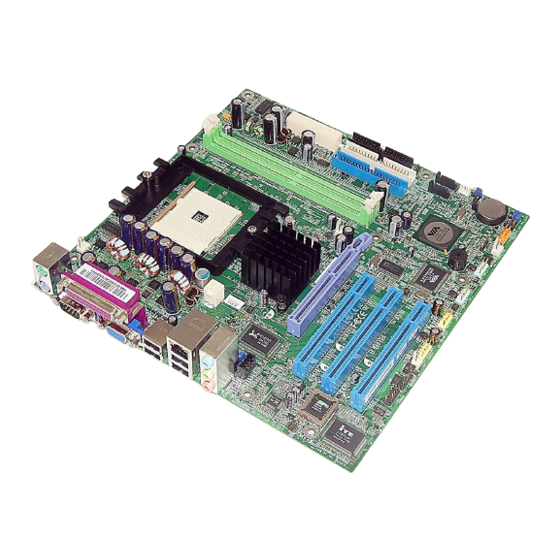
FIC K8M-800T/M Handbücher

FIC K8M-800T/M Handbücher

Anleitungen und Benutzerhandbücher für FIC K8M-800T/M. Wir haben 1 FIC K8M-800T/M Anleitung zum kostenlosen PDF-Download zur Verfügung: Handbuch
FIC K8M-800T/M Handbuch (164 Seiten)

Marke: FIC | Kategorie: Mainboards | Dateigröße: 6 MB
Inhaltsverzeichnis
  • Handling Precautions
    2
  • Inhaltsverzeichnis
    3
  • Chapter 1 Overview

    5
    • Package Checklist
      6
    • The K8M-800T/M Mainboard
      7
    • Main Features
      8
    • FIC Unique Innovation for Users (NOVUS)
      9
    • Enhanced Mainboard Features and System Support
      9
    • Installation Procedures
      11
  • Chapter 2 Installation Procedures

    12
    • Set System Jumpers
      12
      • Clear CMOS
        12
      • LED Type Select
        12
    • Install Memory Modules
      13
    • Install the CPU
      14
      • Connect ATX Power
        15
    • Install Expansion Cards
      16
    • Connect Devices
      18
      • Floppy Diskette Drive Connector
        18
      • IDE Device Connectors
        18
      • Fan Connectors
        19
      • Power Connectors
        19
      • Front Panel Block Connector
        20
      • IR and Speaker Connector
        21
      • Chassis Intrusion Connector
        21
      • Serial IRQ Connector
        22
      • Wake-On-LAN Connector
        22
      • Serial ATA Connectors
        22
      • SPDIF Connectors
        23
      • 1394 Connectors (Optional)
        23
      • CD Audio-In Connectors
        24
      • Types of Rear Panel I/O Connectors
        24
      • RJ45 LAN Connector
        24
      • PS/2 Keyboard and Mouse Connector
        25
      • Serial Port Connectors (K8M-800T)
        25
      • Serial Port Connectors (K8M-800M)
        26
      • CRT Connector (K8M-800M)
        26
      • Audio I/O Jacks
        27
      • Front Audio Connector
        27
      • Printer Connector
        28
      • Universal Serial Bus Connectors
        28
  • Chapter 3 BIOS Setup

    29
    • CMOS Setup Utility
      29
    • Standard CMOS Setup
      30
    • Advanced BIOS Features
      32
    • Hard Disk Boot Priority
      32
    • Advanced Chipset Features
      35
    • Integrated Peripherals
      38
    • Power Management Setup
      42
      • ACPI Suspend Type
        42
      • Suspend Mode
        43
    • Pnp/Pci Configurations
      46
    • PC Health Status
      47
    • Frequency/Voltage Control
      48
    • Load Optimized Defaults
      48
    • Supervisor/User Password
      48
    • Save and Exit Setup
      49
    • Exit Without Saving
      49