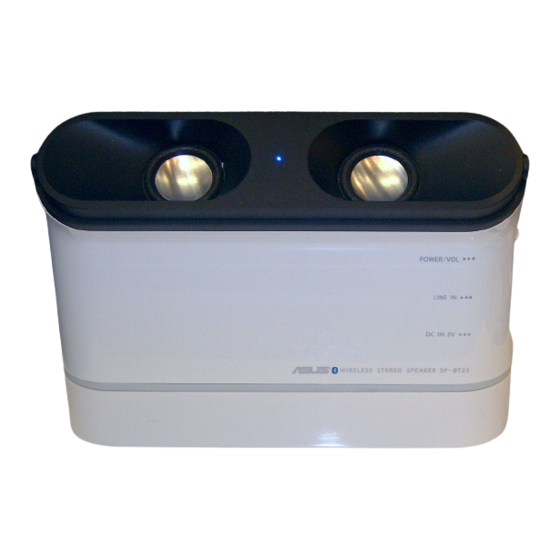
Asus SP-BT23 Schnellstartanleitung
Inhaltsverzeichnis
Verfügbare Sprachen
Verfügbare Sprachen
Quicklinks
CAUTION: To reduce the risk of electric shock, do not remove the cover. No user
serviceable parts inside. Refer any servicing work to a qualified service technician.
WARNING: To reduce the risk of fire or electric shock, do not expose this
appliance to rain or moisture.
The symbol of an arrowhead lightning flash within a triangle, warns
the user to the presence of uninsulated "dangerous voltage" within
the product's enclosure. This dangerous may be of sufficient
magnitude to constitute a risk of electrical shock to persons.
The symbol of an exclamation point within a triangle warns the user
to the presence of important operating maintenance or servicing
instructions in this device's user guide.
NL
waste handling. The recycling of materials will help to conserve natural resources.
For more detailed information about product recycling, contact your local city office,
household waste disposal service or the shop where you purchased the product.
Do not dispose the battery with your regular household
waste. Take it to a hazardous material collection point.
Disposal of Old Electrical & Electronic Equipment
(Applicable in the European Union and other European
countries with separate collection systems)
The symbol of the crossed out wheeled bin on the product
or on its packaging indicates that the product should not be
placed in municipal waste. Instead, the product should be
taken to a hazardous material collection point for recycling.
By ensuring that this product is properly disposed, you
will help prevent potential negative consequences for the
environment and human health caused by inappropriate
READ
FIRST
Inhaltsverzeichnis

Verwandte Anleitungen für Asus SP-BT23


Inhaltszusammenfassung für Asus SP-BT23
-
Seite 27: Erste Schritte
Kupferkontakte am Boden des Polung. Akkufachs passen. Metallkontakte 2. Verwenden des Ladegerätes Stecken Sie den Stecker des Netzteils in die Anschlussbuchse für Gleichstrom (DC IN) an der Seite Ihres SP-BT23 und stecken Sie das andere Ende in eine Netzstromsteckdose. -
Seite 28: Paaren Ihres Sp-Bt23 Mit Einem Bluetooth-Gerät
Controller ausgestattet ist. 1. Doppelklicken Sie auf das Bluetooth-Symbol in der Taskleiste. 2. Suchen Sie nach verfügbaren Geräten in Reichweite. 3. Wählen Sie in der Liste der verfügbaren Bluetooth-Geräte ‘SP-BT23’ und geben Sie als Pin-Code ‘0000’ ein, wenn Sie dazu aufgefordert werden. -
Seite 29: Konfigurieren Der Windows-Audioausgabe
Transportabler SP-BT23 Wireless-Lautsprecher - Schnellstartanleitung Konfigurieren der Windows-Audioausgabe 1. Öffnen Sie die Systemsteuerung und doppelklicken Sie auf Sounds und Audiogeräte. 2. Wählen Sie den Tab Audio. 3. Setzen Sie das Standardgerät für die Sopundwiedergabe auf Bluetooth High Quality Audio. 4. Klicken Sie auf OK.