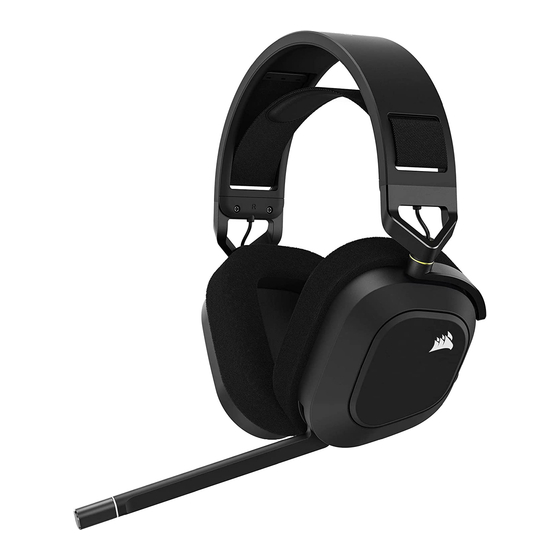
Corsair HS80 RGB USB Bedienungsanleitung
Vorschau ausblenden
Andere Handbücher für HS80 RGB USB:
- Bedienungsanleitung (24 Seiten) ,
- Kurzanleitung (3 Seiten) ,
- Schnellstartanleitung
Inhaltsverzeichnis
Verfügbare Sprachen
Verfügbare Sprachen
Quicklinks
HS80 RGB USB
WEB: corsair.com
PHONE: (888) 222-4346
SUPPORT: support.corsair.com
© 2022 CORSAIR MEMORY, Inc. All rights reserved. CORSAIR and the sails logo
are registered trademarks in the United States and/or other countries. All other
trademarks are the property of their respective owners. Product may vary slightly
from those pictured. 49-002531 AB
BLOG: corsair.com/blog
FORUM: forum.corsair.com
YOUTUBE: youtube.com/corsairhowto
HS80 RGB USB
Premium Gaming Headset
with 7.1 Surround Sound
Inhaltsverzeichnis

Verwandte Anleitungen für Corsair HS80 RGB USB


Inhaltszusammenfassung für Corsair HS80 RGB USB
-
Seite 2: Inhaltsverzeichnis
ENGLISH ............1 FRANÇAIS ............. 3 DEUTSCH ............. 5 NEDERLANDS ..........7 DANSK ............9 SUOMI ............11 SVENSKA ............ 13 NORSK ............15 ITALIANO ............. 17 ESPAÑOL ............ 19 PORTUGUÊS ..........21 POLSKI ............23 РУССКИЙ ............. 25 لعربية 72 ............ -
Seite 5: Deutsch
ERSTE SCHRITTE MIT DEM HS80 RGB USB-HEADSET > Schließen Sie das Headset an einen USB-Anschluss Ihres Computers an. > Laden Sie die CORSAIR Utility Engine (iCUE)-Software von corsair.com/support/downloads herunter. Mit der iCUE-Software können Sie das komplette Funktionsangebot des Headsets nutzen.