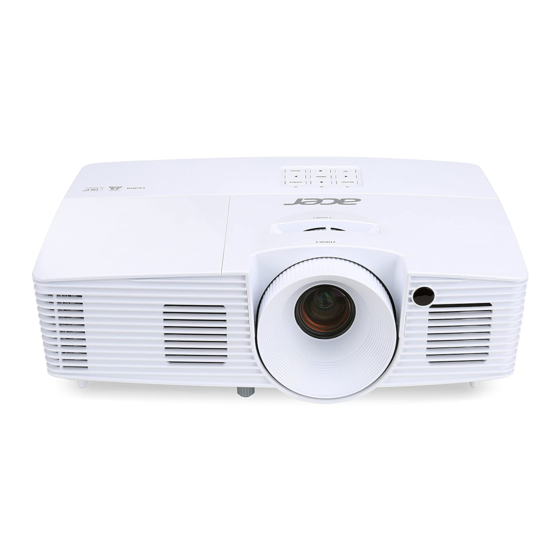
Acer X127H Schnellstartanleitung
Vorschau ausblenden
Andere Handbücher für X127H:
- Benutzerhandbuch (64 Seiten) ,
- Schnellstart (19 Seiten)
Inhaltsverzeichnis
Quicklinks
English
Quick Start
Connecting to a Computer
Connect VGA cable
1
Powering On the Projector
Turn on the projector and computer
2
Remove the lens cap
3
Select the input
source
Powering Off the Projector
Press the power button twice.
All manuals and user guides at all-guides.com
2
Connect power cord
2
1
4
4
Adjust focus or
zoom
Bahasa Indonesia
Memulai dengan Cepat
Menyambung ke Sumber
Menyambungkan
kabel VGA
1
Menyalakan Projektor
Menghidupkan proyektor dan komputer
2
3
Pilih sumber
input
Mematikan Projektor
Tekan tompol daya dua kali.
2
Menyambungkan
kabel daya
2
1
Buka tutup lensa
4
4
Sesuaikan fokus
atau zoom
Inhaltsverzeichnis

Verwandte Anleitungen für Acer X127H


Inhaltszusammenfassung für Acer X127H
- Seite 1 English Bahasa Indonesia All manuals and user guides at all-guides.com Quick Start Memulai dengan Cepat Connecting to a Computer Menyambung ke Sumber Menyambungkan Connect VGA cable kabel VGA Menyambungkan Connect power cord kabel daya Powering On the Projector Menyalakan Projektor Turn on the projector and computer Menghidupkan proyektor dan komputer Remove the lens cap...
- Seite 2 Български Čeština All manuals and user guides at all-guides.com Кратко ръководство за вк Karta Rychlého Startu лючване Свързване към източник Připojení ke zdroji Свързване на VGA Připojte kabel VGA кабел Свързване на Připojte napájecí захранващ кабел kabel Включване на проектора Zapnutí...
-
Seite 3: Hurtig Start
Dansk Deutsch All manuals and user guides at all-guides.com Hurtig Start SCHELLSTRART Tilslutning til en kilde Mit einer Quelle verbinden VGA-Kabel anschließen Tilslut VGA-kablet Tilslut ledningen Netzkabel anschließen Opstart af projektor Einschalten des Projektors Tænd projektoren og computeren Projektor und Computer einschalten Fjern linsedækslet Entfernen Sie die Objektivkappe... -
Seite 4: Inicio Rápido
Ελληνικά Español All manuals and user guides at all-guides.com Σύντομη Έναρξη INICIO RÁPIDO Σύνδεση σε πηγή Conectar a una fuente Συνδέστε καλώδιο VGA Conecte el cable VGA Συνδέστε καλώδιο Conecte el cable de τροφοδοσίας alimentación Άναμμα του Προβολέα Encendido del proyector Ενεργοποιήστε... -
Seite 5: Démarrage Rapide
Français Hrvatski All manuals and user guides at all-guides.com Kratki pregled DÉMARRAGE RAPIDE Povezivanje s izvorom Connexion à une source Spojite VGA kabel Brancher un câble VGA Spojite kabel za Brancher le cordon napajanje secteur Uključivanje projektora Mise sous tension du projecteur Uključite projektor i računalo Mettez en marche le projecteur et l’ordinateur... - Seite 6 Italiano Magyar All manuals and user guides at all-guides.com GUIDA D’INSTALLAZIONE Gyorstelepítés RAPIDA Csatlakozás forráshoz Collegamento all’origine Csatlakoztassa a VGA- Collegare il cavo VGA kábelt Csatlakoztassa a Collegare il cavo di tápkábelt alimentazione A projektor bekapcsolása Accensione del proiettore Kapcsolja be a kivetítőt és a számítógépet Accendere il proiettore e il computer Rimuovere il coperchio Vegye le a lencsevédo...
-
Seite 7: Snelle Start
Nederlands Norsk All manuals and user guides at all-guides.com Snelle Start Hurtigstart Aansluiten op een bron Koble til en kilde VGA-kabel aansluiten Koble til VGA-kabel Koble til Stroomsnoer aansluiten strømledningen De projector inschakelen Slå på projektoren De projector en de computer inschakelen Slå... -
Seite 8: Início Rápido
Polski Português All manuals and user guides at all-guides.com INÍCIO RÁPIDO SKRÓCONY PRZEWODNIK Podłączanie do źródła Ligar a uma fonte de sinal Podłącz kabel VGA Ligar o cabo VGA Podłącz kabel Ligar o cabo de zasilający alimentação Włączanie projektora A activar o projector Wyłącz projektor i komputer Ligar o projector e o computador Zdjąć... -
Seite 9: Краткое Руководство
Русский Română All manuals and user guides at all-guides.com Ghid rapid КРАТКОЕ РУКОВОДСТВО Подключение источников сигнала Conectarea la o sursă Подключение кабеля VGA Conectaţi cablul VGA Подключение кабеля Conectaţi cablul de питания alimentare Включение проектора Ponirea videoproiectorului Включение проектора и компьютера Porniţi proiectorul şi computerul Снимите... -
Seite 10: Kratka Navodila
Slovenščina Slovenčina All manuals and user guides at all-guides.com INŠTALÁCIA Kratka navodila Pripojenie k zdroju Priključevanje vira Pripojenie kábla VGA Priključite kabel VGA Pripojenie Priključite napajalni napájacieho kábla kabel Zapnutie projektora Vklop projektorja Zapnúť projektor a počítač Vklopite projektor in računalnik Odstráňte kryt šošovky Odstranite pokrovček za lečo... -
Seite 11: Brzi Start
Suomalainen Srpski All manuals and user guides at all-guides.com Brzi start Pikakäynnistys Povezivanje na izvor Yhdistäminen lähteeseen Povežite VGA kabl Liitä VGA-kaapeli Povežite kabl za Liitä virtajohto napajanje Uključivanje projektora Kuvanheittimen käynnistäminen Uključite pojektor i kompjuter Kytke projektori ja tietokone päälle Uklonite poklopac za Poista objektiivisuojus sočivo... - Seite 12 Svenska Türkçe All manuals and user guides at all-guides.com Hızlı Başlatma SNABBSTART Bir Kaynağa Bağlanma Ansluta till en källa VGA kablosu bağlayın Anslut VGA-kabel Güç kablosu bağlayın Anslut strömkabel Projektörün Açılması Starta projektorn Projektörü ve bilgisayarı açın Slå på projektorn och datorn Mercek başlığını...
- Seite 13 繁體中文 简体中文 All manuals and user guides at all-guides.com 快速安裝卡 快速启动卡 連接至一個訊號源 连接到输入源 連接 信號線 连接 线 連接電源線 连接电源线 打開投影機電源 打开投影机电源 開啟投影機及電腦 开启投影机及电脑 取下投影機鏡頭蓋 移去镜头盖 設定輸入信號源 調整焦距和縮放比例 设定输入源 调整焦距和缩放 關閉投影機電源 关闭投影机电源 按兩次電源按鈕。 按两次电源按钮。 警語與注意事項 安全事項: 1. 請勿直視投影燈源,以免強光傷害您的眼睛。 2. 為預防火災及觸電意外,請勿將本產品淋到雨 或置於潮濕處。 正確使用方法:...
- Seite 14 ไทย 日本語 All manuals and user guides at all-guides.com คู ่ ม ื อ เริ ่ ม ต้ น ฉบั บ ย่ อ クィックスタート การเชื ่ อ มต่ อ ไปยั ง แหล่ ง สั ญ ญาณ ソースに接続する VGA ケーブルの接続 เชื ่ อ มต่ อ สาย VGA เชื...
-
Seite 15: Tiếng Việt
한국어 Tiếng Việt All manuals and user guides at all-guides.com 빠른 시작 Khởi động nhanh 소스에 연결하기 Kết nối với Nguồn tín hiệu VGA 케이블 연결 Cắm cáp VGA 전원 코드 연결 Cắm cáp nguồn 프로젝터 켜기 Bật nguồn máy chiếu 프로젝터와... -
Seite 16: Швидкий Старт
Український All manuals and user guides at all-guides.com Швидкий старт Підключення до джерела Підключіть кабель VGA Підключіть кабель живлення Увімкнення живлення проектора Увімкніть проектор і комп’ютер Зніміть кришку лінзи Виберіть джерело Налаштуйте вхідного сигналу фокусування або наближення Вимкнення живлення проектора Двічі... -
Seite 17: Installation
All manuals and user guides at all-guides.com INSTALLATION DVD player, Set-top Box, HDTV receiver HDMI D-Sub RS232 R B G HDMI HDTV adapter D-Sub RS232 Video Output S-Video Output Note: Functions vary depending on model definition. Consumo de Energia En Operaction: 240.02 Wh (240,02 Wh) En modo de espera: 0.39 Wh (0,39 Wh) -
Seite 18: Specifications
• Composite video x1 • Mini USB x1 (for firmware • RS232 x1 upgrade) x1 Note: • The specifications listed above are subject to change without notice. • Find manuals and other documents for your Acer product on the official Acer support website.