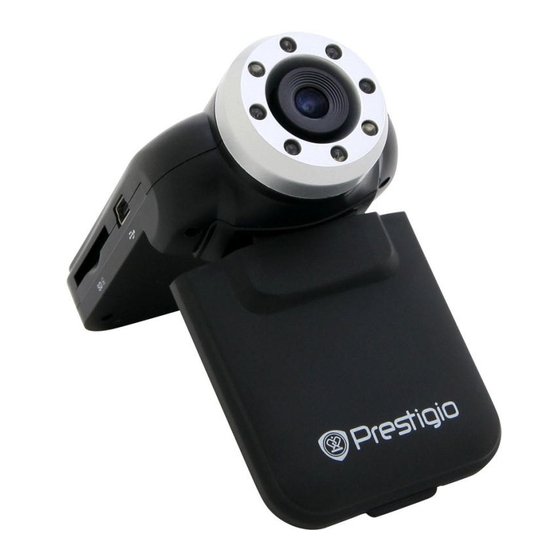
Prestigio RoadRunner 310I Schnellstartanleitung
Inhaltsverzeichnis
Verfügbare Sprachen
Verfügbare Sprachen
Quicklinks
PCDVRR310I QSG v1.2.indb 1
Quick Start Guide
Prestigio RoadRunner
1. Packing List
Prestigio car DVR, Suction mount, Quick start guide, Car charger, Warranty card
2. Device Overview
Mic
Menu button
Photo button
Up /Mic button
Down/SOS button
Speaker
Getting started
3. Power on/Power off
• Position the device in the vehicle using the suction mount and press the Power button to turn
it on. To power off the device press the button again.
• You can also connect the device to the car charger. It will automatically turn on and start
recording when the car engine starts. When the engine stops, the device will automatically
save the last file and turn off.
4. Charging
• Using the USB cable: connect the device to the USB port of a computer/Laptop
• Using the car changer: Connect the device to the car charger. The device will start charging
after the car engine is turned on. The device will automatically turn on and start recording.
When the engine stops, the device will automatically save the last file and turn off.
• Normally it takes approximately 2-3 hours to fully charge the device. Operating the device
while charging with the AC adapter may extend the time of full charge.
Note:
Before using the device for the first time, please, connect it to the PC or notebook using the USB
cable provided to fully charge the Li-ion battery. The battery is completely charged in 2-3 hours.
Mount hole
Reset button
Working LED light
Charging LED light
LCD display
Mini 5pin USB
SD card slot
White LED light
Lens
Power Button
Video/playback /ok button
2014/8/1 19:29:26
Inhaltsverzeichnis

Verwandte Anleitungen für Prestigio RoadRunner 310I


Inhaltszusammenfassung für Prestigio RoadRunner 310I
-
Seite 21: Erste Schritte
Schnellstartanleitung Prestigio RoadRunner 1. Packungsinhalt Prestigio AutoDVR, Saugfuß, Schnellstartanleitung, Kfz-Ladegerä, Garantiekarte 2. Geräteüberblick Mikrofon Montageloch SD-Kartensteckplatz MENU-Taste Rücksetztaste LED-Leuchte Netz-/Modustaste LED-Leuchte Linse Aufwärts-Taste LED-Leuchte (Aufladen) Netztaste Abwärts-/SOS-Taste LCD-Display Video / OK-Taste Lautsprecher USB-Anschluss Hinweis: Wenn das Gerät nicht ordnungsgemäß funktioniert, drücken Sie die Reset-Taste, um das Gerät zurückzusetzen. - Seite 22 Schnellstartanleitung Prestigio RoadRunner Anmerkung: Bevor Sie das Gerät das erste Mal benutzen, schließen Sie es bitte mit dem mitgelieferten USB-Kabel an den PC oder das Notebook an, um den Li-ion-Akku voll zu laden. Der Akku ist nach 2-3 Stunden voll geladen.
- Seite 23 Schnellstartanleitung Prestigio RoadRunner Funktion einzuschalten. Das Gerät wird die Videoaufzeichnung automatisch starten, wenn ein bewegliches Objekt erkannt wird, bzw. die Aufnahme stoppen, wenn keine Bewegung erkannt wird. • Video time (Videozeit): Wählen Sie einen der Werte aus, um den Videozyklus einzustellen. Wenn die Micro SD-Karte voll ist, wird das Gerät automatisch die ältesten, nicht gesperrten Dateien auf der...
-
Seite 24: Sicherheitsvorkehrungen
OK-Taste, um den PC CAM-Modus aufzurufen. Anschließend können Sie das Gerät als PC-Kamera verwenden Sicherheitsvorkehrungen Beachten Sie bitte alle Sicherheitsvorkehrungen, bevor Sie das Prestigio Roadrunner 310I benutzen. Bitte beachten Sie alle in diesem Handbuch enthaltenen Anweisungen, damit Sie das Gerät richtig bedienen können.