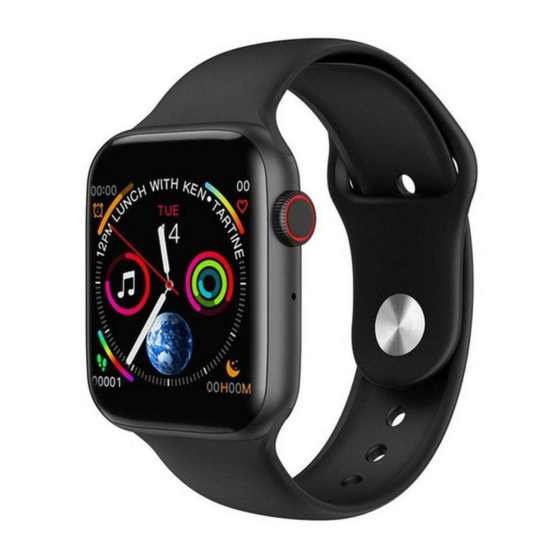
LEMFO W34 Benutzerhandbuch
Verfügbare Sprachen
Verfügbare Sprachen
Thank you for choosing our product!
To have a comprehensive understanding and using this device, to know all the features and
simple operation method, please read this manual first.
The functions on the user manual may be little different with physical, please make the final
products as the standard.
The typing errors in this manual and discrepancies will be timely updated with the latest
products. If we have updates, this manual will be subject to change without notice. Our
company reserves the right of final interpretation.
Charging instructions: standard 5PIN USB charging port, support computer USB or mobile phone 5V
standard charger, about 70 minutes can be full of power.
Watch connects to Phone, download the App "Fundo" in the Phone at first, reference
following 2 methods:
1) Android/iOS Phone: Scan following QR code image by browsers or by any Scanner to
Download "Fundo".
2) Android Phone: search and download "Fundo" app from Google Play;
iOS phone: search and download "Fundo" app from Apps Store;
After installation, turn on cellphone Bluetooth and Fundo App, confirm the notification enable,
tap "More" at right bottom corner, enter add device, search "Watch_LE" device and tap connect,
then you are succeeding connected the Bluetooth 4.0;
Next go to watch side Bluetooth-searching Bluetooth-select turn on Bluetooth-tap your
cellphone name in the list-confirm the connection at your cellphone end. Then you are
succeeding connected Bluetooth 3.0;
Only when Bluetooth 3.0 & 4.0 both connected the watch can be abled full performance, slide
down the watch you will see the Bluetooth icon, green color at upper means Bluetooth 3.0 is
W34 Smart watch User Manual

Inhaltszusammenfassung für LEMFO W34
- Seite 5 W34 Smart Watch Benutzerhandbuch Vielen Dank für die Wahl unseres Produktes! Um ein umfassendes Verständnis zu haben und dieses Gerät verwenden, um zu wissen alle Funktionen und einfache Bedienung Methode, benutzen Sie bitte diese Anleitung zuerst lesen. Die Funktionen auf der Bedienungsanleitung kann mit physischen wenig anders sein, stellen Sie bitte die letzte Produkte als Standard.
- Seite 6 verbunden, blaue Farbe am Boden mittels Bluetooth 4.0 angeschlossen ist. Wie erfolgt die Benachrichtigung einstellen: in Telefons Einstellungen-App Management „Fundo“ -Authority-Management finden, öffnen alle ermöglichen. In Notifications- find „Fundo“, öffnen Sie alle ermöglichen. In „Fundo“ - „Application Push“, wählen Sie alle ermöglichen. Da das Bluetooth-Protokoll unterscheidet zwischen allen Handy-Marken.
-
Seite 7: Garantie
Herzfrequenz-Messgerät: Tragen Sie die Uhr fest mit Ihrem Handgelenk, würde beste Position oberen der Hand Handgelenk, um Herzfrequenz-Messgerät: Tragen Sie die Uhr fest mit Ihrem Handgelenk, würde beste Position oberen der Hand Handgelenk, um 20 Sekunden wird es zeigt die Echtzeit-Herzfrequenzdaten, Dia-Down-Menü in der Geschichte, Mode einzelne Maßnahme und kontinuierliche Maßnahme umfasst;... - Seite 8 2. Über den Fehler durch die persönlichen Gründe des Benutzers verursacht wird, bieten wir keine kostenlose Garantie, wie folgt: 1). Disassemble oder setzen Sie das Produkt. 2). Verursacht durch immodesty Tropfen 3). Alle künstlichen Beschädigung oder Missbrauch (wie zum Beispiel: make Wasser in den Wirt, die äußere Kraft splittern, Kratzschäden von Peripheriekomponenten, etc.), sind alle diese sind über den Rahmen der Garantie.