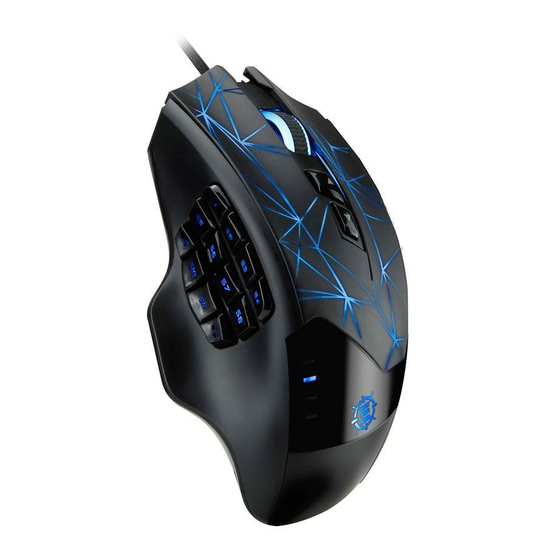
ENHANCE THEOREM 2 MMO Bedienungsanleitung
Verfügbare Sprachen
Verfügbare Sprachen
USER GUIDE • GUIDE DE L'UTILISATEUR
THEOREM
2 MMO Gaming Mouse
™
REGISTER NOW
ENREGISTRER
This product comes with a 1 year limited warranty.
Register this product within 30 days of sale to activate a
complimentary 2 year warranty extension and receive free
advanced technical support. Learn more and register now.
Ce produit a une garantie limitée de 1 an.
Enregistrer ce produit dans les 30 jours suivant son achat pour
activer l'extension de garantie de 2 ans et bénéficer de notre
service après-vente gratuit. Pour en savoir plus, enregistrez ce
produit dès à présent.
ENHANCEgaming.com/warranty
Inhaltsverzeichnis

Verwandte Anleitungen für ENHANCE THEOREM 2 MMO


Inhaltszusammenfassung für ENHANCE THEOREM 2 MMO
- Seite 1 USER GUIDE • GUIDE DE L’UTILISATEUR THEOREM 2 MMO Gaming Mouse ™ REGISTER NOW ENREGISTRER This product comes with a 1 year limited warranty. Register this product within 30 days of sale to activate a complimentary 2 year warranty extension and receive free advanced technical support.
- Seite 4 Product diagram Schéma du produit Diagrama de product Producktabbildung Schema del prodotto 产品图 Need help with this product? Besoin d’assistance sur ce produit? ¿Necesita ayuda con este producto? Benötigen Sie Hilfe bei diesem Produkt? Hai bisogno di aiuto per questo prodotto? 购买的产品,是否需要提供协助?...
- Seite 12 Stecken Sie das USB Kabel in Ihren Computer. Die Treiber werden sich automatisch installieren. Gewähren Sie bis zu zwei Minuten für die Installation der Treiber. Die ENHANCE Theorem 2 Maus-Software ist erforderlich, um Ihre Maus-Einstellungen anzupassen, so wie die LED Farboptionen und Knopfprogrammierung. Um die Software herunterzuladen, besuchen Sie bitte ENHANCEgaming.com/support und...
- Seite 13 Die DPI sind werksseitig auf 1.500 DPI eingestellt. Die DPI-Voreinstellungen liegen bei 500 (rot), 1.000 (grün), 1.500 (blau), 2.000 (lila), 3.000 (gelb) und 4.000 (cyan) DPI. Die LEDs neben den DPI-Tasten zeigen bei Aufleuchten die aktuelle DPI-Einstellung der Maus an. Drücken Sie die DPI-Tasten + (plus) oder - (minus), um die DPI zu erhöhen oder zu verringern.
- Seite 18 THEOREM ™...