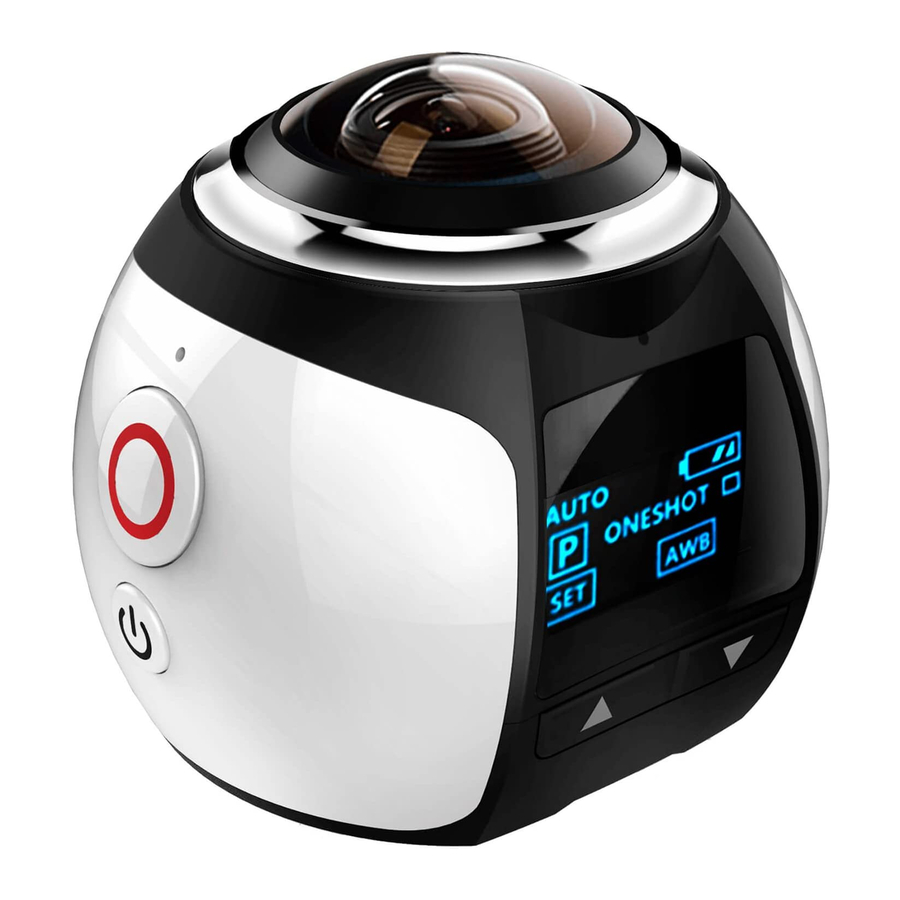
ONEBUTTON PanoView 360 Schnellanleitung
Inhaltsverzeichnis
Inhaltsverzeichnis

Inhaltszusammenfassung für ONEBUTTON PanoView 360
- Seite 1 PanoView 360° 360° Panorama Camera Quickstart Guide Schnellanleitung...
- Seite 2 Please read the following instructions and safety advice carefully before using the product. Danke, dass Sie sich für die PanoView 360° entschieden haben! Mit dieser Kamera können Sie hochwertige Panorama- Videoaufnahmen machen, etwa beim Outdoor-Sport, beim Tauchen, bei kulturellen Veranstaltungen oder Familienfeiern. Zu den Möglichkeiten der PanoView 360°...
-
Seite 3: Product Features / Produkteigenschaften
Product Features / Produkteigenschaften • Photos, video and audio recording • Wide-angle camera lens (220°) • 8 Megapixel HD camera • High quality 0.96 inch LCD screen • Replaceable battery for extended recording sessions • Waterproof case for recording during water sports and diving in up to 30m depth •... -
Seite 4: Safety Advice
Safety Advice • Protect the camera from bumps and falls. • Please keep the camera away from objects with strong magnetic fields, such as magnets or large electrical machinery. Also, please keep it away from strong sources of radio waves. These influences can damage the device or corrupt audio and video recordings. -
Seite 5: Sicherheitshinweise
Sicherheitshinweise • Schützen Sie die Kamera vor Stößen und Stürzen. • Bitte halten Sie die Kamera fern von Quellen starker Magnetfelder, wie etwa Magneten oder großen elektrischen Maschinen. Halten Sie das Gerät außerdem fern von starken Quellen von Radiowellen. Diese Einwirkungen können das Gerät oder Aufnahmen beschädigen. - Seite 6 Contents / Lieferumfang Watertight case Micro-USB Cable PanoView 360° Wasserdichtes Gehäuse Mikro-USB Kabel Accessories Use these elements to safely attach the camera itself or the watertight case to bicycle handles, helmets, backpacks etc. Zubehör Verwenden Sie diese Zubehörteile, um die Kamera oder das wasserdichte Gehäuse an Fahrradlenker, Helm, Rucksack o.ä.
-
Seite 7: Overview / Übersicht
Overview / Übersicht 360°x220° Lens Open side to reveal 360°x220° Linse • HDMI Port • Micro-USB Port • Micro-SD-Card Slot Microphone • Battery Mikrofon Seitliche Klappe öffnen für Record/OK-Key • HDMI Ausgang Aufnahme-/OK-Taste • Micro-USB Ausgang • Micro SD Power-Button Karteneinschub An-/Aus-Taste •... -
Seite 8: Getting Started
Getting Started Inserting and charging the battery • Remove the cover on the side of the camera and insert the battery so that the metal pins connect. • Make sure the battery is inserted firmly and doesn‘t fall out. • Use the Micro USB cable to connect the camera to a computer or charging adapter to charge the battery. - Seite 9 Connecting the camera to a smartphone via WiFi • Get the most out of your PanoView 360° by connecting it with your smartphone via WiFi. The official companion app offers you an intuitive and easy-to-use way to chose recording modes and settings, as well as see a live preview of the recording.
-
Seite 10: Gebrauchshinweise
Um die Karte wieder zu entnehmen, drücken Sie sie ein Stück tiefer hinein. Die Speicherkarte wir dann automatisch ausgewor- fen. • Die PanoView 360° unterstützt Micro-SD-Karten mit bis zu 64GB Speicher. Aufnehmen in unterschiedlichen Aufnahmemodi • Drücken Sie die kurz “Power”-Taste, um zwischen den Modi Videoaufnahme, Fotografie und Zeitlupe zu wechseln. - Seite 11 Eintrag mit der „Aufnahme-/OK“-Taste. Die Kamera per WLAN mit einem Smartphone verbinden • Holen Sie alles aus deiner PanoView 360° heraus, indem Sie sie per WLAN mit deinem Smartphone verbindest. Die offizielle App bietet eine einfache Umgebung um Aufnahmemodi und Einstellungen zu wählen und direkt live eine Vorschau der...
-
Seite 12: Product Specifications / Technische Daten
55mm x 54mm x 61mm Weight 93g (incl. battery) Operating temperature -10°C to +55°C Storage temperature -20°C to +70°C OneButton GmbH & Co. KG https://onebutton.eu Pützchens Chaussee 60 Tel.: +49 228 4229590 53227 Bonn Fax: +49 228 28615791 Germany E-Mail: sales@onebutton.eu...