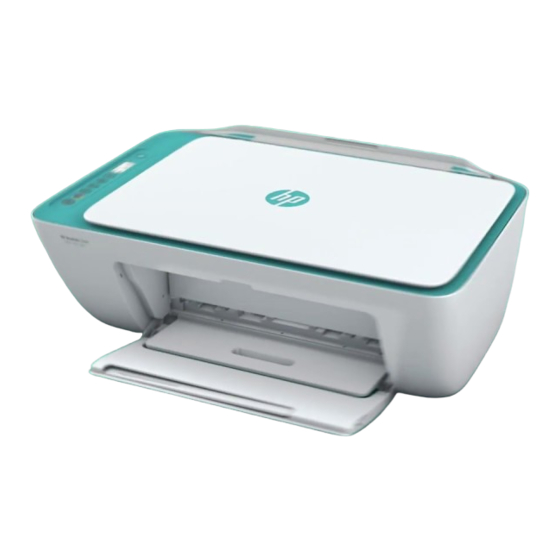
HP DeskJet 2600 All-in-One Series Anleitung
Vorschau ausblenden
Andere Handbücher für DeskJet 2600 All-in-One Series:
- Bedienungsanleitung (138 Seiten)
Inhaltsverzeichnis
Verfügbare Sprachen
HP DeskJet
Need help?
www.hp.com/support/dj2600
1
Power
: Press to turn the printer on or off.
Control panel display: Indicates number of copies, wireless status
2
and signal strength
estimated ink levels
3
Ink Alert light: Indicates low ink or cartridge problems.
4
Cancel
: Press to stop the current operation.
Resume
: The light blinks when a job is interrupted by a problem (for
5
example, out of paper or paper jam). After you have resolved the problem,
press the button to resume the job.
Wireless
• If the blue light is blinking, the wireless capability is on but the printer is not
yet connected to a wireless network.
• If the blue light stays on, the printer is connected to a wireless network.
6
• If the light is off, the wireless capability is off.
To turn Wi-Fi Direct on or off, press and hold the Wireless button
Resume button
display is on when Wi-Fi Direct is turned on.
Information
a summary of the printer information and its current status. If the light is
7
blinking in white and the Wi-Fi Direct icon
the same time, press the Information button
Color Copy
8, 9
copy job. To increase the number of copies, press the button multiple times
quickly.
:
Scan
Use the HP Smart app or printer software to scan. Find more information about scanning at
www.hp.com/support/dj2600.
Safety information
Use only with the power cord and power adapter (if provided) supplied by HP.
Regulatory Model Number: For regulatory identification purposes, your product is assigned a Regulatory Model
Number. The Regulatory Model Number for your product is SNPRH-1602. This regulatory number should not be
confused with the marketing name (HP DeskJet 2600 All-in-One Printer series, HP DeskJet Ink Advantage 2600
All-in-One Printer series, etc.) or product numbers (V1N01A, V1N02A, etc.).
*V1N01-90074*
*V1N01-90074*
V1N01-90074
2600 All-in-One series
, Wi-Fi Direct status
.
: Press to turn the printer's wireless capability on or off.
together for three seconds. The Wi-Fi Direct icon
: Press to print a printer information page that provides
or Black Copy
: Press to start a color or black-and-white
, warnings or errors, and
on the display is blinking fast at
to confirm a connection.
EN
DE
IT
FR
NL
NO
DA
ET
LT
LV
The information contained herein is subject to change without notice.
and the
on the
Printed in [English]
ES
PT
SV
FI
© Copyright 2017 HP Development Company, L.P.
Inhaltsverzeichnis
Fehlerbehebung

Verwandte Anleitungen für HP DeskJet 2600 All-in-One Series


Inhaltszusammenfassung für HP DeskJet 2600 All-in-One Series
-
Seite 4: Benötigen Sie Hilfe
Zulassungsnummer: Zu Identifizierungszwecken ist Ihrem Gerät eine Modellzulassungsnummer zugewiesen. Die Modell- zulassungsnummer Ihres Geräts lautet SNPRH-1602. Verwechseln Sie diese Nummer nicht mit dem Marketing-Namen (z. B. HP DeskJet 2600 All-in-One Printer series oder HP DeskJet Ink Advantage 2600 All-in-One Printer series) oder mit der Produktnummer (z. B. V1N01A oder V1N02A). -
Seite 5: Wireless-Einrichtung - Hilfe
Wireless-Einrichtung – Hilfe Besuchen Sie 123.hp.com, um die HP Smart App oder die Druckersoftware herunterzuladen und zu installieren. Die App und die Software helfen Ihnen, die Verbindung zum Wireless-Netzwerk herzustellen (Unterstützung für 2,4-GHz-Frequenzband). Kurzanleitung zum Halten Sie die Taste Info drei Sekunden lang gedrückt. -
Seite 6: Erklärung Zur Beschränkten Gewährleistung Für Hp Drucker
Wird das HP Hardwareprodukt zu diesem Zeitpunkt nicht erkannt, beginnt der begrenzte Garantiezeitraum mit dem Kauf oder Leasing von HP oder dem HP Serviceanbieter oder ggf. mit dem Datum, an dem der von HP autorisierte Serviceanbieter die Installation abschließt.