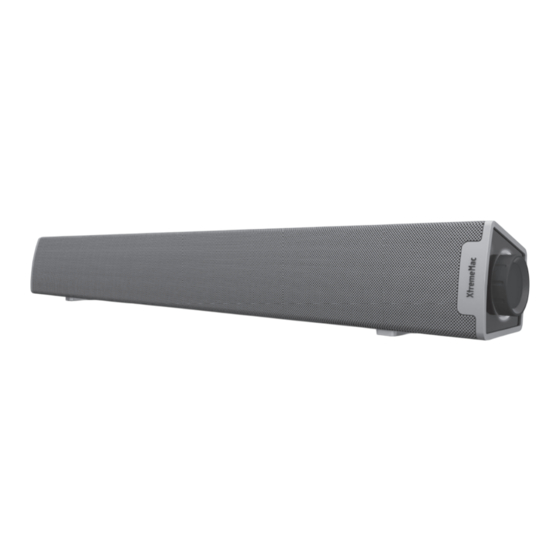
XtremeMac Tango Bar Bedienungsanleitung

Verwandte Anleitungen für XtremeMac Tango Bar


Inhaltszusammenfassung für XtremeMac Tango Bar
- Seite 1 T A N G O B A R USer’S gUide gUide de l’UtiliSateUr usb-b22-01 -B22-01_UserGuide_EFIGSP_23951594B.indd 1 8/9/11 4:22...
- Seite 2 Contents English Française Italiano Deutsch Español Português USB-B22-01_UserGuide_EFIGSP_23951594B.indd 2-3 8/9/11 4:22 PM...
-
Seite 10: Per Iniziare
Collegate un cavo ausiliare da 3,5 mm (non • Tango Bar incluso) da una sorgente allo spinotto di ingresso • Benutzerhandbuch/Garantieerklärung di linea su Tango Bar e regolate il volume. 5. È possibile collegare un subwoofer opzionale alla porta sub-out. WICHTIg Bitte lesen Sie alle Sicherheitshinweise, bevor Sie fortfahren. -
Seite 11: Produktsicherheit
WICHTIgE SICHERHEITSHInWEISE PRODUkTSICHERHEIT 1. Lesen Sie diese Anleitungen. Dieses Gerät wurde so entwickelt und hergestellt, 2. Bewahren Sie diese Anleitungen auf. dass Ihre persönliche Sicherheit gewährleistet 3. Beachten Sie alle Warnhinweise. ist, wenn Sie es bestimmungsgemäß gebrauchen. 4. Befolgen Sie alle Anweisungen. Eine falsche Verwendung dieses Produkts kann 5. -
Seite 12: Erste Schritte
TangoTM Bar mit einer USB-Stromquelle verbunden sein. Verbinden Sie ein 3,5 mm Zusatzkabel (nicht enthalten) einer externen 1. Lautstärkeregler Quelle mit der Line-Eingangsbuchse am Tango Bar 2. Lautsprecher und passen Sie die Lautstärke an. 3. USB-Kabelverbindung 5. An die Sub-Ausgangsbuchse kann ein optionaler 4. - Seite 18 limited warranty information l’information de garantie English - Imation Enterprises Corp. warrants this product against defects for 1 year from the date of original purchase. This warranty does not apply to any software bundled with this product. Imation shall not be liable for any lost data or incidental or consequential damages related to this product. Some jurisdictions do not allow limitations on how long an implied warranty lasts, or the exclusion or limitation of incidental or consequential damages, so the above limitations or exclusions may not apply to you.