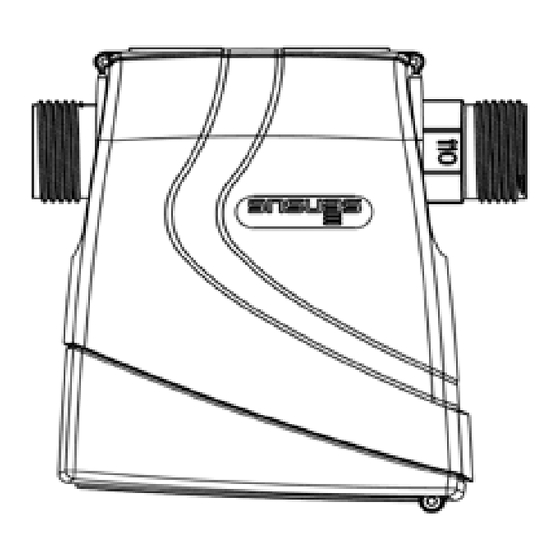
iPERL MS 5000 Einbau- Und Betriebsanweisung
EN FR DE ES
MS 5000
Installation Manual
1. Supplied Material
At all times during installation and
thereafter all statutory provisions,
Each package contains:
regulations and norms have to be
• 1 iPERL device
followed, in particular with regard
• optional connection kits
to health and safety (e.g. earthing,
bridging, etc.). Composite materials
2. General Instructions
used are nonconductive.
Please read this guide prior to
Torque: tighten iPERL to a minimum
installing iPERL.
torque setting of 20Nm and a
maximum of 30Nm.
iPERL is a metering endpoint
designed for use with potable water
Installation position: iPERL has
1
supplies to residential, commercial
been designed to operate, with no
and industrial activities.
impact on metrological performance,
iPERL is intended for maintenance-
in all installation angles and
free operation for up to 15 years.
orientations.
IPERL is hermetically sealed and
therefore there is no servicing of the
2
Please avoid installing iPERL
meter required.
as shown below as a reduction of
battery lifetime could occur.
3. Permissible Operating
Conditions
iPERL is free of any constraint for
upstream or downstream straight
• Cold water meter: from 0.1°C up
pipe lengths.
to 50°C
• Pressure stage: PN16
Flow direction: iPERL's metrological
• Mechanical environment: M1
performance is independent of
(MID)
flow direction and orientation of the
fixed installation with minimum
meter can be selected to best suit
vibration
the installation conditions. iPERL will
• Electromagnetic environmental
detect flow direction when installed
class: E1 and E2 (MID) residential
and set the direction indicator
and commercial
accordingly.
• Protection class: IP68
• Climatic environment: from -15°C
Pressure: please ensure that iPERL
up to 60°C
strictly operates within the pressure
rating printed on the meter body.
4. Installation Requirements
All iPERL settings and functions
Ensure that the pipework does
will be automatically and correctly
not introduce mechanical stresses
activated once the flowtube is
on the meter body: checking both
saturated.
alignment of the pipework with the
threaded connections and distance
between unions with the meter lay
length. When mounting iPERL onto
a network, ensure contact surfaces
are even and clean and use new
gaskets.
1
2
8
www.sensus.com
info.gb@sensus.com
info.fr@sensus.com
5. Installation Procedure (Volume
From this moment on the flow
registration & Flow direction)
direction cannot be changed; any
flow in the "wrong" direction will now
STEP1:
trigger the alarm flag for "reverse
1A: Remove iPERL from its
flow":
packaging, it will display the
following symbols:
After the flow-direction is set, the
6
functions for performing the higher
No Volume, no flow and the
analysis, such as data-logging and
3
alarm flag (raised for empty pipe)
leak-detection, become active and
1B: install iPERL according to the
are assigned to the respective data-
most suitable LCD orientation
fields.
1C: Locate any optional component
(filter, non-return-valve, ...)
7
IMPORTANT! iPERL does
not register the volume until the
STEP2:
threshold of 3 l/h is reached:
Once installed, open the
4
upstream valve to fill the meter until
the alarm flag shows, that the meter
6. iPERL Display and Characters
has detected water in the pipe:
iPERL is now fully operational,
After installation is successfully
8
although in stand-by mode.
completed the display shows:
• Meter index and preselected units
STEP3:
• Current flowrate and preselected
To activate the "flow direction
units
detection", ensure a flow above the
• Flow direction
threshold of 3 l/h (default).
• RF active
The arrow of the detected flow
direction starts blinking, indication
If any of the following graphics is
that the meter assumes this to be
displayed, please contact your
the favourite flow direction.
supplier:
It starts to accumulate volume into
• Alarm flag
the three internal registers Forward-,
• Low battery warning
reverse- , and billing volume.
• Test mode
At this point, also the radio
5
7. Disposal
transmission is activated which is
indicated by a flashing radio symbol.
This product contains a lithium
9
The meter starts to send out radio
battery. In the interest of protecting
telegrams. Note that only the meter
the environment, this battery may
reading is processed until the flow-
not be disposed in household
direction is determined.
waste after its period of use. The
When either the forward or the
local and national regulations for
reverse register reaches the
environmental protection are to be
threshold of 2.5m³ (default) the
considered.
meter takes that register as the
forward register and fixes the flow
direction.
3
5
4
6
Manuel d'Installation
1. Matériel fourni
lisses et propres et utilisez des
joints neufs.
Chaque conditionnement contient :
• 1 iPERL
A chaque étape de l'installation,
• 1 ensemble d'accessoires de
l'ensemble des dispositions
montage
suivantes, les règlements et les
normes en vigueur doivent être
2. Instructions Générales
suivis, particulièrement en ce qui
concerne la santé et la sécurité (ex
Veuillez lire ce guide attentivement
: mise à la terre, raccordement, ...).
avant d'installer iPERL.
Les matériaux composites utilisés
sont non-conducteurs.
iPERL est un compteur pour
réseau d'eau potable à destination
Serrage : serrez les écrous de
des logements et des activités
raccords iPERL avec un couple
commerciales et industrielles.
de serrage compris entre 20Nm et
iPERL est destiné à fonctionner
30Nm.
sans entretien pour une durée de
15 ans. iPERL est donc entièrement
1
Positions d'installation : iPERL
scellé et ne nécessite aucune
a été conçu pour fonctionner,
maintenance.
sans impacter ni sa précision ni sa
métrologie, dans toutes les positions
3. Conditions de fonctionnement
et orientations.
• Compteur eau froide : de +0,1°C
Evitez cependant de le monter dans
à +50°C
la position
ci-dessous afin de
2
• Pression maximale admissible :
ne pas affecter la durée de vie de la
PN16
batterie.
• Environnement mécanique : M1
(installations fixes avec vibrations
iPERL ne nécessite pas de
faibles
longueurs droites ni en aval ni en
• Environnement électromagnétique
amont (U0 / D0 selon MID).
: E1 (résidentiel) et E2
Sens d'écoulement : la précision
(commercial et industrie légère)
d'iPERL est absolument
• Indice de Protection : IP68
indépendante du sens écoulement
• Environnement climatique : de
de l'eau. Son installation peut donc
-15°C à +60°C.
se faire simplement en tenant
compte des conditions de pose.
4. Conditions d'Installation
iPERL détecte automatiquement
le sens d'écoulement et l'affiche
instantanément sur son écran LCD.
Assurez-vous que la conduite ne
crée pas de contrainte mécanique
Pression : assurez-vous qu'iPERL
sur le corps du compteur en vérifiant
opère strictement dans la limite de
l'alignement entre la canalisation et
pression indiquée sur le corps du
le compteur ainsi que la distance
compteur.
entre les raccords et la longueur du
corps.
Tous les paramètres et fonctions
d'iPERL sont automatiquement
Au montage d'iPERL sur le réseau,
activés une fois le tube
vérifiez que les filetages soient
d'écoulement plein.
Graphic / Visuel
7
8
5. Procédure d'Installation
Le sens d'écoulement ne peut
(Enregistrement du volume &
désormais plus être modifié : tout
Sens d'Ecoulement)
flux dans la "mauvaise" direction
sera considéré comme retour
ETAPE 1:
d'eau et déclenchera l'alarme
1A : Retirez iPERL de son
correspondante.
emballage ; il affiche les symboles
suivants :
6
Une fois le sens d'écoulement
déterminé, les fonctions avancées,
Aucun volume, aucun
3
telles que le data-logging et la
écoulement, alarme (signalant une
recherche de fuites, s'activent et
conduite vide)
sont affectées à leur bibliothèque
1B : installez iPERL afin d'optimiser
l'orientation de l'écran LCD en vue
respective.
de sa lecture.
IMPORTANT ! iPERL
7
1C : mettez en place les
n'enregistre aucun volume tant que
accessoires nécessaires (filtre,
le seuil de 3 l/h n'est pas atteint :
clapet anti-retour, ...).
ETAPE 2:
6. Affichage de l'écran d'iPERL
Une fois installé, ouvrez le
4
robinet amont pour remplir le
compteur jusqu'à ce que l'alarme
Après installation complète,
8
signale la présence d'eau dans le
l'affichage indique :
conduit :
• Index du compteur et unité
iPERL est désormais totalement
prédéfinie
opérationnel, bien qu'en mode
• Débit instantané et unité prédéfinie
"Attente".
• Sens d'écoulement
• RF active
ETAPE 3:
Pour activer la détection du sens
Si l'un de ces symboles est affiché,
d'écoulement, assurez-vous d'un
veuillez contacter votre fournisseur :
débit supérieur au seuil de 3l/h
• Alarme
(valeur par défaut).
• Alerte batterie faible
La flèche se met à clignoter,
• Mode Test
indiquant le sens d'écoulement
pressenti.
iPERL commence à enregistrer le
7. Recyclage
volume dans ses 3 bibliothèques
internes : flux avant, retour d'eau et
Ce produit contient une
9
volume de facturation.
batterie lithium. Afin de préserver
l'environnement, cette batterie
La transmission radio est alors
5
ne doit en aucun cas être mise
également activée, indication
au rebut dans une poubelle à
fournie par le symbole radio
usage domestique. Nous vous
clignotant. Le compteur commence
recommandons de vous reporter
alors ses émissions radio.
aux réglementations locales et
Lorsque le flux avant ou le retour
nationales en vue de son recyclage.
d'eau atteint le seuil de 2,5 m³
(défaut), le compteur fige alors le
sens d'écoulement.
Description
Description
9
Meter Index
Index du compteur
Current flowrate
Débit instantané
Index units
Unités de l'index
Flowrate units
Unités de mesure du
débit
Alarm flag
Alarme
Flow direction
Sens d'écoulement
1241
RF active
Emetteur RF actif
Lithium
Low battery warning
Alerte batterie faible
Test mode
Mode Test
8

Inhaltszusammenfassung für iPERL MS 5000
- Seite 1 Après installation complète, Conditions 3. Conditions de fonctionnement et orientations. iPERL is free of any constraint for • Meter index and preselected units signale la présence d’eau dans le l’affichage indique : upstream or downstream straight STEP3: •...
- Seite 2 Bestimmungen, Vorschriften und entsprechend bestellt) Richtung löst nun die Alarmflagge Verpackung. Folgende Symbole conductor. 1A: Retirar iPERL de su embalaje , la dirección de flujo no se puede Normen zu beachten, insbesondere aus und wird als Rückwärtsvolumen werden angezeigt: 2. Instrucciones Generales mostrará...