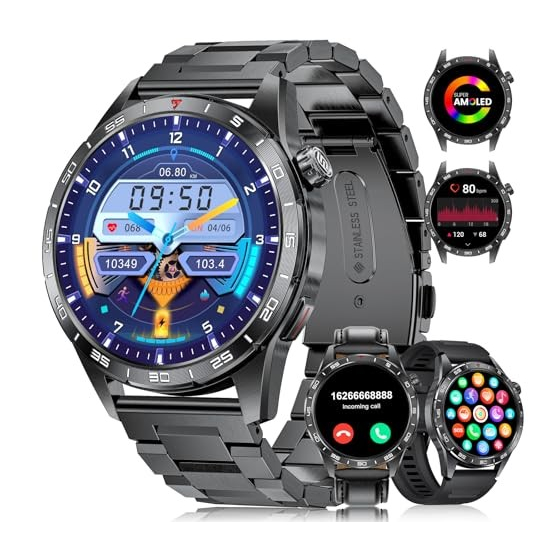
SMART SML3 Bedienungsanleitung

Verwandte Anleitungen für SMART SML3


Inhaltszusammenfassung für SMART SML3
- Seite 1 English 01-12 ············· SML3 13-24 German ············· User Manual French 25-36 ············· Italian 37-48 ············· 49-60 ·············...
-
Seite 2: Inhaltsverzeichnis
Content 01.Charging and Activation ........... P1 02.App Download & Watch Button Functions ....... P2 03.Pairing the Watch ............. P3 04.Connecting Bluetooth ............P4 05.Turning on Message Notifications ........P5 06.Update Weather Location Manually ......... P6 07.Setting the Display Unit of the Watch ......P6 08.Setting/Download Watch Faces ........ -
Seite 3: Charging And Activation
1.Charging and Activation a.Connect the SML3 charging cable to a 5V-1A adapter and plug it in. Ensure proper alignment of the cable with the metal contact pins on the back cover of the watch. The built-in magnets will automatically attach to the correct poles for charging. -
Seite 4: App Download
2.App Download ① Download the " GloryFit" app from the App Store or Google Play. ② Scan QR code to download. GloryFit GloryFit Watch Button Functions Long press 3S: Power On/Off Short press: Light up/Return Short press on the main interface page: Enter menu function Short press: Sport... -
Seite 5: Pairing The Watch
3.Pairing the Watch a.Upon first use of the GloryFit app, enable it to access Bluetooth, wireless data on your smartphone by granting all necessary permissions through your phone’s settings. Allow "GloryFit" to use wireless data? "GloryFit" Would Like to Some functionality may not work when Use Bluetooth wireless data is turned off. -
Seite 6: Connecting Bluetooth
Settings. Allow Don't Allow Allow Once Allow While Using App Don't Allow 4.Connecting Bluetooth a. Click "Add a new device" and select the SML3 Bluetooth device. This will complete the connection. SML3 Add a new device... -
Seite 7: Turning On Message Notifications
5.Turning on Message Notifications SML3 Instagram YouTube Bluetooth Call Messenger Watch faces Gmail Heart rate settings Snapchat Opened Blood oxygen setting Facebook Emotional stress Phone Twitter WhatsApp Messenger Pinterest Sedentary reminder Hangouts Light up Linkedln Skype a.Note that the watch cannot... -
Seite 8: Update Weather Location Manually
6.Update Weather Location Manually 29 °C Sleep Heart rate 7.Setting the Display Unit of the Watch Unit ft/in,Mile Goal Kilogram Train Weekly Third party service Celsius setting Fahrenheit Help Feedback... -
Seite 9: Setting/Download Watch Faces
GloryFit watch face UI market. Note that only one watch face UI can be saved at a time. A new download will replace the previously saved watch face UI. SML3 Bluetooth Call Watch faces Heart rate settings... - Seite 10 c. Displaying touchscreen functionality Control Center Recently Data used features/ setting Messages...
-
Seite 11: Resetting The Watch
9.Resetting the Watch System Reset Settings System Reset If exercise, sleep, and heart rate data are inaccurate, or if Bluetooth connection or calls are not working, try resetting the watch and reconnecting. 10.Setting up Always-On Display a. Tap "Settings"to enter "Watch face &... - Seite 12 11.Turn on/off Call Audio and Media Audio a.Turn on/off call audio Turn on/off media audio Phone Audio Sound & vibration If you don't want your watch to play media audio when you receive calls, you can turn off media audio. This is helpful if you're in a noisy environment or want to maintain personal privacy.
-
Seite 13: Adding And Syncing Favotite Contacts
12.Adding and Syncing Favotite Contacts a.Add contacts to the watch via GlotFit SML3 Sync Contacts Enable Bluetooth Call Close Bluetooth Call Bluetooth Call Watch faces Heart rate settings Blood oxygen setting Emotional stress Phone Sedentary reminder Light up b.Note some phones require manual activation of Bluetooth contact syncing due to privacy considerations. -
Seite 14: Key Safety Tips
13.Key Safety Tips a.Do not expose the watch to extremely high-temperature environments ike scorching sun rays or around high-temperature devices like heaters,ovens, microwave ovens, or water heaters. High-temperature environments may cause battery explosions or other safety accidents. b. The productincludes an irremovable pure cobalt battery. - Seite 15 Inhalt 01.Aufladen und Aktivierung ..........P13 02.App-Download & Funktionen der Uhrentasten ....P14 03.Koppeln der Uhr ............. P15 04.Bluetooth-Verbindung herstellen ........P16 05.Nachrichtenbenachrichtigungen aktivieren ....P17 06.Wetterstandort manuell aktualisieren ......P18 07.Einstellung der Anzeigeeinheit der Uhr ......P18 08.Zifferblätter einstellen/herunterladen ......P19 09.Die Uhr zurücksetzen .............
-
Seite 16: Aufladen Und Aktivierung
1.Aufladen und Aktivierung a.Verbinden Sie das SML3-Ladekabel mit einem 5V-1A- Adapter und stecken Sie es ein. Stellen Sie sicher, dass das Kabel richtig mit den Metallkontaktstiften auf der Rückseite der Uhr ausgerichtet ist. Die eingebauten Magneten werden sich automatisch an die richtigen Pole zum Laden anheften. -
Seite 17: Funktionen Der Uhrentasten
2.App-Download ① Lade die " GloryFit" App aus dem App Store oder Google Play herunter. ② Scanne den QR-Code, um die App herunterzuladen. GloryFit GloryFit Funktionen der Uhrentasten Lange drücken (3 Sekunden): Ein-/Ausschalten Kurz drücken: Beleuchten/Zurück Kurz drücken auf der Hauptseite: Menüfunktion öffnen Kurz drücken: Sport... -
Seite 18: Koppeln Der Uhr
3.Koppeln der Uhr a.Beim ersten Gebrauch der GloryFit-App aktivieren Sie den Zugriff auf Bluetooth und mobile Daten auf Ihrem Smartphone, indem Sie alle notwendigen Berechtigungen in den Einstellungen Ihres Telefons erteilen. Allow "GloryFit" to use wireless data? "GloryFit" Would Like to Some functionality may not work when Use Bluetooth wireless data is turned off. -
Seite 19: Bluetooth-Verbindung Herstellen
Settings. Allow Don't Allow Allow Once Allow While Using App Don't Allow 4.Bluetooth-Verbindung herstellen a. Klicken Sie auf "Neues Gerät hinzufügen" und wählen Sie das SML3 Bluetooth-Gerät aus. Dies schließt die Verbindung ab. SML3 Add a new device... -
Seite 20: Nachrichtenbenachrichtigungen Aktivieren
5.Nachrichtenbenachrichtigungen aktivieren SML3 Instagram YouTube Bluetooth Call Messenger Watch faces Gmail Heart rate settings Snapchat Opened Blood oxygen setting Facebook Emotional stress Phone Twitter WhatsApp Messenger Pinterest Sedentary reminder Hangouts Light up Linkedln Skype a.Beachten Sie, dass die Uhr keine Benachrichtigungen empfangen kann, wenn das Telefon im „Nicht... -
Seite 21: Wetterstandort Manuell Aktualisieren
6.Wetterstandort manuell aktualisieren 29 °C Sleep Heart rate 7.Einstellung der Anzeigeeinheit der Uhr Unit ft/in,Mile Goal Kilogram Train Weekly Third party service Celsius setting Fahrenheit Help Feedback... -
Seite 22: Zifferblätter Einstellen/Herunterladen
Zifferblättern zu wechseln. b.Laden Sie Zifferblätter über den Zifferblattmarkt der GloryFit-App herunter. Beachten Sie, dass jeweils nur ein Zifferblatt gespeichert werden kann. Ein neuer Download ersetzt das zuvor gespeicherte Zifferblatt. SML3 Bluetooth Call Watch faces Heart rate settings Blood oxygen setting... -
Seite 23: Anzeige Der Touchscreen-Funktionalität
c. Anzeige der Touchscreen-Funktionalität: Kontrollzentrum Zuletzt verwendete Daten Funktionen/ Einstellungen Nachrichten... -
Seite 24: Die Uhr Zurücksetzen
9.Die Uhr zurücksetzen System Reset Settings System Reset Wenn die Daten zu Bewegung, Schlaf und Herzfrequenz ungenau sind oder die Bluetooth- Verbindung oder Anrufe nicht funktionieren, versuchen Sie, die Uhr zurückzusetzen und erneut zu verbinden. 10.Immer-aktiv-Anzeige einrichten a.Tippen Sie auf „Einstellungen“, um „Zifferblatt &... -
Seite 25: Anruf- Und Medienaudio Ein-/Ausschalten
11.Anruf- und Medienaudio ein-/ausschalten a.Anruf-Audio ein-/ausschalten b.Medien-Audio ein-/ausschalten Phone Audio Sound & vibration Wenn Sie nicht möchten, dass Ihre Uhr Medien-Audio abspielt, wenn Sie Anrufe erhalten, können Sie Medien-Audio ausschalten. Dies ist hilfreich, wenn Sie sich in einer lauten Umgebung befinden oder Ihre Privatsphäre wahren möchten. -
Seite 26: Favoritenkontakte Hinzufügen Und Synchronisieren
12.Favoritenkontakte hinzufügen und synchronisieren a.Fügen Sie Kontakte über GlotFit zur Uhr hinzu. SML3 Sync Contacts Enable Bluetooth Call Close Bluetooth Call Bluetooth Call Watch faces Heart rate settings Blood oxygen setting Emotional stress Phone Sedentary reminder Light up b.Beachten Sie, dass bei einigen Telefonen die Bluetooth- Kontaktsynchronisierung manuell aktiviert werden muss, um Datenschutzrichtlinien zu berücksichtigen. -
Seite 27: Wichtige Sicherheitshinweise
13.Wichtige Sicherheitshinweise a.Setzen Sie die Uhr nicht extremen Temperaturen wie sengenden Sonnenstrahlen oder in der Nähe von Hochtemperaturgeräten wie Heizungen, Öfen, Mikrowellen oder Warmwasserbereitern aus. Hohe Temperaturen können zu Batterieexplosionen oder anderen Sicherheitsunfällen führen. b. Das Produkt enthält eine nicht entfernbaren Reine Kobalt-Batterie. - Seite 28 Contenu 01.Chargement et Activation ..........P25 02.Téléchargement de l’App & Fonctions des Boutons de la Montre ......P26 03.Appairage de la Montre ..........P27 04.Connexion Bluetooth ............P28 05.Activation des Notifications de Messages ...... P29 06.Mettre à Jour Manuellement la Localisation Météo ..P30 07.Réglage de l’Unité...
-
Seite 29: Chargement Et Activation
1.Chargement et Activation a.Connectez le câble de chargement SML3 à un adaptateur 5V-1A et branchez-le. Assurez-vous que le câble est correctement aligné avec les broches de contact métalliques sur le dos de la montre. Les aimants intégrés se fixeront automatiquement aux pôles corrects pour le chargement. -
Seite 30: Téléchargement De L'app
2.Téléchargement de l’App ① Téléchargez l'application " GloryFit" depuis l'App Store ou Google Play. ② Scannez le code QR pour télécharger. GloryFit GloryFit Fonctions des Boutons de la Montre Appuyez longuement 3 secondes : Allumer/Éteindre Appuyez brièvement : Allumer/Retour Appuyez brièvement sur l'interface principale : Accéder au menu Appuyez brièvement : Sport... -
Seite 31: Appairage De La Montre
3.Appairage de la Montre a.Lors de la première utilisation de l'application GloryFit, activez l'accès au Bluetooth et aux données mobiles sur votre smartphone en accordant toutes les autorisations nécessaires via les paramètres de votre téléphone. Allow "GloryFit" to use wireless data? "GloryFit"... -
Seite 32: Connexion Bluetooth
Settings. Allow Don't Allow Allow Once Allow While Using App Don't Allow 4.Connexion Bluetooth a. Cliquez sur "Ajouter un nouvel appareil" et sélectionnez le périphérique Bluetooth SML3. Cela complétera la connexion. SML3 Add a new device... -
Seite 33: Activation Des Notifications De Messages
5.Activation des Notifications de Messages SML3 Instagram YouTube Bluetooth Call Messenger Watch faces Gmail Heart rate settings Snapchat Opened Blood oxygen setting Facebook Emotional stress Phone Twitter WhatsApp Messenger Pinterest Sedentary reminder Hangouts Light up Linkedln Skype a.Notez que la montre ne peut pas recevoir de notifications lorsque le téléphone est en... -
Seite 34: Mettre À Jour Manuellement La Localisation Météo
6.Mettre à Jour Manuellement la Localisation Météo 29 °C Sleep Heart rate 7.Réglage de l’Unité d’Affichage de la Montre Unit ft/in,Mile Goal Kilogram Train Weekly Third party service Celsius setting Fahrenheit Help Feedback... -
Seite 35: Réglage/Téléchargement Des Cadrans De Montre
GloryFit. Notez qu'un seul cadran peut être sauvegardé à la fois. Un nouveau téléchargement remplacera le cadran précédemment sauvegardé. SML3 Bluetooth Call Watch faces Heart rate settings Blood oxygen setting... - Seite 36 c. Affichage des fonctionnalités de l'écran tactile : Centre de contrôle Fonctions/ Données réglages récemment utilisés Messages...
-
Seite 37: Réinitialisation De La Montre
9.Réinitialisation de la Montre System Reset Settings System Reset Si les données d'exercice, de sommeil et de fréquence cardiaque sont inexactes, ou si la connexion Bluetooth ou les appels ne fonctionnent pas, essayez de réinitialiser la montre et de la reconnecter. 10.Configuration de l’Affichage Toujours Activé... -
Seite 38: Activation/Désactivation De L'audio Des Appels Et Des Médias
11.Activation/Désactivation de l’Audio des Appels et des Médias a.Activer/désactiver l'audio des appels b.Activer/désactiver l'audio des médias Phone Audio Sound & vibration Si vous ne voulez pas que votre montre diffuse l'audio des médias lorsque vous recevez des appels, vous pouvez désactiver l'audio des médias. Cela est utile si vous êtes dans un environnement bruyant ou si vous souhaitez préserver votre vie privée. -
Seite 39: Ajouter Et Synchroniser Les Contacts Favoris
12.Ajouter et Synchroniser les Contacts Favoris a.Ajoutez des contacts à la montre via GlotFit. SML3 Sync Contacts Enable Bluetooth Call Close Bluetooth Call Bluetooth Call Watch faces Heart rate settings Blood oxygen setting Emotional stress Phone Sedentary reminder Light up b.Notez que certains téléphones nécessitent une... -
Seite 40: Conseils De Sécurité Clés
13.Conseils de Sécurité Clés a.Ne exposez pas la montre à des environnements de température extrêmement élevée tels que les rayons du soleil brûlants ou près d'appareils à haute température comme des chauffages, des fours, des micro-ondes ou des chauffe-eaux. Les environnements à... - Seite 41 Contenuto 01.Ricarica e Attivazione ............. P37 02.Download dell'App & Funzioni dei Pulsanti dell’Orologio ......... P38 03.Accoppiamento dell’Orologio ......... P39 04.Connessione Bluetooth ..........P40 05.Attivare le Notifiche dei Messaggi ........P41 06.Aggiornare Manualmente la Posizione Meteo ....P42 07.Impostazione dell'Unità di Visualizzazione dell’Orologio .........
-
Seite 42: Ricarica E Attivazione
1.Ricarica e Attivazione a.Collega il cavo di ricarica SML3 a un adattatore da 5V-1A e inseriscilo. Assicurati che il cavo sia correttamente allineato con i pin di contatto metallici sul retro dell'orologio. I magneti integrati si attaccheranno automaticamente ai poli corretti per la ricarica. -
Seite 43: Download Dell'app
2.Download dell'App ① Scarica l'app " GloryFit" dall'App Store o Google Play. ② Scansiona il codice QR per scaricare. GloryFit GloryFit Funzioni dei Pulsanti dell’Orologio Premi a lungo 3 secondi: Accensione/Spegnimento Premi brevemente: Accensione/Ritorno Premi brevemente nella schermata principale: Accedere al menu Premi brevemente: Sport... -
Seite 44: Accoppiamento Dell'orologio
3.Accoppiamento dell’Orologio a.Al primo utilizzo dell'app GloryFit, abilita l'accesso a Bluetooth e dati mobili sul tuo smartphone concedendo tutte le autorizzazioni necessarie tramite le impostazioni del telefono. Allow "GloryFit" to use wireless data? "GloryFit" Would Like to Some functionality may not work when Use Bluetooth wireless data is turned off. -
Seite 45: Connessione Bluetooth
Settings. Allow Don't Allow Allow Once Allow While Using App Don't Allow 4.Connessione Bluetooth a. Clicca su "Aggiungi un nuovo dispositivo" e seleziona il dispositivo Bluetooth SML3. Questo completerà la connessione. SML3 Add a new device... -
Seite 46: Attivare Le Notifiche Dei Messaggi
5.Attivare le Notifiche dei Messaggi SML3 Instagram YouTube Bluetooth Call Messenger Watch faces Gmail Heart rate settings Snapchat Opened Blood oxygen setting Facebook Emotional stress Phone Twitter WhatsApp Messenger Pinterest Sedentary reminder Hangouts Light up Linkedln Skype a.Nota che l'orologio non può... -
Seite 47: Aggiornare Manualmente La Posizione Meteo
6.Aggiornare Manualmente la Posizione Meteo 29 °C Sleep Heart rate 7.Impostazione dell'Unità di Visualizzazione dell’Orologio Unit ft/in,Mile Goal Kilogram Train Weekly Third party service Celsius setting Fahrenheit Help Feedback... -
Seite 48: Impostare/Scaricare Quadranti Dell'orologio
GloryFit. Nota che può essere salvato solo un quadrante alla volta. Un nuovo download sostituirà il quadrante precedentemente salvato. SML3 Bluetooth Call Watch faces Heart rate settings Blood oxygen setting... - Seite 49 c. Visualizzazione delle funzionalità del touchscreen: Centro di controllo Funzioni/ Dati impostazioni recenti Messaggi...
-
Seite 50: Reimpostare L'orologio
9.Reimpostare l’Orologio System Reset Settings System Reset Se i dati di esercizio, sonno e frequenza cardiaca sono imprecisi o se la connessione Bluetooth o le chiamate non funzionano, prova a ripristinare l'orologio e a riconnetterlo. 10.Impostare la Visualizzazione Sempre Attiva a.Tocca "Impostazioni "... -
Seite 51: Attivare/Disattivare Audio Delle Chiamate E Dei Media
11.Attivare/Disattivare Audio delle Chiamate e dei Media a.Attiva/disattiva l'audio delle chiamate Attiva/disattiva l'audio multimediale Phone Audio Sound & vibration Se non vuoi che il tuo orologio riproduca l'audio multimediale quando ricevi chiamate, puoi disattivare l'audio multimediale. Questo è utile se ti trovi in un ambiente rumoroso o desideri mantenere la tua privacy. -
Seite 52: Aggiungere E Sincronizzare Contatti Preferiti
12.Aggiungere e Sincronizzare Contatti Preferiti a.Aggiungi contatti all'orologio tramite GlotFit. SML3 Sync Contacts Enable Bluetooth Call Close Bluetooth Call Bluetooth Call Watch faces Heart rate settings Blood oxygen setting Emotional stress Phone Sedentary reminder Light up b.Nota che alcuni telefoni richiedono l'attivazione manuale della sincronizzazione dei contatti Bluetooth a causa di considerazioni sulla privacy. -
Seite 53: Principali Consigli Di Sicurezza
13.Principali Consigli di Sicurezza a.Non esporre l'orologio a ambienti con temperature estremamente elevate come i raggi del sole cocente o vicino a dispositivi ad alta temperatura come riscaldatori, forni, microonde o scaldabagni. Ambienti ad alta temperatura possono causare esplosioni della batteria o altri incidenti di sicurezza. b. - Seite 54 Contenido 01.Carga y Activación ............P49 02.Descarga de la App & Funciones de los Botones del Reloj ....... P50 03.Emparejamiento del Reloj ..........P51 04.Conexión Bluetooth ............P52 05.Activar Notificaciones de Mensajes ........ P53 06.Actualizar Manualmente la Ubicación Meteorológica ..P54 07.Configurar la Unidad de Visualización del Reloj ....
-
Seite 55: Carga Y Activación
1.Carga y Activación a.Conecte el cable de carga SML3 a un adaptador de 5V-1A y enchúfelo. Asegúrese de que el cable esté correctamente alineado con los pines de contacto metálicos en la parte posterior del reloj. Los imanes integrados se ajustarán automáticamente a los polos correctos para la carga. -
Seite 56: Descarga De La App
2.Descarga de la App ① Descarga la aplicación " GloryFit" desde la App Store o Google Play. ② Escanea el código QR para descargar. GloryFit GloryFit Funciones de los Botones del Reloj Mantén presionado 3 segundos: Encender/Apagar Presiona brevemente: Encender/Volver Presiona brevemente en la interfaz principal: Entrar al menú... -
Seite 57: Emparejamiento Del Reloj
3.Emparejamiento del Reloj a.Al usar la aplicación GloryFit por primera vez, habilite el acceso a Bluetooth y datos móviles en su smartphone otorgando todos los permisos necesarios a través de la configuración de su teléfono. Allow "GloryFit" to use wireless data? "GloryFit"... -
Seite 58: Conexión Bluetooth
Settings. Allow Don't Allow Allow Once Allow While Using App Don't Allow 4.Conexión Bluetooth a. Haga clic en "Agregar un nuevo dispositivo" y seleccione el dispositivo Bluetooth SML3. Esto completará la conexión. SML3 Add a new device... -
Seite 59: Activar Notificaciones De Mensajes
5.Activar Notificaciones de Mensajes SML3 Instagram YouTube Bluetooth Call Messenger Watch faces Gmail Heart rate settings Snapchat Opened Blood oxygen setting Facebook Emotional stress Phone Twitter WhatsApp Messenger Pinterest Sedentary reminder Hangouts Light up Linkedln Skype a.Tenga en cuenta que el reloj no puede recibir notificaciones cuando el teléfono está... -
Seite 60: Actualizar Manualmente La Ubicación Meteorológica
6.Actualizar Manualmente la Ubicación Meteorológica 29 °C Sleep Heart rate 7.Configurar la Unidad de Visualización del Reloj Unit ft/in,Mile Goal Kilogram Train Weekly Third party service Celsius setting Fahrenheit Help Feedback... -
Seite 61: Configurar/Descargar Carátulas Del Reloj
GloryFit. Ten en cuenta que solo se puede guardar una esfera del reloj a la vez. Una nueva descarga reemplazará la esfera guardada previamente. SML3 Bluetooth Call Watch faces Heart rate settings Blood oxygen setting... - Seite 62 c. Mostrar funcionalidad de la pantalla táctil: Centro de control Funciones/ Datos configuración recientemente usadas Mensajes...
-
Seite 63: Restablecer El Reloj
9.Restablecer el Reloj System Reset Settings System Reset Si los datos de ejercicio, sueño y frecuencia cardíaca son inexactos, o si la conexión Bluetooth o las llamadas no funcionan, intente reiniciar el reloj y volver a conectarlo. 10.Configurar la Visualización Siempre Activada a.Toque "... -
Seite 64: Activar/Desactivar Audio De Llamadas Y De Medios
11.Activar/Desactivar Audio de Llamadas y de Medios a.Activar/desactivar el audio de las llamadas Activar/desactivar el audio multimedia Phone Audio Sound & vibration Si no quieres que tu reloj reproduzca audio multimedia cuando recibas llamadas, puedes desactivar el audio multimedia. Esto es útil si te encuentras en un entorno ruidoso o deseas mantener tu privacidad. -
Seite 65: Agregar Y Sincronizar Contactos Favoritos
12.Agregar y Sincronizar Contactos Favoritos a.Agrega contactos al reloj a través de GlotFit. SML3 Sync Contacts Enable Bluetooth Call Close Bluetooth Call Bluetooth Call Watch faces Heart rate settings Blood oxygen setting Emotional stress Phone Sedentary reminder Light up b.Ten en cuenta que algunos teléfonos requieren la activación manual de la sincronización de contactos por... -
Seite 66: Consejos De Seguridad Claves
13.Consejos de Seguridad Claves a.No exponga el reloj a ambientes con temperaturas extremadamente altas, como los rayos solares abrasadores o cerca de dispositivos de alta temperatura como calentadores, hornos, microondas o calentadores de agua. Los ambientes de alta temperatura pueden causar explosiones de batería u otros accidentes de seguridad.