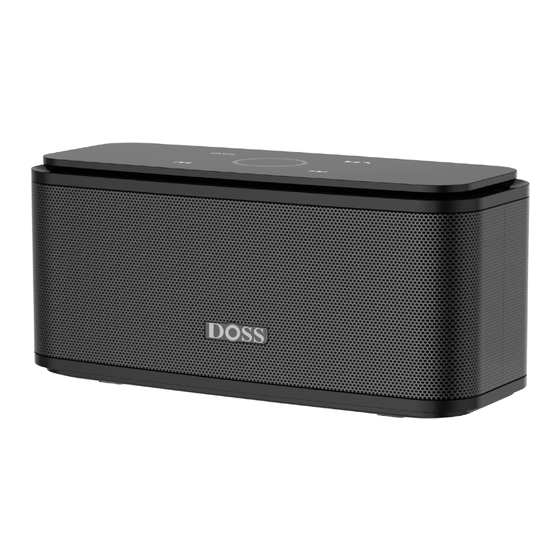
Doss SoundBox Bedienungsanleitung
Vorschau ausblenden
Andere Handbücher für SoundBox:
- Bedienungsanleitung (28 Seiten) ,
- Bedienungsanleitung (14 Seiten) ,
- Bedienungsanleitung
Inhaltsverzeichnis
Verfügbare Sprachen
Verfügbare Sprachen
Wireless Portable Bluetooth Speaker
EN DE FR IT ES JP
US:
UK:
FR:
I T :
UK
OST_UK _20220119000010
We simply act as UK representative for cross-border sellers, and are not manufacturers/importers/dis-
tributors for the product, nor involved in the manufacture/import/sale of the product. Therefore, we are
not responsible for any after-sales services related to the product. In case of any product quality or
infringement issues, the manufacturer/importer/seller shall be solely held responsible.
EU
OST EU 20220119000015
We simply act as EU representative for cross-border sellers, and are not manufactur-
ers/importers/distributors for the product, nor involved in the manufacture/import/sale of the
product. Therefore, we are not responsible for any after-sales services related to the product.
In case of any product quality or infringement issues, the manufacturer/importer/seller shall
be solely held responsible.
EVATOST CONSULTING LTD
Office 101 32 Threadneedle Street, London,
REP
United Kingdom, EC2R 8AY
contact@evatost.com
eVatmaster Consulting GmbH
Bettinastr. 30
REP
60325 Frankfurt am Main,Germany
contact@evatmaster.com
Model No.: DOSS SoundBox
User Manual
CA:
DE:
ES:
JP:
Inhaltsverzeichnis

Verwandte Anleitungen für Doss SoundBox


Inhaltszusammenfassung für Doss SoundBox
-
Seite 4: Produktübersicht
2. Schalten Sie den Lautsprecher ein. Die mittlere Anzeige auf der Oberseite blinkt blau. 3. Schalten Sie Bluetooth an Ihrem Gerät ein und wählen Sie die DOSS SoundBox in der Bluetooth-Liste aus. 4. Nach dem Pairing ertönt ein Signalton und die Anzeige oben in der Mitte leuchtet dauerhaft blau. -
Seite 5: Verbinden Sie Die Doss Soundbox Mit Echo Dot
EINSTELLUNGEN.. 4. Tippen Sie auf den Echo Dot in der Alexa-App und dann auf BLUETOOTH. 5. Wählen Sie DOSS SoundBox in der Bluetooth-Liste aus. Wenn es nicht in der Liste erscheint, halten Sie 5 Sekunden lang gedrückt und versuchen Sie, die Verbindung wiederherzustellen.