Anmelden
Hochladen
Anleitungen
Marken
Zoom Anleitungen
Studio & Recording
2020
Zoom 2020 Handbücher
Anleitungen und Benutzerhandbücher für Zoom 2020. Wir haben
1
Zoom 2020 Anleitung zum kostenlosen PDF-Download zur Verfügung: Bedienungsanleitung
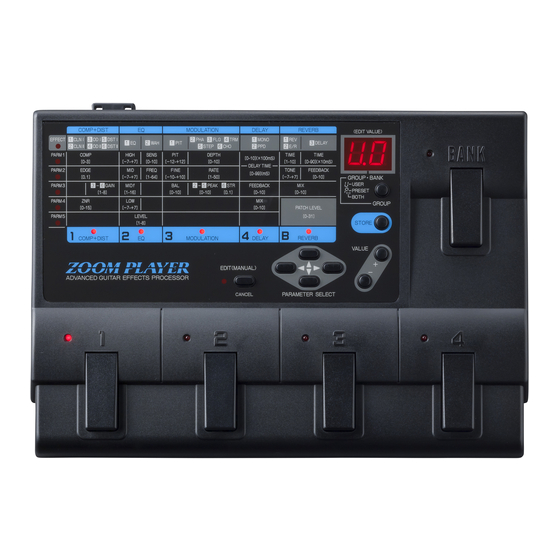
Zoom 2020 Bedienungsanleitung (63 Seiten)
Marke:
Zoom
| Kategorie:
Studio & Recording
| Dateigröße: 4 MB
Inhaltsverzeichnis
English
2
Inhaltsverzeichnis
2
Safety Precautions
6
Sicherheitsvorschriften
6
Usage Precautions
8
Vorsichtsmabregeln Elektrische Storunoen
8
Reinigung
8
Terms Used in this Manual
10
Erklarung der Terminologie
10
Panel Display in Edit Mode
10
Names and Functions of
14
Controls and Connectors
14
Frontpancl
14
Rearpancl
18
Connection Examples
20
Connection to One Guitar Amplifier (Example 1)
20
Connection to Two Guitar Amplifiers (Example 2)
20
Connection to a Tape Recorder or Mixer (Example 3)
20
Using Headphones for Monitoring (Example 4)
20
Playino a Patch (Use of the Play Mode)
22
Selecting a Patch
24
Bypassing the Effects
25
Adjusting the Patch Level
26
Editing a Patch
28
What 1S a Patch
28
Entering the Edit Mode
30
Editingapatch
32
Turning Effect Modulcs on and off
34
Compare
34
Storing a Patch
34
Effekttypen und Parameter
38
Effektmodul 1 : Kompressor- und Verzermngseffekte (COM~+DIST)
38
Effeklmodul 2: Equalizer (EQ)
40
Effektmodul4: Verzogerung (DELAY) Effckmodul 5: Rcverb (REVERB)
50
Patch-Programm-Pegel (PATCH LEVEL)
52
Other Functions
54
Restoring Individual Factory Preset Patches Patchrecall)
54
Von Einzclncn Patch-Programmen
54
Restoring All Factory Prcset Patches (Initialize)
56
Using the Fsol
60
French
11
Terminologie Utilisee Dans Ce Mode D'emploi
11
Terminos Usados en Este Manual
11
Denominations et Fonctions des Commandes et des Connecteurs
15
Nombres y Funciones de 10S Controles y
15
Conectores
15
Panel Frontal
15
Panelpsteri O R
19
Exemples de Connexions
21
Connexion Avec un Amplificateur de Pitarc
21
Connexion Avec de
21
Connexion Avec un Magn6Tophone ou un Mixeur
21
Utilisation du Casque pour le Monitoring
21
Ejemplos de Conexion
21
Conexi6N a Dos Amplificadores de Guitarra
21
Conexidn a un Magnedfono O Mezclador
21
Utilizando Auriculares para Escuchar
21
Reproduccion de un Patch
23
Comp+Dist
28
Module D'effe~S 3 : Modulation @Lodulation)
39
Tipos de Efecto y Parametros
39
Module D'effets 4 : Retard [DELAY]
49
B16Dulo de Efecto 4: Retardo (DELAY)
49
Module D'effets 5 : Reverb (REVERB)
51
Niveau DC Patch (PATCH LEVEL)
53
Nivcl de Patch (PATCH LEVEL)
53
Autres Fonctions
55
German
14
Vorderseitc
14
Bezeichnuno und Funktion der Reoler und Anschlusse
14
Bezeichnung und Funktion der Regler und Anschliisse
14
Panneau Avant
15
Riicheite
18
Panneau Arriere
19
Anschlufibeispiele
20
Anschlub an einen Gitarrenvcrstiirke
20
Anschlull an Zwei Gitarrenverstarker (Anschlubbeispiel2)
20
Anschlub an Cin Tonbandgeriit oder Mischpult
20
Anschlull an ein Tonbandgerat oder Mischpult (Anschlubbeispiel3)
20
Spielen eines Patch-Programms
22
(Uerwenduno der Play- Betriebsart)
22
Wahl eines Patch-Progamms
24
Einstellen Dcs Palch-Prograrnm-Pegels
26
Einstellen des Patch-Programm-Pegels
26
Umgehen Dcr Effekte (Bypass-Zustand)
26
Editieren eines Patch-Programms (Verwendung der Editielc Betriebsart)
28
Panel Display in Edit Mode
30
Aktivieren der Edilier-Bctricbsart
30
Bedienungsf Eld-Anzeig E in der Editier-Betriebsart
30
Editieren Eincs Patch-Programms
32
Ein- und Ausschalten von Effektmodulen
34
Vergleichsfunktion
34
Speichern Eincs Patch-Programms
34
Effect Types and Parameters
38
Effect Module 1
38
Compressor + Distortion (COMP+DIST)
38
Effect Module 2: Equalizer
40
Effect Module 3: Modulation
44
E F L E T Module 4: Delay
46
Effect Module 5: Reverb
50
Patchlcvei
52
Andere Funktionen
54
Otras Funciones
55
Wiederherstellen der Werks-Uoreinstellunu for alle Patch- Programme (Initialisieren)
56
Fub- &Halter
58
Verwandte Produkte
Zoom 277618
Zoom RhythmTrak 234
Zoom PLAYER 2100
Zoom 3030
Zoom 5000 ZOOM DRIVER
Zoom 708II BASS
Zoom 9001
Zoom 9030
Zoom 9120
Zoom AMS-22
Zoom Kategorien
Studio & Recording
Diktiergeräte
Effekt-Pedale
Mischpulte
Digitaler Video Recorder
Weitere Zoom Anleitungen
Anmelden
Anmelden
ODER
Mit Facebook anmelden
Mit Google anmelden
Anleitung hochladen
Von PC hochladen
Von URL hochladen