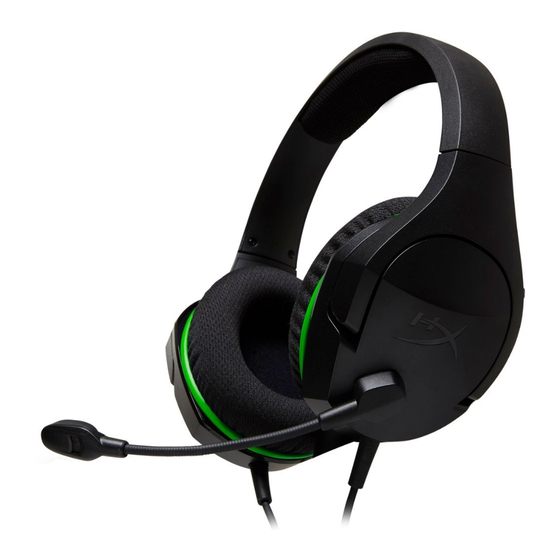
HyperX CloudX Stinger Core Kurzanleitung
Vorschau ausblenden
Andere Handbücher für CloudX Stinger Core:
- Schnellstartanleitung (3 Seiten) ,
- Bedienungsanleitung (39 Seiten) ,
- Schnellstartanleitung

Verwandte Anleitungen für HyperX CloudX Stinger Core


Inhaltszusammenfassung für HyperX CloudX Stinger Core
- Seite 1 HyperX CloudX Stinger Core Quick Start Guide Wireless Gaming Headset Overview Swivel-to-mute microphone Status LED Power button Volume wheel USB charge port Pairing button Game/chat balance wheel USB charge cable 4402194C...
-
Seite 2: Power Button
Charging It is recommended to fully charge your headset before rst use CHARGE STATUS Fully charged Solid white 15% — 99% battery Breathing white < 15% battery Breathing red Power Button Power on/o – Hold power button for 3 seconds Mic monitoring Short press power button to toggle mic monitoring on/o Setup for Xbox Console Usage... - Seite 3 Scroll up or down to adjust mix between game audio and chat audio 100% Game 0% Game 0% Chat 100% Chat The game/chat balance functionality operates independently from the overall headset audio volume Questions or Setup Issues? Contact the HyperX support team at hyperx.com/support...
- Seite 4 Molette de balance audio jeu/chat Questions or Setup Issues? Tournez-la pour le mixage de la source audio du jeu et de la source audio du Contact the HyperX support team or see the user manual at chat. hyperx.com/support La fonction de balance de l'audio du chat et de l'audio du jeu fonctionne de manière indépendante par rapport au réglage du volume audio du casque.
-
Seite 5: Übersicht
Microfono con sistema di silenziamento voce a rotazione ITALIANO Domande o dubbi sulla con gurazione? Contattare il team di supporto HyperX; oppure consultare il manuale utente, Descrizione generale del prodotto disponibile all'indirizzo: hyperx.gg/support A - Microfono con sistema di silenziamento voce a rotazione "Swivel-to-mute"... -
Seite 6: Stan Ładowania
Fragen oder Probleme bei der Einrichtung? Regulacja poziomu dźwięku gry/rozmowy jest niezależna od ogólnego Wende dich an das HyperX Support-Team oder lies in der Bedienungsanleitung ustawienia głośności w słuchawkach. Mikrofon wyciszany przez podniesienie unter hyperx.com/support nach. - Seite 7 ¿Tienes alguna pregunta o consulta sobre la instalación? áudio do headset. Gire para colocar o microfone em mudo Ponte en contacto con el equipo de ayuda de HyperX o consulta el manual de usuario en hyperx.com/support Dúvidas ou problemas na instalação? Entre em contato com a equipe de suporte HyperX ou consulte o manual do PORTUGUÊS...
- Seite 8 Прокрутіть вгору або вниз, щоб відрегулювати баланс звуку гри й чату Otázky nebo problémy s nastavením? Баланс звуку гри й чату діє незалежно від загального рівня гучності Kontaktuj tým podpory HyperX nebo si přečti uživatelskou příručku na adrese: гарнітури Механізм із поворотним вимкненням мікрофона...
- Seite 9 A - 旋转静音麦克风 E - USB 充电端口 Возникли вопросы или проблемы с настройкой? B - 状态 LED 配对按钮 Cвяжитесь со службой технической поддержки HyperX или обратитесь к C - 电源按钮 游戏/聊天平衡滚轮 руководству пользователя по адресу: hyperx.com/support D - 音量滚轮 H - USB 充电线...
- Seite 10 警告:长时间开大音量使用耳机可能导致听力永久受损。 ランスを調整します 游戏/聊天平衡滚轮 ゲーム/チャットバランス機能は、ヘッドセット全体の音量と 向上或向下滚动可调节游戏音频与聊天音频之间的混合 は独立して動作します 游戏/聊天平衡功能可独立于整体耳机音量工作 マイクブームの上げ下げでミュートが可能なマイク 旋转静音麦克风 ご質問、またはセットアップの問題がある場合? 存有疑问或遇到设置问题? HyperX サポートチームにお問い合わせいただくか、 请联系 HyperX 支持团队,或者访问如下网站查阅用户手册: hyperx.com/support にあるユーザーマニュアルを参照してくだ hyperx.com/support さい 日本語 概要 한국어 A - マイクブームの上げ下げでミュートが可能なマイク 개요 B - ステータス LED E - USB 충전 포트 A - 회전식 마이크 음소거...
- Seite 11 스크롤하십시오 " - F " 게임/채팅 밸런스 기능은 전체 헤드셋 오디오 볼륨과 별개로 작동합니다 회전식 마이크 음소거 질문 또는 설치 관련 문제 ? HyperX 지원 팀에 문의하시거나 hyperx.com/support 에서 사용자 설명서를 참조하십시오 15-%99 15%> " " Xbox " " XBOX...
- Seite 12 С ра тар немесе орнату кезінде иынды тар туындады ма? HyperX hyperx.com/support TURKISH Genel görünüm A - Mikrofonu döndür-sessize al B - Durum LED’i C - Güç düğmesi D - Ses düğmesi E - USB şarj bağlantı noktası F - Eşleştirme düğmesi G - Oyun/sohbet dengesi düğmesi...
- Seite 13 Oyun/sohbet dengesi özelliği, genel kulaklık sesinden bağımsız çalışır. Mikrofonu Döndür Sessize Al Întrebări sau probleme de instalare? Sorular ve Kurulum Sorunları Contactează echipa de asistenţă HyperX sau consultă manualul de utilizare, la HyperX destek ekibi ile iletişime geçin veya kullanım kılavuzunu inceleyin: adresa: hyperx.gg/support hyperx.com/support SLOVENŠČINA...
- Seite 14 UK only: Hereby, HP declares that the radio equipment is in compliance with Vprašanja ali težave pri namestitvi? the relevant statutory requirements. The full text of the declaration of Obrnite se na ekipo za podporo HyperX ali si oglejte uporabniški priročnik: conformity is available at the following internet address: www.hp.eu/certi - hyperx.gg/support cates (search with Model Name) Hiermit erklärt HP, dass der Funkanlagentyp der Richtlinie 2014/53/EU...
- Seite 15 HP declara que o presente tipo de equipamento de rádio está em HP ovime izjavljuje da je radijska oprema tipa u skladu s Direktivai 2014/53/EU. conformidade com a Diretiva 2014/53/UE. O texto integral da declaração de Cjeloviti tekst EU izjave o sukladnosti dostupan je na sljedećoj internetskoj adresi: conformidade está...
- Seite 16 -Increase the separation between the equipment and receiver. élevée signalée en vertu de cette norme lors de la certi cation du produit pour une -Connect the equipment into an outlet on a circuit di erent from that to which the utilisation correcte est de 0.013 W/kg.
- Seite 17 ©Copyright 2022 HyperX and the HyperX logo are registered trademarks or trademarks of HP Inc. in the U.S. and/or other countries. All registered trademarks and trademarks are property of their respective owners. / HyperX et le logo HyperX sont des marques déposées ou des marques commerciales de HP Inc. aux États-Unis et/ou dans d'autres pays.